Anymd vs Bhushangitfull File MCP Smith
A side-by-side look at the Anymd and Bhushangitfull File MCP Smith MCP servers: transport, auth, tools, quality signals, and the config to install either one in Claude, Cursor, Windsurf or VS Code.
Verdict: choose Anymd for file systems work as a local process; choose Bhushangitfull File MCP Smith for file systems. You can also run both side by side in one mcpServers block.
Which MCP server should you choose?
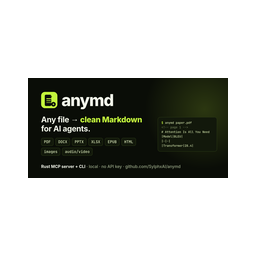 Choose Anymd when
- You need dedicated capabilities in the File Systems domain.
- You prefer a local stdio subprocess transport.
- Its auth model fits you: No auth required.
- You want tools like
inspect, outline, read.
 Choose Bhushangitfull File MCP Smith when
- You need dedicated capabilities in the File Systems domain.
Feature & specification comparison
Rows where the two servers differ are marked.
| Spec | ||
|---|---|---|
| Category | File Systems | File Systems |
| Quality signal | 72/100 · Great | 29/100 · Emerging |
| Install command | Confirmed | Not confirmed yet |
| Transport | Local subprocess (stdio) | — |
| Auth | No auth required | Not declared |
| Pricing | Free | Not declared |
| Required env vars | None listed | None listed |
| Verified owner | Community listing | Community listing |
| GitHub stars | 1,050 | 0 |
| Directory activity | 3 views 0 installs 0 upvotes | 0 views 0 installs 0 upvotes |
| Tools | 4 | Not listed |
| Full listing | View Anymd | View Bhushangitfull File MCP Smith |
Tools & capabilities
Anymd tools 4
inspectDocument and media evidence when Markdown is not enough. video_timeline (bounded scene/cue timeline) and render_frame (actual decoded frames), and cite_check (quote/location support, not semantic truth), are anymd Pro; PDF operations: inspect (page facts, metadata), render_page (PNG images), extract_regions (crop bounding boxes), ocr_pages / analyze_regions (configured OCR or vision provider), structure (JSON with document map, elements, geometry; profile quality|research adds trust and accessibility reports), compare (page-level diff of sources[0] vs sources[1]).outlineReturn a document heading tree with stable node ids, title paths, page/slide/chapter ranges and Markdown byte ranges. PDF bookmarks or detected headings, Word headings, PowerPoint slides, EPUB chapters and headings, HTML and Markdown. format json (default) or tree. Pass a node id to read to fetch that section.readRead any document as clean Markdown: PDF, Word (DOCX), PowerPoint (PPTX), Excel (XLSX/XLS/ODS), CSV, EPUB, HTML or a web URL, Markdown/text, images (metadata + OCR), audio/video (metadata, chapters, subtitles). Pages/slides/sheets carry <!-- page N --> style markers for citation. Long documents stop at max_tokens (default 20000) and end with a cursor to continue; choose pages with pages: "1-5,8". A directory returns its readable files.searchSearch documents for text: one file, many files, whole directories (recursive, .gitignore aware), or URLs, across every format read supports. Returns each hit as file + page/slide/sheet + a snippet with the match in bold. mode auto (default) finds the exact phrase and falls back to BM25-ranked passages when there is none; literal or ranked force one. Narrow directories with glob, e.g. "*.pdf".
Bhushangitfull File MCP Smith tools
No tool names declared yet. Check the project README from the listing page.
Ready-to-paste client configs
Paste either block (or both) into your client config, e.g. claude_desktop_config.json or ~/.cursor/mcp.json. We only show a config when the install command is confirmed.
Anymd
{
  "mcpServers": {
    "anymd": {
      "command": "npx",
      "args": [
        "-y",
        "@sylphx/anymd"
      ]
    }
  }
}
Bhushangitfull File MCP Smith
No confirmed install command for Bhushangitfull File MCP Smith yet — follow the setup steps linked from its listing page rather than a guessed package name.
