Key Features:
8 0 828
Compare side-by-side Looking for an alternative to Anacraft — Google Analytics 4? Whether you need a different runtime environment, custom authentication support, or alternative API integrations in the Developer Tools ecosystem, we have cataloged and compared the top alternative MCP servers below.
anacraft — Google Analytics 4 MCP server connects an assistant to a Google Analytics 4 property through the Model Context Protocol. It supports natural-language questions backed by GA4 data, while its CLI provides dashboards, one-shot reports, live traffic views, and measurement audits. Use it when you need an assistant to read site metrics or want to inspect whether GA4 is collecting and configuring data correctly. Authentication uses Google OAuth, and a saved property selects which GA4 account the reports query.
Direct comparison of key metrics, runtimes, authentication methods, and community popularity.
| Server Name | Runtime | Auth | Pricing | GitHub Stars | Downloads | Action |
|---|---|---|---|---|---|---|
A Anacraft — Google Analytics 4 (Target) | — | — | — | 1 | — | Current |
| npx | No auth required | Free | 828 | — | Compare → | |
C Chatpack MCP | npx | No auth required | Free | 224 | — | Compare → |
| npx | — | — | 2,661 | — | Compare → | |
| npx | API key | Paid | 5,997 | 1 | Compare → | |
| npx | API key | Free | 3,041 | — | Compare → | |
| npx | API key | Bring your own API key (usage-based cost) | 28,227 | — | Compare → | |
| bunx | — | — | 1 | — | Compare → | |
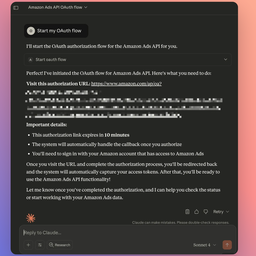 Amazon Ads MCP Amazon Ads MCP | Remote (SSE) | — | — | 72 | — | Compare → |
| npx | — | — | 1,040 | — | Compare → | |
| npx | No auth required | Free | 3 | 2 | Compare → | |
| npx | No auth required | Free | 408 | — | Compare → | |
| uvx | — | — | — | — | Compare → |