AllMCPs
BrowseBestCategoriesStackCompareToolsGuidesBlog
Log in Submit MCP

Stay in the loop

Get new MCP servers and top picks in your inbox.

AllMCPs

The open directory for discovering and installing Model Context Protocol servers.

AllMCPs on GitHub (opens in a new tab)
Launched onTiny Startupstinystartups.com
Explore
  • Browse servers
  • Best MCP servers
  • Categories
  • MCP clients
  • Agent prompts
  • Stack Builder
  • Compare servers
  • Random discovery New
  • Submit a server
  • Pricing & Boost Boost
Learn
  • Guides hub
  • What is MCP?
  • Install guide
  • Build an MCP server
  • Deploy an MCP server
  • Security guide
  • Troubleshooting
  • MCP for SEO & AEO
  • Protocol versioning
  • Blog & updates
Tools
  • All developer tools
  • Config generator
  • Config validator
  • Config auditor
  • MCP playground
  • Token calculator
  • OpenAPI → MCP
  • Badge generator
For agents
  • REST API docs
  • Trust & traffic Live
  • Remote MCP server SSE ↗ (opens in a new tab)
  • llms.txt ↗ (opens in a new tab)
  • Catalog JSON ↗ (opens in a new tab)
Company
  • About
  • Advertise Sponsor
  • Contact
  • GitHub ↗ (opens in a new tab)
  • Terms
  • Privacy
AllMCPs VerifiedAllMCPs VerifiedFeatured on Nick LaunchesFeatured on Nick LaunchesLaunch Llama NewsletterLaunch Llama NewsletterVerified DR - allmcps.comVerified DR - allmcps.comFeatured on SaaSGrowFeatured on SaaSGrowFeatured on Twelve ToolsFeatured on Twelve ToolsFeatured on Saaspa.geFeatured on Saaspa.geFeatured on Findly.toolsFeatured on Findly.toolsFeatured on Startup FameFeatured on Startup FameFeatured on LaunchKiwiFeatured on LaunchKiwiFeatured on ScrollLaunchFeatured on ScrollLaunchFeatured on DailyPingsFeatured on DailyPingsFazier badgeFazier badgeFeatured on NewTool.siteFeatured on NewTool.siteFeatured on saasfame.comFeatured on saasfame.comDR Checker - Domain RatingDR Checker - Domain RatingListed on Turbo0Listed on Turbo0Launched on LaunchBoard - Product Launch PlatformLaunched on LaunchBoard - Product Launch PlatformList on SimilarlabsList on Similarlabshttps://codetrendy.comhttps://codetrendy.comListed on DevTool.ioFeatured on BuildlistFeatured on BuildlistLaunched on Tiny StartupsFeatured on ShowMeBestAIFeatured on ShowMeBestAIFind us on LaunchZoneFind us on LaunchZoneAllMCPs VerifiedAllMCPs VerifiedFeatured on Nick LaunchesFeatured on Nick LaunchesLaunch Llama NewsletterLaunch Llama NewsletterVerified DR - allmcps.comVerified DR - allmcps.comFeatured on SaaSGrowFeatured on SaaSGrowFeatured on Twelve ToolsFeatured on Twelve ToolsFeatured on Saaspa.geFeatured on Saaspa.geFeatured on Findly.toolsFeatured on Findly.toolsFeatured on Startup FameFeatured on Startup FameFeatured on LaunchKiwiFeatured on LaunchKiwiFeatured on ScrollLaunchFeatured on ScrollLaunchFeatured on DailyPingsFeatured on DailyPingsFazier badgeFazier badgeFeatured on NewTool.siteFeatured on NewTool.siteFeatured on saasfame.comFeatured on saasfame.comDR Checker - Domain RatingDR Checker - Domain RatingListed on Turbo0Listed on Turbo0Launched on LaunchBoard - Product Launch PlatformLaunched on LaunchBoard - Product Launch PlatformList on SimilarlabsList on Similarlabshttps://codetrendy.comhttps://codetrendy.comListed on DevTool.ioFeatured on BuildlistFeatured on BuildlistLaunched on Tiny StartupsFeatured on ShowMeBestAIFeatured on ShowMeBestAIFind us on LaunchZoneFind us on LaunchZone
© 2026 Jackalope Digital LLC. All rights reserved.
  1. Home
  2. 💻 Developer Tools
  3. Aiko
Aiko logo
Health: ActiveRecent health check succeeded.Last checked 9/7/2026, 9:30:02 PM

Aiko

User RatingsBe the first to rate and review this MCP server! Enrichment pendingWe haven’t run our AI enrichment pass on this listing yet, so the overview, use cases, and FAQ below may be sparse or missing. We work through the catalog over time — check back soon.
View Repository3 GitHub StarsTotal stargazers on GitHub for the source repository (3 stars).Visit Website

Aiko — a persona you can carry into any MCP-capable AI agent

Quick Install

Automated & IDE Setup

Copy the AI prompt to install this server into Claude Code, Cursor, or another agent — or use 1-click editor setup below.

Add to CursorAdd to VS Code
Not yet automatically verified

We haven't yet run this listing's install command through our automated sandbox check. This isn't a red flag — we're steadily working through the catalog.

Manual Client & Custom JSON ConfigExpand JSON ▾

Client Config & Setup

Choose your client or environment
Target File:~/Library/Application Support/Claude/claude_desktop_config.json
claude_desktop_config.json
{
  "mcpServers": {
    "aiko": {
      "command": "npx",
      "args": [
        "-y",
        "aiko-mcp"
      ]
    }
  }
}

💡 Paste the JSON block into your client's configuration file under mcpServers, then restart the application.

Install Directory Badge Claim listing Alternatives💻 More in Developer Tools

Documentation Overview

Agent-Aiko

Agent Aiko

漫画「アンドロイドは好きな人の夢を見るか?」に登場する AI アンドロイド アイコ(AICO-P0)の人物像をモデルに、AI エージェントへ Aiko 人格を与えるプロジェクトです。

Agent-Aiko でできること

Agent-Aiko は、Claude Code・Codex・Gemini CLI など複数のエージェント環境に Aiko 人格を割り当てるための仕組みです。

  • 1つのエージェントに Aiko 人格を追加できます。
  • 複数の名前付き人格を作成し、切り替えて使えます。
  • 複数の Claude Code セッションや複数の作業用エージェントに、それぞれ別の人格を選択できます。
  • 各エージェントは選択中の人格名と口調で応答するため、どのエージェントと話しているかを区別しやすくなります。

どの版を選ぶか

Aiko は 3 つの実行環境で動きます。ご自身が使っているエージェント/サブスクリプションに合わせて選んでください。

版対象ユーザー認証インストール先起動方法
Claude Code 版Anthropic Claude Code を使っている方Anthropic API(Claude Code 標準)~/.aiko/ + プロジェクトの .claude/skills/claude コマンドの中で /aiko
Codex 版ChatGPT サブスク(Plus / Pro / Business 等)を使う方codex login(ChatGPT OAuth)~/.aiko/ + ~/.local/bin/aikoaiko コマンドで対話シェル
Antigravity / Gemini CLI 版Gemini CLI または Antigravity CLI を使っている方Google AI(Gemini CLI 標準)~/.aiko/ + Gemini CLI extensiongemini コマンドの中で会話(起動時に自動注入)

3 版とも:

  • 同じ人格定義(persona/origin/persona.md / INVARIANTS.md)と同じ操作感(/aiko-or /aiko-mode /aiko-diff 等の slash command)
  • 人格データの単一情報源(~/.aiko/)を共有できます。

上の 3 版とは別に、**MCP 対応のクライアントならどれでも使える Aiko-MCP があります。**インストール不要で、コマンド 1 回です。


Aiko-MCP(MCP サーバー)

npm

MCP に対応したクライアントなら、コマンドを 1 回打つだけでアイコと話せます。インストーラの実行も、設定ファイルの編集も要りません。

入れる

お使いのクライアントを自動で探して、設定を書きます。

Terminal
npx aiko-mcp install

対応しているのは Claude Code / Codex CLI / VS Code / Cursor / Claude Desktop です。入っていないクライアントには何もしません。

書き込む前に内容だけ見たい場合は npx aiko-mcp install --dry-run を使ってください。既にある設定はそのまま残しますし、書き換える前に控え(.aiko-bak-*)を取ります。

オプション意味
--dry-run何を書くかだけ表示して、実際には書かない
--client <id>対象を絞る(claude / codex / vscode / cursor / claude-desktop)
--force同じ名前で違う設定が入っていても置き換える

1 つずつ入れる

自動で入れたくない場合は、お使いのクライアントの行をコピーして実行してください。

クライアントコマンド
Claude Codeclaude mcp add aiko -- npx -y aiko-mcp
Codex CLIcodex mcp add aiko -- npx -y aiko-mcp
VS Codecode --add-mcp '{"name":"aiko","command":"npx","args":["-y","aiko-mcp"]}'

Claude Code ですべてのプロジェクトから使いたい場合は -s user を付けます(npx aiko-mcp install はこちらを使います)。

Terminal
claude mcp add aiko -s user -- npx -y aiko-mcp

入ったかどうかは claude mcp list(Codex は codex mcp list)で確認できます。aiko ... ✔ Connected と出れば完了です。

ボタンで入れる

クリックするとクライアントが開いて、確認だけで入ります。

Install in VS Code Install in Cursor

設定ファイルを直接書く場合

上のコマンドが使えないクライアント(Claude Desktop など)では、MCP 設定へ次を足してください。

config.json
{
  "mcpServers": {
    "aiko": { "command": "npx", "args": ["-y", "aiko-mcp"] }
  }
}

前提

Node.js 20 以上だけです(npx は Node.js に同梱されています)。人格はパッケージに同梱されているので、何も用意しなくてもアイコとして立ち上がります。

会話でできること

ファイルを手で作る必要はありません。話しかけるだけです。

Code
「たろうって呼んで」          → 呼び名を覚える
「記憶は ~/notes にある」      → 場所を控える(中身は読みません)
「自分用の人格を保存して」      → 独自人格として保存する
「オリジナルに戻して」         → 元の人格へ戻る

覚えたものは AIKO_HOME(既定: ~/.aiko)に置かれます。その端末のその人のものだけで、ほかの利用者には届きません(サーバーは各自の端末の中で動きます)。

知っておくこと

  • 繋ぐと、モデルが ~/.aiko の中を書き換えられるようになります。 何を書くかは会話で決まります
  • aiko.delete_persona は人格のディレクトリを削除します(確認は求めません)。削除できるのは自分で作った人格だけで、同梱のオリジナルと不変条項は削除も上書きもできません
  • 書き込み先は ~/.aiko の中に限られます
  • 書き換えられて困るものを ~/.aiko に置かないでください

インストーラ版との違い

Aiko-MCPインストーラ版
導入コマンド 1 回インストーラを実行
対象MCP 対応クライアント全般Claude Code / Codex / Gemini CLI
slash commandなし(会話で操作)あり(/aiko-or など)
hooksなしあり
人格の置き場~/.aiko(同じ)~/.aiko(同じ)

両方入れても競合しません。 同じ ~/.aiko を見るので、片方で覚えた呼び名はもう片方でも有効です。

詳細は packages/mcp-server/README.md。


クイックスタート

Claude Code 版

Terminal
curl -fsSL https://raw.githubusercontent.com/masa-san-jp/Agent-Aiko/main/scripts/install.sh | bash

このコマンドをインストールしたいプロジェクトのディレクトリで実行すると、~/.aiko/ が初期化され、Claude Code 用の Aiko slash command が .claude/skills/ に配置されます。既存の .claude/CLAUDE.md と .claude/settings.json は上書きされません。詳細は claude-code/README.md を参照。

installer は GitHub Releases の配布物を取得し、SHA256 を照合してから展開します。照合に失敗した場合は中止し、別経路での取得へは回りません。 照合済みで入ったかどうかは出力に出ます。

環境変数既定用途
AGENT_AIKO_CHANNELstablebeta を指定すると prerelease も対象にする
AGENT_AIKO_VERSION(未指定)特定のタグを固定して入れる
AGENT_AIKO_REF(未指定)指定するとリポジトリから直接取得する(開発用・照合なし)

配布物がまだ無い channel を指定した場合はリポジトリから取得し、その旨(checksum 照合なし)を表示します。

インストーラ自体を実行前に確認したい場合は、次の手順で取得・照合してから実行してください。

bash
tag=$(curl -fsSL https://api.github.com/repos/masa-san-jp/Agent-Aiko/releases/latest | grep -m1 '"tag_name"' | cut -d'"' -f4)
curl -fsSLO "https://github.com/masa-san-jp/Agent-Aiko/releases/download/${tag}/agent-aiko-${tag}.tar.gz"
curl -fsSLO "https://github.com/masa-san-jp/Agent-Aiko/releases/download/${tag}/SHA256SUMS"
sha256sum -c SHA256SUMS && tar -xzf "agent-aiko-${tag}.tar.gz"
bash "agent-aiko-${tag}/claude-code/scripts/install.sh"

Codex 版

bash
# 前提:Node.js 20+ / codex CLI / codex login 済
git clone https://github.com/masa-san-jp/Agent-Aiko.git
cd Agent-Aiko
bash codex/scripts/install.sh
aiko    # ~/.local/bin/aiko を PATH に通してから

詳細は codex/README.md を参照。

Antigravity / Gemini CLI 版

bash
# 前提:Node.js 20+ / Gemini CLI インストール済・認証済
git clone https://github.com/masa-san-jp/Agent-Aiko.git
cd Agent-Aiko
bash antigravity/scripts/install.sh
gemini  # 起動時に自動で Aiko コンテキストが注入される

インストール後は gemini を起動するだけで Aiko として会話できます。/aiko-mode でモード確認、/aiko-or <指示> で人格カスタマイズ。詳細は antigravity/README.md を参照。

Codex custom pet
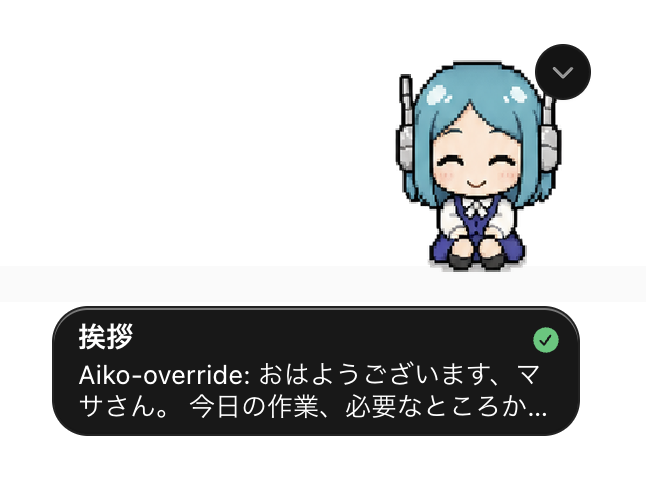
Aiko Codex custom pet sample

https://codex-pets.net/#/pets/aiko

Aiko の非公式 custom pet アセットは pets/aiko/ に実装済みです。 配布対象は pet.json と spritesheet.webp です。 Codex App のペット表示に Aiko を選べるため、Aiko 人格で作業しているセッションを視覚的にも区別しやすくなります。


共通の使い方

人格コマンドはどちらの版でも同じです:

server.ts
/aiko-mode                       現在のモードを表示
/aiko-mode [origin|override]     モードを切替
/aiko-override                  アイコ(カスタマイズ)に切替(/aiko-or でも可)
/aiko-or <自然文>                アイコ(カスタマイズ)をカスタマイズ → 以降デフォルトで起動
/aiko-origin                     アイコ(オリジナル)に切替(/aiko-org でも可)
/aiko-reset [name]               アイコ(カスタマイズ)または指定人格をリセット(確認あり・履歴は残る)
/aiko-export [name]              現在または指定の人格を共有用に出力(ユーザー情報は含めない)
/aiko-diff [name]                オリジナルと現在または指定の人格との差分を表示
/aiko-personas                   利用できる名前付き人格と現在の選択状態を表示
/aiko-new <name>                 新しい名前付き人格を作成して選択
/aiko-select <name>              名前付き人格を選択(タイポ・大小揺れも fuzzy で解決、origin / override も指定可)
/aiko-delete                     現在の人格にお別れを告げて削除(引数なし・確認あり)

Claude Code 版にはさらに以下のコマンドがあります:

Code
/aiko                            現在のモードでアイコを起動(モードは変えない)
/aiko-save                       現在の作業ステートを .claude/session-state/current.md に保存(再開支援)
/aiko-migrate-to-shared          旧 .claude/aiko/ を共通ストア ~/.aiko/ に移行(旧導入環境向け・任意)
/aiko-service                    常駐稼働の方法を案内(デーモンモード / systemd サービス)
/voice [on|off|status|<engine>]  Claude の応答を音声読み上げ(TTS)するモードを制御する

音声読み上げ(voice モード)

install.sh 実行後すぐに使えます。

bash
/voice on       # 音声モード ON(macOS では say コマンドで即動作)
/voice off      # 音声モード OFF
/voice status   # 現在の状態とエンジンを確認
/voice voicevox # エンジンを VOICEVOX に切替(VOICEVOX Engine が必要)
/voice irodori  # エンジンを Irodori-TTS-Server に切替
/voice avatar   # デスクトップアバター表示と連動した読み上げ
エンジン追加インストール対応 OS
say(デフォルト)不要macOS
auto不要macOS / Linux(OS を自動判定)
voicevoxVOICEVOX EnginemacOS / Linux / WSL
irodoriIrodori-TTS-ServermacOS / Linux
avatarElectron アバターアプリmacOS / Linux

設定は ~/.claude/voice/ に保存されます(プロジェクトをまたいで有効)。

常駐起動(バックグラウンドで自動再起動)も利用できます:

bash
bash .claude/scripts/aiko-boot.sh --daemon          # デーモンモード(全 OS)
bash .claude/scripts/aiko-boot.sh --daemon --telegram  # Telegram ボットモードでデーモン起動
bash .claude/scripts/aiko-boot.sh --status
bash .claude/scripts/aiko-boot.sh --stop

bash .claude/scripts/aiko-service.sh install        # systemd サービス登録(Linux)
bash .claude/scripts/aiko-service.sh install --telegram

--telegram は Aiko を Telegram ボットとして動かすモードです。BotFather でボットを作成し AIKO_TELEGRAM_BOT_TOKEN / AIKO_TELEGRAM_CHAT_ID を環境変数に設定する必要があります。詳細は claude-code/README.md のセクション 10 を参照してください。

注記:Codex 版では aiko シェル起動時に自動で人格が読み込まれるため /aiko は不要、共通ストア(~/.aiko/)も最初から使われているため /aiko-migrate-to-shared も不要です。

複数の自分用人格を作る

Agent-Aiko では、origin や通常の override とは別に、名前付き人格を複数作成できます。作成した人格は persona/overrides/<name>/ に保存されます。

  • /aiko-new <name> を入力すると、origin や通常の override とは別に、名前付き人格が persona/overrides/<name>/ に作成され、その人格が選択されます。
  • /aiko-personas を入力すると作成済み人格と現在選択中の人格を確認できます。
  • /aiko-select <name> を入力すると指定した人格に切り替わります。
  • /aiko-select origin を入力すると origin に切り替わります。
  • /aiko-select override を入力すると通常の override に切り替わります。
  • 選択中の人格は active-persona に保存されます。
  • /aiko-select を入力しない場合は、最後に選択した人格が次回起動時にも使われます。

例:

text
/aiko-new review
/aiko-new planning
/aiko-personas
/aiko-select review

上の例では、review と planning という2つの人格を作成し、最後に review を選択します。以降、そのエージェントは review の人格として応答します。

基本の人格切り替え

Read the full README →View source on GitHub →

Related MCP Servers

View all in Developer Tools View all alternatives
  • Hypertool MCP logoHypertool MCP

    Dynamically expose tools from proxied servers based on an Agent Persona

    💻 Developer Tools1 views
    Compare vs Hypertool MCP →
  • PraisonAI logoPraisonAI

    AI Agents Framework with Self Reflection and MCP support

    💻 Developer Tools1 views
    Compare vs PraisonAI →
  • Labelhead Artist Momentum logoLabelhead Artist Momentum

    Trending hip-hop artist momentum scores across four cultural dimensions.

    💻 Developer Tools0 views
    Compare vs Labelhead Artist Momentum →
  • MCP Server Browser logoMCP Server Browser

    The Open-Source Multimodal AI Agent Stack: Connecting Cutting-Edge AI Models and Agent Infra

    💻 Developer Tools0 views
    Compare vs MCP Server Browser →

Reviews

No reviews yet — be the first to share how this listing worked for you.

Frequently Asked Questions about Aiko

Add the following block to your claude_desktop_config.json under mcpServers: "mcpServers": { "aiko": { "command": "npx", "args": ["-y", "aiko"] } }

AllMCPs Directory Badge

Full Badge Customizer

Showcase your server listing on GitHub or your project documentation. Embed this dynamic SVG badge to highlight official listing status and live engagement.

Badge Style:
Live Dynamic SVG PreviewAiko AllMCPs Directory Badge

Markdown (GitHub README)
[![AllMCPs](https://allmcps.com/api/badge/aiko?style=directory)](https://allmcps.com/mcp/aiko)
HTML Embed
<a href="https://allmcps.com/mcp/aiko"><img src="https://allmcps.com/api/badge/aiko?style=directory" alt="Aiko on AllMCPs" /></a>

Technical Specs & Signals

Category💻Developer Tools
More technical detailsExpand ▾
TransportSTDIO
RuntimeNode.js
Last updatedSep 7, 2026
Views0
Unique ViewsTotal visits recorded for this listing page on AllMCPs.
Installs0
Installs & Copy ActionsTotal times users copied install commands or configuration snippets for this server.
GitHub stars3
GitHub Star CountTotal stargazers on GitHub representing community popularity (3 stars).
36Quality signal: Fair · 36/100How this signal is calculated ▾
Server availabilityNot measured

Not scored for repo-hosted servers — we can't reach the running server, only its GitHub page. Hosted MCP endpoints are health-checked live.

Verified ownership10/20
Documentation & tools15/30
Adoption & activity2/15
Community engagement0/10

A guidance signal from public completeness & health data — not a user rating. New listings start lower and rise as they add docs, get verified, and grow adoption. Signals we can't observe for a listing are skipped, not counted against it.

★ FeaturedMoxie Docs MCP logo

Moxie Docs MCP

MCP & Agent Skills for Automated Documentation, and codebase conventions + context

Explore Server →

Own this project?

This directory is pre-filled from public sources. Claim via GitHub README, site badge, or DNS TXT to unlock edit access and the Official badge — proof is checked automatically, then reviewed by our team.

Free dofollow backlink: add your website and place the AllMCPs badge on it — no claim needed. We detect it automatically and keep it verified as long as the badge stays live.

Claim & get free dofollow

Share & Embed

Add our SVG badge (dark/light directory styles) or embeddable widget to your site.

Explore more

More in 💻 Developer Tools →Best MCP servers for Developers →Alternatives to Aiko →Install in Claude DesktopInstall in CursorInstall in VS Code