AI Resources
100,000+ AI briefings in 41 categories: models, dev tools, agents, research, funding. New briefings are fact-checked against their source post and link to it. Plain Markdown, CC BY 4.0. MCP server + Agent Skill let Claude, Cursor or VS Code ask for the latest. Read at blogs.drix10.com
Install AI Resources
Pick your client, then add it in one click or paste the config.
No confirmed install command yet
We only publish a config when the install details come from the project itself — its README, its docs, or a verified owner. We haven’t found those for ai-resources, and we’d rather show nothing than a guess you’d paste into your client.
Open setup steps on GitHubOverview
Security & health
What it can reach and how reliably it runs — from our own checks, not the maintainer’s claims.
We have not completed a health check for this listing yet.
From the project README
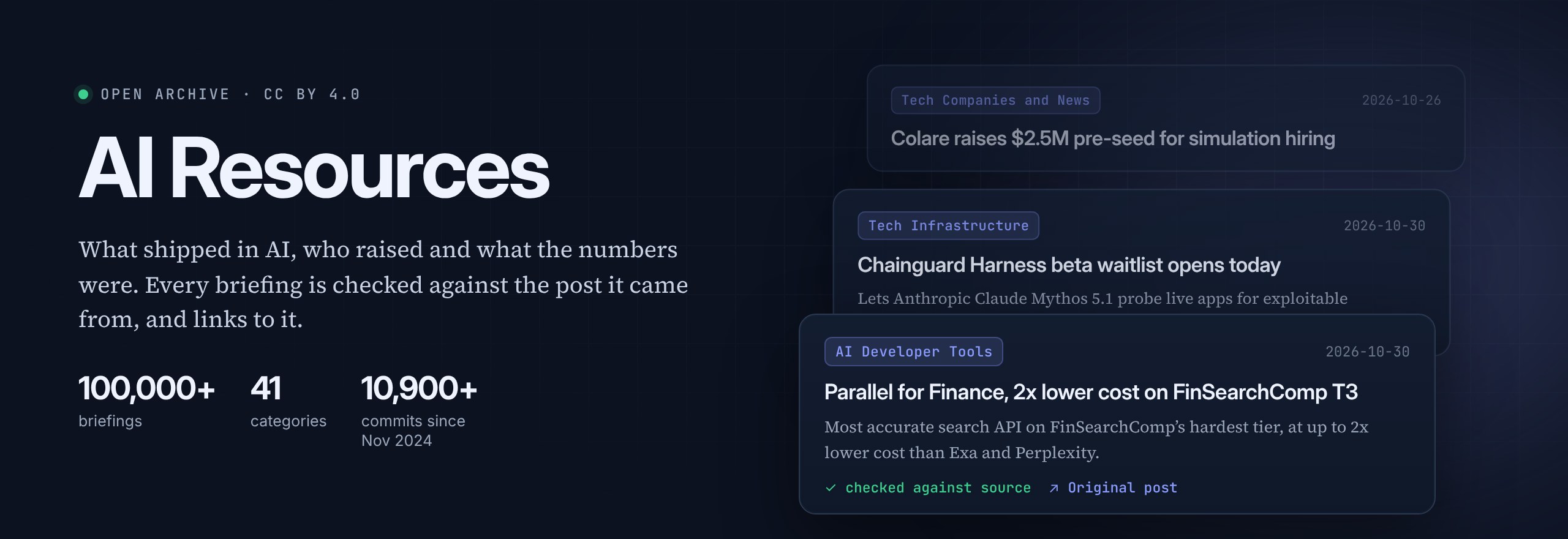



| Checked, not just summarised A number, unit, model version or name that is not in the source post gets the briefing rejected and rewritten. | Every claim has a link The original post and the page it points to, copied by code, never written by the model. | 41 categories Models, dev tools, research and funding, plus robotics, climate, quantum, security and crypto. | Ready for your agent MCP server, Agent Skill, JSON API and llms.txt. Plain Markdown under CC BY 4.0. |
Three ways in
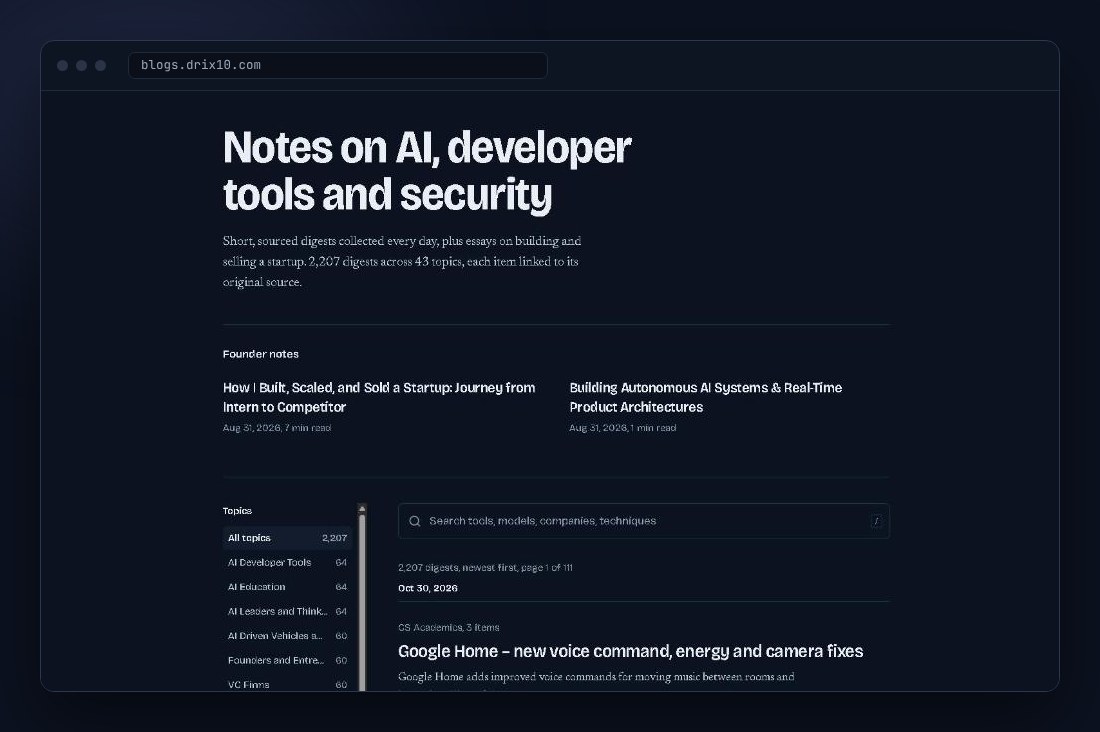 |
Read itThe newest digests on blogs.drix10.com, with search, topic pages and an RSS feed. Or open any category below and read its latest digest here on GitHub.⭐ Star and watch the repo to get new digests as they land. |
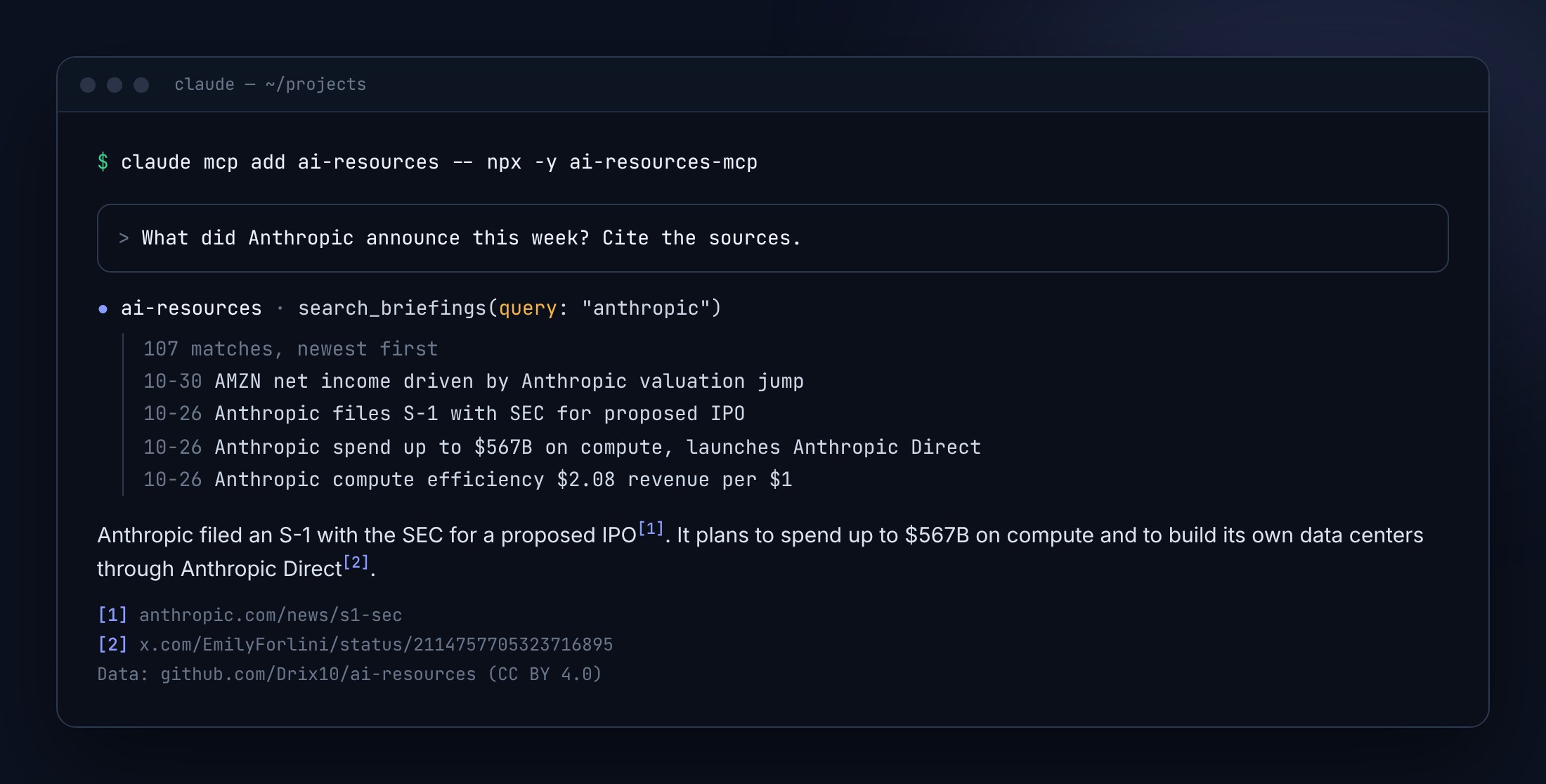 |
Ask it from your agentClaude, Cursor, VS Code or Windsurf answer "what did Anthropic ship this week?" from the briefings, with dates and source links. No key, no account. Setup for every client ↓claude mcp add ai-resources -- npx -y ai-resources-mcp
|
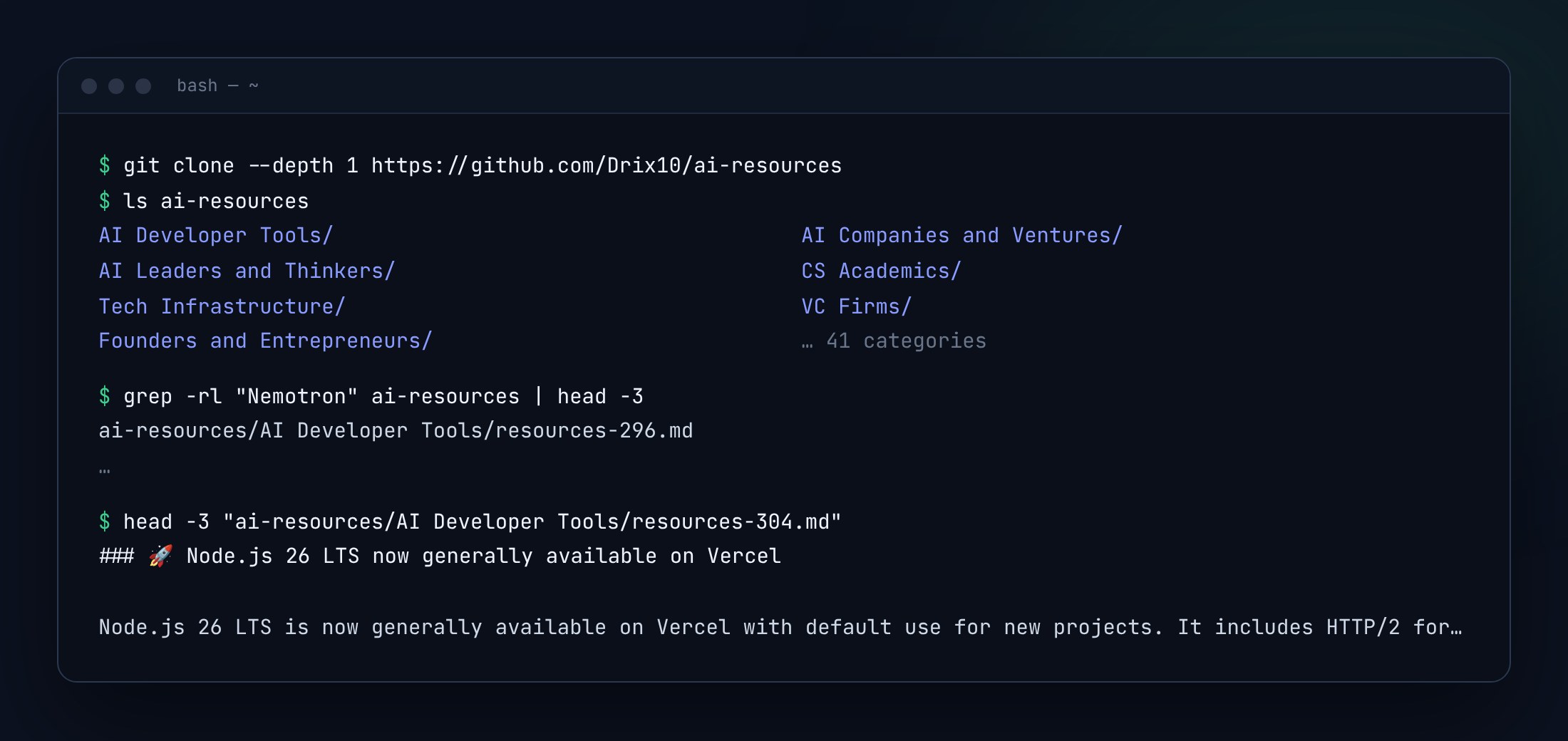 |
Clone it100,000+ dated, sourced briefings in plain Markdown for RAG, evals or an offline index. Everyresources-NNN.md holds 5 to 12 of them, like this one.
git clone --depth 1 https://github.com/Drix10/ai-resources
|
What a briefing looks like
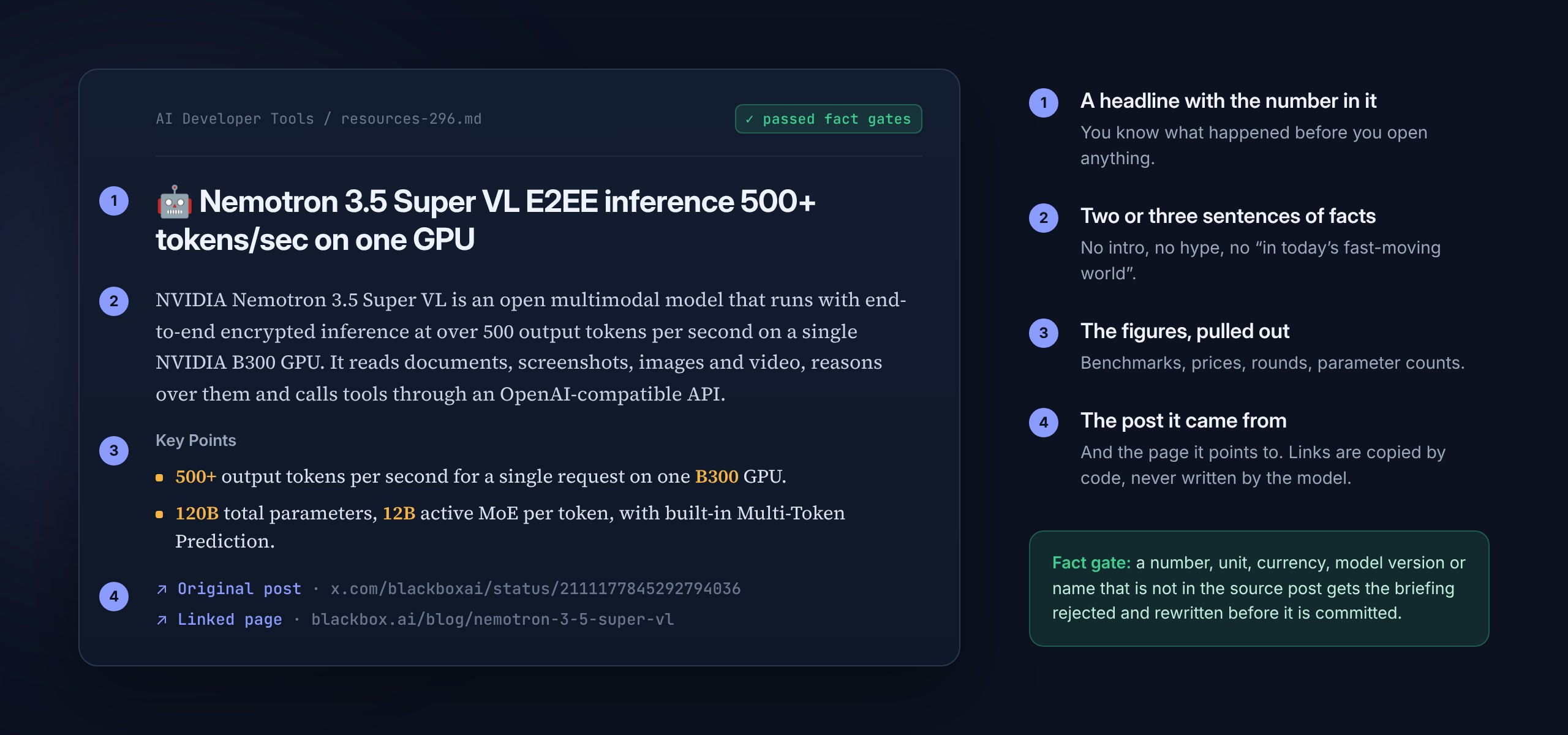
A real briefing from AI Developer Tools #296. Every digest file holds 5 to 12 of these.
Who it is for
- Engineers building with AI. What changed in models, inference, agents, MCP and dev tools, with the benchmark number and the link, in AI Developer Tools and Tech Infrastructure.
- Founders and investors. Rounds, launches and revenue figures as they are announced, in AI Companies and Ventures, VC Firms and Founders and Entrepreneurs.
- Researchers and students. What the people in the field are publishing and arguing about, in CS Academics and Neuroscience and AI.
- Anyone building RAG, agents or evals. A 100,000-item corpus of dated, sourced AI news under CC BY 4.0.
Awesome lists are still the better pick for a vetted shortlist, and a newsletter for five editor-picked minutes a day. COMPARISONS.md lays out where this fits.
Use it from your AI agent
Five ways to plug the briefings into an agent or your own code. None needs a key or an account. Full reference: USE-WITH-AI.md.
| Path | Best for | Setup |
|---|---|---|
| MCP server | Claude Code, Claude Desktop, Cursor, VS Code, Windsurf | one command or one JSON block |
| Agent Skill | Claude Code and other Skill-aware agents | copy one folder |
| JSON API | your own code, custom GPT actions, scripts | none, CORS open |
| llms.txt and RSS | any LLM that reads a URL, feed readers, bots | none |
| Raw Markdown | RAG, evals, offline indexes, all 100,000+ briefings | git clone |
MCP server



Published on npm as ai-resources-mcp (MIT, code in mcp/). npx fetches it on first run, so there is nothing to install by hand.
| Tool | What it does |
|---|---|
search_briefings(query, category?, limit?, since?) | Keyword search, newest first. All words must match. since is YYYY-MM-DD. |
latest(category?, limit?) | The newest briefings, overall or for one category. |
get_briefing(id) | Full Markdown of one briefing (URL or slug), with every source link. |
list_categories() | Every category slug with its briefing count. |
Every result ends with its source link and Data: github.com/Drix10/ai-resources (CC BY 4.0), so answers stay citable.
Claude Code
claude mcp add ai-resources -- npx -y ai-resources-mcp
Claude Desktop, Cursor, Windsurf
Add this to claude_desktop_config.json (Claude Desktop: Settings → Developer → Edit Config), ~/.cursor/mcp.json or .cursor/mcp.json (Cursor), or ~/.codeium/windsurf/mcp_config.json (Windsurf):
{
  "mcpServers": {
    "ai-resources": { "command": "npx", "args": ["-y", "ai-resources-mcp"] }
  }
}
VS Code
In .vscode/mcp.json, or MCP: Open User Configuration:
{
  "servers": {
    "ai-resources": { "type": "stdio", "command": "npx", "args": ["-y", "ai-resources-mcp"] }
  }
}
Or from a terminal:
code --add-mcp "{\"name\":\"ai-resources\",\"command\":\"npx\",\"args\":[\"-y\",\"ai-resources-mcp\"]}"
Windows, and other settings
If a client cannot start npx on Windows, use "command": "cmd", "args": ["/c", "npx", "-y", "ai-resources-mcp"].
AI_RESOURCES_API_URL sets the API base URL (default https://blogs.drix10.com).
Then ask, for example:
- "What did Anthropic announce this week? Cite the sources."
- "Latest five briefings in AI Developer Tools."
- "Who raised a Series A in AI this month, and how much?"
Agent Skill
skills/ai-news teaches an agent when and how to answer "what's new in AI", "latest on <model or company>" and "who raised" questions from the briefings, with dates and citations. It uses the MCP tools when they are installed and falls back to the JSON API, then llms.txt, then raw Markdown on GitHub when they are not.
git clone --depth 1 https://github.com/Drix10/ai-resources
mkdir -p ~/.claude/skills
cp -r ai-resources/skills/ai-news ~/.claude/skills/
One project only, Windows, other agents
- One project: copy it to
.claude/skills/ai-news/inside that project instead. - Windows (PowerShell):
Copy-Item -Recurse ai-resources\skills\ai-news $HOME\.claude\skills\ - Other agents that read
SKILL.mdfolders work the same way. For chat apps without Skills, paste the body ofSKILL.mdinto the custom instructions.
JSON API
Reviews
No reviews yet — be the first to share how it worked for you.
Frequently Asked Questions about AI Resources
Related MCP servers
Add a badge to your READMEShow it’s listed — live SVG, Markdown or HTML.
AllMCPs Directory Badge
Showcase your server listing on GitHub or your project documentation. Embed this dynamic SVG badge to highlight official listing status and live engagement.
[](https://allmcps.com/mcp/ai-resources)<a href="https://allmcps.com/mcp/ai-resources"><img src="https://allmcps.com/api/badge/ai-resources?style=directory" alt="AI Resources on AllMCPs" /></a>