memoryknowledge-graphsemantic-searchcloud-syncsqlite
Persistent memory MCP server with knowledge graph, semantic search, cloud sync, and cross-session context management.
Quick Install
Automated & IDE SetupCopy the AI prompt to install this server into Claude Code, Cursor, or another agent — or use 1-click editor setup below.
We couldn’t automatically confirm this listing starts correctly
We ran the install command below but it didn't respond within our test window — this can mean a slow first-time install rather than a real problem.
npx -y wranglerNo response to initialize.
This is an experimental automated check and can have false negatives — missing environment variables, a slow cold install, etc. It doesn’t necessarily mean something’s wrong. Last checked 1mo ago.
Manual Client & Custom JSON ConfigExpand JSON ▾
Client Config & Setup
Choose your client or environment
Target File:
💡 Paste the JSON block into your client's configuration file under mcpServers, then restart the application.
Overview
Use cases
Store and retrieve agent memories persistently across sessions
Perform semantic and hybrid search on stored knowledge
Visualize memory as an interactive knowledge graph
Synchronize memory data with cloud storage (S3, R2, D1)
Integrate memory retrieval into chat-based agent workflows
Key features
Persistent storage with SQLite or cloud sync (S3, R2, D1)
Hierarchical memory organization with sections and subsections
Semantic search using TF-IDF, sentence-transformers, and OpenAI embeddings
Knowledge graph visualization with Mermaid and live graph server
Memory linking with typed edges and AI-powered deduplication
RAG-powered chat interface for memory querying and updates
Capabilities & Tool Schemas
Inspect callable tools, capabilities, and parameters exposed to AI agents by Memora.
Extracted Tool Capabilities
Persistent storage with SQLite or cloud sync (S3, R2, D1)
Hierarchical memory organization with sections and subsections
Semantic search using TF-IDF, sentence-transformers, and OpenAI embeddings
Knowledge graph visualization with Mermaid and live graph server
Memory linking with typed edges and AI-powered deduplication
RAG-powered chat interface for memory querying and updates
Documentation Overview
 Memora
"You never truly know the value of a moment until it becomes a memory."
Give your AI agents persistent collective memory
An MCP memory layer for agents: structured storage, semantic retrieval, graph relations, and source-backed cross-session context.




Absorb agent work into durable graph memory, then use memory_digest(topic) to retrieve relevant memories, TODOs/issues, related edges, and source IDs.
Features · Preview · Install · Usage · Config · Multi-DB · Containers · Live Graph · Cloud Graph · Chat · Semantic Search · Documents · LLM Dedup · Linking · Neovim
Features
Core Storage
- 💾 Persistent Storage - SQLite with optional cloud sync (S3, R2, D1)
- 🗄️ Multi-database routing - One process serves many stores; a workspace reaches its own at
/mcp/<name>(see Multi-database routing) - 📂 Hierarchical Organization - Section/subsection structure with auto-hierarchy assignment
- 📦 Export/Import - Backup and restore with merge strategies
Absorb & Lineage
- 🧬 Absorb - Feed facts in; an LLM classifies each against the store (duplicate / update / contradiction / related / new), skips duplicates, links relations, and consolidates related facts — with
dry_runpreview - 🌱 Supersession Lineage - Updates supersede old knowledge instead of deleting it; retrieval follows the chain to the current version by default (
followmodes:active,latest,full_history) - 🗞️ Topic Digest -
memory_digest(topic)bundles relevant memories, open TODOs/issues, related edges, and source IDs into one retrieval
Search & Intelligence
- 🔍 Semantic Search - Vector embeddings (TF-IDF, sentence-transformers, OpenAI)
- 🎯 Advanced Queries - Full-text, date ranges, tag filters (AND/OR/NOT), hybrid search
- 🔀 Cross-references - Auto-linked related memories based on similarity
- 🤖 LLM Deduplication - Find and merge duplicates with AI-powered comparison
- 🔗 Memory Linking - Typed edges, importance boosting, and cluster detection
Document Storage
- 📄 Structured Documents - Store markdown documents as searchable fragment trees (claims, plan items, references, risks)
- 🔒 Fragment Integrity - Guards against accidental delete/merge/absorb of document fragments
- 🔍 Granular Search - Individual claims and findings are semantically searchable while the full document remains retrievable as a unit
Tools & Visualization
- ⚡ Memory Automation - Structured tools for TODOs, issues, and sections
- 🕸️ Knowledge Graph - Interactive visualization with Mermaid rendering and cluster overlays
- 🌐 Live Graph Server - Built-in HTTP server with cloud-hosted option (D1/Pages)
- 💬 Chat with Memories - RAG-powered chat panel with LLM tool calling to search, create, update, and delete memories via streaming chat
- 📡 Event Notifications - Poll-based system for inter-agent communication
- 📊 Statistics & Analytics - Tag usage, trends, and connection insights
- 🧠 Memory Insights - Activity summary, stale detection, consolidation suggestions, and LLM-powered pattern analysis
- 📜 Action History - Track all memory operations (create, update, delete, merge, boost, link) with grouped timeline view
Preview
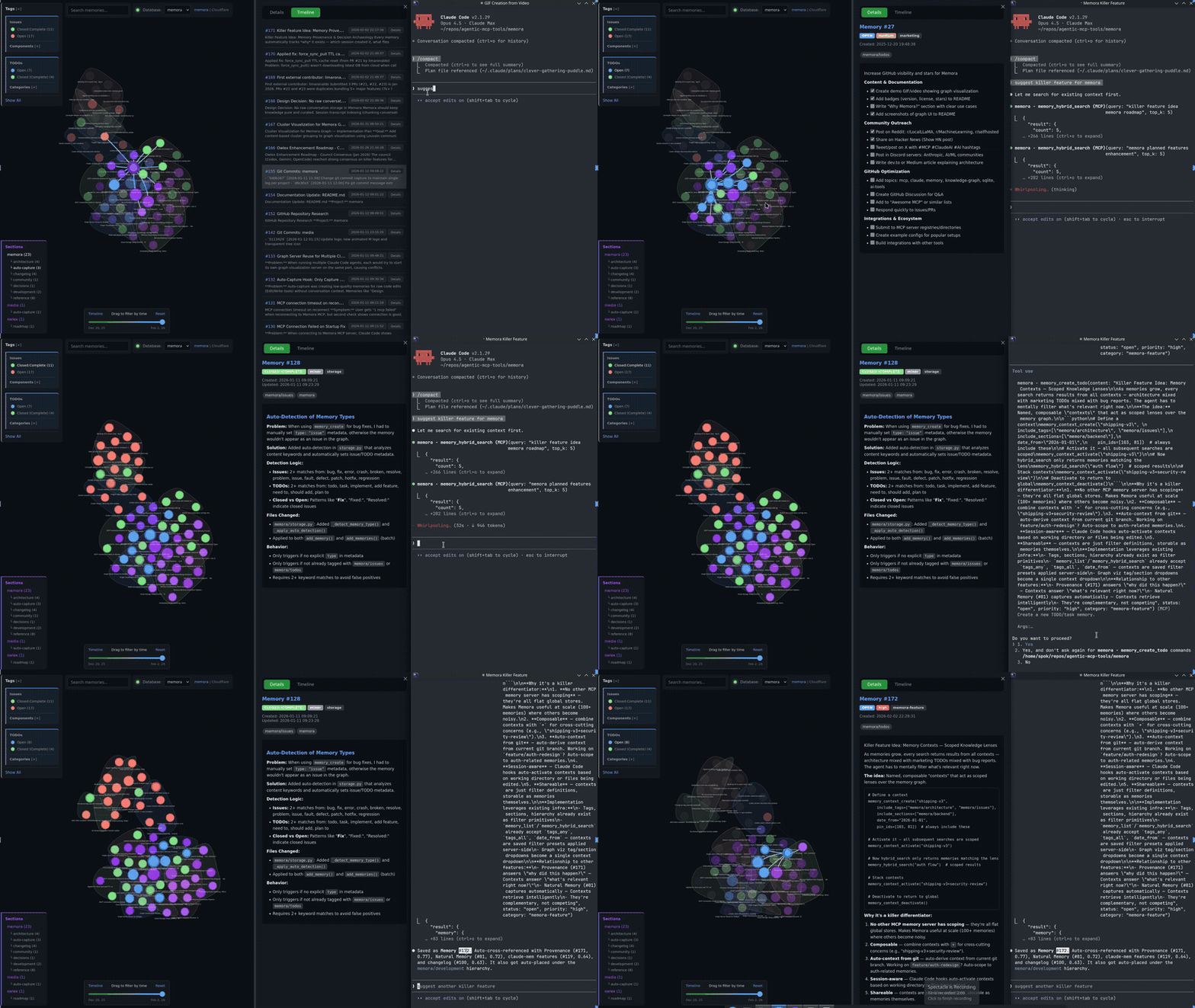
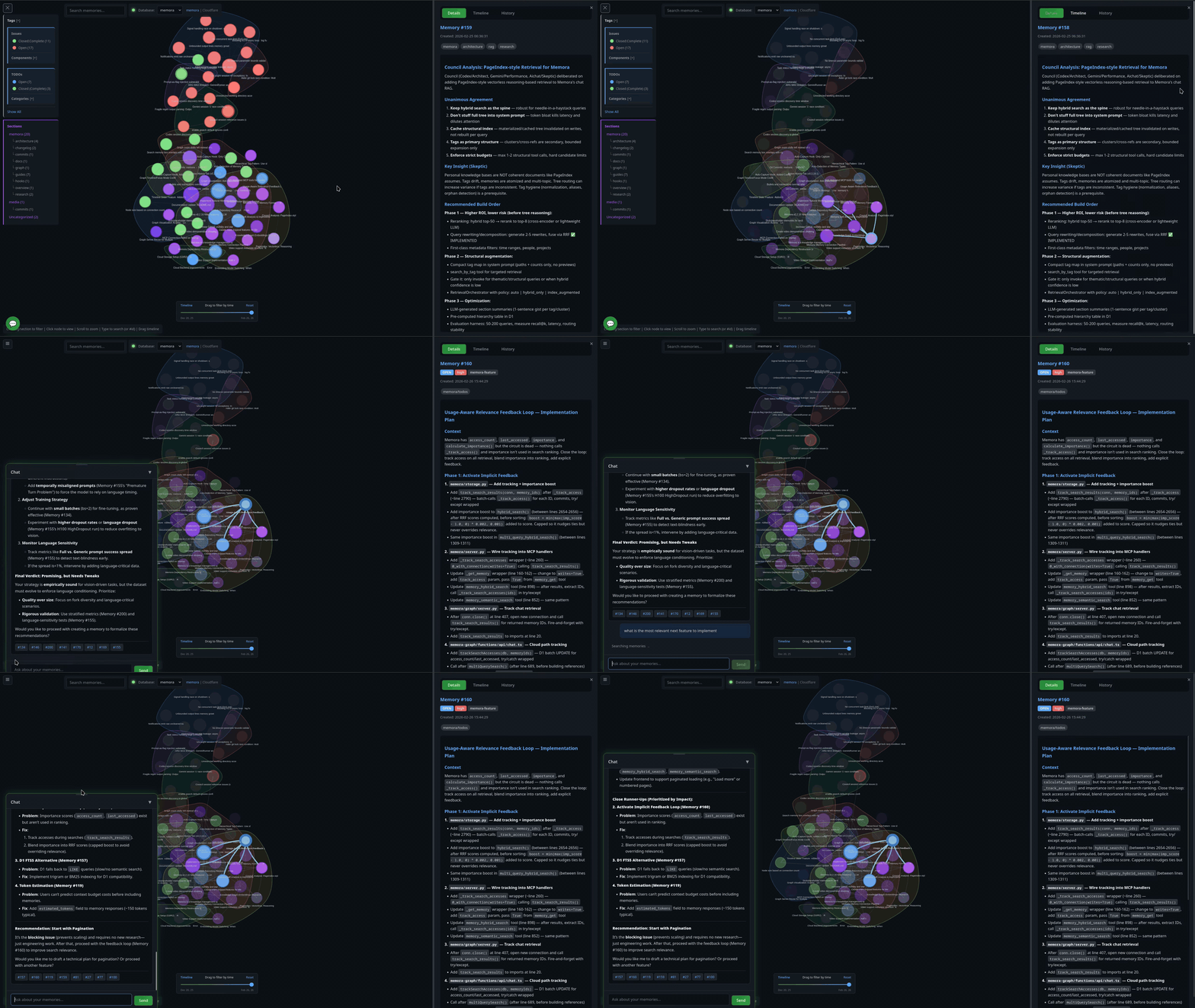
Install
Two paths. pip is a local stdio child the client spawns. A container is a detached HTTP service you start with up; with MEMORA_DATABASES it serves multiple stores from one process. The LaunchAgent supervises the proxy, not the container — after a host restart the listener can come back while its upstream is still stopped. If you are running memora as a service, the container path is the install.
pip (local / stdio)
The PyPI package is memora-mcp (bare memora on PyPI is an unrelated project). Includes cloud storage (S3/R2) and OpenAI embeddings out of the box.
Then spawn it from .mcp.json with "command": "memora-server" (see Configuration).
Container (HTTP service)
Default runtime is Apple's container CLI. Every container operation scripts/memora-instance.sh performs (build, up, status, logs, down) uses $MEMORA_CONTAINER_BIN (default container). The generated proxy process does not; it hardcodes container list.
Before the first build:
-
Install Apple's
containerCLI (signed pkg from its GitHub releases). It needs a Mac with Apple silicon running macOS 26 — Apple does not support older macOS versions forcontainer. -
Start the runtime — Apple's documented first command, which also installs a kernel if none is configured:
-
Clone this repo and
cdinto it: -
Copy the instance template. It ships with
INSTANCE=myinstanceso the laterbuild/up/proxylines match without renaming. EditPORTand a backend (STORAGE_URI,VOLUME, orMEMORA_DATABASES): -
Create the credential file and install the proxy the LaunchAgent will run.
cred_args()requires a.mcp.jsonwhosemcpServers.memora.envholdsCLOUDFLARE_API_TOKEN(D1 access) and the embedding/LLM keys —updies if that file is missing. The script looks for~/.config/memora/credentials.mcp.jsonif that file exists, otherwise~/repos/agentic-box/.mcp.json. SetCRED_SOURCEin the instance file to pick a path. Separately,proxyrenders a plist whose executable is$MEMORA_PROXY_BIN(default~/.local/libexec/memora/memora_proxy.py) and whose logs live in$MEMORA_LOG_DIR(default~/.local/var/log) — nothing creates either on a fresh clone.That JSON is the minimal correct config: both the LLM and embeddings use the default OpenAI host with a real OpenAI key. Do not add
OPENAI_BASE_URLpointing at OpenRouter without the embedding pair from Embeddings — OpenRouter has no embeddings endpoint, every embed call 404s, and memora silently falls back to TF-IDF keyword bags while looking healthy.
Then:
up does not publish a host port. The listener the workspace connects to is the proxy. proxy only renders a macOS LaunchAgent and prints the launchctl commands — it does not load the service. Run those printed commands.
The printed workspace URL is always http://127.0.0.1:<PORT>/mcp (the registry default). For a non-default store, append /<name> yourself — a bare /mcp on a registry silently binds MEMORA_DEFAULT_DB:
Proxy rationale, credentials, instance files, and MEMORA_CONTAINER_BIN: Container Deployment.
Usage
The server runs automatically when configured in Claude Code. Manual invocation:
Configuration
Related MCP Servers
Adoption & maintenance
Factual signals from GitHub, npm, and our automated checks — not a rating.
GitHub stars
719
Stargazers on the source repository.
npm downloads
78M
Package downloads in the last 30 days.
Last commit
5d ago
Most recent push to the default branch.
Install check
Inconclusive
Didn't respond in our test window — often a slow first install.
Directory activity
2 views
Config copies, upvotes, and views on AllMCPs.
Reviews
No reviews yet — be the first to share how this listing worked for you.
Frequently Asked Questions about Memora
AllMCPs Directory Badge
Showcase your server listing on GitHub or your project documentation. Embed this dynamic SVG badge to highlight official listing status and live engagement.
Badge Style:
Live Dynamic SVG Preview
Markdown (GitHub README)
[](https://allmcps.com/mcp/agentic-mcp-tools-memora)HTML Embed
<a href="https://allmcps.com/mcp/agentic-mcp-tools-memora"><img src="https://allmcps.com/api/badge/agentic-mcp-tools-memora?style=directory" alt="Memora on AllMCPs" /></a>Technical Specs & Signals
CategoryKnowledge & Memory
PricingBring your own API key (usage-based cost)
10/10 checks healthy over the last 32d
56Quality signal: Good · 56/100How this signal is calculated ▾
Server availabilityNot measured
Not scored for repo-hosted servers — we can't reach the running server, only its GitHub page. Hosted MCP endpoints are health-checked live.
Verified ownership6/20
Documentation & tools23/30
Adoption & activity13/15
Community engagement0/10
A guidance signal from public completeness & health data — not a user rating. New listings start lower and rise as they add docs, get verified, and grow adoption. Signals we can't observe for a listing are skipped, not counted against it.
Supply-chain signal
2 high-severity advisories on record for this package. Most advisories affect transitive dependencies and may not be exploitable in this server's actual usage — this is a directional signal, not a security audit.
Critical 1High 1Medium 2Low 0
Scanned 23d ago via OSV.dev · wrangler (npm)
Own this project?
This directory is pre-filled from public sources. Claim via GitHub README, site badge, or DNS TXT to unlock edit access and the Official badge — proof is checked automatically, then reviewed by our team.
Free dofollow backlink: add your website and place the AllMCPs badge on it — no claim needed. We detect it automatically and keep it verified as long as the badge stays live.
Claim & get free dofollowShare & Embed
Add our SVG badge (dark/light directory styles) or embeddable widget to your site.