mcphuman-in-the-loopapprovalssecurityaudit
Self-hosted MCP approval gateway that applies policies and routes AI agent actions to humans for approval.
Quick Install
Automated & IDE SetupCopy the AI prompt to install this server into Claude Code, Cursor, or another agent — or use 1-click editor setup below.
We couldn’t automatically confirm this listing starts correctly
The install command below started, but didn't respond the way we expected when we tried to talk to it.
npx @agentkitai/agentgate-mcpinitialize succeeded but no response to tools/list.
This is an experimental automated check and can have false negatives — missing environment variables, a slow cold install, etc. It doesn’t necessarily mean something’s wrong. Last checked 7d ago.
Manual Client & Custom JSON ConfigExpand JSON ▾
Client Config & Setup
Configure Environment Variables (API Keys, Tokens, Options):
Add required secrets below — values are included directly in the generated snippet so you can copy and paste with confidence.
Quick Add:
Choose your client or environment
Target File:
💡 Paste the JSON block into your client's configuration file under mcpServers, then restart the application.
Overview
Use cases
Route sensitive agent actions to human reviewers
Auto-approve or deny requests using policy rules
Review pending approvals in a web dashboard
Track decisions and actions in an audit log
Notify approvers through Slack, Discord, email, or webhooks
Key features
Policy engine for automatic approval, denial, or human review
MCP server and TypeScript SDK
Approval channels for web, Slack, Discord, and email
Webhook notifications with retry and exponential backoff
Audit trail for requests, decisions, and actions
SQLite or PostgreSQL storage
Capabilities & Tool Schemas (10)
Inspect callable tools, capabilities, and parameters exposed to AI agents by AgentGate.
agentgate_requestSubmit a new approval request
agentgate_getGet the status of an approval request by ID
agentgate_listList approval requests with optional filters
agentgate_decideApprove or deny a pending request
agentgate_list_policiesList all policies ordered by priority
agentgate_create_policyCreate a new policy with rules
Documentation Overview
AgentGate
Human-in-the-loop approval system for AI agents.
Agents request. Policies decide. Humans approve.
Keep humans in control of what AI agents can do.




Your AI agent wants to send an email, delete a file, or deploy to production. Should it? AgentGate lets you define policies that auto-approve safe actions, auto-deny dangerous ones, and route everything else to a human — via dashboard, Slack, Discord, or email.
✨ Highlights
- 🛡️ Policy engine — auto-approve, auto-deny, or route to humans based on rules
- 👥 Multi-channel approvals — Slack, Discord, email, or web dashboard
- 🔌 TypeScript SDK + MCP — works with any agent framework or Claude Desktop
- 🪝 Webhooks with retry — real-time notifications with exponential backoff
- 📝 Full audit trail — every request, decision, and action logged, each policy decision tagged with the OWASP LLM Top-10 risk it mitigates (compliance evidence)
- 🐳 Docker-ready — one
docker-compose upfor the full stack - 🔐 Production-hardened — SSRF protection, ReDoS defense, structured logging, graceful shutdown
- 🔗 One-click decision links — approve or deny directly from notification emails and webhooks
- ♿ Accessible UI — keyboard-navigable approval modals, focus trapping, ARIA labels
- 💀 Skeleton loading — smooth loading states across every dashboard page
- ⚡ Fast & lightweight — Hono server, SQLite or PostgreSQL
Quickstart
Drop AgentGate into an MCP client (Claude Desktop / Cursor / VS Code) — point it at the gateway:
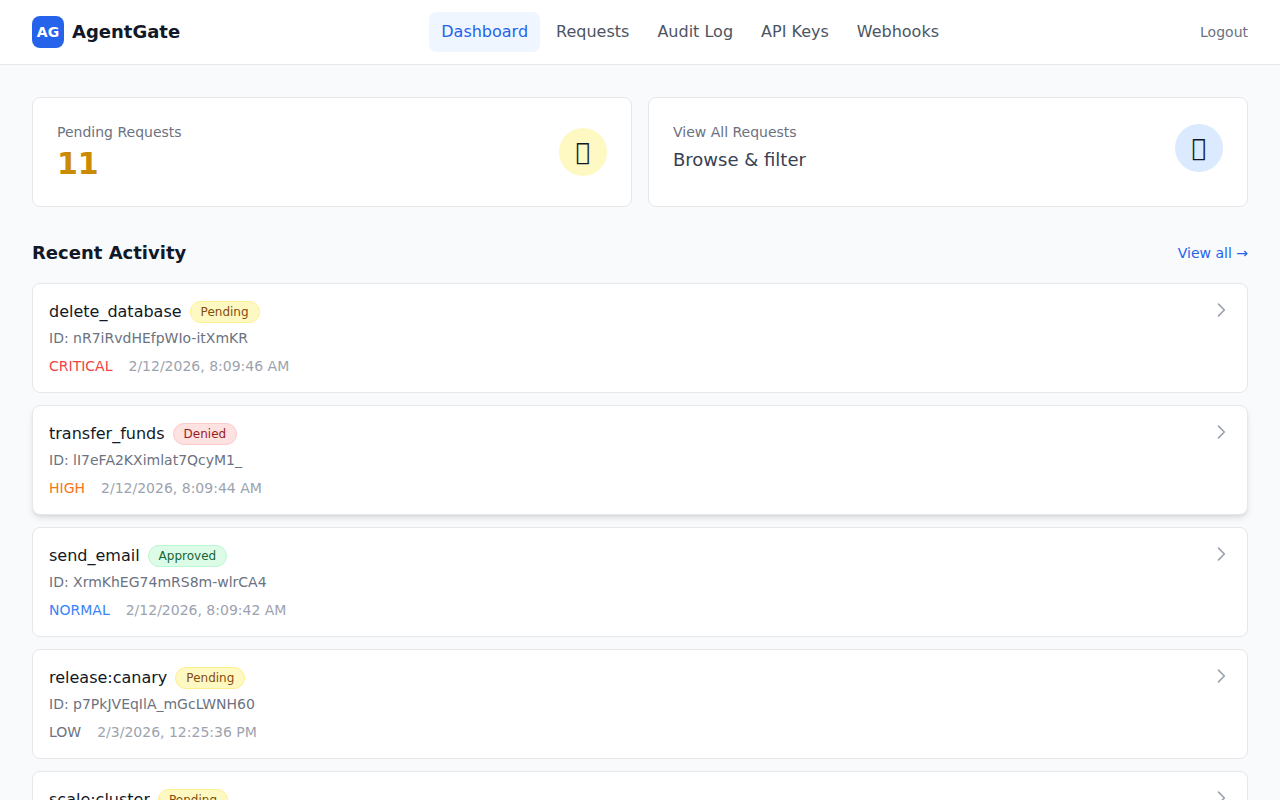
Dashboard
See all pending requests at a glance, color-coded by urgency so you know what needs attention first.
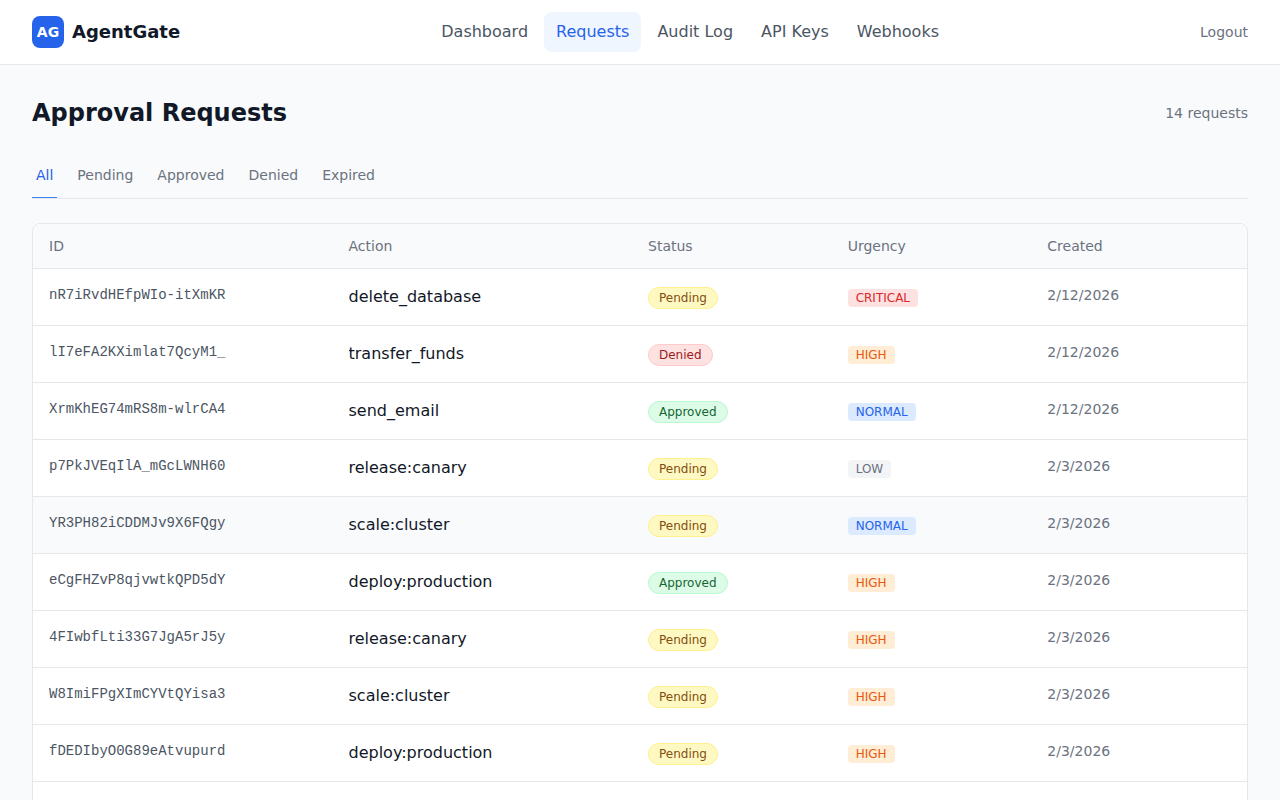
Approval Requests
Review, approve, or deny requests — filter by status to focus on what matters.
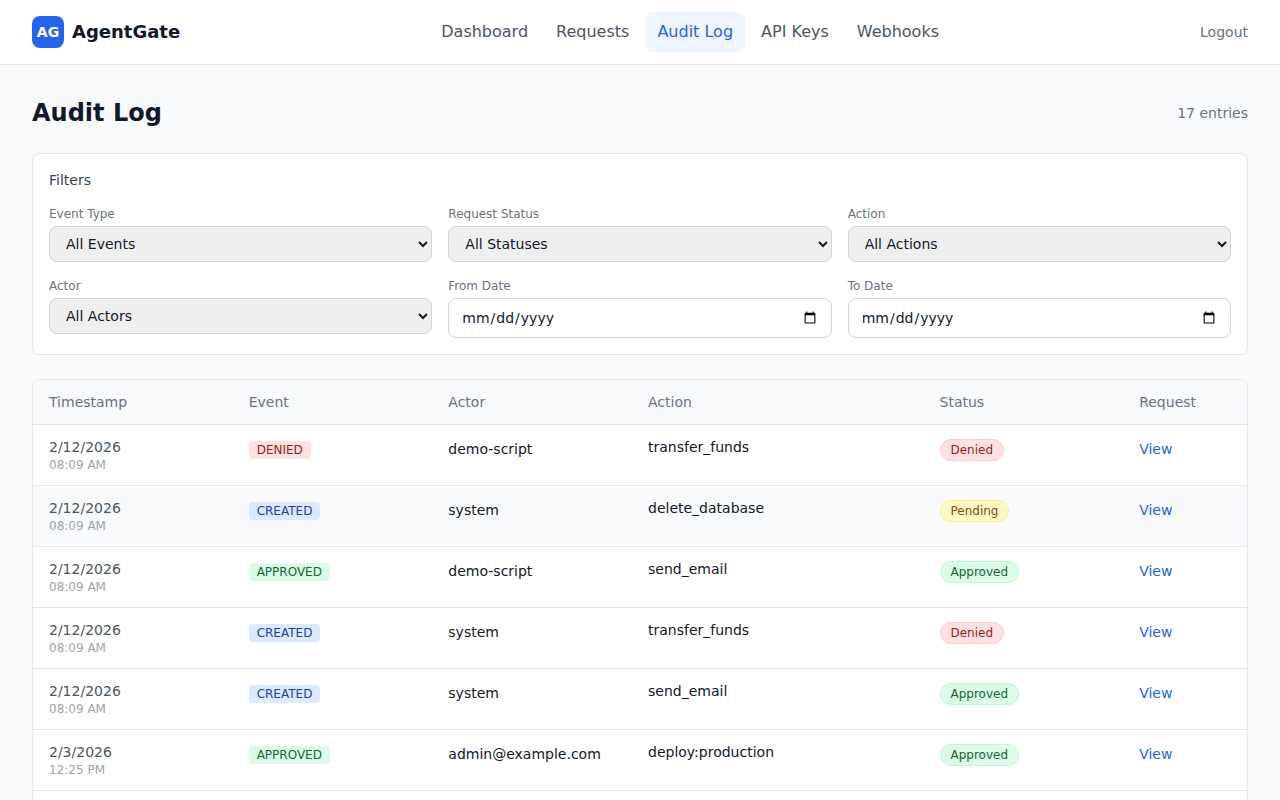
Audit Log
Search through every decision with filters for event type, action, actor, and date range.
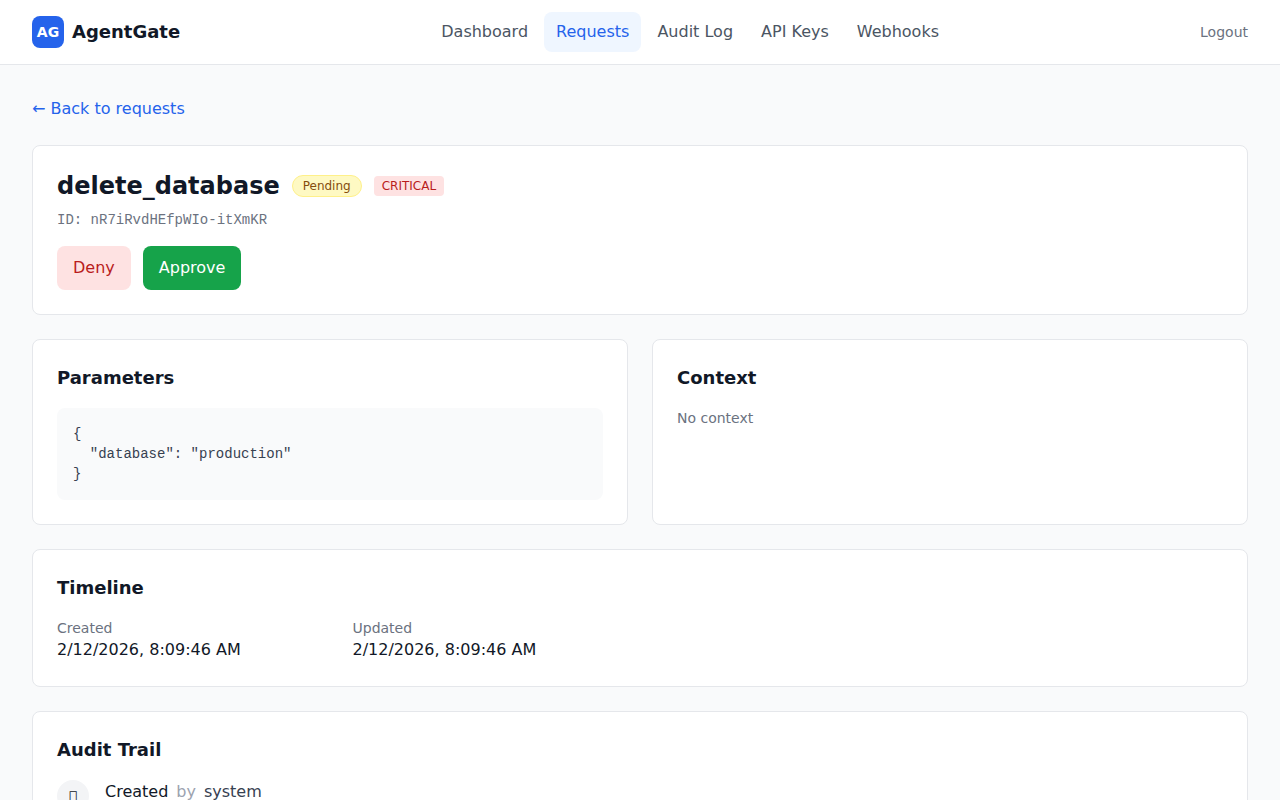
Request Detail
Drill into any request to see parameters, context, timeline, and audit trail — with one-click Approve/Deny buttons.
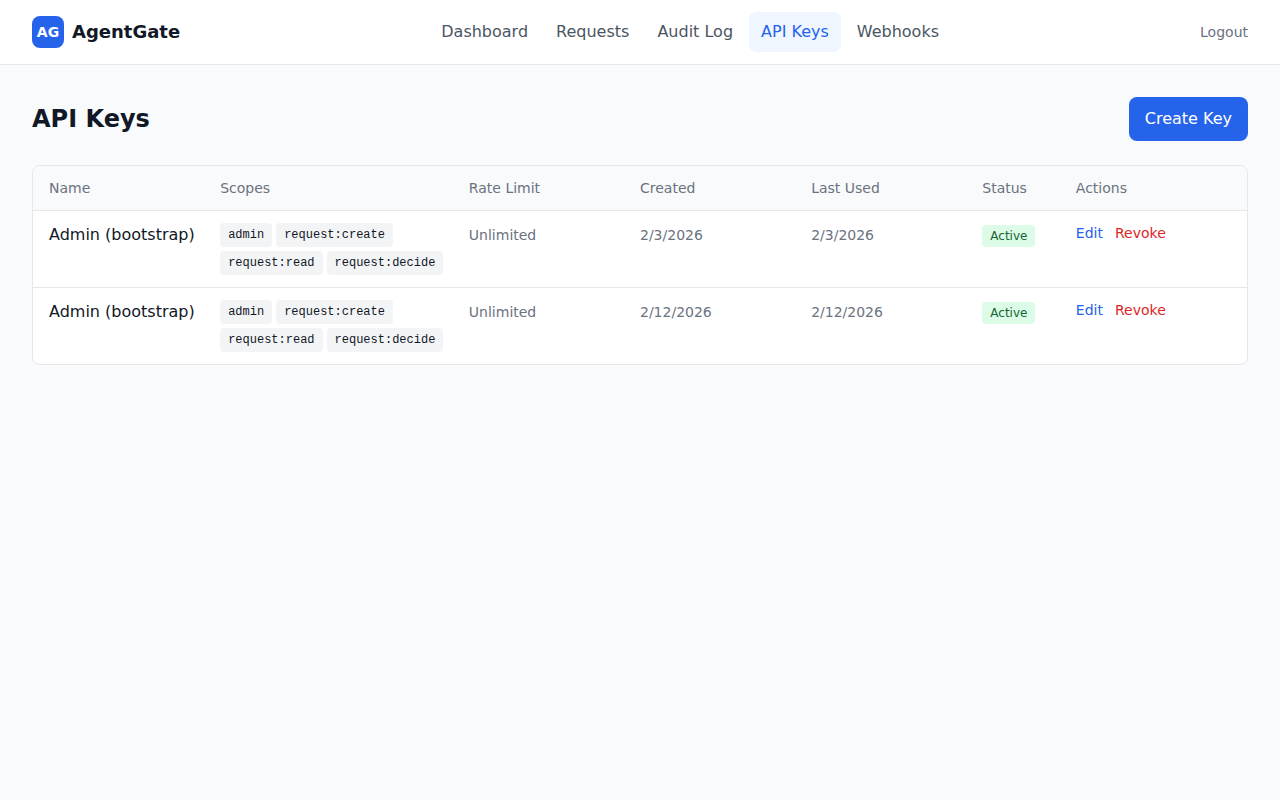
API Keys
Manage API keys with fine-grained scopes, rate limits, and usage tracking. Create, edit, or revoke keys from the dashboard.
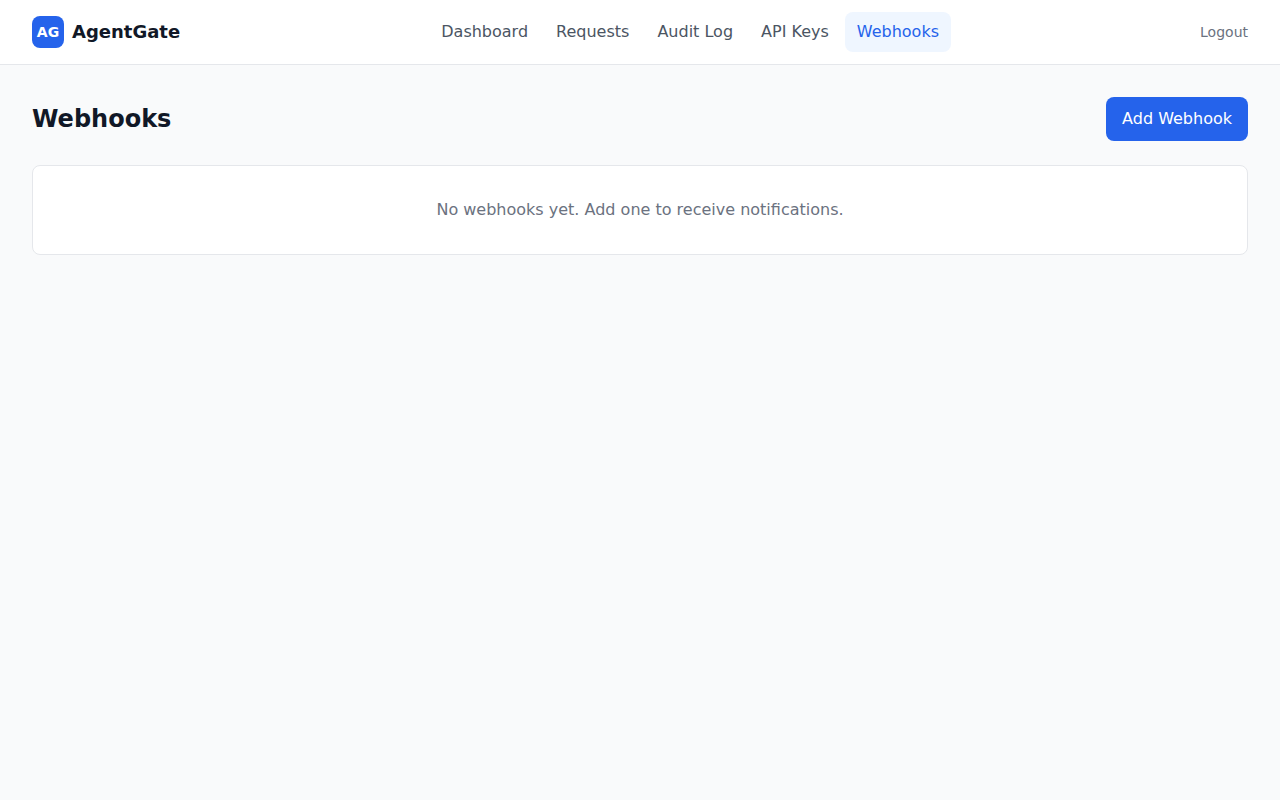
Webhooks
Configure webhook endpoints for real-time notifications. Add URLs, pick events, and let AgentGate handle retries automatically.
Login
Sign in with your API key — create one via the CLI or ask your admin.
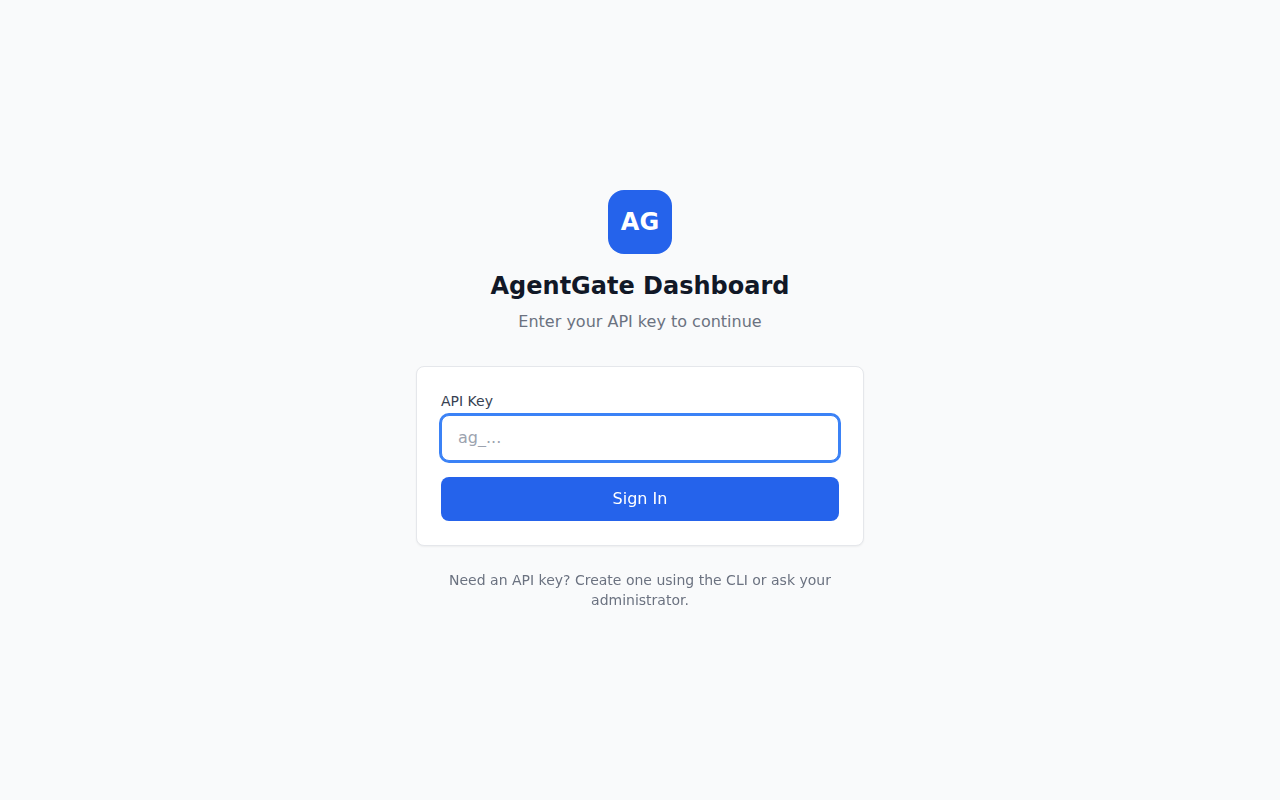
Table of Contents
- Quick Start
- Architecture
- Packages
- SDK Usage
- CLI
- MCP Integration
- Authentication
- API Endpoints
- Rate Limiting
- Webhooks
- Configuration
- Docker Deployment
- Development
- Troubleshooting
- Contributing
- License
Quick Start
1. Install dependencies
2. Run database migrations
3. Bootstrap (create admin API key)
Save the API key - it's shown once only! Set it in your environment:
4. Start the development environment
5. Run the demo
In a new terminal (with API key set):
6. Open the dashboard
Visit http://localhost:5173 to view and manage approval requests.
Architecture
Packages
| Package | Description | Docs |
|---|---|---|
@agentkitai/agentgate-core | Types, schemas, policy engine | - |
@agentkitai/agentgate-server | Hono API server | - |
@agentkitai/agentgate-sdk | TypeScript SDK for agents | README |
@agentkitai/agentgate-cli | Command-line interface | - |
@agentkitai/agentgate-mcp | MCP server for Claude Desktop | - |
@agentkitai/agentgate-slack | Slack bot integration | README |
@agentkitai/agentgate-discord | Discord bot integration | README |
@agentkitai/agentgate-dashboard | React web dashboard | - |
SDK Usage
CLI
AgentGate includes a command-line interface for managing approval requests.
Installation
Configuration
Configure the CLI with your server URL and API key:
Configuration is stored in ~/.agentgate/config.json. You can also use environment variables:
Commands
| Command | Description |
|---|---|
agentgate config show | Show current configuration |
agentgate config set <key> <value> | Set a configuration value |
agentgate request <action> | Create a new approval request |
agentgate status <id> | Get status of a request |
agentgate list | List approval requests |
agentgate approve <id> | Approve a pending request |
agentgate deny <id> | Deny a pending request |
Examples
MCP Integration
AgentGate includes a Model Context Protocol (MCP) server for integration with Claude Desktop and other MCP-compatible clients.
Claude Desktop Configuration
Related MCP Servers
Adoption & maintenance
Factual signals from GitHub, npm, and our automated checks — not a rating.
GitHub stars
33
Stargazers on the source repository.
Last commit
4d ago
Most recent push to the default branch.
Install check
Inconclusive
Started but did not complete the MCP handshake in our test.
Tools exposed
10
Callable tools this server registers over MCP.
Directory activity
2 views
Config copies, upvotes, and views on AllMCPs.
Reviews
No reviews yet — be the first to share how this listing worked for you.
Frequently Asked Questions about AgentGate
AllMCPs Directory Badge
Showcase your server listing on GitHub or your project documentation. Embed this dynamic SVG badge to highlight official listing status and live engagement.
Badge Style:
Live Dynamic SVG Preview
Markdown (GitHub README)
[](https://allmcps.com/mcp/agentgate)HTML Embed
<a href="https://allmcps.com/mcp/agentgate"><img src="https://allmcps.com/api/badge/agentgate?style=directory" alt="AgentGate on AllMCPs" /></a>