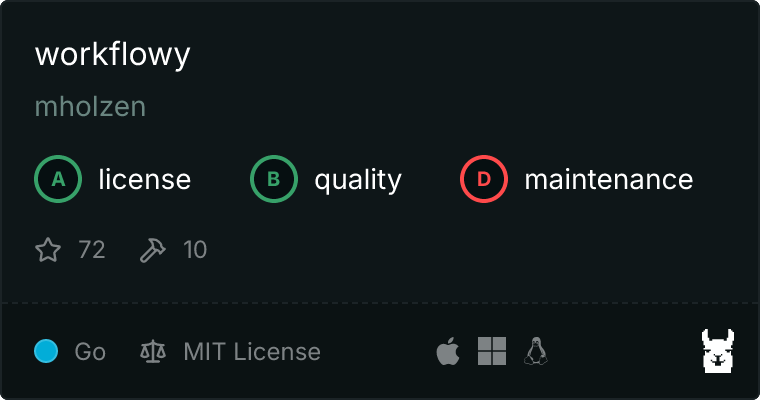
# workflowy [Health: Active]
**Category:** 💻 Developer Tools
**Repository:** https://github.com/mholzen/workflowy
**GitHub Stars:** 72
**Views:** 0
**Installs:** 0
**Upvotes:** 0
**Directory Page:** https://allmcps.com/mcp/workflowy
## Description
Create, update, complete nodes, search & replace with regex and dry run, usage reports, transforms
## Claude Desktop Quick Installation
Remote MCP endpoint (confidence: high). Install path detected from listing signals. Add as a URL/SSE server in your client:
```json
"mcpServers": {
"workflowy": {
"url": "https://workflowy.com"
}
}
```
## Documentation & README
# Workflowy MCP Server & CLI
A feature-rich **Model Context Protocol (MCP) server** and **Command Line Interface (CLI)** for [Workflowy](https://workflowy.com) written in Go. Connect your AI assistant (Claude, ChatGPT, etc.) to your Workflowy data or run commands from a terminal emulator or script, including **search**, **bulk replace**, **usage reports**, and **offline access** capabilities.
[](https://go.dev/) [](https://github.com/mholzen/workflowy) [](https://modelcontextprotocol.io) [](LICENSE)
 ## Why This Workflowy MCP Server?
- Full-text search with regex
- Bulk search & replace
- Content transformation (split, clean, pipe to LLMs)
- Usage reports (stale nodes, size analysis, mirrors)
- Sandboxed AI access with `--write-root-id`
- Offline mode via backup files
- CLI + MCP server in one tool
- Caching for performance
- Homebrew installation
- Basic CRUD operations
- Using short IDs (Copy Internal Link)
## Quick Start
### Install via Homebrew
```bash
brew install mholzen/workflowy/workflowy-cli
```
### Configure Your API Key
```bash
mkdir -p ~/.workflowy
echo "your-api-key-here" > ~/.workflowy/api.key
```
Get your API key at https://workflowy.com/api-key/
### Run Your First Command
```bash
# Get the top-level nodes, and nodes two levels deep
workflowy get
# Generate a report showing where most of your nodes are
workflowy report count | pbcopy # paste directly into Workflowy!
```
Use `pbcopy` on macOS, `clip` on Windows, `wl-copy` on Linux, or `xclip` for X11 systems.
## Use with Claude Desktop or Claude Code
### Claude Code
```bash
claude mcp add --transport=stdio workflowy -- workflowy mcp --expose=all
```
Remove `—expose=all` to limit to read-only tools.
### Claude Desktop
Add to your configuration file:
- **macOS**: `~/Library/Application Support/Claude/claude_desktop_config.json`
- **Windows**: `%APPDATA%\Claude\claude_desktop_config.json`
```json
{
"mcpServers": {
"workflowy": {
"command": "workflowy",
"args": ["mcp", "--expose=all"]
}
}
}
```
Restart Claude Desktop and start asking Claude to work with your Workflowy!
## MCP Tools for AI Assistants
### Read Tools (Safe)
| Tool | Description |
|------|-------------|
| `workflowy_get` | Get a node and its descendants as a tree |
| `workflowy_list` | List descendants as a flat list |
| `workflowy_search` | Search nodes by text or regex |
| `workflowy_targets` | List shortcuts and system targets (inbox, etc.) |
| `workflowy_id` | Resolve short ID or target key to full UUID |
| `workflowy_report_count` | Find where most of your content lives |
| `workflowy_report_children` | Find nodes with many children |
| `workflowy_report_created` | Find oldest nodes |
| `workflowy_report_modified` | Find stale, unmodified nodes |
| `workflowy_report_mirrors` | Find most mirrored nodes (requires backup) |
### Write Tools
| Tool | Description |
|------|-------------|
| `workflowy_create` | Create new nodes |
| `workflowy_update` | Update node content |
| `workflowy_move` | Move node to a new parent |
| `workflowy_delete` | Delete nodes |
| `workflowy_complete` | Mark nodes complete |
| `workflowy_uncomplete` | Mark nodes incomplete |
| `workflowy_replace` | Bulk find-and-replace with regex |
| `workflowy_transform` | Transform node content (split, trim, shell commands) |
## CLI Features
### Search Your Entire Outline
```bash
# Find all TODOs (case-insensitive)
workflowy search -i "foobar"
# Regex search for dates
workflowy search -E ""
# Search within a specific subtree (using Internal Link)
workflowy search "bug" --item-id https://workflowy.com/#/1bdae4aecf00
```
### Bulk Search and Replace
```bash
# Preview changes first (dry run)
workflowy replace --dry-run "foo" "bar"
# Interactive confirmation
workflowy replace --interactive "foo" "bar"
# Use regex capture groups
workflowy replace "TASK-([0-9]+)" 'ISSUE-$1'
```
### Some Common CRUD Operations
```bash
# Add a task to your inbox
workflowy create "Buy groceries" --parent-id=inbox
# Change the name of an item
workflowy update xxxxxxxx-xxxx-xxxx-xxxx-xxxxxxxxxxxx --name "Project Plan v2"
# Move an item to a different parent
workflowy move
# Mark a node as complete, using a short ID
workflowy complete https://workflowy.com/#/xxxxxxxxxxxx
# Resolve a short ID or target key to full UUID
workflowy id inbox
```
### Transform Content
```bash
# Split a node's content by newlines into child nodes
workflowy transform split -s "\n"
# Clean up text
workflowy transform trim
workflowy transform no-punctuation
# Pipe content through any shell command (e.g., an LLM)
workflowy transform -x 'echo {} | llm "summarize this"'
```
### Usage Reports
```bash
# Where is most of my content?
workflowy report count --threshold 0.01
# Which nodes have the most children?
workflowy report children --top-n 20
# Find stale content (oldest modified)
workflowy report modified --top-n 50
# Find most mirrored nodes (requires backup)
workflowy report mirrors --top-n 20
```
## Data Access Methods
Choose the best method for your use case:
| Method | Speed | Freshness | Offline | Best For |
|--------|-------|-----------|---------|----------|
| `--method=get` | Medium | Real-time | No | Specific items |
| `--method=export` | Fast* | 1 min worst case (due to rate limiting) | No | Full tree access |
| `--method=backup` | Fastest | Stale | **Yes** | Bulk operations |
*Cached after first fetch
### Offline Mode with Dropbox Backup
Enable Workflowy's Dropbox backup and access your data offline:
```bash
workflowy get --method=backup
workflowy search -i "project" --method=backup
```
## Installation Options
### Homebrew (macOS & Linux)
```bash
brew install mholzen/workflowy/workflowy-cli
```
### Scoop (Windows)
```powershell
scoop bucket add workflowy https://github.com/mholzen/scoop-workflowy
scoop install workflowy
```
### Go Install
```bash
go install github.com/mholzen/workflowy/cmd/workflowy@latest
```
### Download Binary
Download pre-built binaries from [GitHub Releases](https://github.com/mholzen/workflowy/releases/latest).
### Docker
```bash
docker run --rm -e WORKFLOWY_API_KEY=your-key ghcr.io/mholzen/workflowy:latest get
```
### From Source
```bash
git clone https://github.com/mholzen/workflowy.git
cd workflowy
go build ./cmd/workflowy
```
## Documentation
- [Full CLI Reference](https://github.com/mholzen/workflowy/blob/HEAD/docs/CLI.md)
- [MCP Server Guide](https://github.com/mholzen/workflowy/blob/HEAD/docs/MCP.md)
- [API Reference](https://workflowy.com/api-reference/)
- [Changelog](https://github.com/mholzen/workflowy/blob/HEAD/CHANGELOG.md)
## Examples
### AI Assistant Workflows
Ask Claude:
- "Search my Workflowy for all items containing 'meeting notes'"
- "Show me nodes I haven't touched in 6 months"
- "Replace all 'v1' with 'v2' in my Project A folder"
- "What's taking up the most space in my outline?"
- "Which nodes are mirrored the most?"
- "Move this item to my inbox"
### CLI Workflows
```bash
# Morning review: find stale items
workflowy report modified --top-n 20
# Weekly cleanup: find oversized nodes
workflowy report count --threshold 0.05
# Find unnecessary mirrors
workflowy report mirrors --top-n 20
# Bulk rename: update project prefix
workflowy replace "OLD-" "NEW-" --parent-id projects-folder-id
# Split pasted content into child nodes
workflowy transform split -s "\n"
```
## Contributing
Contributions welcome! See the [Contributing Guide](https://github.com/mholzen/workflowy/blob/HEAD/CONTRIBUTING.md).
```bash
# Development setup
git clone https://github.com/mholzen/workflowy.git
cd workflowy
go test ./...
```
## License
MIT — see [LICENSE](https://github.com/mholzen/workflowy/blob/HEAD/LICENSE)
## Acknowledgments
- Thanks to Andrew Lisy for requesting a method to sandbox write commands
- Thanks to Craig P. Motlin for pointing out mirrors are defined in the backup files
## Why This Workflowy MCP Server?
- Full-text search with regex
- Bulk search & replace
- Content transformation (split, clean, pipe to LLMs)
- Usage reports (stale nodes, size analysis, mirrors)
- Sandboxed AI access with `--write-root-id`
- Offline mode via backup files
- CLI + MCP server in one tool
- Caching for performance
- Homebrew installation
- Basic CRUD operations
- Using short IDs (Copy Internal Link)
## Quick Start
### Install via Homebrew
```bash
brew install mholzen/workflowy/workflowy-cli
```
### Configure Your API Key
```bash
mkdir -p ~/.workflowy
echo "your-api-key-here" > ~/.workflowy/api.key
```
Get your API key at https://workflowy.com/api-key/
### Run Your First Command
```bash
# Get the top-level nodes, and nodes two levels deep
workflowy get
# Generate a report showing where most of your nodes are
workflowy report count | pbcopy # paste directly into Workflowy!
```
Use `pbcopy` on macOS, `clip` on Windows, `wl-copy` on Linux, or `xclip` for X11 systems.
## Use with Claude Desktop or Claude Code
### Claude Code
```bash
claude mcp add --transport=stdio workflowy -- workflowy mcp --expose=all
```
Remove `—expose=all` to limit to read-only tools.
### Claude Desktop
Add to your configuration file:
- **macOS**: `~/Library/Application Support/Claude/claude_desktop_config.json`
- **Windows**: `%APPDATA%\Claude\claude_desktop_config.json`
```json
{
"mcpServers": {
"workflowy": {
"command": "workflowy",
"args": ["mcp", "--expose=all"]
}
}
}
```
Restart Claude Desktop and start asking Claude to work with your Workflowy!
## MCP Tools for AI Assistants
### Read Tools (Safe)
| Tool | Description |
|------|-------------|
| `workflowy_get` | Get a node and its descendants as a tree |
| `workflowy_list` | List descendants as a flat list |
| `workflowy_search` | Search nodes by text or regex |
| `workflowy_targets` | List shortcuts and system targets (inbox, etc.) |
| `workflowy_id` | Resolve short ID or target key to full UUID |
| `workflowy_report_count` | Find where most of your content lives |
| `workflowy_report_children` | Find nodes with many children |
| `workflowy_report_created` | Find oldest nodes |
| `workflowy_report_modified` | Find stale, unmodified nodes |
| `workflowy_report_mirrors` | Find most mirrored nodes (requires backup) |
### Write Tools
| Tool | Description |
|------|-------------|
| `workflowy_create` | Create new nodes |
| `workflowy_update` | Update node content |
| `workflowy_move` | Move node to a new parent |
| `workflowy_delete` | Delete nodes |
| `workflowy_complete` | Mark nodes complete |
| `workflowy_uncomplete` | Mark nodes incomplete |
| `workflowy_replace` | Bulk find-and-replace with regex |
| `workflowy_transform` | Transform node content (split, trim, shell commands) |
## CLI Features
### Search Your Entire Outline
```bash
# Find all TODOs (case-insensitive)
workflowy search -i "foobar"
# Regex search for dates
workflowy search -E ""
# Search within a specific subtree (using Internal Link)
workflowy search "bug" --item-id https://workflowy.com/#/1bdae4aecf00
```
### Bulk Search and Replace
```bash
# Preview changes first (dry run)
workflowy replace --dry-run "foo" "bar"
# Interactive confirmation
workflowy replace --interactive "foo" "bar"
# Use regex capture groups
workflowy replace "TASK-([0-9]+)" 'ISSUE-$1'
```
### Some Common CRUD Operations
```bash
# Add a task to your inbox
workflowy create "Buy groceries" --parent-id=inbox
# Change the name of an item
workflowy update xxxxxxxx-xxxx-xxxx-xxxx-xxxxxxxxxxxx --name "Project Plan v2"
# Move an item to a different parent
workflowy move
# Mark a node as complete, using a short ID
workflowy complete https://workflowy.com/#/xxxxxxxxxxxx
# Resolve a short ID or target key to full UUID
workflowy id inbox
```
### Transform Content
```bash
# Split a node's content by newlines into child nodes
workflowy transform split -s "\n"
# Clean up text
workflowy transform trim
workflowy transform no-punctuation
# Pipe content through any shell command (e.g., an LLM)
workflowy transform -x 'echo {} | llm "summarize this"'
```
### Usage Reports
```bash
# Where is most of my content?
workflowy report count --threshold 0.01
# Which nodes have the most children?
workflowy report children --top-n 20
# Find stale content (oldest modified)
workflowy report modified --top-n 50
# Find most mirrored nodes (requires backup)
workflowy report mirrors --top-n 20
```
## Data Access Methods
Choose the best method for your use case:
| Method | Speed | Freshness | Offline | Best For |
|--------|-------|-----------|---------|----------|
| `--method=get` | Medium | Real-time | No | Specific items |
| `--method=export` | Fast* | 1 min worst case (due to rate limiting) | No | Full tree access |
| `--method=backup` | Fastest | Stale | **Yes** | Bulk operations |
*Cached after first fetch
### Offline Mode with Dropbox Backup
Enable Workflowy's Dropbox backup and access your data offline:
```bash
workflowy get --method=backup
workflowy search -i "project" --method=backup
```
## Installation Options
### Homebrew (macOS & Linux)
```bash
brew install mholzen/workflowy/workflowy-cli
```
### Scoop (Windows)
```powershell
scoop bucket add workflowy https://github.com/mholzen/scoop-workflowy
scoop install workflowy
```
### Go Install
```bash
go install github.com/mholzen/workflowy/cmd/workflowy@latest
```
### Download Binary
Download pre-built binaries from [GitHub Releases](https://github.com/mholzen/workflowy/releases/latest).
### Docker
```bash
docker run --rm -e WORKFLOWY_API_KEY=your-key ghcr.io/mholzen/workflowy:latest get
```
### From Source
```bash
git clone https://github.com/mholzen/workflowy.git
cd workflowy
go build ./cmd/workflowy
```
## Documentation
- [Full CLI Reference](https://github.com/mholzen/workflowy/blob/HEAD/docs/CLI.md)
- [MCP Server Guide](https://github.com/mholzen/workflowy/blob/HEAD/docs/MCP.md)
- [API Reference](https://workflowy.com/api-reference/)
- [Changelog](https://github.com/mholzen/workflowy/blob/HEAD/CHANGELOG.md)
## Examples
### AI Assistant Workflows
Ask Claude:
- "Search my Workflowy for all items containing 'meeting notes'"
- "Show me nodes I haven't touched in 6 months"
- "Replace all 'v1' with 'v2' in my Project A folder"
- "What's taking up the most space in my outline?"
- "Which nodes are mirrored the most?"
- "Move this item to my inbox"
### CLI Workflows
```bash
# Morning review: find stale items
workflowy report modified --top-n 20
# Weekly cleanup: find oversized nodes
workflowy report count --threshold 0.05
# Find unnecessary mirrors
workflowy report mirrors --top-n 20
# Bulk rename: update project prefix
workflowy replace "OLD-" "NEW-" --parent-id projects-folder-id
# Split pasted content into child nodes
workflowy transform split -s "\n"
```
## Contributing
Contributions welcome! See the [Contributing Guide](https://github.com/mholzen/workflowy/blob/HEAD/CONTRIBUTING.md).
```bash
# Development setup
git clone https://github.com/mholzen/workflowy.git
cd workflowy
go test ./...
```
## License
MIT — see [LICENSE](https://github.com/mholzen/workflowy/blob/HEAD/LICENSE)
## Acknowledgments
- Thanks to Andrew Lisy for requesting a method to sandbox write commands
- Thanks to Craig P. Motlin for pointing out mirrors are defined in the backup files