# vscode-demo-time [Health: Active]
**Category:** 💻 Developer Tools
**Repository:** https://github.com/estruyf/vscode-demo-time
**GitHub Stars:** 244
**Views:** 0
**Installs:** 0
**Upvotes:** 0
**Directory Page:** https://allmcps.com/mcp/vscode-demo-time
## Description
Enables AI assistants to interact with Demo Time and helps build presentations and demos.
## Claude Desktop Quick Installation
Remote MCP endpoint (confidence: high). Install path detected from listing signals. Add as a URL/SSE server in your client:
```json
"mcpServers": {
"vscode-demo-time": {
"url": "https://marketplace.visualstudio.com/items?itemName=eliostruyf.vscode-demo-time"
}
}
```
## Documentation & README

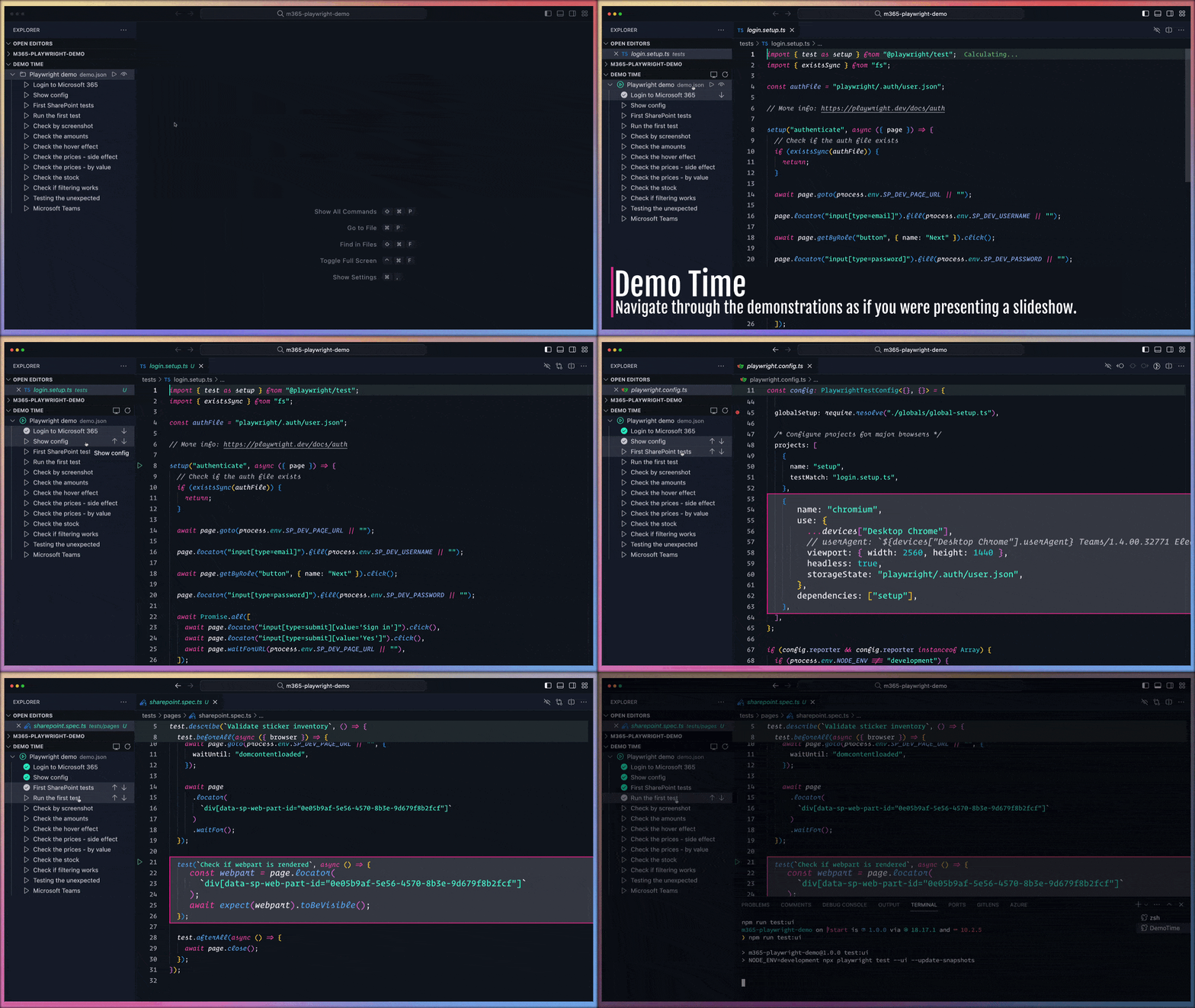
Demo Time empowers you to script flawless coding
demonstrations and present slides seamlessly within Visual Studio Code.
Eliminate typos and missteps, ensuring engaging and stress-free
presentations.



## Features
- **Scripted Demos**: Automate your coding demonstrations to maintain a perfect
flow.
- **Code Highlighting**: Emphasize specific code segments to draw audience
attention.
- **Integrated Slides**: Present slides directly within VS Code for a cohesive
experience.
- **Customizable Actions**: Execute various VS Code commands and tasks as part
of your demo.
- **PowerPoint Integration**: Seamlessly move from slides to code using the
[PowerPoint integration](https://demotime.show/integrations/powerpoint/).
## Getting Started
1. **Installation**: Install the extension.
2. **Initialization**: After installation, initialize the extension in your
project by opening the Explorer panel in VS Code. Locate the **Demo Time**
view and click on the "**Initialize**" button. This action creates a `.demo`
folder in your workspace containing either a `demo.json` or `demo.yaml` file,
depending on your chosen format.
3. **Creating Demos**: Populate the act file with your actions, defining each
step and action as required. More information about the available actions
can be found in the [supported actions](https://demotime.show/actions/)
documentation section.
## Documentation
For detailed instructions, advanced configurations, and best practices, please
refer to the comprehensive documentation available at
[https://demotime.show](https://demotime.show). This resource offers in-depth
guides and examples to help you maximize the extension's capabilities.
## Example act file
Here is an example demo:
```json
{
"$schema": "https://demotime.show/demo-time.schema.json",
"title": "Sample demo",
"description": "This is a sample demo configuration to show the capabilities of the extension.",
"demos": [
{
"title": "Step 1",
"description": "This is step 1",
"steps": [
{
"action": "create",
"path": "sample.json",
"content": "{\n \"firstName\": \"Elio\",\n \"lastName\": \"Struyf\"\n}"
},
{
"action": "open",
"path": "sample.json"
},
{
"action": "highlight",
"path": "sample.json",
"position": "2:3"
}
]
},
{
"title": "Step 2",
"description": "This is step 2",
"steps": [
{
"action": "snippet",
"contentPath": "./snippets/insert_and_highlight.json",
"args": {
"MAIN_FILE": "sample.json",
"CONTENT_PATH": "content.txt",
"CONTENT_POSITION": "3",
"HIGHLIGHT_POSITION": "4"
}
}
]
}
]
}
```
You can also explore a comprehensive example in the following GitHub
Repositories:
- [Introduction presentation about Demo Time](https://github.com/estruyf/demo-time-presentation)
- [presentation-github-actions](https://github.com/estruyf/presentation-github-actions)
- [presentation-m365-playwright-github-actions](https://github.com/estruyf/presentation-m365-playwright-github-actions)
## Testing
Run linting and unit tests with:
```bash
npm run lint
npm test
```
Tests use [Jest](https://jestjs.io/) with built-in coverage. New tests are
located in the `tests/` directory.
## Support
If you enjoy my work and find them useful, consider sponsor me and the ecosystem
to help Open Source sustainable. Thank you!
## License
This project is licensed under the Apache License 2.0 - see the
[LICENSE](https://github.com/estruyf/vscode-demo-time/blob/HEAD/LICENSE) file for details.


