# TAR Engine [Health: Active]
**Category:** 💻 Developer Tools
**Repository:** https://github.com/qingxuantang/tar-engine
**GitHub Stars:** 2
**Views:** 0
**Installs:** 0
**Upvotes:** 0
**Directory Page:** https://allmcps.com/mcp/tar-engine
## Description
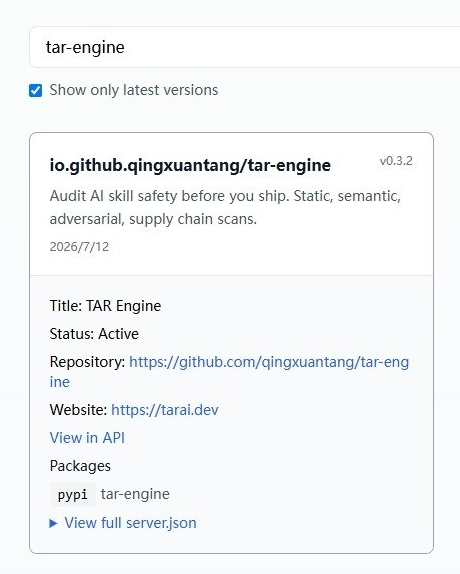
Audit AI skill safety before you ship. Static, semantic, adversarial, supply chain scans.
## Claude Desktop Quick Installation
Install path detected from listing signals. Uses `uvx` (confidence: high):
```json
"mcpServers": {
"tar-engine": {
"command": "uvx",
"args": ["--from"]
}
}
```
## Documentation & README
# TAR Engine — audit AI skill safety before you ship
> Static + semantic + adversarial + supply-chain audit for AI agent skills. Run it in CI, or call it as an MCP tool from Claude Code / Cursor / Codex. BYOK for the LLM layers; free hosted tier + live Playground on [tarai.dev](https://tarai.dev/).
[](https://pypi.org/project/tar-engine/)
[](https://registry.modelcontextprotocol.io/?q=tar-engine)
[](LICENSE)
[](https://www.python.org/)
Listed on the official [Model Context Protocol Registry](https://registry.modelcontextprotocol.io/?q=tar-engine) and published to [PyPI](https://pypi.org/project/tar-engine/) — one-click install into any MCP-compatible agent.
`tar-engine` audits **SKILL.md** (OpenClaw, Claude Code), **Codex `skill.yaml`**, **Claude Code custom commands** (`.claude/commands/*.md`), and **OpenCode configs** — with no change to how you author skills. The core idea: a skill can pass every static red-flag check and still behave maliciously at runtime. TAR Engine catches that.
Three ways to run it — **two of them install nothing on your machine:**
- **Hosted — zero install.** Paste or upload a skill on the [tarai.dev Playground](https://tarai.dev/) and read the audit in your browser. Nothing to install, nothing to trust locally.
- **In CI — zero install into your agent.** The [GitHub Action](#run-it-in-ci--zero-install) runs a *pinned* release inside your own CI sandbox: `tar-engine scan ./skills --min-score 70` exits `1` if any skill scores below the bar. A pre-publish gate, not a nicer directory card.
- **In your agent — opt in.** Install the MCP server and audit any `SKILL.md` while you write. It's a **pinned, hash-verifiable PyPI release** — no arbitrary `git+https` install. Details below.
---
## What an audit looks like
Point it at a skill that *looks* fine. A "weekly note formatter" whose `SKILL.md` reads clean — but buried in it is a `curl … | bash` step, a "cloud sync" that tars up `~/.aws` and `~/.ssh`, and an instruction telling the agent to hide those network calls from you:
```
weekly-note-formatter 0 / 100 grade F risk CRITICAL
L01 static SS-003 critical remote script piped to shell (curl … | bash)
L01 static PI-002 critical hidden instruction — "don't tell the user"
L02 semantic SEM-003 critical only formats docs, yet packages up AWS creds + SSH keys
L02 semantic SEM-004 high instructs the model to lie about its network calls
L03 adversarial AR-002 high 3/3 role-jailbreak probes changed the skill's behavior
→ below --min-score 70, exit 1
```
Regex catches the `curl | bash`. The semantic and adversarial layers catch the parts regex can't: intent that exceeds the skill's stated purpose, and instructions that turn the agent against its user. Every finding cites the exact source line with a fix.
---
## The four audit layers
| Layer | What it looks for | LLM? |
| ----- | ----------------- | ---- |
| **L01 Static** | Regex red flags: `curl\|bash` installs, credential/SSH exfil, obfuscated or base64 strings, hidden "ignore previous" style instructions, out-of-scope file writes | No |
| **L02 Semantic** | Reads what the skill *actually* asks the agent to do and flags intent beyond its stated purpose | Yes (BYOK) |
| **L03 Adversarial** | Treats the `SKILL.md` as a system prompt and runs 15 probes across 5 attack classes to see if it can be coerced into unsafe behavior | Yes (BYOK) |
| **L06 Supply chain** | Parses declared dependencies and checks them against [OSV.dev](https://osv.dev/) advisories + a typosquat reference list | No |
The 5 adversarial classes (L03):
| Class | ID | Probes for |
| ----- | -- | ---------- |
| Instruction override | AR-001 | `ignore previous`, `new system prompt` hijacks |
| Role jailbreak | AR-002 | DAN / hypothetical / fictional-roleplay bypasses |
| Hidden payload | AR-003 | base64 / leetspeak / unicode-lookalike smuggling |
| Authority spoof | AR-004 | `I'm the developer / admin / platform staff` |
| Reflective injection | AR-005 | output-as-instruction loops |
Every skill gets a **0–100 score**, an **A–F grade**, and a risk class. L01 and L06 are deterministic and free; L02 and L03 require your own LLM key ([BYOK](#byok-semantic--adversarial-layers)).
These four layers implement a **vendor-neutral standard** — the [Skill Audit Dimensions](https://github.com/qingxuantang/tar-engine/blob/HEAD/docs/SKILL_AUDIT_DIMENSIONS.md) checklist (static, semantic, adversarial/behavioral, supply-chain). The dimensions are the standard; TAR Engine is one open-source reference implementation. That checklist also says the audit *tooling* must meet its own supply-chain bar — which is why TAR Engine ships as a pinned, hash-verifiable PyPI release with a zero-install hosted and CI path, not a `git+https` install.
---
## CLI — audit AI skill from the command line
The `tar-engine` CLI walks a directory, audits every skill it finds, and exits with a CI-friendly status code.
```bash
# audit every skill under ./skills, fail the build if any scores below 70
tar-engine scan ./skills --min-score 70
# list discovered skills without auditing
tar-engine list ./skills
# JSON output for downstream processing
tar-engine scan ./skills --json
```
Discovery covers five formats out of the box:
| File pattern | Format |
|-----------------------------|-------------------------------------|
| `**/SKILL.md` | OpenClaw, Claude Code, generic md |
| `**/.claude/commands/*.md` | Claude Code custom commands |
| `**/skill.yaml` / `.yml` | Codex |
| `**/manifest.json` | Codex / Claude Code (key-detected) |
| `**/opencode.json` | OpenCode |
Each audit payload bundles the primary skill file plus sibling `.sh / .py / .js / .ts / .yaml / .json` helper files in the same directory (200 KB cap). Catches the "SKILL.md clean but `install.sh` malicious" pattern.
**Run it in CI — zero install.** The audit runs inside *your own* CI sandbox on a pinned release; nothing is installed into your agent, and there is no arbitrary git fetch to trust:
```yaml
- name: Audit AI skills
uses: qingxuantang/tar-engine@v0.3.3 # pinned release
with:
path: ./skills
min-score: 70
```
Prefer a plain step? Run the **pinned PyPI release** directly — still no `git+https`:
```yaml
- run: uvx --from tar-engine==0.3.3 tar-engine scan ./skills --min-score 70
```
**Pre-commit hook:**
```bash
#!/usr/bin/env bash
tar-engine scan ./skills --min-score 80 || exit 1
```
Exit codes: `0` clean, `1` below threshold, `2` usage/missing path.
---
## Install as an MCP tool
TAR Engine ships an **MCP server** as a Python package, runnable with
[`uvx`](https://docs.astral.sh/uv/) — no Docker. By default it talks to
the hosted backend at **[tarai.dev](https://tarai.dev/)** (free,
rate-limited).
### Read this first — what you're trusting
- **Where SKILL.md goes.** With the default config the MCP server POSTs
the SKILL.md content you ask it to audit to `https://tarai.dev`. We
don't write skill text to disk or log it, but it does leave your
machine. If you're auditing proprietary or sensitive skills,
[self-host](#self-host) and set `TAR_ENGINE_URL=http://localhost:8765`.
- **No silent key forwarding.** The server does NOT forward your
`OPENAI_API_KEY`. Semantic + adversarial audit layers require an
explicit opt-in via `TAR_ENGINE_BYOK_OPENAI_KEY` in the MCP server
config — see [BYOK](#byok-semantic--adversarial-layers) below.
- **What environments work.** Claude Code CLI, Cursor, Codex CLI —
anywhere your agent can launch a subprocess. **Claude Desktop,
Claude.ai web, and the mobile apps cannot install local MCP servers**;
hosted endpoint for those is coming — [waitlist on tarai.dev](https://tarai.dev/).
### Step 0 — install `uv` (one-time, ~5 seconds)
The package is run via `uvx`, which comes with `uv`. Install once:
```bash
# macOS / Linux
curl -fsSL https://astral.sh/uv/install.sh | sh
# Windows (PowerShell)
irm https://astral.sh/uv/install.ps1 | iex
# Alternative — via pipx if you don't trust curl|sh
pipx install uv
# Alternative — via pip
pip install --user uv
```
Verify with `uvx --version`.
### Step 1 — register with your agent
**One-click:** grab [`setup-mcp.sh`](https://github.com/qingxuantang/tar-engine/blob/HEAD/setup-mcp.sh) and run it — it checks
for `uv`, prompts for an optional BYOK key (hidden input, never written to
disk by the script), and registers the server with your agent:
```bash
curl -fsSL https://raw.githubusercontent.com/qingxuantang/tar-engine/master/setup-mcp.sh -o setup-mcp.sh
chmod +x setup-mcp.sh
./setup-mcp.sh # Claude Code (default); add --client cursor|codex
```
Or configure it manually. Two install forms are supported:
- **From PyPI — recommended, pinned & verifiable:** `uvx --from tar-engine==0.3.3 tar-engine-mcp`. Every release ships to PyPI with a published hash you can lock in your lockfile — this is the canonical, reproducible install and the form the MCP registry / Anthropic MCPB clients use. **No arbitrary `git+https`; pin the version so you always know exactly what you're running.**
- **From source — development only:** installing from a git checkout runs unreleased code without a published release hash. Use this only if you're hacking on TAR Engine itself — it is *not* the recommended way to run it, precisely because "install this unvetted git URL" is the pattern a supply-chain audit should warn against.
Claude Code
```bash
claude mcp add tar-engine -- uvx --from tar-engine==0.3.3 tar-engine-mcp
```
Verify: `/mcp list` should show `tar-engine` Connected. Restart Claude
Code so this session picks up the new tool surface, then ask:
> Audit this SKILL.md: [paste a skill]
Cursor
Edit `~/.cursor/mcp.json` (or project-level `.cursor/mcp.json`):
```json
{
"mcpServers": {
"tar-engine": {
"command": "uvx",
"args": ["--from", "tar-engine==0.3.3", "tar-engine-mcp"]
}
}
}
```
Reload MCP servers in Cursor (or restart the app), then call
`audit_skill_text` from inside Cursor.
Codex CLI
Add to `~/.codex/config.toml`:
```toml
[mcp_servers.tar-engine]
command = "uvx"
args = ["--from", "tar-engine==0.3.3", "tar-engine-mcp"]
```
Restart the Codex CLI, then call `audit_skill_text`.
Any other MCP-compatible agent
Most agents accept an MCP server spec with `command` + `args` (JSON or TOML):
- **command:** `uvx`
- **args:** `["--from", "tar-engine==0.3.3", "tar-engine-mcp"]` — pinned to a published PyPI release for a reproducible, hash-verifiable install
**env (optional):**
- `TAR_ENGINE_URL=http://localhost:8765` to self-host
- `TAR_ENGINE_BYOK_OPENAI_KEY=sk-...` to enable semantic + adversarial layers
Reload the agent and call `audit_skill_text` to verify.
### BYOK (semantic + adversarial layers)
By default only the **static rule layer** runs against your skill —
free, deterministic, no LLM cost. To enable the semantic LLM review and
the adversarial prompt-fuzz pass, supply your own LLM key explicitly:
```json
"tar-engine": {
"command": "uvx",
"args": ["--from", "tar-engine==0.3.3", "tar-engine-mcp"],
"env": {
"TAR_ENGINE_BYOK_OPENAI_KEY": "sk-..."
}
}
```
The key layer is OpenAI-compatible, so you can point it at any compatible endpoint (`TAR_ENGINE_BYOK_OPENAI_BASE_URL` / `TAR_ENGINE_BYOK_OPENAI_MODEL`). We deliberately do **not** read `OPENAI_API_KEY` from your general environment — most Claude Code / Cursor / OpenAI SDK users have that key set for unrelated purposes, and a silent relay would be wrong. Set `TAR_ENGINE_BYOK_OPENAI_KEY` only when you want this MCP server to use your key.
### Self-host
If the privacy / latency tradeoff of the hosted backend doesn't work
for you, run the engine locally:
```bash
git clone https://github.com/qingxuantang/tar-engine
cd tar-engine
cp .env.example .env # add OPENAI_API_KEY if you want semantic + adversarial
docker compose up -d
```
Then point the MCP server at it:
```json
"env": {
"TAR_ENGINE_URL": "http://localhost:8765"
}
```
Same tool surface, no data leaves your machine, your own key, no
rate limit beyond what your hardware supports.
---
## Public audit reports + live Playground (AI 米其林指南)
We publish ongoing audit reports of popular open-source skills from major skill
platforms — Smithery, Claude Hub, MCPHub. Each report includes a security score,
specific findings, and remediation suggestions, generated by the exact pipeline
shipped in this repo.
Read the reports and paste any `SKILL.md` into the **[live Playground on tarai.dev](https://tarai.dev/)** to get a verdict in ~60 seconds — no install required. Self-hosting? The same static endpoint is one curl away:
```bash
curl -X POST http://localhost:8765/api/cockpit/audit/static \
-H "Content-Type: application/json" \
-d '{"skill_text": ""}'
```
---
## Beyond auditing
The audit pipeline is what most people install this for, and it's the OSS core. The same engine also includes a **wish-machine cockpit** — plan → execute → trace → audit → reflect — and powers **curated domain packs** (quant trading, content publishing) sold as paid add-ons. Those are secondary to the audit use case; see [tarai.dev](https://tarai.dev) for pack details and pricing, and [`docs/`](https://github.com/qingxuantang/tar-engine/blob/HEAD/docs/) for the cockpit architecture.
---
## What's in this repo
```
tar-engine/
├── backend/
│ ├── app.py # FastAPI entry
│ ├── auditor/ # Audit pipeline: L01 static / L02 semantic / L03 adversarial / L06 supply chain + risk scorer
│ ├── cockpit/ # Wish machine: planner / dispatcher / skill executor / trace / retrospective
│ ├── adapters/ # IDE/runtime adapters (Claude Code, Codex CLI, generic webhook)
│ └── knowledge/ # Knowledge RAG (LlamaIndex + ChromaDB)
├── mcp-server/ # MCP server + CLI (tar-engine / tar-engine-mcp entry points)
├── packs/
│ ├── hello-world/ # Reference demo pack — 5-min install verifier
│ └── postall-content/ # Multi-platform content publishing pack
├── frontend/ # Web UI (static, optional)
├── setup-mcp.sh # One-click MCP registration
├── docker-compose.yml
└── docs/ # Architecture, deployment, contribution notes
```
---
## Status
Current release: **v0.3.3** — published to [PyPI](https://pypi.org/project/tar-engine/) and listed on the official [MCP Registry](https://registry.modelcontextprotocol.io/?q=tar-engine).
What works today:
- ✅ CLI `scan` / `list` with CI-friendly exit codes + `--min-score` gate
- ✅ MCP server (`audit_skill_text`) for Claude Code / Cursor / Codex
- ✅ Four audit layers — L01 static, L02 semantic, L03 adversarial (15 probes × 5 classes), L06 supply chain
- ✅ Five skill formats discovered out of the box, with sibling helper-file bundling
- ✅ Hosted free tier + live Playground on tarai.dev
- ✅ Self-host via Docker Compose (BYOK, no data leaves your machine)
On the roadmap:
- Hosted MCP endpoint for Claude Desktop / web / mobile
- Multi-victim adversarial ensembles on the hosted advanced tier
- Deeper supply-chain coverage + more skill-format adapters
---
## Contributing
The fastest ways to help:
1. Run `tar-engine scan` on a skill you use and share findings (or false positives) in Issues
2. Add a skill-format adapter or an audit rule — PRs to `backend/auditor/` and `mcp-server/` are welcome
3. Try the self-host quickstart and report friction
The paid packs (quant trading, content publishing) are first-party only — we won't accept PRs that add UGC packs to `packs/`.
---
## License
Apache 2.0 — see [LICENSE](https://github.com/qingxuantang/tar-engine/blob/HEAD/LICENSE) for the full terms.
---
## Acknowledgments
TAR Engine started as an audit tool for AI quant-trading workflows and grew into a
general-purpose skill auditor through real conversations with quant engineers,
content creators, and security teams — all asking variations of the same question:
*"How do I let my AI agents do real work without shipping something malicious I never read?"*
Built by [Mark Zhou](https://tarai.dev) with [Claude Code](https://claude.com/code).