# Sutra [Health: Active]
**Category:** 🧠 Knowledge & Memory
**Repository:** https://github.com/shivnathtathe/sutra-mcp-integrations
**GitHub Stars:** 1
**Views:** 0
**Installs:** 0
**Upvotes:** 0
**Directory Page:** https://allmcps.com/mcp/sutra-3
## Description
Private, portable memory and reusable skills for AI agents.
## Claude Desktop Quick Installation
Remote MCP endpoint (confidence: high). Install path detected from listing signals. Add as a URL/SSE server in your client:
```json
"mcpServers": {
"sutra": {
"url": "https://sutra.shivnathtathe.com"
}
}
```
## Documentation & README
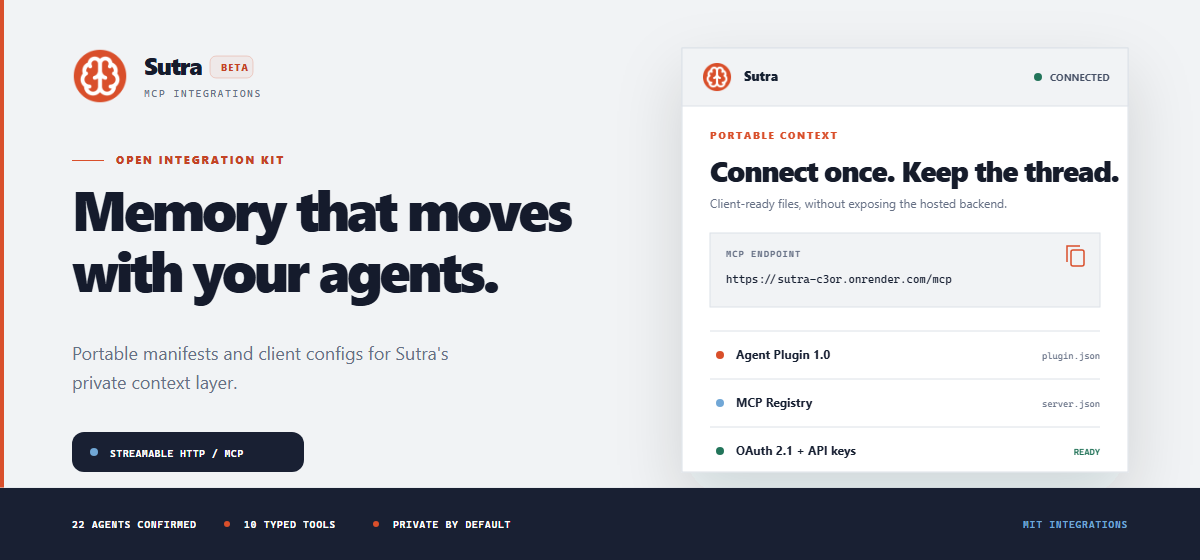
Open MCP integration files for the hosted Sutra service.
Connect private, portable context to the AI agents you already use.
Website ·
All integrations ·
Smithery ·
Glama ·
Support




## Connect Sutra
```text
https://sutra-c3or.onrender.com/mcp
```
| Connection | Use when | What happens |
| ------------- | ---------------------------------------------- | ----------------------------------------------------------------------------------------------- |
| **OAuth 2.1** | Your client supports remote MCP authorization. | The client opens Sutra in your browser, requests consent, and stores its grant. |
| **API key** | Your client expects an `Authorization` header. | You create a dedicated, revocable key in Sutra and store it with the client's secret mechanism. |
1. [Create a Sutra account](https://sutra.shivnathtathe.com/login).
2. Choose a client configuration below.
3. Complete OAuth or enter a dedicated API key when prompted.
4. Confirm the client discovers 10 tools.
5. Try: `Use Sutra to list my project clusters. Ask before saving anything.`
> [!IMPORTANT]
> Never put a real Sutra API key, OAuth token, memory export, or password in a checked-in configuration file.
## Choose Your Client
| Client | Authentication | Configuration |
| ------------------------ | ----------------------- | ---------------------------------------------------- |
| Cursor | OAuth | [`clients/cursor-mcp.json`](https://github.com/shivnathtathe/sutra-mcp-integrations/blob/HEAD/clients/cursor-mcp.json) |
| OpenCode | OAuth with DCR and PKCE | [`clients/opencode.json`](https://github.com/shivnathtathe/sutra-mcp-integrations/blob/HEAD/clients/opencode.json) |
| VS Code / GitHub Copilot | Revocable API key | [`clients/vscode-mcp.json`](https://github.com/shivnathtathe/sutra-mcp-integrations/blob/HEAD/clients/vscode-mcp.json) |
| Claude Code | Revocable API key | Guided CLI setup |
Cursor OAuth
Install this repository as an [Agent Plugin](https://cursor.com/docs/plugins/building), or add the following to `~/.cursor/mcp.json`:
```json
{
"mcpServers": {
"sutra": {
"url": "https://sutra-c3or.onrender.com/mcp"
}
}
}
```
Connect the server and complete Sutra's browser authorization flow.
OpenCode OAuth + DCR + PKCE
Merge [`clients/opencode.json`](https://github.com/shivnathtathe/sutra-mcp-integrations/blob/HEAD/clients/opencode.json) into your global or project `opencode.json`:
```json
{
"$schema": "https://opencode.ai/config.json",
"mcp": {
"sutra": {
"type": "remote",
"url": "https://sutra-c3or.onrender.com/mcp",
"oauth": {}
}
}
}
```
Authorize and inspect the connection:
```sh
opencode mcp auth sutra
opencode mcp list
```
VS Code and GitHub Copilot API key
Copy [`clients/vscode-mcp.json`](https://github.com/shivnathtathe/sutra-mcp-integrations/blob/HEAD/clients/vscode-mcp.json) to `.vscode/mcp.json`, or merge it into your user MCP configuration:
```json
{
"inputs": [
{
"id": "sutra-api-key",
"type": "promptString",
"description": "Sutra API key",
"password": true
}
],
"servers": {
"sutra": {
"type": "http",
"url": "https://sutra-c3or.onrender.com/mcp",
"headers": {
"Authorization": "Bearer ${input:sutra-api-key}"
}
}
}
}
```
Start Sutra from the MCP configuration editor. VS Code requests the key through a masked input instead of storing it in the file.
Claude Code API key
Use the Sutra CLI for guided setup:
```sh
npm install -g @shivnathtathe/sutra-cli
sutra connect claude-code
```
The CLI requests a dedicated key and safely writes the supported local configuration. It does not send your key to this repository.
Need another agent? Sutra publishes current instructions for [all 22 tested integrations](https://sutra.shivnathtathe.com/integrations).
## Confirmed Compatibility
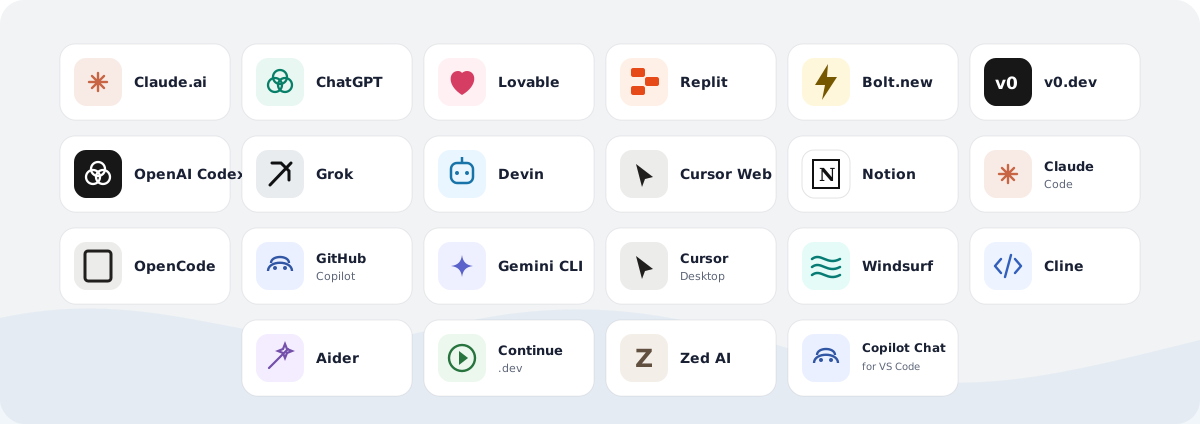
11 web agents use OAuth. 11 CLI and desktop agents use dedicated API keys. Product names and marks belong to their respective owners.
## Tool Surface
Sutra exposes 10 typed tools. Read operations retrieve only the context needed for the current request. Write, upload, and export operations require deliberate user intent.
| Context and memory | Access | Purpose |
| ------------------- | ------ | ----------------------------------------------------------- |
| `read_context` | Read | Load the user's shared identity context. |
| `search_memory` | Read | Find targeted memories by keyword. |
| `list_clusters` | Read | Discover available project clusters. |
| `get_cluster` | Read | Load one known project cluster. |
| `write_observation` | Write | Save one durable preference, decision, correction, or fact. |
| `export_all` | Export | Export all user memories for data portability. |
| Reusable skills | Access | Purpose |
| -------------------- | ------ | ------------------------------------------------------------------ |
| `list_skills` | Read | Discover skills explicitly enabled by the user. |
| `get_skill` | Read | Load an enabled skill and its resource index. |
| `get_skill_resource` | Read | Read one resource referenced by an enabled skill. |
| `upload_skill` | Write | Upload a new immutable skill version after explicit authorization. |
## Data Boundaries
| Sutra does | Sutra does not |
| --------------------------------------------------------------------- | --------------------------------------------------- |
| Stores observations deliberately saved by a user or authorized agent. | Copy every conversation from a connected client. |
| Isolates unrelated context in named project clusters. | Share one cluster with every request automatically. |
| Shows the source agent, tags, and activity for stored memories. | Hide writes inside an opaque client profile. |
| Supports revocable OAuth grants and per-client API keys. | Require one permanent credential across all agents. |
| Provides an explicit full export for portability. | Lock user memory to one AI vendor. |
Read [Security and data boundaries](https://github.com/shivnathtathe/sutra-mcp-integrations/blob/HEAD/docs/security-and-data.md), the [Privacy Policy](https://sutra.shivnathtathe.com/privacy), and the [Terms of Service](https://sutra.shivnathtathe.com/terms) before connecting sensitive workflows.
## Repository Contents
```text
.
|-- plugin.json # Agent Plugins 1.0 manifest
|-- mcp.json # Portable Streamable HTTP connection
|-- server.json # Official MCP Registry metadata
|-- clients/
| |-- cursor-mcp.json
| |-- opencode.json
| `-- vscode-mcp.json
|-- docs/
| |-- client-support.md
| `-- security-and-data.md
`-- assets/
|-- integration-grid.svg
|-- readme-hero.png # Pixel-tested GitHub banner
|-- readme-hero.svg # Editable banner source
`-- sutra-logo.png
```
## Open Integration Layer
This repository contains the open-source manifests, examples, documentation, and artwork needed to connect clients to Sutra. Corrections for changing client formats are welcome; see [CONTRIBUTING.md](https://github.com/shivnathtathe/sutra-mcp-integrations/blob/HEAD/CONTRIBUTING.md) and [SECURITY.md](https://github.com/shivnathtathe/sutra-mcp-integrations/blob/HEAD/SECURITY.md).
The files in this repository are licensed under the [MIT License](https://github.com/shivnathtathe/sutra-mcp-integrations/blob/HEAD/LICENSE). The hosted Sutra backend, dashboard, APIs, infrastructure, datasets, service implementation, and trademarks remain proprietary and are not included. The Sutra logo and third-party product names and marks are excluded from the MIT grant; see [NOTICE](https://github.com/shivnathtathe/sutra-mcp-integrations/blob/HEAD/NOTICE).
---
Context should outlast the chat window.
Create your private workspace