# Releases

**Category:** 💻 Developer Tools  
**Repository:** https://github.com/buildinternet/releases  
**Views:** 0  
**Installs:** 0  
**Upvotes:** 0  
**Directory Page:** https://allmcps.com/mcp/releases

## Description
An agent-friendly API for product changelogs. A unified registry via CLI, API, or MCP.

## Claude Desktop Quick Installation
Heuristic fallback — verify the package name and runner against the repository README before running it. Uses `npx` (confidence: low):

```json
"mcpServers": {
  "releases": {
    "command": "npx",
    "args": ["-y","releases"]
  }
}
```

## Documentation & README

<div align="center">

<img src="https://raw.githubusercontent.com/buildinternet/releases/HEAD/docs/assets/readme-home.png" alt="releases.sh — the latest product releases, indexed for agents" width="760">

<h1>Releases</h1>

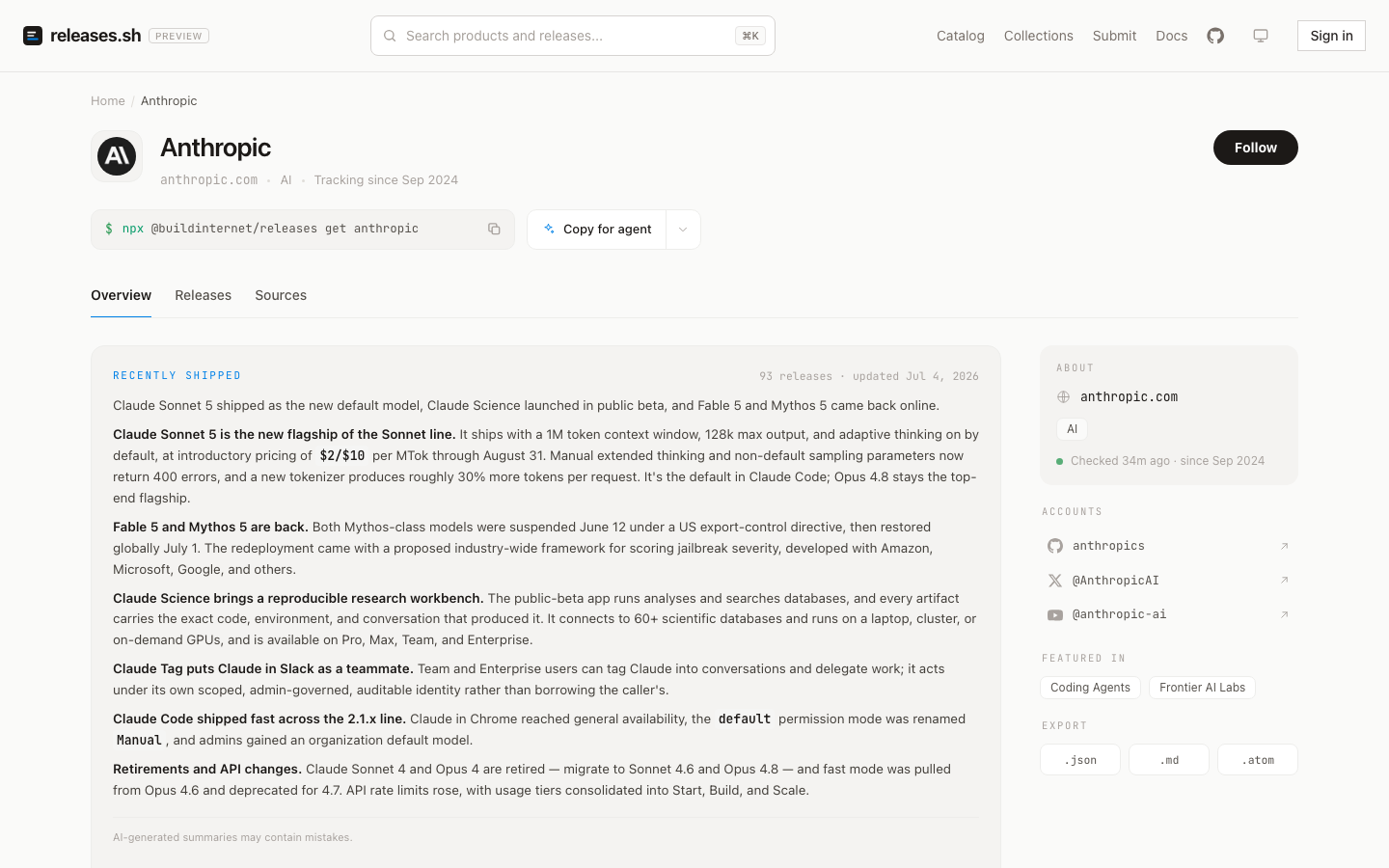
**The latest product releases, indexed for agents.**

A registry of release notes from across the web — pulled from vendor changelogs,
normalized into one schema, summarized, and queryable from your terminal, your
code, or any MCP client. Readable by you and your agent.

<p>
  <a href="https://releases.sh"><b>releases.sh</b></a> &nbsp;·&nbsp;
  <a href="https://releases.sh/docs"><b>Docs</b></a> &nbsp;·&nbsp;
  <a href="https://github.com/buildinternet/releases-cli"><b>CLI repo →</b></a> &nbsp;·&nbsp;
  <a href="#use-it">Use it</a> &nbsp;·&nbsp;
  <a href="#whats-in-this-repo">What's in this repo</a> &nbsp;·&nbsp;
  <a href="#local-development">Develop</a>
</p>

<p>
  <a href="https://github.com/buildinternet/releases/actions/workflows/ci.yml"><img alt="CI" src="https://github.com/buildinternet/releases/actions/workflows/ci.yml/badge.svg"></a>
  <a href="https://github.com/buildinternet/releases-cli"><img alt="CLI repo" src="https://img.shields.io/badge/CLI-buildinternet%2Freleases--cli-24292e?logo=github"></a>
  <a href="https://www.npmjs.com/package/@buildinternet/releases"><img alt="npm (CLI)" src="https://img.shields.io/npm/v/@buildinternet/releases?color=cb3837&label=%40buildinternet%2Freleases&logo=npm"></a>
  <a href="https://registry.modelcontextprotocol.io/v0.1/servers?search=sh.releases/mcp"><img alt="MCP server" src="https://img.shields.io/badge/exposes-MCP_server-000"></a>
  <a href="https://deepwiki.com/buildinternet/releases"><img alt="Ask DeepWiki" src="https://deepwiki.com/badge.svg"></a>
  <a href="https://github.com/buildinternet/releases/blob/HEAD/LICENSE"><img alt="License: Apache-2.0" src="https://img.shields.io/badge/license-Apache--2.0-blue"></a>
</p>

<p><sub>
  This repo is the <b>backend</b> for <a href="https://releases.sh">releases.sh</a> (API · MCP · web · ingest).
  The user-facing command-line tool lives in its own repo →
  <a href="https://github.com/buildinternet/releases-cli"><b>buildinternet/releases-cli</b></a>.
</sub></p>

</div>

---

## What is this?

"What changed?" is a question agents and developers ask constantly — before an
upgrade, after an incident, when a tool suddenly behaves differently. The answer
is scattered across GitHub releases, RSS feeds, changelog pages, and blog posts
in a hundred different formats.

**Releases** collects those into one registry. It watches hundreds of sources
across the vendors developers actually depend on, and for every release stores
the original content plus an AI-generated title, summary, and breaking-change
classification. Each organization gets a maintained overview of what it shipped
recently. The web page a human reads and the JSON an agent fetches are the same
content.

This repo is the source of the canonical deployment at
[releases.sh](https://releases.sh): the API worker (the authoritative data
plane), the MCP server, the web frontend, and the ingest pipeline + agent
harness that keep the registry fresh. The user-facing CLI ships separately from
[buildinternet/releases-cli](https://github.com/buildinternet/releases-cli)
(npm + Homebrew).

## Use it

No account or API key needed for reads — all four surfaces are public.

**MCP** — hosted at `mcp.releases.sh`, listed in the
[MCP Registry](https://registry.modelcontextprotocol.io/v0.1/servers?search=sh.releases/mcp)
as `sh.releases/mcp`:

```bash
claude mcp add --transport http releases https://mcp.releases.sh/mcp   # Claude Code
codex mcp add releases --url https://mcp.releases.sh/mcp               # Codex
npx -y mcp-remote https://mcp.releases.sh/mcp                          # stdio bridge (VS Code, Zed, …)
```

**CLI** — one-off via npx, or `brew install buildinternet/tap/releases`:

```bash
npx @buildinternet/releases get anthropic     # what did Anthropic ship lately?
npx @buildinternet/releases search "MCP"      # search across every vendor
```

**REST API** — public GET endpoints on `api.releases.sh`, spec at
[/v1/openapi.json](https://api.releases.sh/v1/openapi.json):

```bash
curl "https://api.releases.sh/v1/releases/latest?limit=5"
```

**Agent skills** — auto-triggering playbooks, installable into any agent (Claude
Code / Codex / Cursor / OpenCode) without checking out anything. Start with the
reader skills — search, MCP lookups, and release analysis — which is what almost
everyone wants:

```bash
npx skills add buildinternet/releases-cli   # reader skills — search, MCP, release analysis

# just the skill that writes a releases.json manifest for your own product
npx skills add buildinternet/releases --skill creating-releases-json
```

On Claude Code, the CLI repo also installs as a plugin — the reader skills plus
a bundled MCP connection and a `/releases` command:

```
/plugin marketplace add buildinternet/releases-cli
/plugin install releases@releases
```
<sub>Running or maintaining the registry itself? This repo also ships
**operator skills** (source onboarding, parsing, bulk maintenance) — most need
an admin key: `npx skills add buildinternet/releases`. See
[releases.sh/docs/skills](https://releases.sh/docs/skills).</sub>

**Docs** — user-facing documentation is served from the web app at
[releases.sh/docs](https://releases.sh/docs) (source in
[`web/src/content/docs/`](https://github.com/buildinternet/releases/blob/HEAD/web/src/content/docs)):
[installation](https://releases.sh/docs/installation) ·
[skills](https://releases.sh/docs/skills) ·
[REST API](https://releases.sh/docs/api/rest) ·
[MCP](https://releases.sh/docs/api/mcp) ·
[webhooks](https://releases.sh/docs/api/webhooks) ·
[listing your product](https://releases.sh/docs/listing).

Agents consuming the product start from
[releases.sh/llms.txt](https://releases.sh/llms.txt); the MCP tool catalog and
auth model are also covered in
[docs/architecture/mcp.md](https://github.com/buildinternet/releases/blob/HEAD/docs/architecture/mcp.md). Creating a
[free account](https://releases.sh/signup) unlocks higher rate limits (mint an
API key at [releases.sh/account](https://releases.sh/account)), plus follows,
personalized feeds, webhooks, and email digests.

<div align="center">
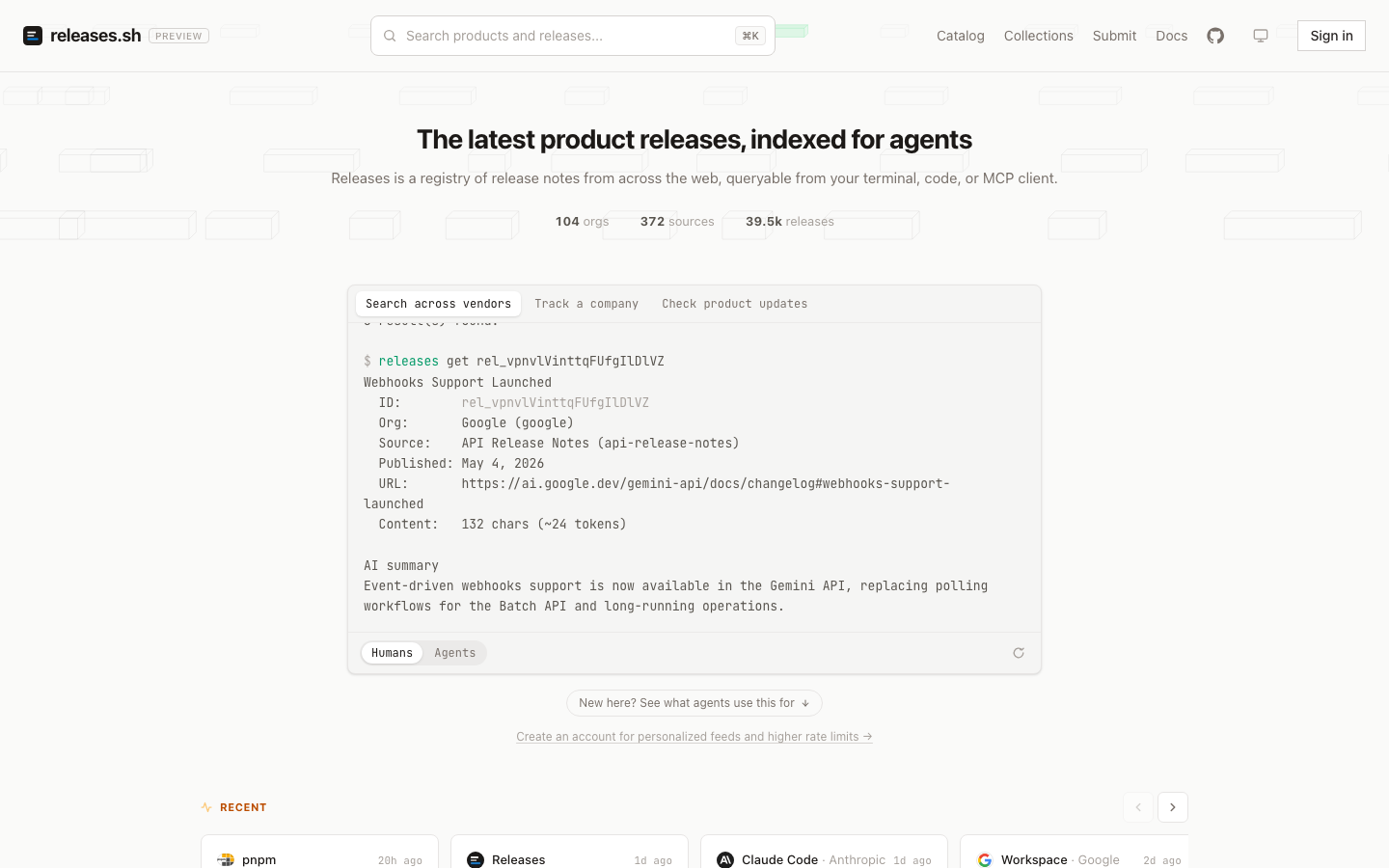
  <img src="https://raw.githubusercontent.com/buildinternet/releases/HEAD/docs/assets/readme-org.png" alt="An organization page: AI-maintained overview of recent releases, source list, and JSON/Markdown/Atom export" width="700">
  <br>
  <sub>Every org page carries an AI-maintained overview and exports as JSON, Markdown, or Atom.</sub>
</div>

## What's in this repo

| Path                 | What                                                                                          |
| -------------------- | --------------------------------------------------------------------------------------------- |
| `workers/api/`       | Hono API on Cloudflare D1 — the authoritative data plane                                      |
| `workers/mcp/`       | Remote MCP server at `mcp.releases.sh`                                                        |
| `workers/discovery/` | Durable-Object agent-session orchestrator                                                     |
| `workers/webhooks/`  | Signs + delivers `release.created` events (HMAC-SHA256, retry/DLQ) — [docs](https://github.com/buildinternet/releases/blob/HEAD/docs/webhooks.md) |
| `web/`               | Next.js frontend, deploys on Vercel                                                           |
| `packages/`          | Shared code — `core` + `api-types` publish to npm; the rest are private workspaces            |
| `src/agent/`         | Managed-agents discovery + worker harness (prompt builder + shared types)                     |
| `.claude/`           | Claude Code config — `skills/` (canonical skill home), `agents/`, `commands/`, `workflows/`   |

How it fits together:

- **Storage** — Cloudflare D1 (FTS5 + Vectorize). The API worker is the sole data plane.
- **Ingest** — adapters for GitHub Releases, RSS/Atom/JSON feeds, and a browser-rendering fallback for feed-less pages (`packages/adapters/`). The crawler signs outbound fetches (RFC 9421) as a Cloudflare Verified Bot.
- **AI** — changelog parsing, summarization, grouping, and org overviews run in the API worker as direct Anthropic SDK calls.
- **Agents** — discovery + worker run as Anthropic-hosted managed agents; definitions auto-deploy on merge when their source changes.

## Contributor mental model

This repo has four kinds of code:

| Area               | Paths                                                                            | What to know                                                                                                                 |
| ------------------ | -------------------------------------------------------------------------------- | ---------------------------------------------------------------------------------------------------------------------------- |
| Product surfaces   | `workers/api/`, `workers/mcp/`, `workers/webhooks/`, `web/`                      | The API worker is the data plane. Web, MCP, CLI, and webhooks read from or route through it.                                 |
| Shared packages    | `packages/core/`, `packages/api-types/`, private `packages/*`                    | `core` owns schema and pure helpers; `api-types` owns wire shapes. Change these first when shared contracts move.            |
| Hosted operations  | `workers/discovery/`, `managed-agents/`, `.claude/skills/`, `.claude/workflows/` | These power the canonical releases.sh ingest and operator loop. Some paths need hosted credentials, but local work does not. |
| Historical context | `docs/architecture/`, `docs/plans/`, `docs/superpowers/`                         | Architecture docs are maintained references. Plans and specs are point-in-time design history.                               |

For normal contributions, start with `bun run bootstrap`, `bun run check`, and
`bun test`. You do not need production Cloudflare, Anthropic, Vercel, email, or
Firecrawl access to work on the core loop. If you are trying to fork or
self-host the full service, read
[deploy-coupling.md](https://github.com/buildinternet/releases/blob/HEAD/docs/architecture/deploy-coupling.md).

Per-package detail and project conventions live in [AGENTS.md](https://github.com/buildinternet/releases/blob/HEAD/AGENTS.md) — the
agent entry point for working in this repo. Architecture deep-dives are in
[docs/architecture/](https://github.com/buildinternet/releases/blob/HEAD/docs/architecture/), with a reader's guide at
[docs/README.md](https://github.com/buildinternet/releases/blob/HEAD/docs/README.md).

## Local development

**Prerequisites:** [Bun](https://bun.sh). No external accounts needed for the
core loop:

```bash
bun run bootstrap        # one-command setup: tooling, deps, env files, local D1
bun run doctor           # diagnose the setup — reports what's missing and how to fix it

bun run check            # lint + type-check + format (the CI gate)
bun test                 # full test suite, secret-free
bun run dev:api          # API worker on local D1
bun run dev:web          # Next.js frontend
```

`bootstrap` is idempotent (safe to re-run; never overwrites your env files or
wipes the local DB) and `doctor` is read-only. Prefer the manual steps? They're
`bun install`, copy each `*.example` env file, then `bun run db:reset:local`.

AI passes, scrape fetches, and semantic search take your own keys
(`ANTHROPIC_API_KEY`, Cloudflare Browser Rendering, `VOYAGE_API_KEY`) and
degrade gracefully without them. Setup detail, environment variables, testing,
deployment, and the full no-accounts / bring-your-own-keys / hosted-only
breakdown live in [CONTRIBUTING.md](https://github.com/buildinternet/releases/blob/HEAD/CONTRIBUTING.md).

## License

[Apache-2.0](https://github.com/buildinternet/releases/blob/HEAD/LICENSE). The published npm packages
([`releases-core`](https://github.com/buildinternet/releases/blob/HEAD/packages/core), [`api-types`](https://github.com/buildinternet/releases/blob/HEAD/packages/api-types)) are
deliberately MIT for maximum reuse.