
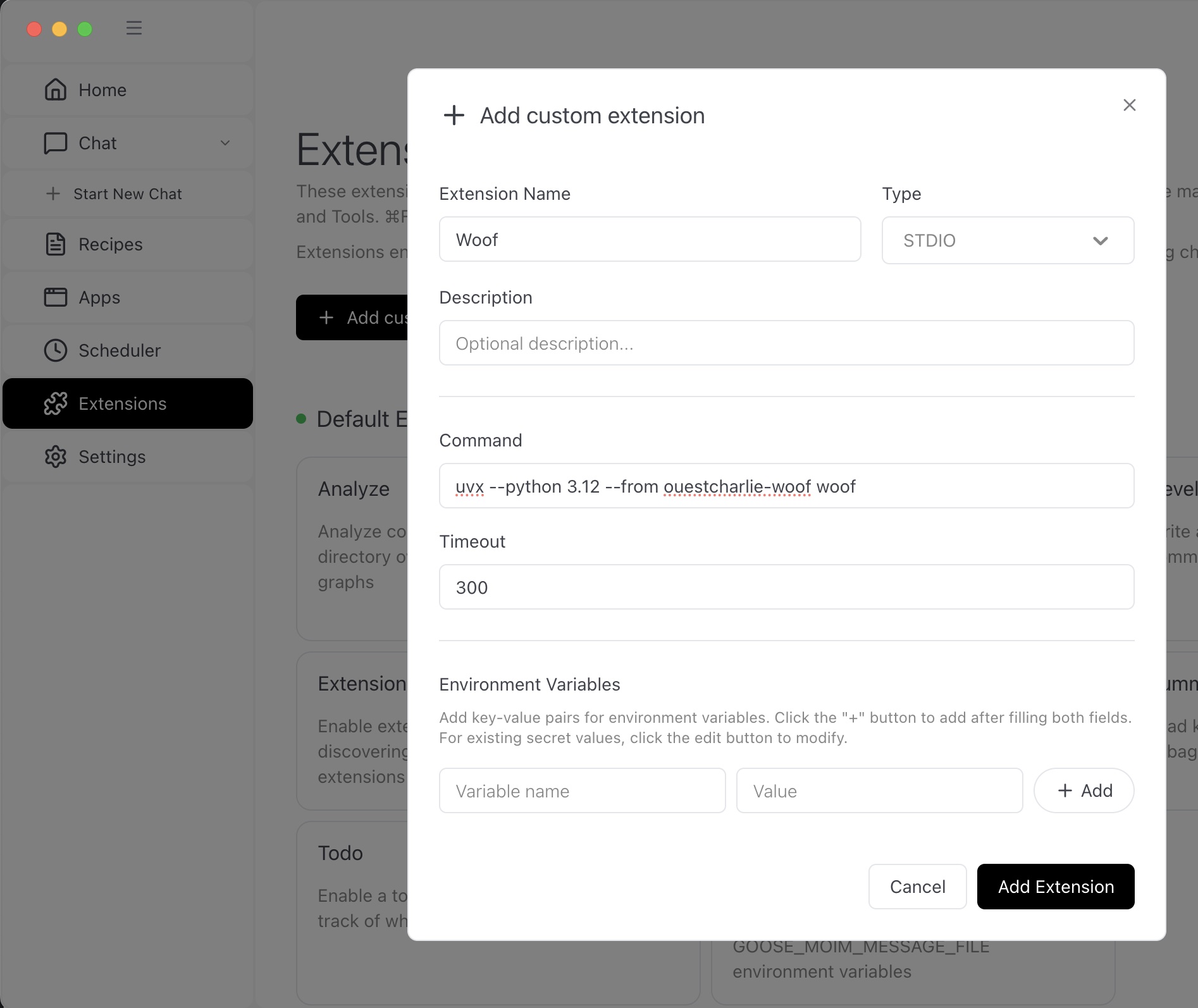
Setup Woof extension in Goose
Or add the following to your Goose configuration (`~/.config/goose/config.yaml`): ```yaml extensions: woof: type: stdio cmd: uvx args: ["--python", "3.13", "--from", "ouestcharlie-woof", "woof-bridge"] enabled: true ``` #### Add to VS Code (Github Copilot harness) To install in VS Code: - From the command Palette (Ctrl+Shift+P or Cmd+Shift+P), select "MCP: Add Server..." - Simplest is using "Pip Package" install option - Type in the Woof package name: "ouestcharlie-woof" - Accept to confirm - The entry point is woof-bridge (not woof as proposed by the prompt) The composed configuration should be: ```json { "servers": { "woof-bridge": { "command": "uvx", "args": [ "--python", "3.13", "--from", "ouestcharlie-woof", "woof-bridge" ], "type": "stdio" } }, "inputs": [] } ``` Check if woof-bridge is activated through the "MCP: List Servers" from the Command Palette. #### Other supported AI Assistants Other clients support MCP Apps, for example Codex. See the [MCP Extension Support Matrix](https://modelcontextprotocol.io/extensions/client-matrix) ## Optional skill plugin Woof provides optional skills with workflows, see the Tutorial section below. To install the plugin containing the skills, reference this repository as `ouestcharlie/ouestcharlie-woof`: - Claude Desktop, from the Settings > "Plugins" > "Add" at the top-right corner > "Add a market place" > "Add from a repository" - VSCode, from the Command Palette > "Chat: Install Plugin from Source" --- ## First Steps ### 1. Register your photos folder Once Woof is connected to your AI client, ask it to register your photo folder: > *"Add a local library to Woof pointing to /Users/yourname/Pictures"* Woof supports any folder on a local drive — including folders synced from iCloud Drive, OneDrive, or Google Drive, as long as the files are locally available. ### 2. Index your library Trigger the indexer to scan your photos and build the metadata index: > *"Index my local library"* Woof will launch the indexing agent, which will: - Read EXIF/XMP metadata from each photo - Write XMP sidecar files alongside your originals (never modifying the originals) - Generate thumbnails and previews - Build a fast index for querying Indexing speed is roughly 10 to 100 seconds per 1,000 photos depending on format and hardware. ### 3. Start browsing Once indexing is complete, just ask: > *"Show me photos in Woof from last July"* > *"In Woof, show me pictures taken near Paris"* > *"Search Woof for photos with 'Tour Eiffel' in the description"* > *"How many photos do I have in Woof?"* The gallery panel will appear inline in your conversation with matching results.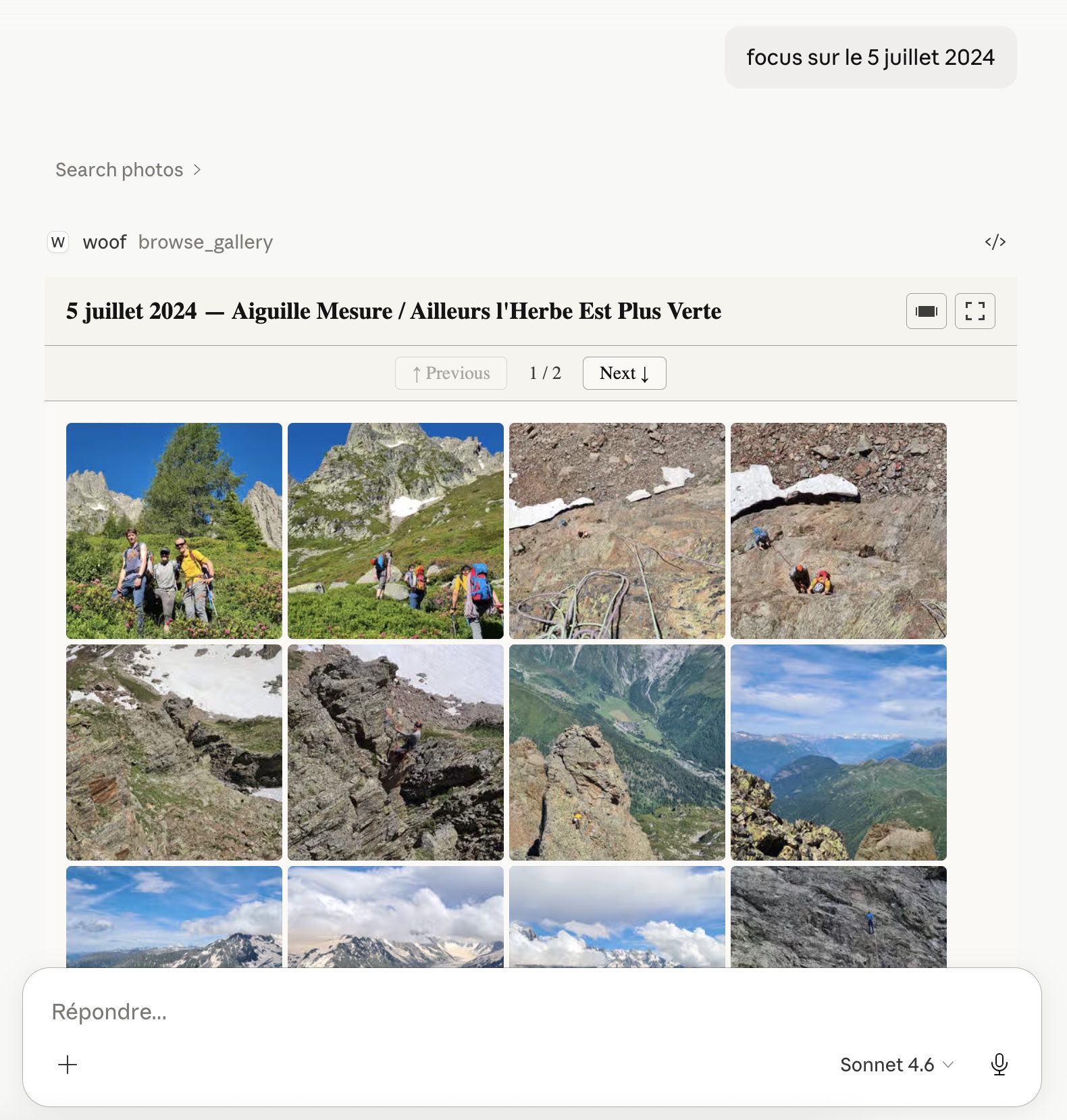
Ouestcharlie Woof photo gallery inside Claude Desktop
## More tutorials - [Create your personal photo gallery with Claude, Strava and OuEstCharlie Woof - Prompt version](https://ouestcharlie.github.io/ouestcharlie/2026/07/31/personal-photo-gallery-Claude-Strava-OuEstCharly-Woof/) - [Use an AI workflow to sort and enrich photos by grouping them into clusters](https://ouestcharlie.github.io/ouestcharlie/2026/08/26/ai-workflow-sort-photos-by-grouping-clusters/) - [Use an AI workflow to sort and enrich photos using your Strava activity log - Skill version](https://ouestcharlie.github.io/ouestcharlie/2026/08/27/ai-workflow-sort-photos-using-strava-activity-log/) --- ## Storage Woof supports **local filesystem** and **cloud_mount** libraries on macOS, Linux, and Windows: - **filsystem** for a standard local hard drive or SSD, including local network drive (e.g. NAS) - **clound_mount** for a folder synced from iCloud Drive, OneDrive, Google Drive, or Infomaniak kDrive — as long as files are downloaded and locally accessible Native cloud storage (S3, Azure, GCS, OneDrive API) is planned. --- ## Status Woof is an **early preview**. It works well today for browsing and searching a local photo library. ### Current features | Feature | Notes | |---|---| | Compatible with Claude Desktop, Goose, VS Code| Any desktop application with MCP App support| | Available on Macos, Windows, Linux| Python packages are built and released in Pypi| | Local filesystem indexing | Files must be locally synced | | Photos (JPEG, PNG, TIFF, HEIC, RAW) | HEIC and RAW depend on the build options | | Video support (MOV, MP4) || | Gallery view as grid or preview | Photo details on preview | | Image thumbnails and previews | Optimized for display | | Search description, tags, rating, date, partition | full text search on description | | Search photo features (date, dimensions, GPS bounding box) | | | Search video features (duration, dimensions, GPS bounding box) | | | Search camera features (make, model, aperture, lens) | | | Sort ascending or descending on any field | | | Change detection / automatic re-indexing | Partial — added and removed pictures | ### Planned features | Feature | |---| | Albums and smart filters | | Share pictures with host (Claude Desktop, ChatGPT, Goose…) | | Enrichment agents (faces, scene recognition) | | Mobile companion app | | Native cloud libraries (S3, OneDrive, GCS…) | If you hit a bug or unexpected behavior, please [open an issue](https://github.com/ouestcharlie/ouestcharlie-woof/issues).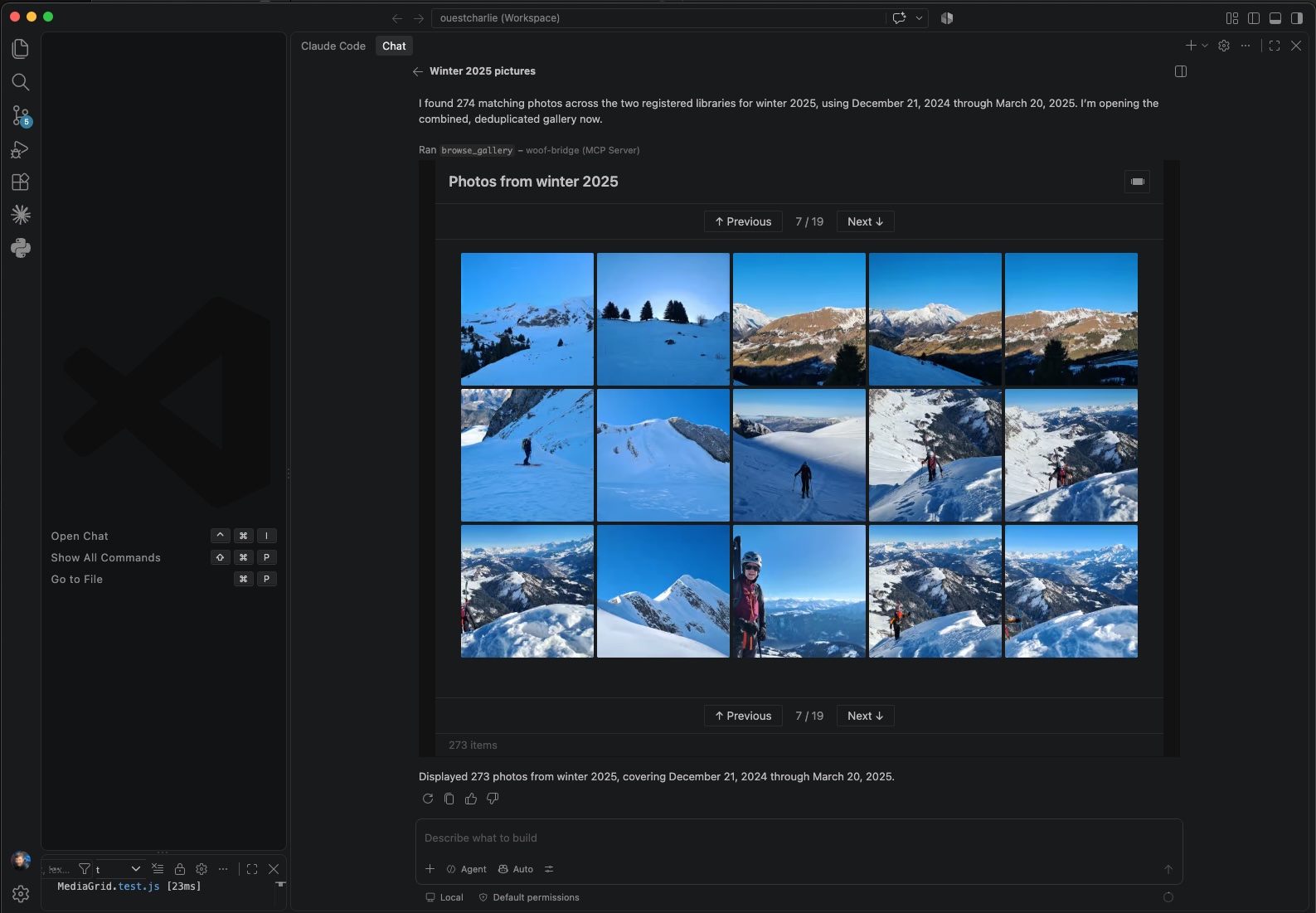
Ouestcharlie Woof photo gallery inside VSCode, an alternative to Claude CoWork for techies
--- ## Privacy Policy Woof is designed with privacy as a core principle. - **Data collected**: Only photo metadata (EXIF, GPS coordinates, camera make/model, dates, file paths) is read and indexed. No account or personal information is collected. - **Data storage**: All metadata is stored locally on your own device as XMP sidecar files and JSON manifests alongside your photos. No data is stored on any remote server. - **AI assistant**: Only metadata and thumbnail images are sent to your AI assistant (Claude, ChatGPT, Goose…) when you perform a search. Your original photo files are never uploaded to any AI service unless you explicitly share them. - **Third parties**: No metadata or usage data is shared with any third party. - **Retention**: All data remains under your full control. Deleting the XMP sidecars and `.ouestcharlie/` folders from your photo library completely removes all Woof metadata. For privacy questions, please [open an issue](https://github.com/ouestcharlie/ouestcharlie-woof/issues). --- ## Support **Bug reports and feature requests**: [GitHub Issues](https://github.com/ouestcharlie/ouestcharlie-woof/issues) --- ## Developers' corner For developer and architecture documentation, see [README_DEV.md](https://github.com/ouestcharlie/ouestcharlie-woof/blob/HEAD/README_DEV.md). ### Contributing See the [Contributing section in OuEstCharlie](https://github.com/ouestcharlie/ouestcharlie#contributing) --- ## License [MIT license](https://github.com/ouestcharlie/ouestcharlie-woof/blob/HEAD/LICENCE)