# one-shot-ui

**Category:** 💻 Developer Tools  
**Repository:** https://github.com/TN0123/one-shot-ui  
**Views:** 0  
**Installs:** 0  
**Upvotes:** 0  
**Directory Page:** https://allmcps.com/mcp/one-shot-ui

## Description
Deterministic UI extraction and screenshot diffing for AI coding agents.

## Claude Desktop Quick Installation
Heuristic fallback — verify the package name and runner against the repository README before running it. Uses `npx` (confidence: low):

```json
"mcpServers": {
  "one-shot-ui": {
    "command": "npx",
    "args": ["-y","one-shot-ui"]
  }
}
```

## Documentation & README

<div align="center">

# one-shot-ui

### Catch what the eye can't.

**Deterministic screenshot diffing for AI coding agents.**
Turn a reference screenshot into structured data, diff any build against it — pixel, layout, color, and type — then get the exact CSS to fix. Or copy a UI's **design language** onto a brand-new screen.

[![npm version](https://img.shields.io/npm/v/one-shot-ui?color=8b7cf6&label=npm)](https://www.npmjs.com/package/one-shot-ui)
[![license](https://img.shields.io/npm/l/one-shot-ui?color=8b7cf6)](./LICENSE)
[![node](https://img.shields.io/node/v/one-shot-ui?color=8b7cf6)](https://www.npmjs.com/package/one-shot-ui)
<img src="https://raw.githubusercontent.com/TN0123/one-shot-ui/main/assets/hero.png" alt="one-shot-ui diffs an agent's build against the reference screenshot and flags the exact deltas" width="100%">

</div>

## The problem

AI agents get UI **~90% of the way there** — then stall. The layout looks right, but a card is 8px too tall, a panel is the wrong shade of gray, a shadow is flat, a gap is off by 24px. Asking the model to "look at the screenshot again and fix it" is slow, and you get a different answer every time.

`one-shot-ui` closes that last 10% **deterministically**. It extracts structured data from a reference screenshot — layout regions, colors, typography, spacing, design tokens — diffs your implementation against it, and returns **specific, ranked fixes**, not "make it look more like this."

```
Set width to 616px (currently 640px)
Change the fill color to #303040.
Set box-shadow to -3px 0px 24px 0px rgba(28, 29, 38, 0.32).
gap: 176px; /* currently ~152px */
```

> Copy-paste CSS, ranked by visual impact — every example above is real output from the run below.

## Watch it converge

<div align="center">
<img src="https://raw.githubusercontent.com/TN0123/one-shot-ui/main/assets/converge.gif" alt="The one-shot-ui run loop: the diff heatmap goes from ablaze to quiet across passes" width="100%">
</div>

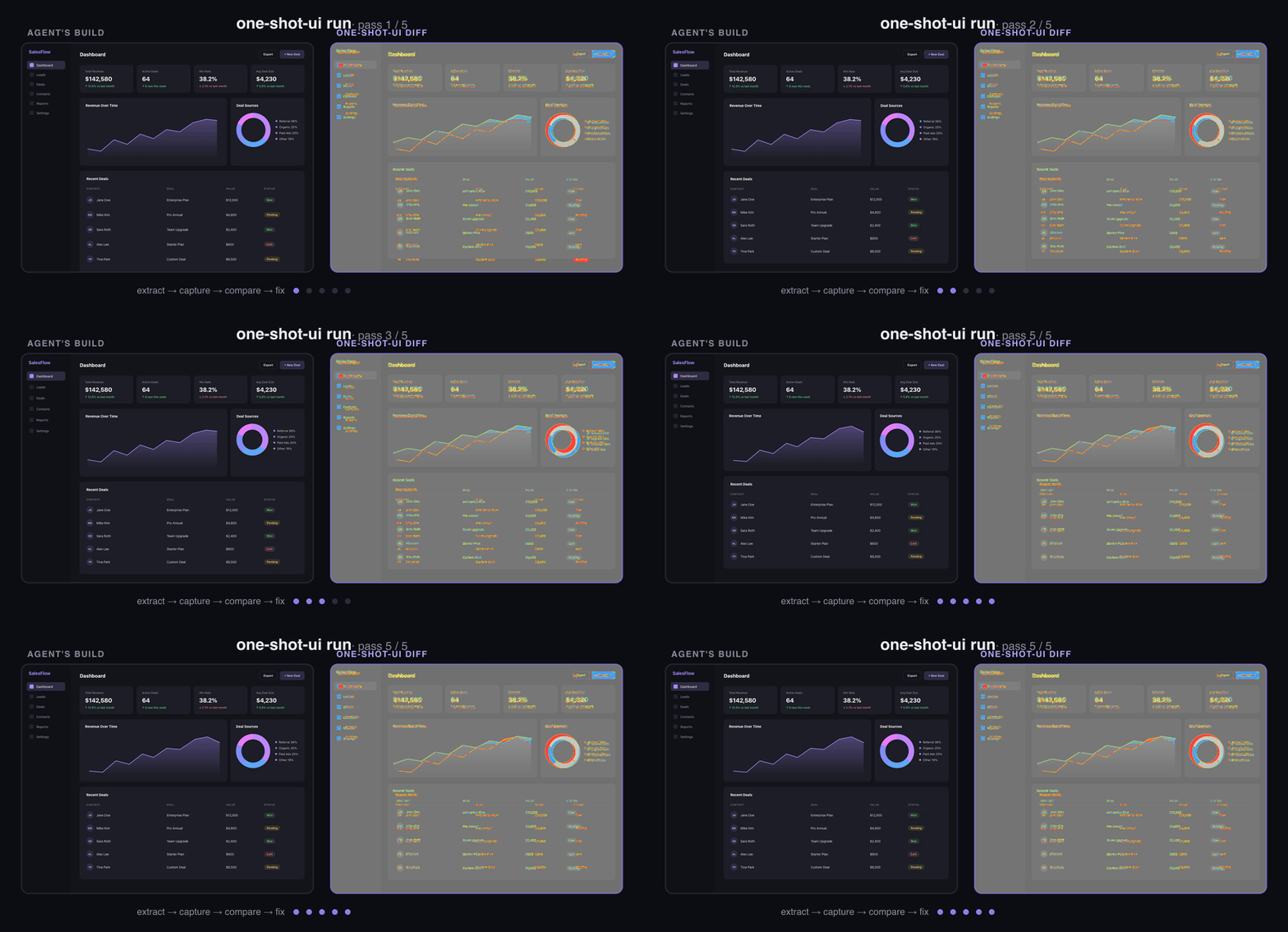
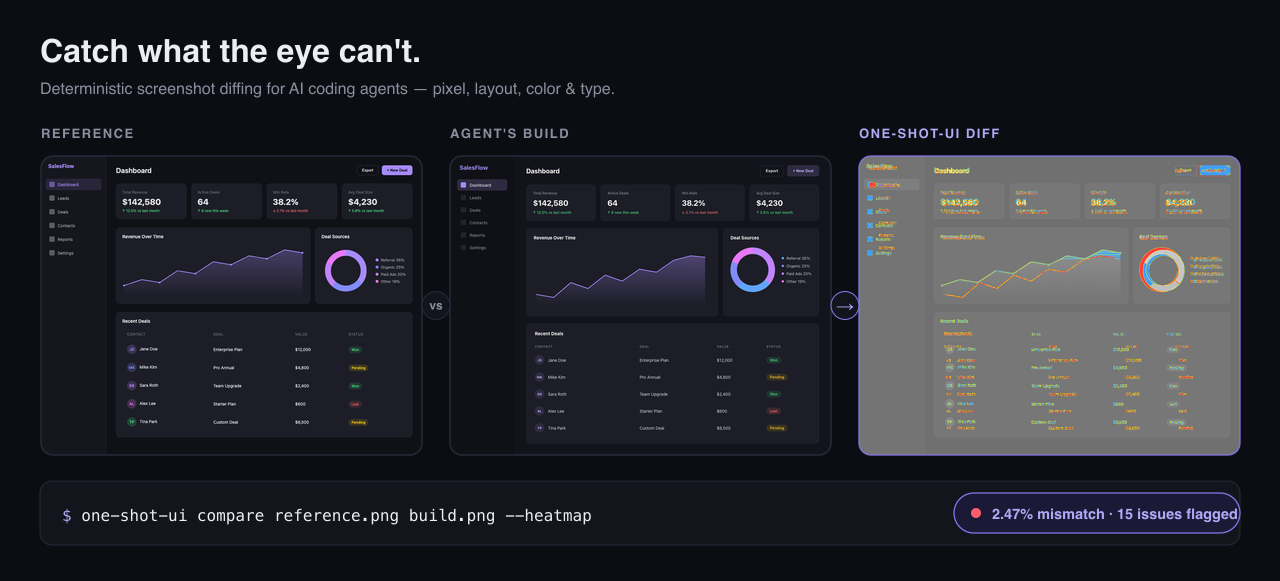
The `run` command loops **extract → capture → compare → fix** until the heatmap goes quiet. In the run above, the agent's first build looked identical to the eye — `one-shot-ui` flagged **15 concrete deltas** (position, size, color, shadow, spacing) and the loop drove the build to **~2.5% pixel mismatch**, within ~0.5% of the tool's own estimated *irreducible* floor (≈2%, sub-pixel font rendering) for this design.

## Why one-shot-ui

- **Deterministic, not vibes.** Stable pixel + structural diff scores — same input, same numbers — so you can gate CI on "is this pixel-close enough?"
- **Exact fixes, not nudges.** It returns concrete CSS (`width: 616px`, `#303040`, `gap: 176px`), grouped by component and ranked by visual impact.
- **Structural, not just pixels.** Detects missing/extra elements, position & size shifts, color, shadow, spacing, and typography — and labels which differences are *irreducible* (anti-aliasing, photographic content) so agents don't chase ghosts.
- **Not gameable.** `converge` scores structural **fidelity** — is the reference's content present, placed, and legible? — not just pixel mismatch, and it refuses to win pixels by hiding, overlapping, or recoloring text into its background. It even flags reference text your build renders but **clips out of view** (a fixed-height `overflow:hidden` box) — the failure a pixel diff *rewards*, because cropped text lowers the mismatch.
- **Agent-native.** Ships an `AGENTS.md` (auto-discovered by Claude Code, Cursor, Codex, …) plus a Claude Code skill, so your agent drives it without hand-holding.
- **Local & private.** Pixel diffing, OCR, and layout extraction all run on your machine. No images leave your box, no API keys.

## Copy a UI's *style*, not just match it

Matching a screenshot pixel-for-pixel is one job. The other: building a **different** screen that feels like it belongs to the same design system. `one-shot-ui` extracts the *design language* from a reference and verifies a new UI conforms to it — deterministically, with no pixel oracle to lean on.

```sh
# Extract a reusable style system — palette, spacing scale, type ratio, radii, elevation
one-shot-ui tokens reference.png --emit shadcn      # or: tailwind | json

# Build a different screen in that style, then check it conforms
one-shot-ui style-check reference.png ./pricing.html
```

It reports measured facts and leaves the taste to the agent: it won't name your "primary" color or classify the mood — you decide those from the image (you're the vision model; the tool is your exact, hallucination-free eyes). Conformance is judged on what a screenshot grounds reliably — palette, spacing rhythm, type scale — while roundedness and elevation are flagged as advisories, since a raster can't pin them down.

## Install

```sh
npm install -g one-shot-ui
```

For commands that need a browser (`capture`, `run`):

```sh
npx playwright install chromium
```

## Quick start

```sh
# Diff your implementation against a reference and see exactly what's off
one-shot-ui compare reference.png build.png --json --heatmap heatmap.png

# Get copy-paste CSS fixes, ranked by impact
one-shot-ui suggest-fixes reference.png build.png --json

# The step that gets you pixel-perfect: trial fixes in a live browser and keep
# only the ones that provably reduce pixel mismatch — outputs a verified patch,
# a structural fidelity score, and any reference text your build hides or clips
one-shot-ui converge reference.png --impl ./index.html

# Or run the full automated loop until it converges
one-shot-ui run reference.png --impl ./index.html --max-passes 5 --threshold 0.02
```

Every command supports `--json` for structured, agent-friendly output.

## Use it with your coding agent

`one-shot-ui` ships an `AGENTS.md` (auto-discovered by Claude Code, Cursor, Codex, and other agent tools) plus a `skill/SKILL.md` for Claude Code.

Install the skill in one line:

```sh
mkdir -p .claude/skills/one-shot-ui && cp "$(npm root -g)/one-shot-ui/skill/SKILL.md" .claude/skills/one-shot-ui/
```

## Use it as an MCP server

`one-shot-ui` also runs as a local [MCP](https://modelcontextprotocol.io) server, so any
MCP-capable agent (Claude Code, Cursor, Cline, Windsurf, VS Code) can call `compare`,
`converge`, `suggest_fixes`, `extract`, `tokens`, `plan`, and `style_check` as tools — no shell
glue. It runs over stdio, makes no network calls, and needs no API keys.

```sh
claude mcp add one-shot-ui -- npx -y one-shot-ui mcp
```

Or add to any client's MCP config:

```json
{
  "mcpServers": {
    "one-shot-ui": {
      "command": "npx",
      "args": ["-y", "one-shot-ui", "mcp"]
    }
  }
}
```

See [docs/MCP.md](./docs/MCP.md) for per-client setup and registry publishing.

## Commands

| Command | Purpose | Key Flags |
|---------|---------|-----------|
| `extract` | Analyze a screenshot into layout, color, and text data | `--json`, `--no-ocr`, `--overlay`, `--fine` |
| `compare` | Pixel + structural diff between two screenshots | `--json`, `--heatmap`, `--dom-diff` |
| `tokens` | Design tokens + a reusable style system (palette, spacing, type, radii) | `--json`, `--emit shadcn\|tailwind\|json` |
| `style-check` | Check a new UI conforms to a reference's design language | `--json` (new UI = URL / HTML / screenshot) |
| `plan` | Generate an implementation strategy | `--json` |
| `capture` | Screenshot a URL or local HTML file | `--url`, `--file`, `--output` |
| `suggest-fixes` | Tailwind/CSS fix suggestions from a diff | `--json`, `--top`, `--dom-diff`, `--framework` |
| `converge` | Closed-loop optimizer: pixel-verified CSS patch + structural fidelity score, flags hidden/clipped text | `--impl`, `--out`, `--json`, `--budget-seconds` |
| `run` | Multi-pass extract→capture→compare→fix loop | `--impl`, `--max-passes`, `--threshold` |
| `benchmark` | Run benchmark suites | `--json`, `--output` |

## How it works

1. **extract** — segments the reference into layout regions, samples colors/tokens, and OCRs text.
2. **capture** — screenshots your implementation (URL or local HTML) at a matched viewport.
3. **compare** — aligns the two, computes a pixel heatmap *and* a structural diff, and classifies each issue (layout / color / typography / spacing) plus whether it's actionable.
4. **suggest-fixes** — turns issues into concrete, ranked CSS edits.

`run` chains all four in a loop until the diff drops below `--threshold`.

## Development

Requires [Bun](https://bun.sh).

```sh
bun install
bun run install:browsers   # Playwright Chromium
bun run typecheck
```

Dev scripts run directly from source:

```sh
bun run dev:extract -- ./reference.png --json
bun run dev:compare -- ./reference.png ./build.png --json
```

Build for npm:

```sh
bun run build
```

## License

MIT