# napkin [Health: Active]
**Category:** 💻 Developer Tools
**Repository:** https://github.com/sshwarts/napkin
**GitHub Stars:** 1
**npm Downloads (last month):** 11
**Views:** 0
**Installs:** 0
**Upvotes:** 0
**Directory Page:** https://allmcps.com/mcp/napkin
## Description
Shared visual canvas (Excalidraw) for collaborative whiteboarding between AI agents and humans.
## Claude Desktop Quick Installation
Remote MCP endpoint (confidence: high). Install path detected from listing signals. Add as a URL/SSE server in your client:
```json
"mcpServers": {
"napkin": {
"url": "https://excalidraw.com"
}
}
```
## Documentation & README
Napkin is a shared Excalidraw canvas for agent + human collaboration.
## Why We Built It
I love using AI assistants for everyday tasks — design, programming, and brainstorming. I’ve always found visual thinking helpful, but there was a gap: I could describe something, and the agent could describe it back, but we couldn’t point to the same thing. What if my agent and I could share a whiteboard — where I draw, it responds, and we build together?
Napkin works with any MCP-capable agent. For true two-way canvas-to-agent, you'll also need a webhook.
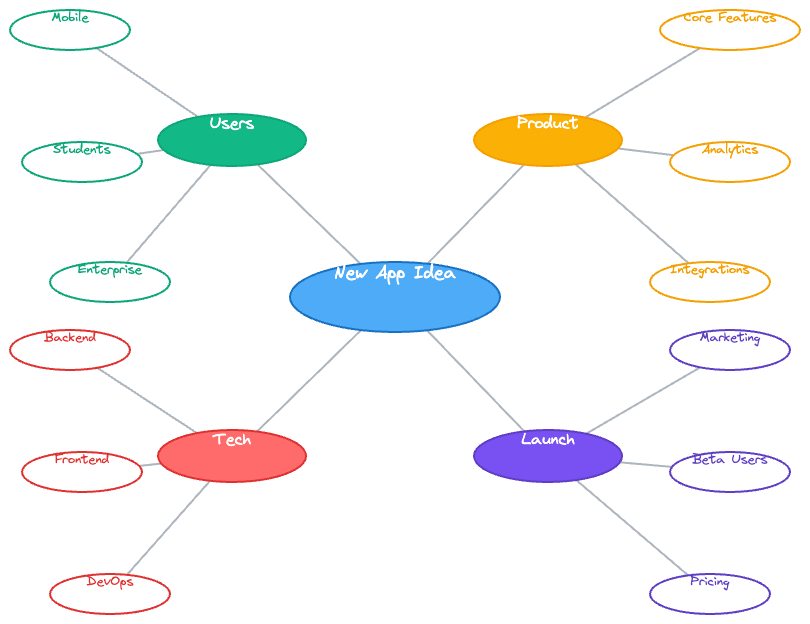
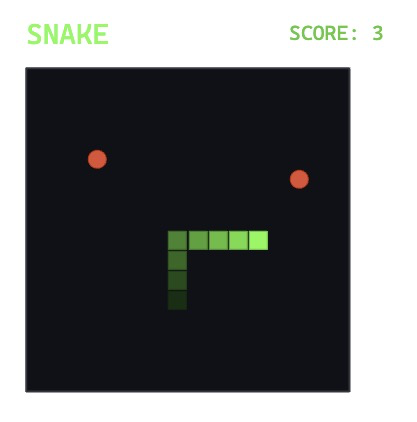
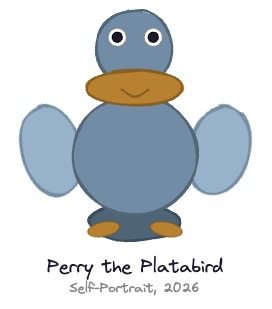
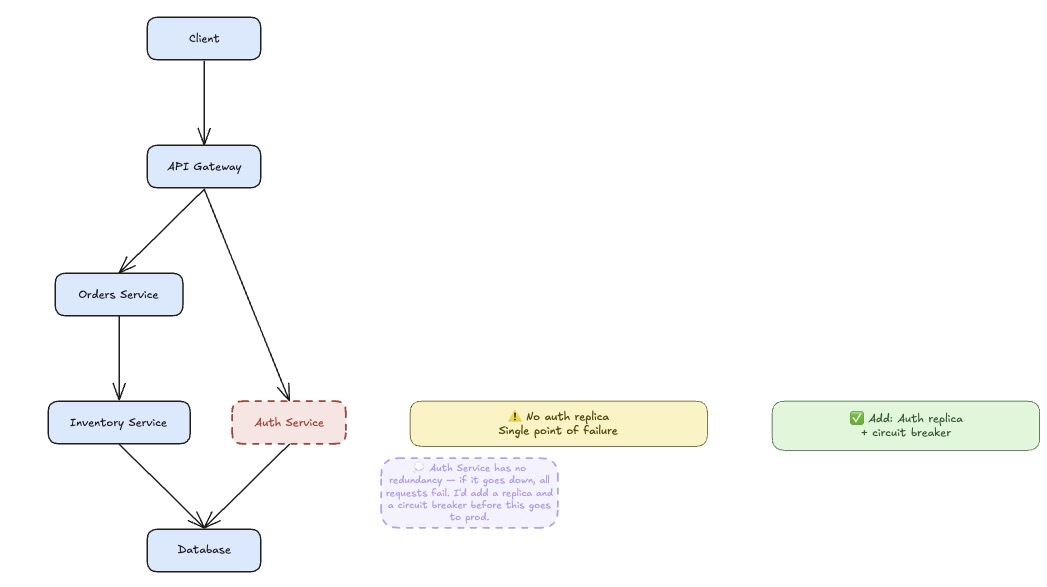
## Examples (all drawn by Perry the agent, with Napkin)
Brainstorming
Gaming
"Art" - Don't know why Perry invented a Platabird, but there you are.
Collaboration
## What It Is
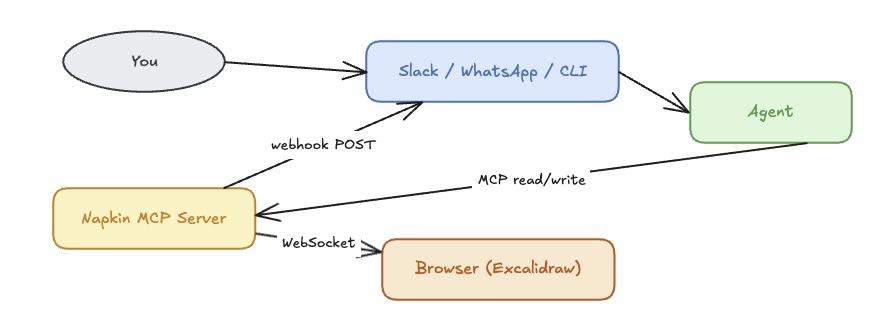
Napkin is an [Excalidraw](https://excalidraw.com) whiteboard connected to an MCP server. Any MCP-capable agent can read the canvas, draw on it, annotate it, animate it, and respond to what you draw — all while you interact with the agent through your normal channel (Slack, WhatsApp, Telegram, Terminal, or any MCP client).
The conversation stays in your channel. The canvas is pure whiteboard.
## Quick Start
### 1) Start the MCP server
```bash
cd mcp
npm install
npm run build
npm start
```
Defaults:
- MCP HTTP: `http://localhost:3003`
- WebSocket: `ws://localhost:3002`
### 2) Start the browser UI
```bash
cd ui
npm install && npm run dev
# Open http://localhost:5173
```
### 3) Connect your agent
Napkin works with any MCP-capable agent. Add to your MCP client config:
```json
{
"napkin": {
"type": "http",
"url": "http://localhost:3003"
}
}
```
**Two-way vs one-way:** MCP alone gives you agent→canvas (read, write, animate). For canvas→agent (the agent waking up when *you* draw something), you need a webhook receiver on your agent's side.
| Mode | What you get | Requires |
|------|-------------|---------|
| MCP only | Agent can read and write the canvas | Any MCP client |
| MCP + webhook | Agent also reacts to human canvas activity | Webhook receiver (see below) |
### 4) Configure the webhook (two-way only)
When you draw on the canvas, Napkin POSTs a trigger to your agent's webhook endpoint. The agent wakes up, reads the canvas diff, and responds.
**OpenClaw** — built in. Set `NAPKIN_TRIGGER_WEBHOOK` in your environment and it routes automatically.
**NanoClaw** — add the webhook channel via [PR #1488](https://github.com/qwibitai/nanoclaw/pull/1488):
```bash
# .env additions
WEBHOOK_PORT=3200
WEBHOOK_LINKED_JID= # the chat where the agent should post
```
Then pass the webhook URL when starting your session:
```
start_session({
session_id: "",
webhook_url: "http://localhost:3200/webhook"
})
```
**Custom / other frameworks** — any HTTP server that accepts `POST /webhook` with `{ message, sender? }` JSON and forwards to your agent works fine.
## Environment Variables
Common server variables:
- `NAPKIN_TRANSPORT` (`http` or `stdio`, default `http`)
- `NAPKIN_MCP_PORT` (default `3003`)
- `MCP_WS_PORT` (default `3002`)
- `AGENT_TRIGGER_DEBOUNCE_MS` (default `3000`)
- `NAPKIN_TRIGGER_WEBHOOK` (optional global webhook URL)
- `NAPKIN_COMPACT_TRIGGERS` (`true`/`false`, default `false`)
- `NAPKIN_TRIGGER_INCLUDE_CANVAS` (`true`/`false`, default `false`)
- `NAPKIN_SESSION_TTL_MS` (default `7200000`)
- `NAPKIN_EXPORT_DIR` (optional base dir for relative exports)
- `ANTHROPIC_API_KEY` (required for vision tools only - others may be used)
See `ARCHITECTURE.md` for full details.
## Core Concepts
### The Intent API
No coordinates. No boilerplate. Describe what you want.
```
add_node("Auth Service", shape: "rectangle", metadata: { intent: "entry point" })
add_node("Token Store")
connect("Auth Service", "Token Store", label: "issues token")
layout()
```
The server handles placement, bindings, and layout. A 3-node diagram takes one short exchange.
### Reading the Canvas
`get_canvas()` returns a semantic structure — nodes, edges, zones — not raw coordinates:
```json
{
"nodes": [
{ "id": "abc", "label": "Auth Service", "type": "box",
"metadata": { "intent": "entry point", "status": "wip" } }
],
"edges": [
{ "id": "xyz", "from": "abc", "to": "def", "label": "issues token" }
]
}
```
For cheap reasoning passes, `get_canvas_summary()` returns nodes and edges only — no zones, sketches, or proximity properties.
### Metadata
Every element carries a `customData` object — invisible in the UI, readable by agents:
```
add_node("Deploy Production", metadata: {
type: "task",
step: 8,
owner: "platform-team",
status: "wip"
})
```
Agents use metadata to reason about *what* elements represent, not just what they look like. `trace_path()` can filter by metadata to find specific flows.
### Triggers and Webhooks
When you draw or annotate, Napkin notices. After a quiet period, it POSTs a trigger to your agent's webhook:
```json
{
"session_id": "slack:D0AGREPG84R",
"source": "debounce",
"message": "[napkin] Canvas updated (idle)",
"changed_element_ids": ["rect-42"],
"changed_elements_compact": [
{ "id": "rect-42", "type": "rectangle", "label": "Change the timer to 120s?" }
],
"change_summary": "added text \"Change the timer to 120s?\"",
"change_type": "semantic"
}
```
The agent wakes up, reads what changed, and responds — on the canvas and in your channel.
**Trigger sources:**
- `debounce` — canvas went quiet (configurable per session, default 3s)
- `chat` — injected by your agent framework
- `reconnect` — browser connected or reconnected
**Echo suppression:** agent writes don't trigger webhooks. Only genuine human edits fire triggers.
### Thought Bubbles
Agents express tentative ideas as thought bubbles — dashed purple, clearly "agent suggestion":
```
add_thought_bubble("Should this connect to the cache layer?", near_node_id: "db-node")
```
You can confirm them (makes permanent) or dismiss them. Keeps agent suggestions visually distinct from established content.
### Batch Execution: `apply_intents`
Collapse many sequential calls into one:
```
apply_intents([
{ tool: "add_node", args: { label: "A" }, ref: "n1" },
{ tool: "add_node", args: { label: "B" }, ref: "n2" },
{ tool: "connect", args: { from_id: "$ref:n1.id", to_id: "$ref:n2.id" } },
{ tool: "layout", args: {} }
])
```
Ref substitution (`$ref:n1.id`) lets later ops use outputs from earlier ones — no round-trips needed to get IDs. A 10-node diagram with connections and layout ships in a single MCP call.
### Swimlanes: `zone` + `row`
Pin nodes to explicit layout rows independent of edge structure. Nodes sharing the same `zone` and `row` are snapped to the same rank band after Dagre runs — useful for shared infrastructure (databases, event buses) that should sit on a common row across subtrees:
```
add_node("API", zone: "main", row: 0)
add_node("Worker", zone: "main", row: 0)
add_node("Postgres", zone: "main", row: 1) # shared infra row
connect("API", "Postgres")
connect("Worker", "Postgres")
layout("TB")
```
Row index is the rank axis (top-to-bottom in `TB`, left-to-right in `LR`). Unzoned nodes fall back to natural Dagre placement.
### Path Traversal: `trace_path`
Find flows through the graph without manual graph walking:
```
trace_path({
from_label: "Button 1",
direction: "downstream",
filter: { node_metadata: { status: "error" } }
})
```
Returns ordered nodes and edges. Filter by metadata to isolate happy paths, error paths, or any subset. Combine with `apply_intents` to animate the result.
---
## Tool Examples
### Flow Diagram
```
add_node("Input")
add_node("Process")
add_node("Output")
connect("Input", "Process")
connect("Process", "Output")
layout("LR")
```
### State Machine (with animation)
```python
# Build a traffic light state machine
apply_intents([
{ tool: "add_node", args: { label: "RED", shape: "ellipse", style: { background: "#ff6b6b" } }, ref: "red" },
{ tool: "add_node", args: { label: "GREEN", shape: "ellipse", style: { background: "#69db7c" } }, ref: "grn" },
{ tool: "add_node", args: { label: "YELLOW", shape: "ellipse", style: { background: "#ffd43b" } }, ref: "yel" },
{ tool: "connect", args: { from_id: "$ref:red.id", to_id: "$ref:grn.id", label: "60s" } },
{ tool: "connect", args: { from_id: "$ref:grn.id", to_id: "$ref:yel.id", label: "45s" } },
{ tool: "connect", args: { from_id: "$ref:yel.id", to_id: "$ref:red.id", label: "5s" } },
{ tool: "layout", args: { style: "LR" } }
])
# Animate the cycle
apply_intents([
{ tool: "animate_element", args: { id: "$ref:red.id", to: { opacity: 100 }, duration_ms: 700 } },
{ tool: "animate_element", args: { id: "$ref:red.id", to: { opacity: 20 }, duration_ms: 200 } },
{ tool: "animate_element", args: { id: "$ref:grn.id", to: { opacity: 100 }, duration_ms: 700 } },
...
])
```
### CI/CD Pipeline (real example)
22 operations — 10 nodes, 11 connections, layout — in a single MCP call. The agent then calls `trace_path` to find the happy path and animates it with another single call.
*(See `cicd-pipeline-demo.excalidraw` for the saved canvas.)*
### Responding to Human Input
A human types "Change the timer to 120s?" directly on the canvas. The agent's webhook fires. The agent reads `changed_elements_compact`, finds the text, acts on it, and responds with a thought bubble confirming the change — all without leaving the whiteboard.
---
## Agent Instructions Template
Add this to your agent's instructions (adapt webhook URL for your framework):
```
## Napkin (Collaborative Canvas)
When the napkin MCP server is available, you have a shared Excalidraw whiteboard.
**First — always call:**
start_session({ session_id: "", webhook_url: "" })
**Drawing — use the intent API (no coordinates needed):**
add_node, connect, move, resize, style, add_label, delete_element, layout
**For multi-step operations:**
apply_intents([...ops...]) — build entire diagrams in one call, chain refs
**Reading:**
get_canvas_summary() — cheap reasoning pass (nodes + edges only)
get_canvas() — full semantic output including zones and metadata
trace_path(from_label, direction, filter) — graph traversal
**On webhook trigger:**
1. add_thought_bubble() — acknowledge visually before processing
2. Use changed_elements_compact from the payload — no round-trip needed
3. Skip triggers with change_type "cosmetic" if you only care about structure
4. Skip triggers with source "reconnect"
**Metadata convention:**
intent, notes, status (wip|review|done|parking_lot), owner
```
---
## Tool Reference
### Read
| Tool | Purpose |
|------|---------|
| `get_canvas` | Full semantic canvas — nodes, edges, zones, metadata |
| `get_canvas_summary` | Compact read — nodes and edges only |
| `get_canvas_raw` | Raw Excalidraw JSON |
| `get_canvas_diff` | Elements changed since a timestamp |
| `get_pending_triggers` | Poll for triggers (pull mode) |
| `trace_path` | Traverse graph from a node, with optional metadata filtering |
| `get_server_instructions` | Compact or verbose server-side guidance for agents |
### Write
| Tool | Purpose |
|------|---------|
| `apply_intents` | Execute ordered batch of operations in one call |
| `add_node` | Add labeled node — server handles placement. Optional `zone`+`row` pin nodes to a shared layout rank (see Swimlanes). |
| `connect` | Connect nodes with an arrow |
| `move` | Move element by offset (dx, dy) |
| `resize` | Resize element, center preserved |
| `style` | Apply color, fill, opacity, stroke |
| `add_label` | Floating text near an element |
| `delete_element` | Remove element and bound text |
| `patch_canvas` | Partial field updates on existing elements |
| `update_canvas` | Add elements with full definitions |
| `clear_canvas` | Remove everything |
### Layout
| Tool | Purpose |
|------|---------|
| `layout` | Auto-arrange via Dagre (`TB`, `LR`, `tree`, `hierarchy`) |
### Thought Bubbles
| Tool | Purpose |
|------|---------|
| `add_thought_bubble` | Dashed purple tentative suggestion |
| `confirm_thought_bubble` | Make permanent |
| `dismiss_thought_bubble` | Remove |
| `list_thought_bubbles` | List current bubbles |
### Vision
| Tool | Purpose |
|------|---------|
| `describe_elements` | Render to PNG, send to Claude vision for description |
| `describe_sketch` | Convenience wrapper for freehand elements |
### Animation & Export
| Tool | Purpose |
|------|---------|
| `animate_element` | Interpolate position/size/opacity/color over time |
| `export_canvas` | Save to `.excalidraw`, `.svg`, or `.png` |
### Sessions
| Tool | Purpose |
|------|---------|
| `start_session` | Begin session with channel ID, webhook, debounce override |
| `end_session` | End session |
---
## Troubleshooting
**Canvas appears blank after agent draws something**
The browser is the source of truth. If it reconnected between your agent's write and the next read, the server cache was reset. Call `start_session` again and redraw.
**Webhook isn't firing**
Confirm `start_session` was called with the correct `session_id` and `webhook_url`. Triggers are suppressed on agent writes — only human canvas edits fire them.
**Agent can't see what I drew**
Check `get_canvas_diff` with a recent timestamp. If the browser tab was closed and reopened, the canvas state was re-synced from the browser — call `get_canvas` for a fresh read.
**`export_canvas` produces a blank file**
Export immediately after drawing — don't let the browser reconnect between the write and export calls. Use an absolute path on the host machine.
## Design Decisions
**Canvas state lives in the browser.** The server caches it for agents but the browser is the source of truth. If the server restarts, the browser reconnects and re-syncs — no data loss as long as the tab is open. Export to `.excalidraw` for persistence.
**No chat UI.** The conversation lives in your agent's channel. Napkin is a visual tool. The trigger/webhook system routes canvas events back to the right conversation automatically.
**Echo suppression.** Agent writes don't trigger webhooks. The server tracks which element IDs were written by agents and ignores browser echoes of those writes for ~2s. Only genuine human edits fire triggers.
**Per-session isolation.** Each `start_session` call gets its own debounce timer, webhook URL, and trigger context. Multiple agents can share a canvas with independent notification channels.
## Contributing
PRs welcome. The most useful directions right now: additional layout engines, integrations with other agent frameworks, and tighter agentic loop patterns. Open an issue first for anything structural.
## Security
Please review `SECURITY.md` for reporting guidance.
## License
MIT