# Melaya [Health: Active]
**Category:** 💻 Developer Tools
**Repository:** https://github.com/melaya-labs/melaya-mcp
**GitHub Stars:** 0
**Views:** 0
**Installs:** 0
**Upvotes:** 0
**Directory Page:** https://allmcps.com/mcp/melaya
## Description
Use your Android phone from any AI assistant: read the screen, open apps, tap, type, swipe.
## Claude Desktop Quick Installation
Remote MCP endpoint (confidence: high). Install path detected from listing signals. Add as a URL/SSE server in your client:
```json
"mcpServers": {
"melaya": {
"url": "https://img.shields.io/badge/MCP_Registry-org.melaya%2Fmelaya-6E56CF)](https://registry.modelcontextprotocol.io"
}
}
```
## Documentation & README
# Melaya MCP Server
**Let an AI assistant use your Android phone, your browser, and the rest of your Melaya account.**
[](https://registry.modelcontextprotocol.io)
[](https://github.com/melaya-labs/melaya-mcp/releases)
[](https://smithery.ai/servers/info-h530/melaya)
[](https://mcpservers.org/servers/melaya-labs/melaya-mcp)
[](https://glama.ai/mcp/servers/@melaya-labs/melaya-mcp)
[](#what-it-can-do)
[](#permissions)
[](./LICENSE)
Also listed on [mcp.so](https://mcp.so/servers/melaya-1f614a) · [mcpserver.dev](https://mcpserver.dev/s/melaya_1f0eb4j) · [mcpmarket](https://mcpmarket.com/server/melaya) · [cursor.directory](https://cursor.directory/plugins/melaya) · [Glama](https://glama.ai/mcp/servers/melaya-labs/melaya-mcp)
[Documentation](https://github.com/melaya-labs/melaya/blob/main/docs/mcp.md) · [Melaya](https://melaya.org) · [Device Control](https://melaya.org/en/product/agentic-device-control) · [MCP Server](https://melaya.org/en/product/mcp)
Melaya pairs a phone to your account and gives an agent the same view of it a person has: it reads the screen through Android's accessibility tree, then taps, types, swipes, and moves between apps. No per-app integration, no vendor API. **If you can use the app, so can the agent.**
This is a remote [Model Context Protocol](https://modelcontextprotocol.io) server. MCP is a vendor-neutral standard, so one endpoint works everywhere:
```
https://api.melaya.org/mcp
```
Nothing to install, no SDK required.
## Connect
Claude Code
```bash
claude mcp add --transport http melaya https://api.melaya.org/mcp
```
Codex CLI
```bash
codex mcp add melaya --url https://api.melaya.org/mcp
```
Direct HTTP needs `experimental_use_rmcp_client = true` in `~/.codex/config.toml`.
Cursor
`~/.cursor/mcp.json`, or `.cursor/mcp.json` for one project:
```json
{ "mcpServers": { "melaya": { "url": "https://api.melaya.org/mcp" } } }
```
Windsurf, Zed, Cline, Goose, Lovable, Gemini CLI, Qwen Code and any other MCP client take the same block, in whichever file that client uses for MCP servers:
```json
{ "mcpServers": { "melaya": { "url": "https://api.melaya.org/mcp" } } }
```
Authentication is OAuth 2.1 with PKCE. You choose which permissions to grant on a Melaya consent page; the assistant receives a scoped token. Your password is never shared.
Then just ask:
> Connect my phone and go through my unread Instagram DMs.
---
## What it can do
### Operate your phone
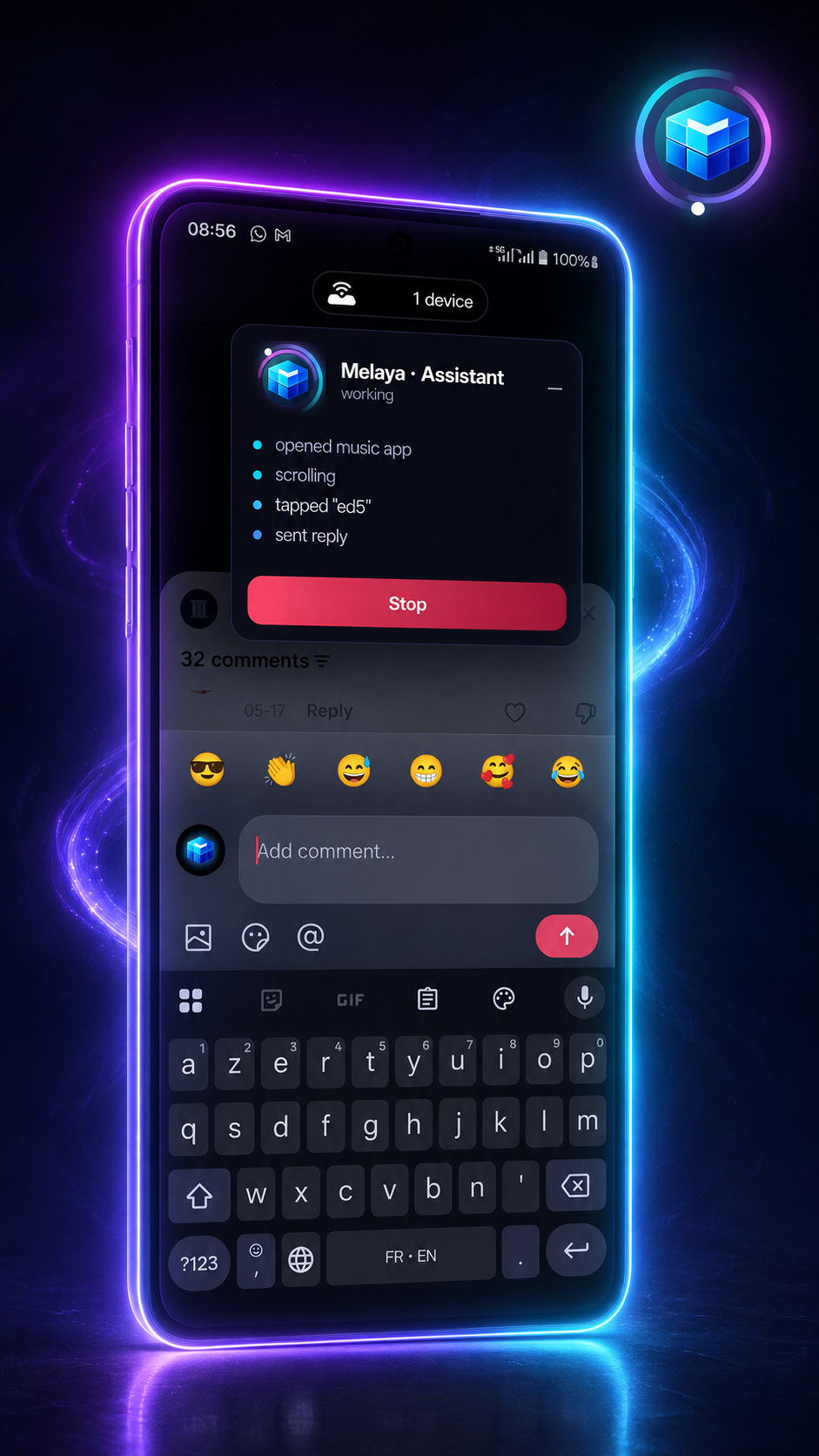
Read the screen, open apps, tap, type, scroll, swipe, screenshot. You watch it work, and one control stops everything.
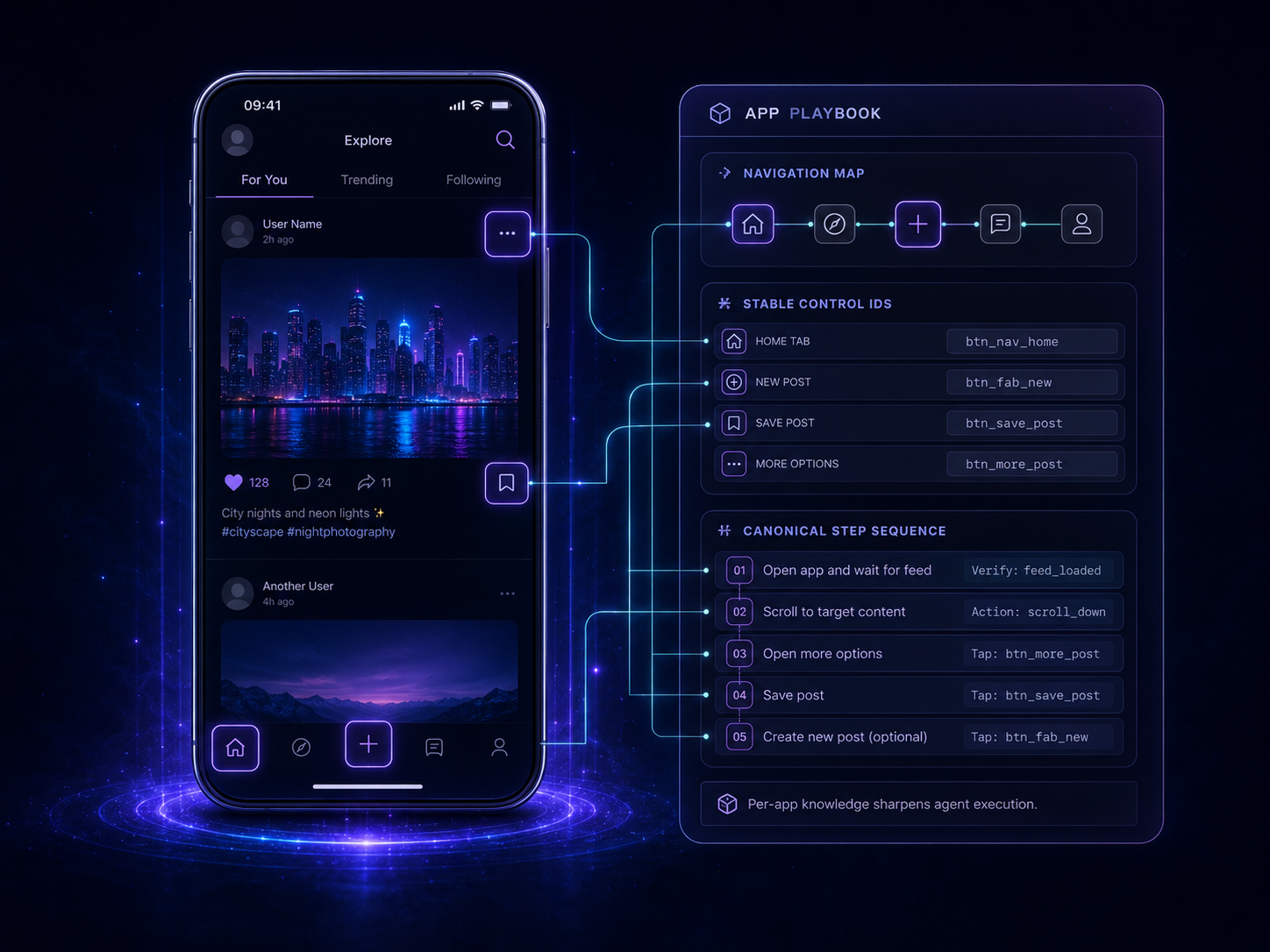
Melaya ships navigation playbooks for common apps, so the agent arrives knowing where things are instead of exploring blindly.
### Operate a browser
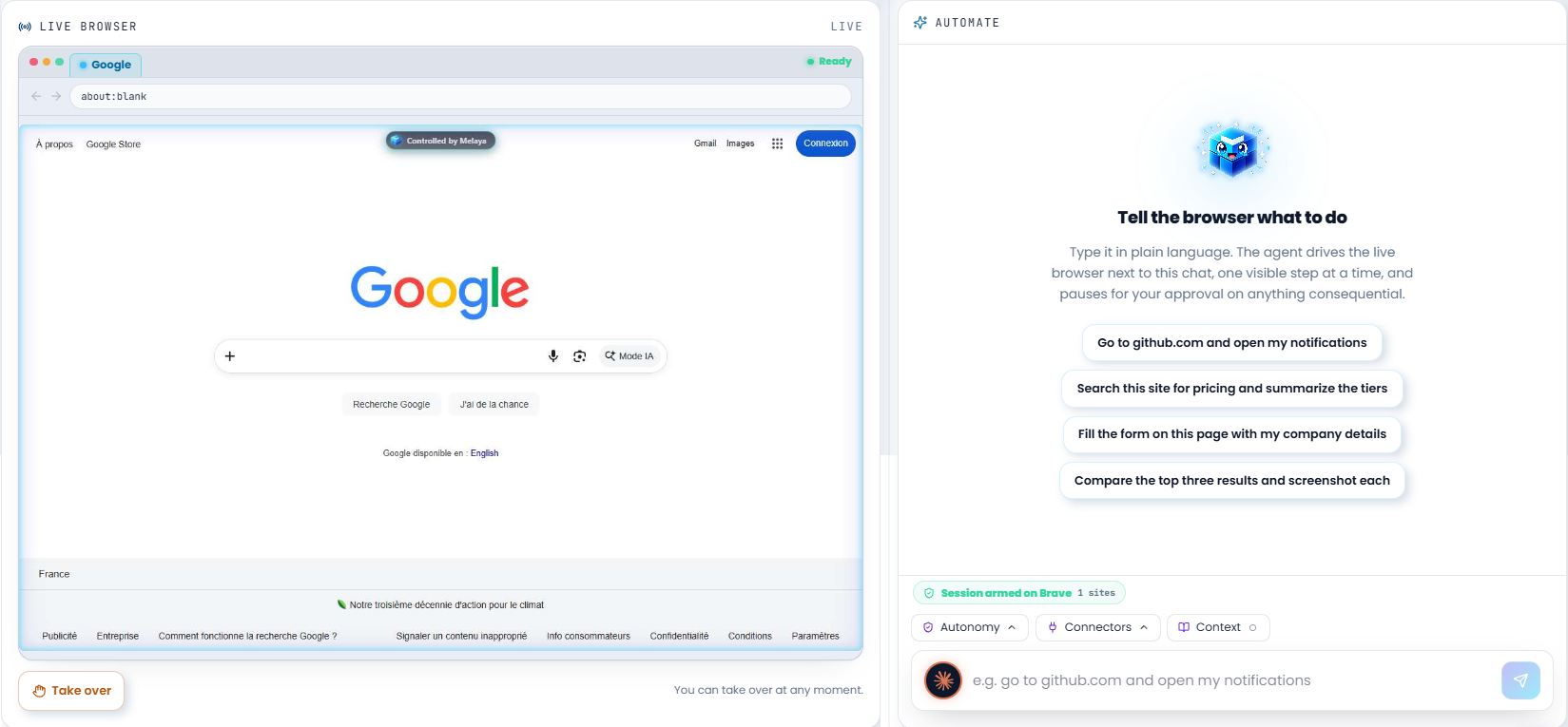
The same read-act-verify loop on a desktop site, through the Melaya extension on Chrome or Edge. **You attach the tab; the model never picks one.**
It can also **debug** the page it is on: network activity, console output, and a performance diagnosis that ranks causes with the file and the number behind each, rather than handing over a raw panel. Credential values are redacted at capture, before anything reaches the model.
### Build and run agents
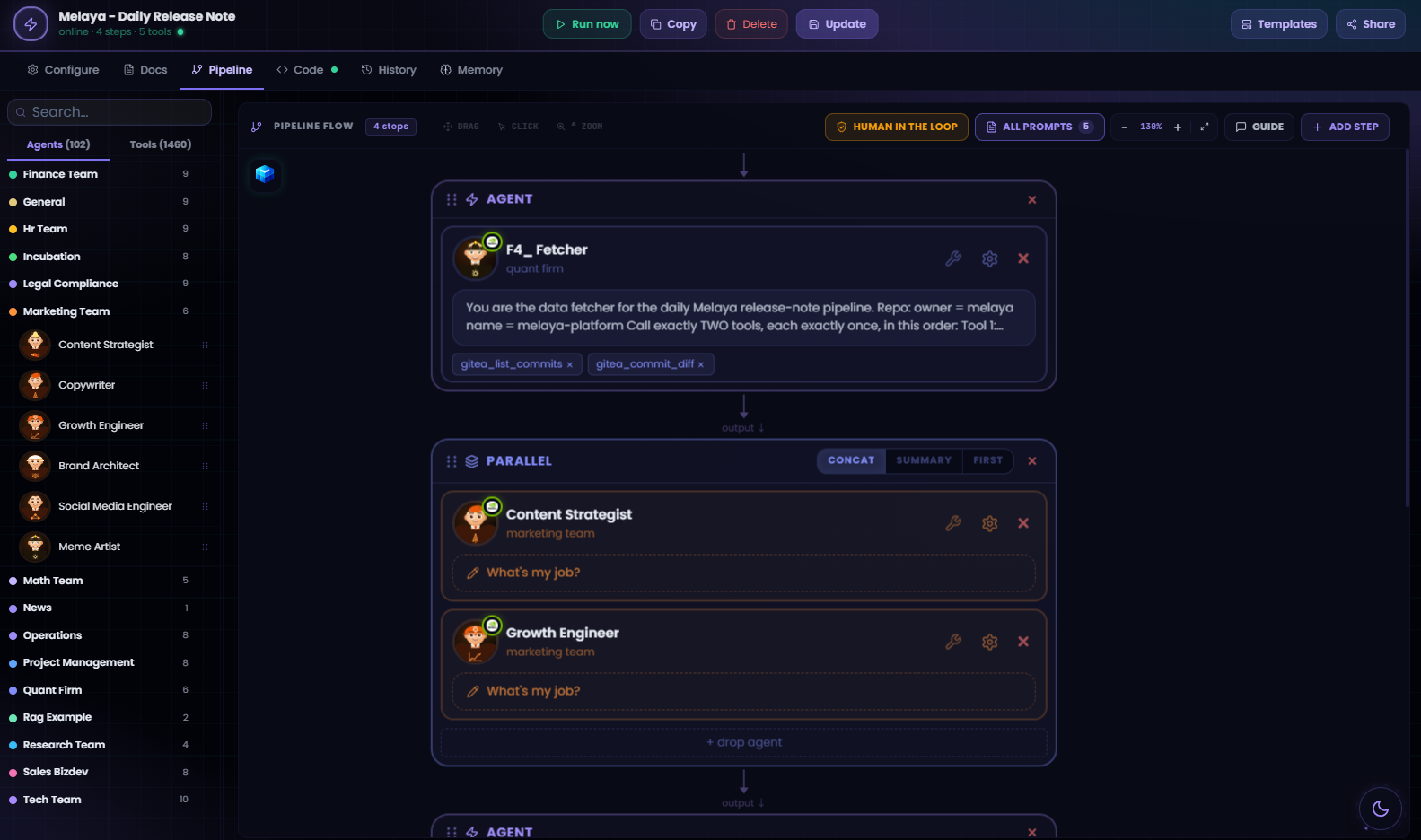
List the template library and instantiate a validated template, or author a pipeline from scratch, validate it before saving, schedule it, and watch it run. Hand a long or recurring job to an autonomous agent on your own machine, on your own model subscription, that carries on after the conversation ends.
### Read your connected services
Mail, documents, your ERP. **Read-only, structurally**: the write path is blocked in two independent places, so a write stays blocked even if Melaya's own tool catalog is out of date.
### Find out what happened
Runs, transcripts, tool traces, failure diagnosis, cost, and what your agents have learned across runs.
---
## What it cannot do
Enforced on the device itself, not on the server, so no prompt and no agent instruction can move them.
### It only touches what you allow-list
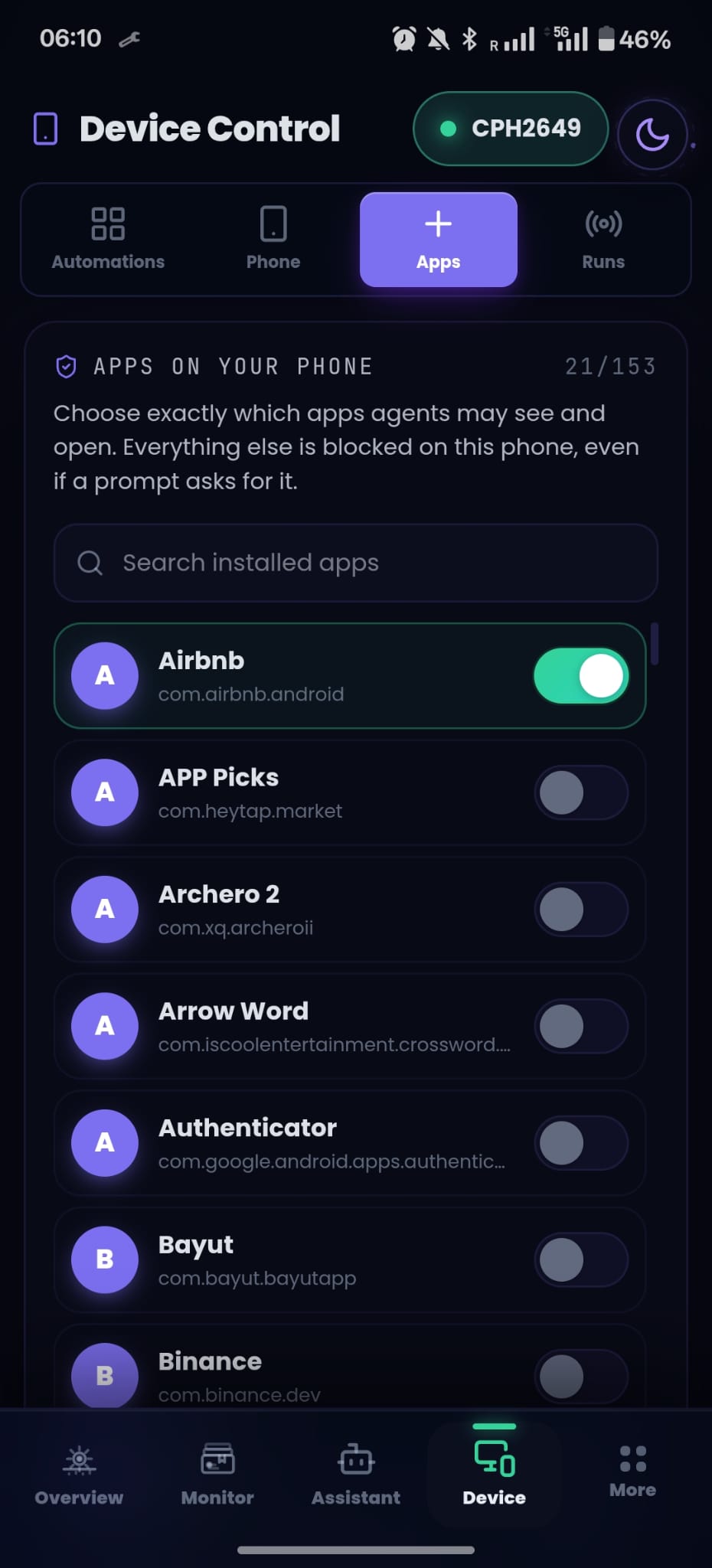
Apps on the phone, origins in the browser. The agent can hand access back, narrowing the list or clearing it, but **only you can grant it**.
That asymmetry is deliberate. The agent reads text off your screen, and text can be written by anyone: a message, a comment, a web page. A boundary it could widen in response to what it reads would not be a boundary.
### Publishing and paying always ask you
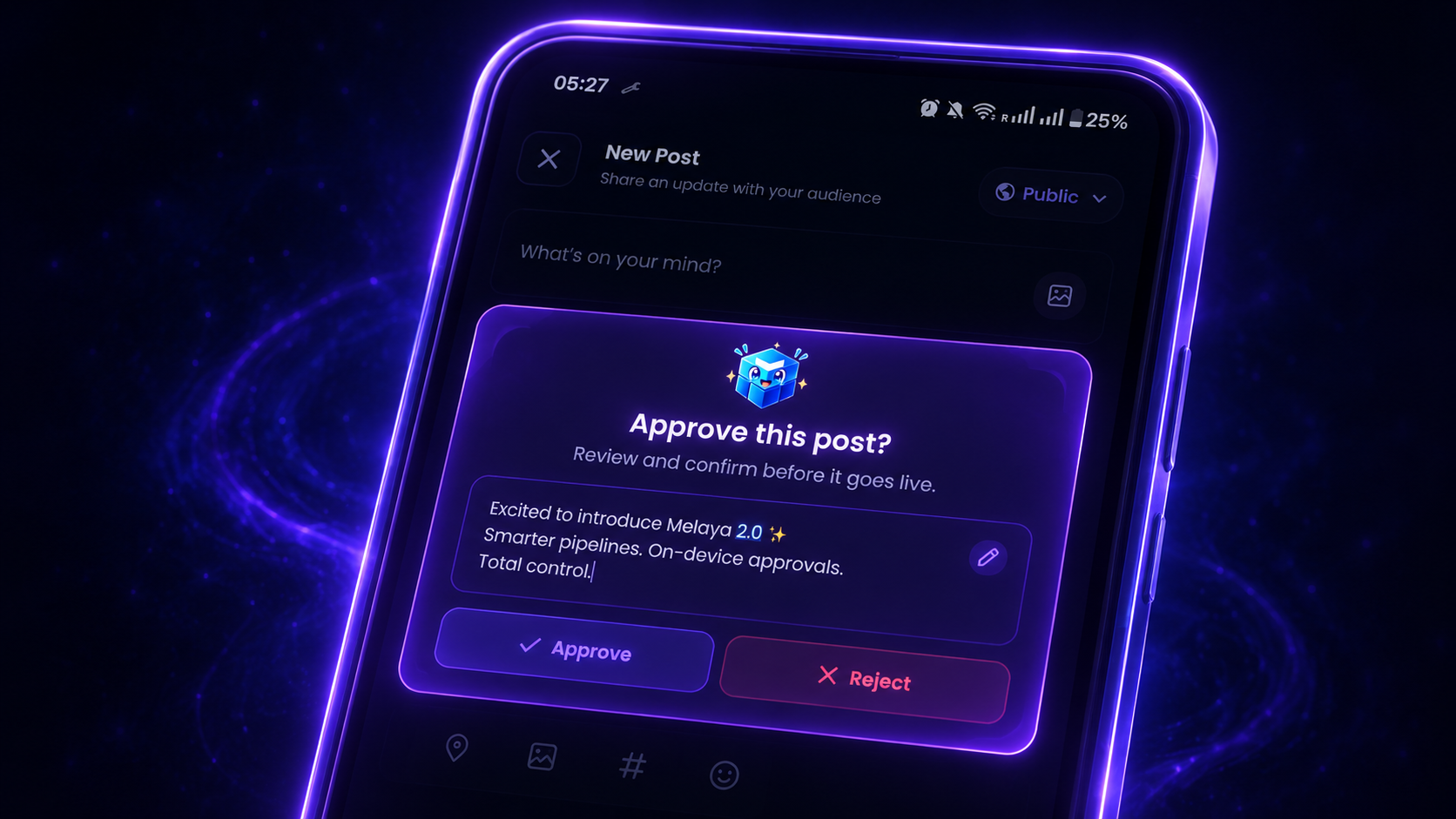
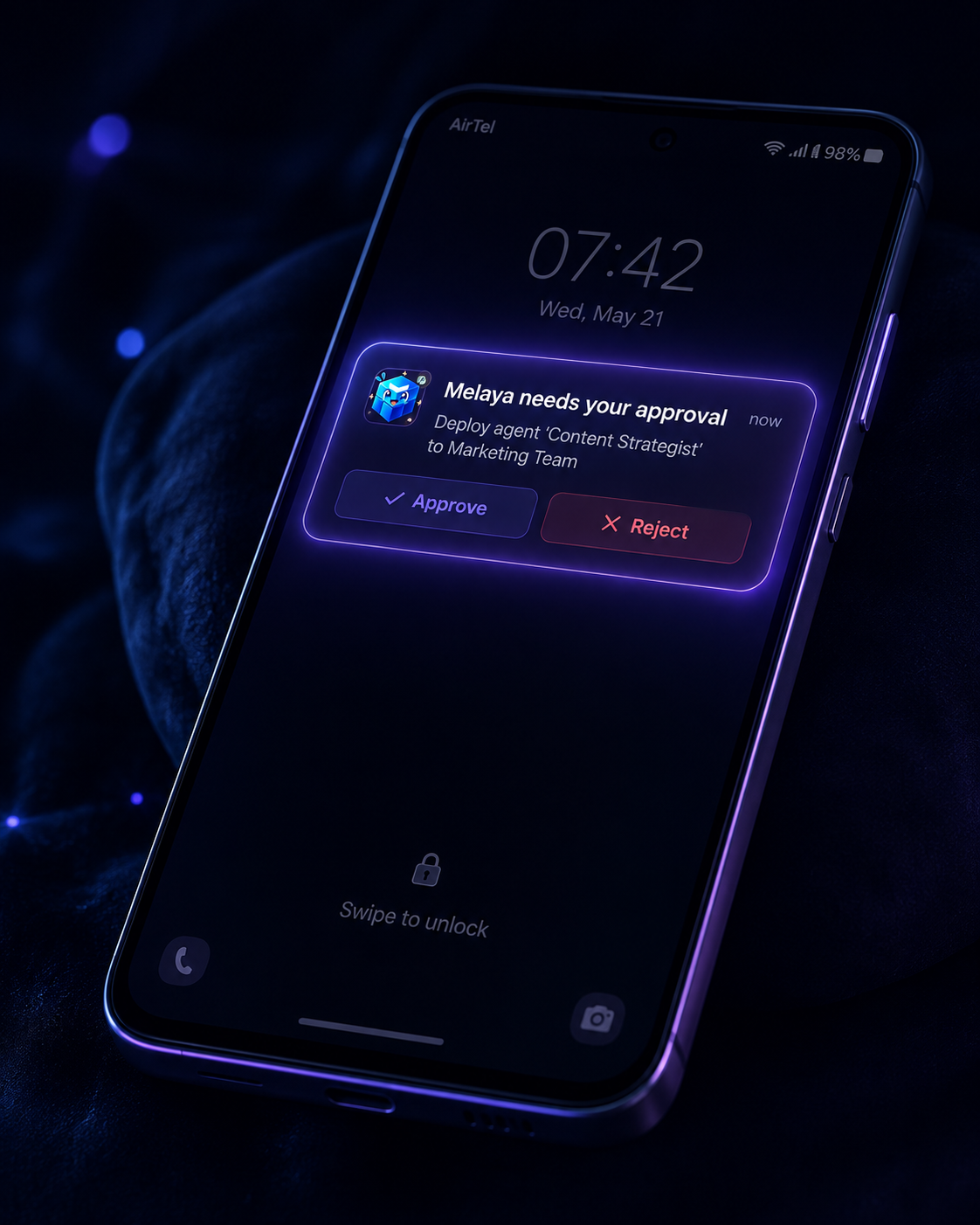
You see the exact text before it goes out, and approvals reach you even when the phone is locked.
### There is a STOP control
On the phone overlay and in the Melaya app. It halts everything immediately, across every agent and every connected assistant.
### Approvals are listed here, never decided here
The gate exists to put a human between an agent and a consequential action, and the caller here is a model reading untrusted content. You approve in the Melaya app or on your phone.
Password fields are excluded from screen reads.
Also deliberately absent, and enforced by tests rather than by convention: **trading** (it writes against live exchange keys), **administration** (no honest consent sentence exists for it), and **credential values of any kind**.
---
## Permissions
Eight scopes, one per domain. You grant them individually.
| Scope | What it allows |
|---|---|
| `melaya:read` | Your workspace: pipelines, runs, traces, evaluations, pending approvals |
| `melaya:platform` | Your account and plan: tier, usage against limits, subscription |
| `melaya:runner` | Set up and check the Melaya runner on your computer |
| `melaya:phone` | Operate your paired Android phone, inside apps you allow-listed |
| `melaya:browser` | Operate a connected browser, on sites you allowed |
| `melaya:pipelines` | Create, edit, schedule, run and cancel agent pipelines |
| `melaya:connectors` | Read data from connected services. Read only |
| `melaya:team` | Read project membership, and invite people you name |
The tool list your assistant receives is filtered to what you granted, so connecting for phone control alone shows **23 tools rather than all 80**. If a capability seems missing, you declined it; reconnect and approve it.
> [!NOTE]
> **If you also use the Melaya SDK**, "connectors" means something different there. In the SDK it is project credential storage. Here, `melaya:connectors` is reading data from services you already connected. This surface cannot store, read or delete a credential.
## Requirements
- A Melaya account — free at [melaya.org](https://melaya.org)
- An Android phone (Android 8 or newer) for phone control. There is no iOS build.
- The Melaya extension on Chrome or Edge for browser control
- For autonomous agents: Node 18+, Python 3.11+, and a signed-in CLI on the machine hosting the runner
## Privacy
Screen and page content read during a run goes to Melaya and to whichever model you selected, for the duration of that run. The [privacy policy](https://melaya.org/en/legal/privacy) covers collection, retention and deletion.
One credential does cross the boundary, and it is worth naming: if you set up the optional local runner, the command you are given contains a runner token. It is valid for 7 days, revocable in settings or with `melaya_runner_revoke`, and unavoidable because the runner starts from a command line. On a hosted assistant that command appears in your conversation history. Nothing else does; provider and connector credentials are resolved server-side and never reach the assistant.
Disconnecting in Melaya settings immediately revokes the connection's ability to renew itself. A token it already holds keeps working until it expires, at most one hour.
## What's in this repo
| Path | Purpose |
|---|---|
| `server.json` | Manifest for the [official MCP Registry](https://registry.modelcontextprotocol.io) |
| `.mcp.json` | Remote server declaration |
| `.claude-plugin/`, `skills/`, `commands/` | Claude Code plugin packaging — one distribution of the same server |
The server itself runs as part of the Melaya platform; this repo is its public manifest, packaging and documentation.
## The rest of the platform
This server is one surface onto Melaya. Its tool domains map to the products
behind them, so if a scope is useful the product page explains what it reaches:
| Product | What it is | `melaya:` scope |
|---|---|---|
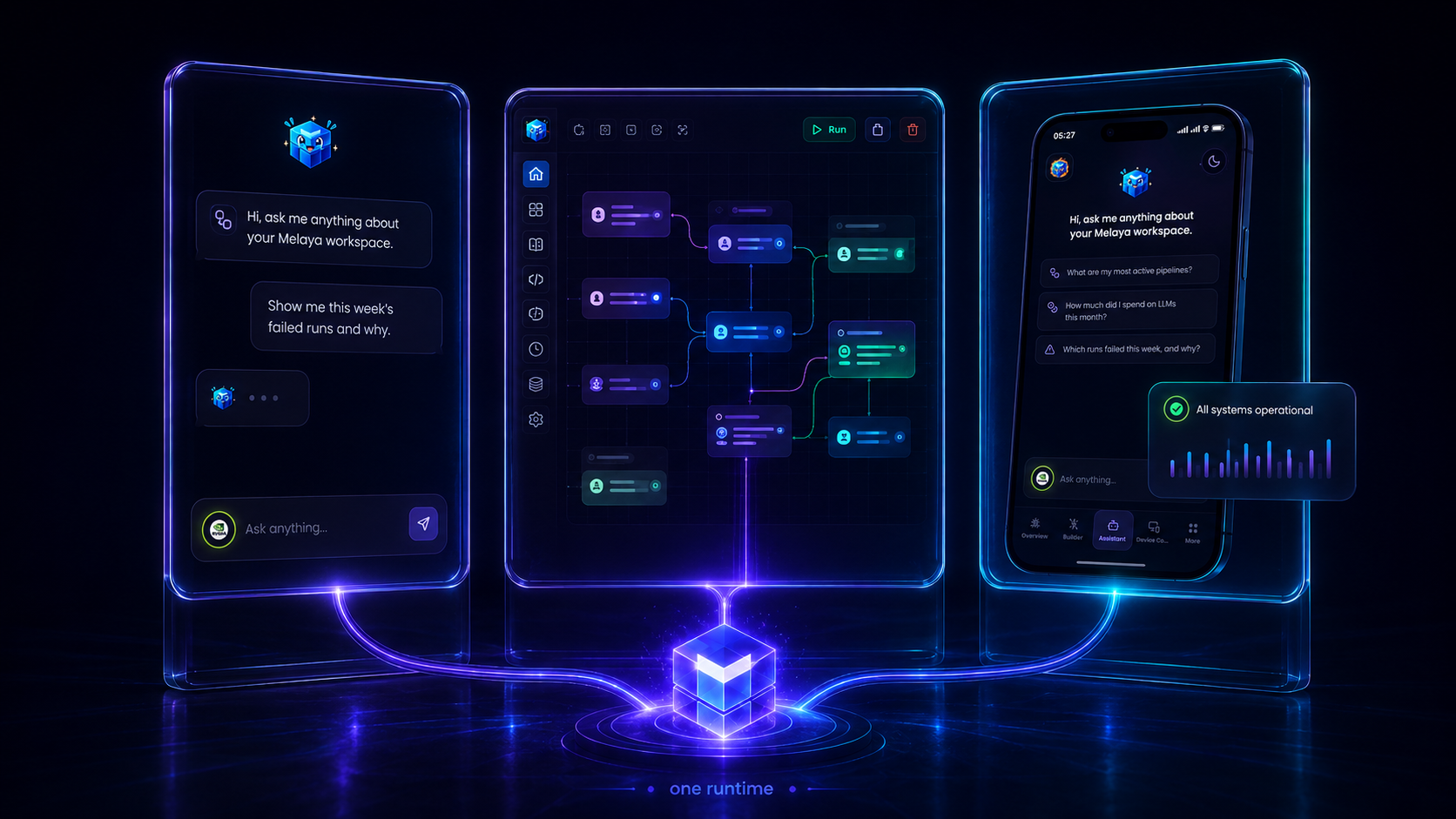
| [Melaya Agents](https://melaya.org/en/product/agentic-framework) | Visual builder for agent pipelines, **6,912 tools** and **103 subagents** | `pipelines` |
| [Melaya Assistant](https://melaya.org/en/product/assistant) | The governed operating layer over those agents | `platform` |
| [Device Control](https://melaya.org/en/product/agentic-device-control) | Android phone control through the accessibility tree | `phone` |
| [Melaya Browser Control](https://melaya.org/en/product/agentic-browser-control) | Origin-scoped control of a paired browser | `browser` |
| [Melaya Marketing](https://melaya.org) | Ads, search consoles, analytics, DNS and site in one cockpit, with approval before anything touches real money or your live site | `connectors` |
| [Melaya MCP Server](https://melaya.org/en/product/mcp) | This server | all of the above |
The [browser extension](https://melaya.org/en/blog/melaya-browser-extension) is
what Browser Control talks to, and ships for Chrome, Edge, Brave, Opera and Firefox.
Pricing starts at a $0 Sandbox tier for evaluating the platform during open
beta: [see plans](https://melaya.org/en/pricing).
## Links
- [Full documentation](https://github.com/melaya-labs/melaya/blob/main/docs/mcp.md)
- [Melaya SDKs](https://github.com/melaya-labs/melaya) — nine languages
- [Product overview](https://melaya.org/en/product/mcp) · [All products](https://melaya.org)
- [Privacy Policy](https://melaya.org/en/legal/privacy) · [Terms](https://melaya.org/en/legal/terms)
- [Support](mailto:info@melaya.org)
## License
Apache-2.0, matching the [Melaya SDKs](https://github.com/melaya-labs/melaya).
It covers what is in this repository — the registry manifest, the plugin packaging, the skills and this documentation. It is not a licence to the Melaya service itself: using the hosted server at `api.melaya.org` needs a Melaya account and is governed by the [Terms](https://melaya.org/en/legal/terms).