# jules-dispatch [Health: Active]
**Category:** 💻 Developer Tools
**Repository:** https://github.com/Yuuqq/jules-dispatch
**GitHub Stars:** 4
**npm Downloads (last month):** 15
**Views:** 0
**Installs:** 0
**Upvotes:** 0
**Directory Page:** https://allmcps.com/mcp/jules-dispatch
## Description
Batch-dispatch coding tasks to Google Jules: 50 parallel sessions, plan approval, PR collection.
## Tools
Capabilities this server exposes over MCP:
- **jules_list_sources** — List all GitHub repos connected to Jules
- **jules_list_sessions** — List recent sessions with pagination
- **jules_approve_plan** — Approve a plan-gated session
- **jules_send_message** — Send a follow-up message
- **jules_cancel_session** — Cancel a running session
- **jules_plan_tasks** — Plan tasks from a high-level description
- **jules_auto** — Plan + dispatch in one shot
## Claude Desktop Quick Installation
Remote MCP endpoint (confidence: high). Install path detected from listing signals. Add as a URL/SSE server in your client:
```json
"mcpServers": {
"jules-dispatch": {
"url": "https://jules.google.com/"
}
}
```
## Documentation & README
# jules-dispatch 🚀
> **Batch-dispatch tasks to [Google Jules](https://jules.google.com/) in parallel — and use it as an MCP tool inside [Claude Code](https://docs.anthropic.com/en/docs/claude-code) or [OpenAI Codex CLI](https://github.com/openai/codex).**
[](https://www.npmjs.com/package/@yuuqq/jules-dispatch)
[](https://github.com/Yuuqq/jules-dispatch/actions/workflows/ci.yml)
[](https://www.typescriptlang.org/)
[](https://modelcontextprotocol.io/)
[](LICENSE)
🌐 **Languages**: **English** · [简体中文](https://github.com/Yuuqq/jules-dispatch/blob/HEAD/README.zh-CN.md)
> **🌐 Landing page & interactive docs**
> [https://yuuqq.github.io/jules-dispatch/](https://yuuqq.github.io/jules-dispatch/) — full onboarding guide and MCP integration examples
---
## What Is This?
**jules-dispatch** is a CLI **and** an [MCP server](https://modelcontextprotocol.io/) for the [Google Jules API](https://jules.google.com/) that lets you:
- Dispatch any number of Jules tasks with up to **50 concurrent session creations**, optionally paced
- Define tasks as simple **YAML files** — title, repo, branch, prompt
- **Poll for completion** and collect generated PR links
- Approve plans, send follow-up messages, cancel runaway sessions, tail live activity
- Plug into **Claude Code** or **Codex** as an MCP server — your AI assistant calls Jules as a tool
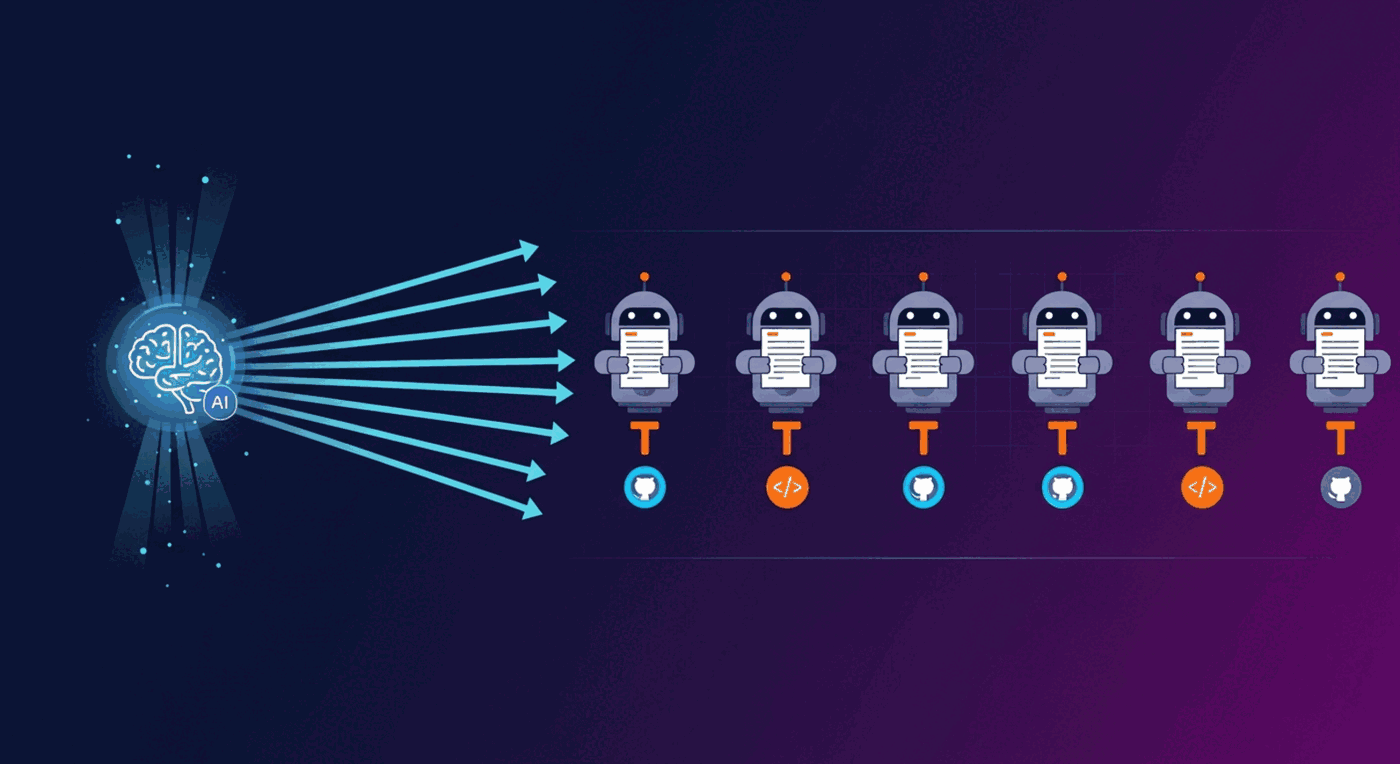
It turns Jules from a "one task at a time" tool into a **massively parallel coding workforce**, controlled by either humans on the CLI or other AIs over MCP.
---
## 🏗 How It Works
```mermaid
flowchart LR
O["🧠 Orchestrator
(Claude / Codex / you)"]
O -->|writes| T["📄 tasks/*.yaml"]
T --> D["⚡ jules-dispatch batch"]
D -->|parallel| J1["🤖 Jules #1"]
D -->|parallel| J2["🤖 Jules #2"]
D -->|parallel| J3["🤖 Jules #3"]
D -->|parallel| J4["🤖 Jules #N"]
J1 --> P1["🔀 PR #1"]
J2 --> P2["🔀 PR #2"]
J3 --> P3["🔀 PR #3"]
J4 --> P4["🔀 PR #N"]
classDef orch fill:#7c3aed,stroke:#5b21b6,color:#fff
classDef tool fill:#0891b2,stroke:#0e7490,color:#fff
classDef worker fill:#f59e0b,stroke:#b45309,color:#fff
classDef pr fill:#10b981,stroke:#047857,color:#fff
class O orch
class D tool
class J1,J2,J3,J4 worker
class P1,P2,P3,P4 pr
```
---
## ✨ What's New in 1.2 — Optional AI Task Planning (BYO LLM)
> **Entirely optional.** All core commands work without any LLM key. Skip this section if you only want raw dispatch.
Stop hand-writing task YAML. Give jules-dispatch **one sentence** and let an LLM expand it into N parallel Jules sessions.
```bash
$ jules-dispatch auto "Migrate every Express route to Fastify and add request-validation tests"
Planning with gpt-4o-mini...
Planned 6 task(s):
1. Migrate auth routes (/api/auth/*) to Fastify
2. Migrate user routes (/api/users/*) to Fastify
3. Migrate billing routes (/api/billing/*) to Fastify
4. Replace Express middleware with Fastify hooks
5. Update server bootstrap to use Fastify instance
6. Add Vitest request-validation tests for all migrated routes
Dispatch all 6 task(s)? [y/N]
```
**Bring your own LLM** — works with any OpenAI-compatible `/chat/completions` endpoint:
| Provider | `LLM_BASE_URL` | Example `LLM_MODEL` |
|---|---|---|
| **OpenAI** (default) | *(omit — defaults to `https://api.openai.com/v1`)* | `gpt-4o-mini`, `gpt-4o`, `o3-mini` |
| **OpenRouter** | `https://openrouter.ai/api/v1` | `openrouter/auto`, `anthropic/claude-opus-4.7` |
| **Ollama** (local, free) | `http://localhost:11434/v1` | `llama3.1`, `qwen2.5-coder:32b` |
| **Groq** | `https://api.groq.com/openai/v1` | `llama-3.3-70b-versatile` |
| **Together / Fireworks / DeepInfra / vLLM / LiteLLM / Azure OpenAI** | *(their endpoint)* | *(their model id)* |
Configure via env vars (`LLM_API_KEY`, `LLM_BASE_URL`, `LLM_MODEL`) or per-invocation flags (`--llm-key`, `--llm-base-url`, `--llm-model`). `OPENAI_API_KEY` and `OPENROUTER_API_KEY` are also recognised as fallbacks.
| Command / Tool | What it does |
|---|---|
| `jules-dispatch plan-tasks ""` | Plan only — print or write tasks to a YAML file |
| `jules-dispatch auto ""` | Plan + dispatch in one shot (with confirmation) |
| MCP `jules_plan_tasks` | Same planning, exposed to Claude Code / Codex *(only registered if an LLM key is configured)* |
| MCP `jules_auto` | One-shot plan + dispatch *(only registered if an LLM key is configured)* |
---
## ✨ What's New in 1.1
- 🧰 **MCP server** (`jules-dispatch mcp`) — 15 always-registered tools, plus 2 optional planning tools when an LLM key is configured
- 🤖 **`--json` mode** — machine-readable output on every command for AI agents and shell pipelines
- ✅ **Plan approval workflow** — `plan`, `approve` commands + `requirePlanApproval: true` task option
- 📡 **Live tailing** — `tail ` streams activity events as they happen
- ❌ **Cancel sessions** — `cancel ` aborts runaway runs
- 🔍 **Direct lookup** — `get `, `status --ids` no longer limited to the recent page
- 🛡️ **Real failure detection** — uses session.state, fails fast, distinct exit codes
- ⚡ **Smart retries** — exponential backoff with jitter, honours `Retry-After`
- 📥 **Stdin input** — `dispatch -` reads YAML/JSON from a pipe
- 🔑 **`--api-key` flag** — pass keys per-invocation, no .env required
---
## ✨ Key Features
| Feature | Details |
|---|---|
| ⚡ Bounded, paced dispatch | Continuously replenish a 1–50 worker pool and optionally space launches with `--pace-ms` |
| 📋 YAML task files | Multi-document YAML supported (`---` separators) |
| 🔄 Status polling | Auto-detects PRs, plan approvals, failures |
| 💬 Plan & message control | Approve plans, send follow-up messages, cancel sessions |
| 🤖 MCP server | Drop into Claude Code or Codex as a tool |
| 📦 Structured output | `--json` mode for clean piping into agents and scripts |
| 📝 Dispatch logs | JSON audit trail of every dispatch run |
---
## 💡 Five Common Use Cases
`jules-dispatch` works best when a change can be split into independent, PR-sized tasks. If tasks edit the same files or depend on earlier output, dispatch them in separate waves instead of running them concurrently.
### 1. Add test coverage across several modules
Suppose the auth, billing, users, and audit modules all need tests. Put one self-contained task file per module in a dedicated directory, then dispatch the directory as a batch:
```bash
jules-dispatch batch tasks/add-tests --parallel 4
```
Each Jules session owns one module. With `AUTO_CREATE_PR` enabled, the result is a set of focused PRs that can be reviewed and merged independently. A failed task can be retried without restarting the rest.
**Why it helps:** independent test work runs at the same time without turning into one large, hard-to-review change.
### 2. Break a large migration into executable tasks
For a goal such as migrating an Express API to Fastify, use the optional LLM planner to identify independent routes, middleware, startup code, and test work:
```bash
jules-dispatch auto "Migrate the Express API to Fastify and add request-validation tests" \
--max 8 --parallel 4
```
`auto` shows the proposed tasks and asks for confirmation before dispatching them. Use `plan-tasks` instead when you want to save and edit the generated YAML before anything is sent to Jules.
**Why it helps:** the planner reduces the cost of decomposing a broad goal while keeping the task boundaries visible and reviewable.
### 3. Roll out the same change across multiple repositories
To add a shared CI check, security baseline, or contribution policy across several Jules-connected repositories, give each task its own `source`:
```yaml
title: "Add the security baseline to the API"
prompt: "Add the agreed security checks and open a focused PR."
source: "sources/github/acme/api"
branch: "main"
---
title: "Add the security baseline to the worker"
prompt: "Add the agreed security checks and open a focused PR."
source: "sources/github/acme/worker"
branch: "main"
```
Place the task file in a dedicated batch directory and dispatch it with controlled concurrency and launch pacing:
```bash
jules-dispatch batch tasks/security-baseline --parallel 6 --pace-ms 250
```
**Why it helps:** one command coordinates the rollout while preserving a separate session and PR for each repository plus an audit log for the batch.
### 4. Keep a human approval gate for risky changes
Authentication, authorization, and database migrations often need review before implementation begins. Require Jules to stop after planning:
```yaml
title: "Refactor authorization checks"
prompt: "Centralize API authorization checks without changing the public API."
requirePlanApproval: true
```
Inspect the plan, send corrections if needed, approve it, and then continue monitoring:
```bash
jules-dispatch plan abc123
jules-dispatch message abc123 "Do not change the public API"
jules-dispatch plan abc123 # inspect the revised plan
jules-dispatch approve abc123
jules-dispatch wait abc123
```
**Why it helps:** you keep control of high-impact decisions without giving up delegated execution.
### 5. Let Claude Code or Codex orchestrate the whole run
After configuring the MCP server, describe the outcome instead of operating each session yourself:
> Analyze this repository, split its test gaps into independent tasks, and dispatch them to Jules. Ask me before approving plans or answering feedback requests. When every session finishes, summarize the outcome and PR URL for each task.
The coding assistant can call `jules_dispatch`, wait with `jules_monitor`, inspect action-required sessions with `jules_interact`, and return a final PR summary.
**Why it helps:** you manage the goal and the important decisions while the assistant handles dispatch, follow-up, and result collection.
---
## 🤖 Use Inside Claude Code or Codex (MCP)
The MCP server exposes Jules as a set of tools your coding AI can call directly.
```mermaid
sequenceDiagram
autonumber
actor U as 👤 You
participant CC as 💬 Claude Code / Codex
participant MCP as ⚡ jules-dispatch (MCP)
participant J as ☁️ Google Jules
U->>CC: "Add tests to 5 modules"
CC->>MCP: jules_dispatch(tasks)
MCP->>J: POST /sessions × 5
J-->>MCP: 5 session IDs
MCP-->>CC: {dispatched: 5}
CC->>MCP: jules_monitor(ids, wait=true)
loop until terminal or action required
MCP->>J: GET /sessions/{id}
end
MCP-->>CC: {sessions, wait: {completed, actionRequired, ...}}
opt a session requires action
CC->>MCP: jules_interact(id)
MCP-->>CC: state + plan + activities
CC->>MCP: jules_approve_plan(id) or jules_send_message(id, text)
CC->>MCP: jules_monitor(ids, wait=true)
end
CC->>MCP: jules_interact(id)
MCP-->>CC: terminal status + PR output
CC-->>U: "Done. PRs: #42, #43, #44, #45, #46"
```
### Install for Claude Code
```bash
npm install -g @yuuqq/jules-dispatch
```
> **Full setup guide** (including GSD integration): [docs/MCP-INTEGRATION.md](https://github.com/Yuuqq/jules-dispatch/blob/HEAD/docs/MCP-INTEGRATION.md)
Add to `~/.config/claude-code/mcp.json` (or use `claude mcp add`):
```json
{
"mcpServers": {
"jules-dispatch": {
"command": "jules-dispatch",
"args": ["--project", "/path/to/your/project", "mcp"],
"env": {
"JULES_API_KEY": "your-api-key-here",
"JULES_DEFAULT_SOURCE": "sources/github/owner/repo",
"JULES_DEFAULT_BRANCH": "main"
}
}
}
}
```
Then in Claude Code: *"Dispatch 5 Jules tasks to add tests to the auth, payments, users, sessions, and audit modules."* Claude calls `jules_dispatch`, monitors them with `jules_monitor`, and uses `jules_interact` when it needs full context or PR output.
### Install for OpenAI Codex CLI
Add to `~/.codex/config.toml`:
```toml
[mcp_servers.jules-dispatch]
command = "jules-dispatch"
args = ["--project", "/path/to/your/project", "mcp"]
env = { JULES_API_KEY = "your-api-key-here", JULES_DEFAULT_SOURCE = "sources/github/owner/repo" }
```
### Install as an Agent Skill
This repository also ships a lightweight skill wrapper at `skills/jules-dispatch/`. The skill teaches Claude Code, Codex, or any Agent Skills-compatible host when and how to use the `jules-dispatch` MCP tools.
For Codex, copy or install the folder as `jules-dispatch` in your Codex skills directory, then restart Codex:
```bash
cp -R skills/jules-dispatch "${CODEX_HOME:-$HOME/.codex}/skills/jules-dispatch"
```
For Agent Skills-compatible hosts that use a shared skills directory, copy the same folder into that host's skills directory. The skill is only the instruction layer; you still need the MCP server configured with `jules-dispatch mcp` and a valid `JULES_API_KEY`.
### MCP Tools Exposed
#### Consolidated tools (recommended)
The server always registers 15 tools: 3 recommended consolidated tools, 5 utility tools, and 7 deprecated aliases. Two additional planning tools are registered when an LLM key is configured.
##### `jules_dispatch` — Create one or more sessions
Accepts a single task object, an array of tasks, or a YAML/JSON string.
**Parameters:**
| Parameter | Type | Required | Default | Description |
|---|---|---|---|---|
| `tasks` | `object \| object[] \| string` | **Yes** | — | Task definition(s). Objects need `title` + `prompt`. Strings are parsed as YAML/JSON. |
| `format` | `"yaml" \| "json"` | No | `"yaml"` | Format when `tasks` is a string |
| `parallel` | `number` | No | `10` | Max concurrent dispatches (1–50) |
| `paceMs` | `number` | No | `0` | Global minimum delay between session creation starts (0–60000 ms) |
```json
{
"tasks": [
{ "title": "Fix auth bug", "prompt": "Fix the null check in login()" },
{ "title": "Add tests", "prompt": "Add unit tests for auth.ts" }
],
"parallel": 5,
"paceMs": 250
}
```
Dispatch uses a continuously replenished worker pool rather than fixed waves: whenever one task finishes creating its session, the next queued task can start. `paceMs` applies globally across all workers, so consecutive creation starts are separated by at least that interval while result order still matches task order.
##### `jules_monitor` — Check status or wait for the next resolution point
**Parameters:**
| Parameter | Type | Required | Default | Description |
|---|---|---|---|---|
| `sessionIds` | `string[]` | **Yes** | — | Session IDs to monitor |
| `wait` | `boolean` | No | `false` | If true, poll until all sessions are terminal, any session requires action, or the timeout expires |
| `intervalMs` | `number` | No | `10000` | Poll interval in ms (min 1000) |
| `timeoutMs` | `number` | No | `600000` | Max wait time in ms (min 1000) |
| `failFast` | `boolean` | No | `false` | Exit immediately on first failure |
```json
{
"sessionIds": ["abc123", "def456"],
"wait": true,
"timeoutMs": 300000
}
```
Action-required states are `AWAITING_PLAN_APPROVAL`, `AWAITING_USER_FEEDBACK`, and `PAUSED`. When the result includes `actionRequired`, inspect those sessions with `jules_interact`, approve the plan or send feedback as appropriate, then call `jules_monitor` again for the unresolved IDs.
##### `jules_interact` — Inspect a session in full context
Returns session details, derived status, the globally latest plan, activity timeline, and PR output in one call. The server scans the complete oldest-first activity feed, then returns the newest `activityCount` entries in chronological order plus `activityTotal` for the full feed.
**Parameters:**
| Parameter | Type | Required | Default | Description |
|---|---|---|---|---|
| `sessionId` | `string` | **Yes** | — | Session ID to inspect |
| `activityCount` | `number` | No | `10` | Number of recent activities (1–100) |
```json
{ "sessionId": "abc123", "activityCount": 20 }
```
#### Utility tools
| Tool | Parameters | Description |
|---|---|---|
| `jules_list_sources` | *(none)* | List all GitHub repos connected to Jules |
| `jules_list_sessions` | `pageSize?`, `pageToken?` | List recent sessions with pagination |
| `jules_approve_plan` | `sessionId` | Approve a plan-gated session |
| `jules_send_message` | `sessionId`, `text` | Send a follow-up message |
| `jules_cancel_session` | `sessionId` | Cancel a running session |
#### Optional LLM-powered tools (requires LLM key)
| Tool | Parameters | Description |
|---|---|---|
| `jules_plan_tasks` | `description`, `maxTasks?`, `source?`, `branch?`, `context?` | Plan tasks from a high-level description |
| `jules_auto` | `description`, `maxTasks?`, `source?`, `branch?`, `parallel?`, `paceMs?` | Plan + dispatch in one shot |
#### Response format
All tools return:
```json
{ "success": true, "data": { ... } }
```
Errors return:
```json
{
"success": false,
"error": {
"message": "Authentication failed",
"status": 401,
"name": "Error",
"recovery_hint": "Check your API key"
}
}
```
#### Legacy tools (deprecated aliases)
`jules_dispatch_task`, `jules_dispatch_batch`, `jules_get_session`, `jules_list_activities`, `jules_get_plan`, `jules_status`, and `jules_wait_for_completion` remain functional for compatibility. New integrations should use the consolidated tools.
---
## 🚀 Quick Start (Plain CLI)
### Prerequisites
- Node.js 20+
- A [Google Jules](https://jules.google.com/) account and API key
- A GitHub repository connected to Jules
### 1. Install
```bash
npm install -g @yuuqq/jules-dispatch
```
### 2. Set up (interactive wizard)
```bash
jules-dispatch init
```
The wizard prompts for your API key, default source, and branch. It writes a `.env` file.
For CI/scripts (non-interactive):
```bash
jules-dispatch init --api-key sk-xxx --source sources/github/owner/repo
```
### 3. Validate your setup
```bash
jules-dispatch doctor
```
### 4. Write a task
```yaml
# tasks/add-dark-mode.yaml
title: "Add Dark Mode Support"
prompt: |
Add a dark mode toggle to the React app:
1. Add a ThemeContext with light/dark state
2. Wrap App with ThemeProvider
3. Add a toggle button in the Header
4. Persist preference in localStorage
5. Open a PR
```
### 5. Dispatch it
```bash
jules-dispatch dispatch tasks/add-dark-mode.yaml
# ✓ Add Dark Mode Support
# Session: https://jules.google.com/session/abc123
# ID: abc123
```
### 6. Batch-dispatch a whole directory
```bash
jules-dispatch batch tasks/ --parallel 10
```
That's it — 6 steps from install to your first PR.
---
## 📖 CLI Reference
### Global flags
| Flag | Default | Description |
|---|---|---|
| `-p, --project ` | `.` | Directory containing your `.env` file |
| `--api-key ` | | Jules API key (overrides `JULES_API_KEY`) |
| `--json` | off | Machine-readable output. NDJSON for streaming commands. |
### Commands
| Command | What it does |
|---|---|
| `init` | Interactive first-run wizard (API key, source, branch) |
| `dispatch ` | Dispatch a single task. Use `-` to read from stdin. |
| `batch [taskDir]` | Dispatch all `.yaml`/`.yml`/`.json` files in a directory |
| `auto ` | LLM-plan + dispatch in one shot (with confirmation) |
| `plan-tasks ` | Use LLM to expand an intent into N task drafts (no dispatch) |
| `status` | Summary of recent sessions (or specific `--ids`) |
| `get ` | Full details of one session |
| `wait ` | Poll until sessions are terminal, require action, or time out |
| `tail ` | Live-stream activity events for a session |
| `plan ` | Show the most recent generated plan |
| `approve ` | Approve a pending plan |
| `message ` | Send a follow-up message |
| `cancel ` | Cancel a running session |
| `sources` | List connected GitHub repos (auto-paginates) |
| `doctor` | Validate environment, API key, connectivity, task files |
| `mcp` | Run as an MCP server over stdio |
### Exit codes (for shell scripts and agents)
| Code | Meaning |
|---|---|
| `0` | Success |
| `1` | Generic error |
| `2` | Authentication error (missing or rejected API key) |
| `3` | Validation or configuration error (bad task file, args, or Jules settings) |
| `4` | Partial failure (some `batch` tasks failed) |
| `5` | Timeout (`wait` ran out of time) |
### Monitoring error behavior
`status` reports session or activity lookup failures explicitly as `status: "error"` and exits nonzero instead of fabricating a Jules failure or trusting a potentially stale state. Polling commands retry only network, rate-limit, and server errors; invalid requests, authentication failures, and missing sessions fail immediately with the affected session ID in the error context.
### `dispatch` examples
```bash
# Override repo/branch
jules-dispatch dispatch tasks/my-task.yaml \
--source sources/github/org/other-repo --branch develop
# Read from stdin
echo 'title: Quick fix\nprompt: Fix typo in README' | jules-dispatch dispatch -
# JSON output (great for piping)
jules-dispatch dispatch tasks/my-task.yaml --json | jq -r '.sessionId'
```
### `batch` examples
```bash
jules-dispatch batch tasks/ # default tasks/ dir
jules-dispatch batch tasks/ --parallel 20 # 20 concurrent
jules-dispatch batch tasks/ --parallel 10 --pace-ms 250 # globally space starts by 250 ms
jules-dispatch batch tasks/ --no-log # don't write dispatch log
jules-dispatch batch tasks/ --json # one JSON summary at the end
```
`batch` and `auto` both use the same continuously replenished worker pool. `--parallel` caps in-flight session creation and `--pace-ms` sets the global minimum spacing between creation starts; it does not add a delay separately inside each worker.
### `wait` example
```bash
# Chain dispatch → wait via JSON output:
ID=$(jules-dispatch dispatch tasks/x.yaml --json | jq -r '.sessionId')
jules-dispatch wait "$ID" --interval 10000 --timeout 1800000
```
### `tail` example
```bash
jules-dispatch tail abc123 # human-readable stream
jules-dispatch tail abc123 --json # NDJSON event stream
```
---
## 🔄 Session Lifecycle
jules-dispatch tracks every Jules session through its full lifecycle and surfaces each state through the CLI / MCP:
```mermaid
stateDiagram-v2
[*] --> QUEUED
QUEUED --> PLANNING
PLANNING --> IN_PROGRESS
PLANNING --> AWAITING_PLAN_APPROVAL: approval required
AWAITING_PLAN_APPROVAL --> IN_PROGRESS: approve plan
IN_PROGRESS --> AWAITING_USER_FEEDBACK: input required
AWAITING_USER_FEEDBACK --> IN_PROGRESS: send feedback
IN_PROGRESS --> PAUSED: execution paused
PAUSED --> IN_PROGRESS: execution resumes
IN_PROGRESS --> COMPLETED: success
IN_PROGRESS --> FAILED: error
COMPLETED --> [*]
FAILED --> [*]
```
| Official state | Meaning | Recommended action |
|---|---|---|
| `STATE_UNSPECIFIED` | No specific state was supplied | Recheck with `jules_monitor` or inspect with `jules_interact` |
| `QUEUED` / `PLANNING` / `IN_PROGRESS` | Jules is actively progressing | Continue monitoring; use `tail` for live activity |
| `AWAITING_PLAN_APPROVAL` | The generated plan needs approval | Review with `jules_interact`, then use `approve` / `jules_approve_plan` |
| `AWAITING_USER_FEEDBACK` | Jules needs clarification or input | Inspect context, then use `message` / `jules_send_message` |
| `PAUSED` | Execution is paused and needs attention | Inspect context, provide guidance if appropriate, then monitor again |
| `COMPLETED` | Terminal success | Inspect the session and collect PR output |
| `FAILED` | Terminal failure | Inspect the newest failure activity and decide whether to retry or replace the task |
For compatibility, jules-dispatch also normalizes legacy API states: `PENDING`, `RUNNING`, `AWAITING_USER_INPUT`, `CANCELLED`, and `CANCELED`. Cancellation is sent with the Jules `DELETE /sessions/{id}` operation.
---
## 📄 Task File Format
### Field Reference
| Field | Type | Required | Default | Description |
|---|---|---|---|---|
| `title` | `string` | **Yes** | — | Human-readable task name shown in CLI status and session lists |
| `prompt` | `string` | **Yes** | — | Detailed instructions for the Jules agent. The more specific, the better the output. |
| `source` | `string` | No | `JULES_DEFAULT_SOURCE` from `.env` | Jules source identifier, e.g. `sources/github/owner/repo`. Override per-task. |
| `branch` | `string` | No | `JULES_DEFAULT_BRANCH` from `.env` (or `main`) | Git branch for the Jules session to start from |
| `autoMode` | `string` | No | `AUTO_CREATE_PR` | Automation mode. Values: `AUTO_CREATE_PR` (Jules creates a PR automatically), `NONE` |
| `requirePlanApproval` | `boolean` | No | `false` | When `true`, Jules pauses after generating a plan and waits for `jules-dispatch approve ` |
### YAML example
```yaml
title: "Add unit tests for auth module"
prompt: |
Add comprehensive unit tests for src/auth.ts:
1. Test login with valid credentials
2. Test login with invalid credentials
3. Test token refresh flow
4. Test session expiry handling
5. Open a PR with the test file
source: "sources/github/myorg/myrepo"
branch: "develop"
autoMode: "AUTO_CREATE_PR"
requirePlanApproval: false
```
### Multiple tasks in one file (YAML `---` separators)
```yaml
title: "Fix lint errors in src/auth"
prompt: "Fix all ESLint errors in src/auth.ts"
---
title: "Fix lint errors in src/api"
prompt: "Fix all ESLint errors in src/api.ts"
---
title: "Fix lint errors in src/utils"
prompt: "Fix all ESLint errors in src/utils.ts"
```
### JSON format
```json
{
"title": "Fix the thing",
"prompt": "Find the bug in src/auth.ts and fix it.",
"source": "sources/github/owner/repo",
"branch": "main"
}
```
JSON array (for batch dispatch via MCP):
```json
[
{ "title": "Task 1", "prompt": "Do thing A" },
{ "title": "Task 2", "prompt": "Do thing B" }
]
```
---
## 🤖 AI-Orchestrated Parallel Development
The killer use case: combine jules-dispatch with **Claude Code** or **Codex**.
> *"I have a Node.js backend that needs to be migrated from Express to Fastify. Analyse the codebase, split the work into independent migration units, and dispatch them all to Jules in parallel using the jules-dispatch MCP tools. Then poll for completion and report back the PR URLs."*
With the MCP server installed, your assistant will:
1. Analyse your codebase
2. Commit and push the target branch, because Jules works from the remote source branch rather than unpushed local changes
3. Call `jules_dispatch` with N task definitions
4. Call `jules_monitor` with `wait: true`; if action is required, inspect with `jules_interact`, approve or send feedback, and monitor again
5. Use `jules_interact` to collect terminal context and PR URLs
You get **N parallel coding agents** orchestrated by **one strategic agent**, hands-free.
---
## 📁 Project Structure
```
jules-dispatch/
├── src/
│ ├── cli.ts CLI entry point (Commander)
│ ├── client.ts Jules REST client (retries, pagination)
│ ├── config.ts .env + task file loading
│ ├── dispatcher.ts Task dispatch logic
│ ├── collector.ts Status polling & wait
│ ├── errors.ts Structured error translation (Problem/Cause/Fix)
│ ├── output.ts Text vs JSON output mode, color detection
│ ├── init.ts Interactive init wizard
│ ├── doctor.ts Environment validation (doctor command)
│ ├── mcp.ts MCP server (15 tools + 2 optional planner tools)
│ ├── mcp-helpers.ts MCP response helpers (ok/fail/recovery hints)
│ ├── polling.ts Shared poll-with-callback engine
│ ├── tail.ts Bounded, cursor-aware activity tailing
│ ├── planner.ts Optional LLM task planner
│ ├── log.ts Verbose logging
│ └── types.ts TypeScript types
├── tasks/ Your task YAMLs live here
├── .env Generated by jules-dispatch init
└── .dispatch-logs/ JSON audit trail
```
---
## 🛠 Development
```bash
npm install
npm run build # compile TypeScript → dist/
npm run dev # run CLI directly with tsx
npm run lint
npm run test
```
---
## 📜 License
MIT — see [LICENSE](https://github.com/Yuuqq/jules-dispatch/blob/HEAD/LICENSE)
---
*Built to make [Google Jules](https://jules.google.com/) actually scale.*