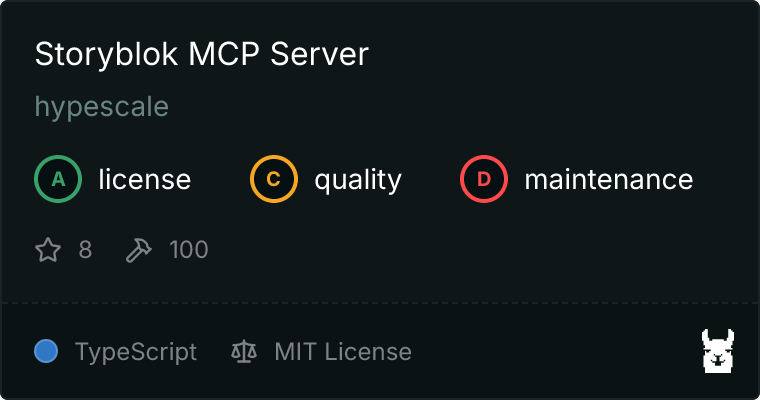
# hypescale/storyblok-mcp-server [Health: Active]
**Category:** 🛠️ Other Tools and Integrations
**Repository:** https://github.com/hypescale/storyblok-mcp-server
**GitHub Stars:** 8
**Views:** 1
**Installs:** 0
**Upvotes:** 0
**Directory Page:** https://allmcps.com/mcp/hypescale-storyblok-mcp-server
## Description
MCP server for the Storyblok headless CMS with 160 tools across 30 modules. Manage stories, components, assets, workflows, releases, and more via AI assistants.
## Claude Desktop Quick Installation
Heuristic fallback — verify the package name and runner against the repository README before running it. Uses `npx` (confidence: low):
```json
"mcpServers": {
"storyblok-mcp-server": {
"command": "npx",
"args": ["-y","hypescale-storyblok-mcp-server"],
"env": {
"STORYBLOK_SPACE_ID": "",
"STORYBLOK_MANAGEMENT_TOKEN": "",
"STORYBLOK_DEFAULT_PUBLIC_TOKEN": ""
}
}
}
```
**Requires environment variables:** `STORYBLOK_SPACE_ID`, `STORYBLOK_MANAGEMENT_TOKEN`, `STORYBLOK_DEFAULT_PUBLIC_TOKEN` — the values above are empty placeholders; fill in real credentials before running (see the repository for what each one is for).
## Documentation & README
# Storyblok MCP Server
[](LICENSE)
[](https://nodejs.org/)
[](https://modelcontextprotocol.io/)
[](https://www.typescriptlang.org/)
 A TypeScript [Model Context Protocol](https://modelcontextprotocol.io/) server for the Storyblok Management API. It lets AI assistants and agents manage Storyblok content, workflows, and configuration safely and programmatically.
## Why this project
Storyblok is powerful, but repetitive content operations and release workflows can be time-consuming. This server bridges MCP-compatible assistants with Storyblok so teams can:
- Automate content ops (bulk updates, tagging, assets)
- Orchestrate releases and workflows with less manual effort
- Keep component libraries and schemas consistent
- Give AI agents structured, typed access to Storyblok
## Highlights
- **160 tools across 30 modules** mapped to Storyblok Management API capabilities
- **Typed schemas** with Zod for safer tool calls
- **MCP-first design** for MCP-compatible clients
- **Simple config** using environment variables
## What it does in 15 seconds
**Prompt**
```text
Find all stories updated in the last 7 days and tag them as "reviewed".
```
**Response (example)**
```text
Found 12 stories updated since 2025-12-28.
Applied tag "reviewed" to 12 stories.
```
## Quick Start
```bash
# Clone the repository
git clone https://github.com/hypescale/storyblok-mcp-server.git
cd storyblok-mcp-server
# Install dependencies
npm install
# Build
npm run build
```
Create a `.env` file from the example and fill in your credentials:
```bash
cp .env.example .env
```
Then start the server:
```bash
npm run start
```
## Requirements
- Node.js >= 20
- A Storyblok space with Management + Public/Preview tokens
## Configuration
The server requires three environment variables (see `.env.example`):
```env
STORYBLOK_SPACE_ID=your_space_id
STORYBLOK_MANAGEMENT_TOKEN=your_management_token
STORYBLOK_DEFAULT_PUBLIC_TOKEN=your_public_token
```
What they are used for:
| Variable | Description |
|----------|-------------|
| `STORYBLOK_SPACE_ID` | Your numeric Storyblok space ID |
| `STORYBLOK_MANAGEMENT_TOKEN` | Management API token with appropriate permissions |
| `STORYBLOK_DEFAULT_PUBLIC_TOKEN` | Public/Preview token for content delivery |
Tip: Use the smallest permission set possible for safety.
## Usage with MCP Clients
This server is designed to work with any MCP-compatible client. Here are ready-to-copy configs for popular tools.
### Claude Desktop
A TypeScript [Model Context Protocol](https://modelcontextprotocol.io/) server for the Storyblok Management API. It lets AI assistants and agents manage Storyblok content, workflows, and configuration safely and programmatically.
## Why this project
Storyblok is powerful, but repetitive content operations and release workflows can be time-consuming. This server bridges MCP-compatible assistants with Storyblok so teams can:
- Automate content ops (bulk updates, tagging, assets)
- Orchestrate releases and workflows with less manual effort
- Keep component libraries and schemas consistent
- Give AI agents structured, typed access to Storyblok
## Highlights
- **160 tools across 30 modules** mapped to Storyblok Management API capabilities
- **Typed schemas** with Zod for safer tool calls
- **MCP-first design** for MCP-compatible clients
- **Simple config** using environment variables
## What it does in 15 seconds
**Prompt**
```text
Find all stories updated in the last 7 days and tag them as "reviewed".
```
**Response (example)**
```text
Found 12 stories updated since 2025-12-28.
Applied tag "reviewed" to 12 stories.
```
## Quick Start
```bash
# Clone the repository
git clone https://github.com/hypescale/storyblok-mcp-server.git
cd storyblok-mcp-server
# Install dependencies
npm install
# Build
npm run build
```
Create a `.env` file from the example and fill in your credentials:
```bash
cp .env.example .env
```
Then start the server:
```bash
npm run start
```
## Requirements
- Node.js >= 20
- A Storyblok space with Management + Public/Preview tokens
## Configuration
The server requires three environment variables (see `.env.example`):
```env
STORYBLOK_SPACE_ID=your_space_id
STORYBLOK_MANAGEMENT_TOKEN=your_management_token
STORYBLOK_DEFAULT_PUBLIC_TOKEN=your_public_token
```
What they are used for:
| Variable | Description |
|----------|-------------|
| `STORYBLOK_SPACE_ID` | Your numeric Storyblok space ID |
| `STORYBLOK_MANAGEMENT_TOKEN` | Management API token with appropriate permissions |
| `STORYBLOK_DEFAULT_PUBLIC_TOKEN` | Public/Preview token for content delivery |
Tip: Use the smallest permission set possible for safety.
## Usage with MCP Clients
This server is designed to work with any MCP-compatible client. Here are ready-to-copy configs for popular tools.
### Claude Desktop
Show config
Add to your `claude_desktop_config.json`:
```json
{
"mcpServers": {
"storyblok": {
"command": "node",
"args": ["/path/to/storyblok-mcp-server/dist/index.js"],
"env": {
"STORYBLOK_SPACE_ID": "your_space_id",
"STORYBLOK_MANAGEMENT_TOKEN": "your_management_token",
"STORYBLOK_DEFAULT_PUBLIC_TOKEN": "your_public_token"
}
}
}
}
```
### Codex CLI / IDE
Show config
Codex supports MCP servers via CLI or by editing `~/.codex/config.toml`. The CLI and IDE extension share the same config.
Option A: Configure with the Codex CLI
```bash
codex mcp add storyblok \
--env STORYBLOK_SPACE_ID=your_space_id \
--env STORYBLOK_MANAGEMENT_TOKEN=your_management_token \
--env STORYBLOK_DEFAULT_PUBLIC_TOKEN=your_public_token \
-- node /path/to/storyblok-mcp-server/dist/index.js
```
Option B: Configure with `~/.codex/config.toml`
```toml
[mcp_servers.storyblok]
command = "node"
args = ["/path/to/storyblok-mcp-server/dist/index.js"]
[mcp_servers.storyblok.env]
STORYBLOK_SPACE_ID = "your_space_id"
STORYBLOK_MANAGEMENT_TOKEN = "your_management_token"
STORYBLOK_DEFAULT_PUBLIC_TOKEN = "your_public_token"
```
### Cursor
Show config
Create a project config at `.cursor/mcp.json` (or use the global config at `~/.cursor/mcp.json`):
```json
{
"mcpServers": {
"storyblok": {
"command": "node",
"args": ["/path/to/storyblok-mcp-server/dist/index.js"],
"env": {
"STORYBLOK_SPACE_ID": "your_space_id",
"STORYBLOK_MANAGEMENT_TOKEN": "your_management_token",
"STORYBLOK_DEFAULT_PUBLIC_TOKEN": "your_public_token"
}
}
}
}
```
### Windsurf
Show config
Create `~/.codeium/mcp_config.json`:
```json
{
"mcpServers": {
"storyblok": {
"command": "node",
"args": ["/path/to/storyblok-mcp-server/dist/index.js"],
"env": {
"STORYBLOK_SPACE_ID": "your_space_id",
"STORYBLOK_MANAGEMENT_TOKEN": "your_management_token",
"STORYBLOK_DEFAULT_PUBLIC_TOKEN": "your_public_token"
}
}
}
}
```
### VS Code
Show config
Create `.vscode/mcp.json` in your workspace:
```json
{
"servers": {
"storyblok": {
"type": "stdio",
"command": "node",
"args": ["/path/to/storyblok-mcp-server/dist/index.js"],
"env": {
"STORYBLOK_SPACE_ID": "your_space_id",
"STORYBLOK_MANAGEMENT_TOKEN": "your_management_token",
"STORYBLOK_DEFAULT_PUBLIC_TOKEN": "your_public_token"
}
}
}
}
```
### Continue
Show config
Create a YAML config at `.continue/mcpServers/storyblok.yaml`:
```yaml
name: Storyblok MCP
version: 1.0.0
schema: v1
mcpServers:
- name: storyblok
command: node
args:
- /path/to/storyblok-mcp-server/dist/index.js
env:
STORYBLOK_SPACE_ID: your_space_id
STORYBLOK_MANAGEMENT_TOKEN: your_management_token
STORYBLOK_DEFAULT_PUBLIC_TOKEN: your_public_token
```
### Cline
Show config
Open Cline settings and use "Configure MCP Servers" to open `cline_mcp_settings.json`, then add:
```json
{
"mcpServers": {
"storyblok": {
"command": "node",
"args": ["/path/to/storyblok-mcp-server/dist/index.js"],
"env": {
"STORYBLOK_SPACE_ID": "your_space_id",
"STORYBLOK_MANAGEMENT_TOKEN": "your_management_token",
"STORYBLOK_DEFAULT_PUBLIC_TOKEN": "your_public_token"
}
}
}
}
```
## Available Tools
The tool surface mirrors Storyblok's Management API. Total tool count and modules are defined in `src/tools/index.ts`.
| Module | Tools | Description |
|--------|-------|-------------|
| Stories | 18 | CRUD, bulk operations, publishing, versioning |
| Components | 9 | Schema management, versioning, usage tracking |
| Assets | 9 | Upload, organize, bulk operations |
| Workflows | 6 | Workflow management and stages |
| Releases | 5 | Release scheduling and deployment |
| Datasources | 5 | Key-value data management |
| Tags | 5 | Content tagging and organization |
| Webhooks | 5 | Event notifications |
| Collaborators | 4 | Team management |
| Space Roles | 5 | Permissions and access control |
| ... | ... | And 20+ more modules |
## Example Prompts
Use these prompts in your MCP client to see quick wins:
- "List all stories updated in the last 7 days and tag them as 'reviewed'."
- "Create a release for next Friday and add the homepage and pricing stories."
- "Find unused components and tell me which stories still reference them."
- "Upload these assets and organize them into a new 'Campaign' folder."
## Development
```bash
# Run in development mode with hot reload
npm run dev
# Type check
npm run typecheck
# Build for production
npm run build
```
## Project Structure
- `src/index.ts` - MCP server entry point
- `src/tools/*` - Tool modules mapped to Storyblok API areas
- `src/types/*` - Shared API and Storyblok types
- `src/utils/*` - HTTP helpers and response formatting
- `src/config.ts` - Environment configuration and validation
## Troubleshooting
- `ConfigError: STORYBLOK_* is missing` - ensure `.env` is present and filled out.
- `401 Unauthorized` - verify the Management and Public/Preview tokens.
- `404 Not Found` - double-check the `STORYBLOK_SPACE_ID`.
## Tech Stack
- TypeScript with strict type checking
- [@modelcontextprotocol/sdk](https://github.com/modelcontextprotocol/typescript-sdk) for MCP implementation
- Zod for runtime schema validation
- Native fetch API for HTTP requests
## Release and Versioning
When you're ready to cut a release:
1. Update `package.json` version (semantic versioning recommended).
2. Update `README.md` if behavior or setup changed.
3. Tag the release and publish a GitHub Release with notes.
This keeps the project easy to consume for open source users and downstream tools.
## Security Notes
- Never commit `.env` files or tokens to git.
- Prefer tokens scoped to a dedicated Storyblok space for automation.
- Rotate tokens if you suspect exposure.
## Contributing
Issues and PRs are welcome. If you're planning a large change, open an issue first so we can align on scope and direction.
## License
MIT
---
Built by [hypescale](https://hypescale.com) | Maintained by [Martin Kogut](https://github.com/martinkogut)