# HippoDid MCP Server [Health: Active]
**Category:** 🧠 Knowledge & Memory
**Repository:** https://github.com/SameThoughts/hippodid-mcp-server
**GitHub Stars:** 0
**Views:** 0
**Installs:** 0
**Upvotes:** 0
**Directory Page:** https://allmcps.com/mcp/hippodid-mcp-server
## Description
Persistent, structured cloud memory for AI agents. BYOK — bring your own AI key.
## Tools
Capabilities this server exposes over MCP:
- **create_character** — Create a new character to store memories for
- **list_characters** — List all characters accessible to you
- **add_memory** — Add a memory via the AUDN pipeline (rule-based salience + dedup)
- **add_memory_direct** — Write a memory directly, bypassing AUDN pipeline (Starter+ tier)
- **search_memories** — Hybrid semantic + keyword search across memories
- **sync_file** — Sync a local file to the HippoDid cloud
- **import_document** — Import a document and extract memories (Starter+ tier)
- **list_synced_files** — List files synced to the cloud for a character
- **get_sync_status** — Get sync status summary for a character
- **export_character** — Export all memories for a character as Markdown
- **add_watch_path** — Sync a file and register the path for background tracking
- **list_watch_paths** — List all watched file paths in this session
- **force_sync** — Force an immediate sync of all watched paths
- **configure_ai** — Configure tenant BYOK AI providers
- **test_ai_config** — Test connectivity of saved AI provider configuration
## Claude Desktop Quick Installation
Heuristic fallback — verify the package name and runner against the repository README before running it. Uses `npx` (confidence: low):
```json
"mcpServers": {
"hippodid-mcp-server": {
"command": "npx",
"args": ["-y","hippodid-mcp-server"]
}
}
```
## Documentation & README
HippoDid MCP Server
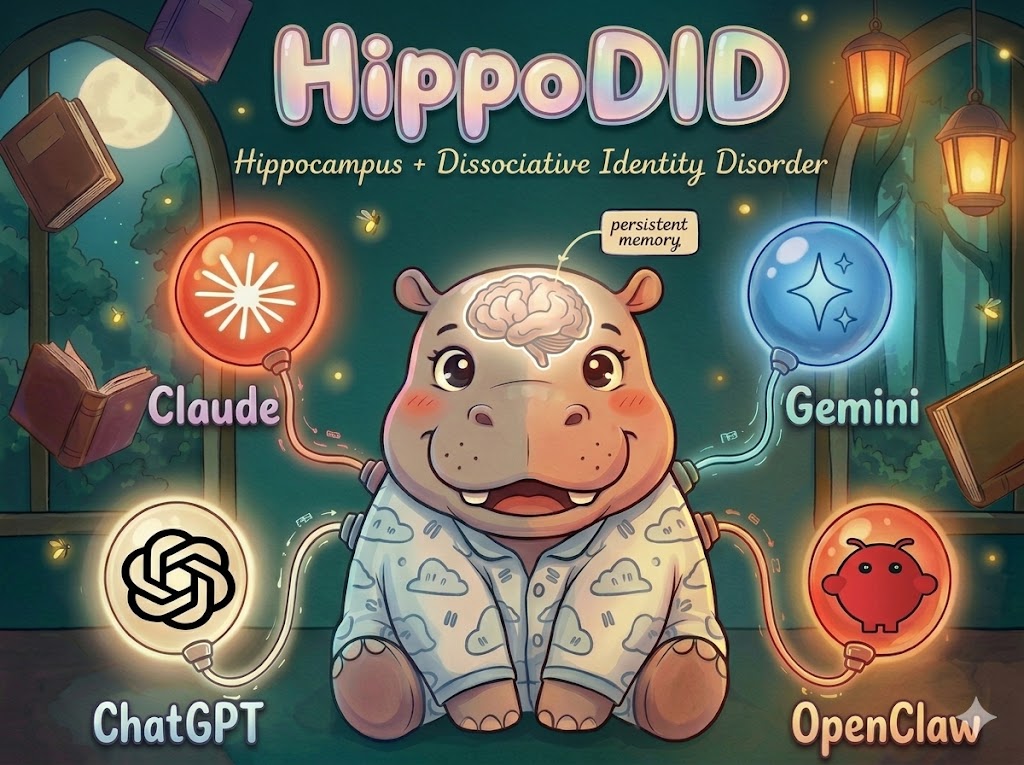
Persistent, portable memory for AI agents. Your AI forgets everything between sessions. HippoDid remembers.
---
# HippoDid MCP Server
MCP (Model Context Protocol) server for [HippoDid](https://hippodid.com) — connects Claude Code, Claude Desktop, ChatGPT, Gemini CLI, Codex CLI, Cursor, and any MCP-compatible client to persistent AI character memory.
## What is HippoDid?
HippoDid is a cloud memory infrastructure for AI agents. It stores structured memories (preferences, decisions, skills, relationships) in a searchable database and retrieves them across sessions, tools, and AI providers. Write a memory in Claude Code, recall it in ChatGPT. Switch from Cursor to Gemini — your agent's memory travels with it.
Key features:
- **Cross-platform memory** — same memories accessible from any MCP client or ChatGPT via OAuth
- **Structured extraction** — raw text is automatically parsed into categorized facts with salience scores
- **Temporal decay** — memories fade naturally by category (skills are evergreen, events fade in 14 days)
- **Character scoping** — each agent/project gets its own memory namespace
- **BYOK AI** — bring your own OpenAI, Anthropic, or Gemini key for extraction
## Quick Start
### 1. Get an API Key
Sign up at [hippodid.com](https://hippodid.com) and create an API key from your dashboard.
### 2. Download the JAR
Download the latest release from [GitHub Releases](https://github.com/SameThoughts/hippodid-mcp-server/releases).
### 3. Configure Claude Desktop
Add to your Claude Desktop config (`~/Library/Application Support/Claude/claude_desktop_config.json` on macOS):
```json
{
"mcpServers": {
"hippodid": {
"command": "java",
"args": ["-jar", "/path/to/hippodid-mcp-server-1.1.0.jar"],
"env": {
"HIPPODID_API_KEY": "hd_key_your_key_here",
"HIPPODID_CHARACTER_ID": "your-character-uuid"
}
}
}
}
```
### 4. Start Using
Ask Claude to remember things, search memories, sync files, and more.
## MCP Tools
| Tool | Description |
|------|-------------|
| `create_character` | Create a new character to store memories for |
| `list_characters` | List all characters accessible to you |
| `add_memory` | Add a memory via the AUDN pipeline (rule-based salience + dedup) |
| `add_memory_direct` | Write a memory directly, bypassing AUDN pipeline (Starter+ tier) |
| `search_memories` | Hybrid semantic + keyword search across memories |
| `sync_file` | Sync a local file to the HippoDid cloud |
| `import_document` | Import a document and extract memories (Starter+ tier) |
| `list_synced_files` | List files synced to the cloud for a character |
| `get_sync_status` | Get sync status summary for a character |
| `export_character` | Export all memories for a character as Markdown |
| `add_watch_path` | Sync a file and register the path for background tracking |
| `list_watch_paths` | List all watched file paths in this session |
| `force_sync` | Force an immediate sync of all watched paths |
| `configure_ai` | Configure tenant BYOK AI providers |
| `test_ai_config` | Test connectivity of saved AI provider configuration |
## Environment Variables
| Variable | Required | Default | Description |
|----------|----------|---------|-------------|
| `HIPPODID_API_KEY` | Yes | — | Your HippoDid API key |
| `HIPPODID_CHARACTER_ID` | No | — | Default character UUID for background sync |
| `HIPPODID_BASE_URL` | No | `https://api.hippodid.com` | API base URL |
| `MCP_SYNC_INTERVAL` | No | `300` | Background sync interval in seconds |
| `MCP_AUTO_CAPTURE` | No | `false` | Disable background watcher (AI handles sync) |
| `MCP_AUTO_RECALL` | No | `false` | Disable background hydration (AI handles download) |
| `MCP_RECALL_CACHE_TTL` | No | `120` | Search result cache TTL in seconds |
## Architecture
```
Claude Desktop → stdio (JSON-RPC) → McpServerRunner → HippoDidClient → HTTP → HippoDid REST API
```
The MCP server uses the [hippodid-spring-boot-starter](https://github.com/SameThoughts/hippodid-spring-boot-starter) to communicate with the HippoDid REST API over HTTP. All authentication and tenant isolation is handled server-side via Bearer tokens.
## Building from Source
Requires Java 21+ and Maven 3.8+.
```bash
mvn clean package -DskipTests
java -jar target/hippodid-mcp-server-1.1.0.jar
```
## Versioning
The MCP server version matches the [hippodid-spring-boot-starter](https://github.com/SameThoughts/hippodid-spring-boot-starter) version. Both must be at the same version for compatibility.
## License
Apache License 2.0 — see [LICENSE](https://github.com/SameThoughts/hippodid-mcp-server/blob/HEAD/LICENSE).