# herald [Health: Active]
**Category:** 💻 Developer Tools
**Repository:** https://github.com/btouchard/herald
**GitHub Stars:** 46
**Views:** 0
**Installs:** 0
**Upvotes:** 0
**Directory Page:** https://allmcps.com/mcp/herald
## Description
Stop copy-pasting between Claude Chat and Claude Code.
## Claude Desktop Quick Installation
Remote MCP endpoint (confidence: high). Install path detected from listing signals. Add as a URL/SSE server in your client:
```json
"mcpServers": {
"herald": {
"url": "https://go.dev"
}
}
```
## Documentation & README
Herald
Code from your phone. Seriously.
The self-hosted MCP bridge between Claude Chat and Claude Code.



Documentation ·
Quick Start ·
How It Works ·
Features ·
Security ·
Roadmap
🇫🇷 Version française
---
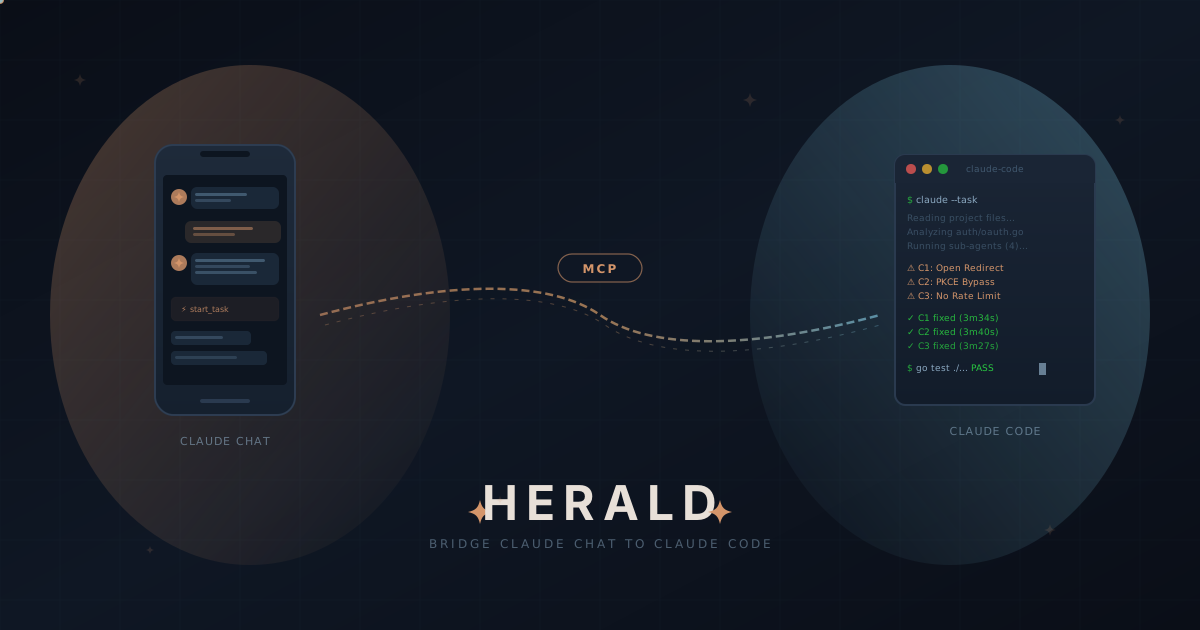 You're on the couch. On your phone. You open Claude Chat and type:
> *"Refactor the auth middleware in my-api to use JWT instead of session cookies. Run the tests."*
Four minutes later, it's done. Branch created, code refactored, tests passing, changes committed. Your workstation did all the work. You never opened your laptop.
**That's Herald.**
## The Problem
Claude Chat and Claude Code are two brilliant tools that live in completely separate worlds.
| | Claude Chat | Claude Code |
|---|---|---|
| **Where** | Browser, phone, anywhere | Your terminal |
| **What** | Conversations, analysis, thinking | Reads, writes, and ships actual code |
| **Gap** | Can't touch your codebase | Can't leave your desk |
You've been copy-pasting between them. Or worse — you've been waiting until you're back at your desk. That's over.
## The Solution
Herald is a self-hosted MCP server that bridges Claude Chat to Claude Code using Anthropic's official [Custom Connectors](https://support.claude.com/en/articles/11503834-building-custom-connectors-via-remote-mcp-servers) protocol. One Go binary. Zero hacks.
```
You (phone/tablet/browser)
│
│ "Add rate limiting to the API"
▼
Claude Chat ──── MCP over HTTPS ────► Herald (your workstation)
│
▼
Claude Code
├── reads your codebase
├── writes the code
├── runs the tests
└── commits to a branch
You (terminal)
│
│ Claude Code calls herald_push
▼
Claude Code ──── MCP ────► Herald ────► Claude Chat picks it up
└── session context, summary,
files modified, git branch
```
The bridge is **bidirectional**. Claude Chat dispatches tasks to Claude Code, and Claude Code can push session context back to Herald for remote monitoring and continuation from another device.
Your code never leaves your machine. Herald just orchestrates.
## How It Works
```
You (Claude Chat) Herald Claude Code
───────────────── ────── ───────────
"Refactor auth..." ──► start_task
→ creates branch
→ spawns Claude Code ──► reads codebase
refactors code
runs tests
commits changes
◄── task_id: herald-a1b2c3d4
"How's it going?" ──► check_task
◄── ✅ Completed (4m 12s)
4 files changed (+127/-23)
"Show me the diff" ──► get_diff
◄── auth/middleware.go
+func ValidateJWT(...)
-func CheckSession(...)
```
Three tools. That's the core loop. Start, check, get results — all from wherever you are.
### Reverse flow: Claude Code → Herald
Working in your terminal and want to continue from your phone? Claude Code pushes its session to Herald:
```
You (terminal) Claude Code Herald
────────────── ─────────── ──────
"Push this to Herald" ──► herald_push
→ session_id, summary,
files, branch ──► linked task created
🔗 visible in list_tasks
You (phone, later) Claude Chat Herald
────────────────── ─────────── ──────
"What sessions are list_tasks
waiting for me?" ──► (status: linked) ──► 🔗 herald-a1b2c3d4
my-api / feat/auth
"Resume that session" ──► start_task
(session_id) ──► picks up where you left off
```
## Features
### Core
- **Native MCP bridge** — Uses Anthropic's official Custom Connectors protocol. Not a hack, not a wrapper, not a proxy.
- **Async task execution** — Start tasks, check progress, get results. Claude Code runs in the background while you do other things.
- **Git branch isolation** — Each task runs on its own branch. Your main branch stays untouched.
- **Session resumption** — Multi-turn Claude Code conversations. Pick up where you left off.
- **Bidirectional bridge** — Claude Code can push session context to Herald via `herald_push` for remote monitoring and continuation from another device.
### Multi-Project
- **Multiple projects** — Configure as many projects as you need, each with its own settings.
- **Per-project tool restrictions** — Control exactly which tools Claude Code can use. Full sandboxing per project.
### Operations
- **MCP push notifications** — Herald pushes task updates directly to Claude Chat via MCP server notifications. No polling needed.
- **SQLite persistence** — Tasks survive server restarts. Full history, fully searchable.
### Engineering
- **Single binary** — One Go executable, ~15MB. No Docker, no runtime, no node_modules.
- **Zero CGO** — Pure Go. Cross-compiles to Linux, macOS, Windows, ARM.
- **6 dependencies** — chi, mcp-go, modernc/sqlite, uuid, yaml, testify. That's the entire dependency tree.
## Quick Start
**Prerequisites**: [Claude Code CLI](https://docs.anthropic.com/en/docs/claude-code) installed, HTTPS via ngrok (built-in) or a domain with reverse proxy.
**1. Install**
```bash
curl -fsSL https://raw.githubusercontent.com/btouchard/herald/main/install.sh | sh
```
You're on the couch. On your phone. You open Claude Chat and type:
> *"Refactor the auth middleware in my-api to use JWT instead of session cookies. Run the tests."*
Four minutes later, it's done. Branch created, code refactored, tests passing, changes committed. Your workstation did all the work. You never opened your laptop.
**That's Herald.**
## The Problem
Claude Chat and Claude Code are two brilliant tools that live in completely separate worlds.
| | Claude Chat | Claude Code |
|---|---|---|
| **Where** | Browser, phone, anywhere | Your terminal |
| **What** | Conversations, analysis, thinking | Reads, writes, and ships actual code |
| **Gap** | Can't touch your codebase | Can't leave your desk |
You've been copy-pasting between them. Or worse — you've been waiting until you're back at your desk. That's over.
## The Solution
Herald is a self-hosted MCP server that bridges Claude Chat to Claude Code using Anthropic's official [Custom Connectors](https://support.claude.com/en/articles/11503834-building-custom-connectors-via-remote-mcp-servers) protocol. One Go binary. Zero hacks.
```
You (phone/tablet/browser)
│
│ "Add rate limiting to the API"
▼
Claude Chat ──── MCP over HTTPS ────► Herald (your workstation)
│
▼
Claude Code
├── reads your codebase
├── writes the code
├── runs the tests
└── commits to a branch
You (terminal)
│
│ Claude Code calls herald_push
▼
Claude Code ──── MCP ────► Herald ────► Claude Chat picks it up
└── session context, summary,
files modified, git branch
```
The bridge is **bidirectional**. Claude Chat dispatches tasks to Claude Code, and Claude Code can push session context back to Herald for remote monitoring and continuation from another device.
Your code never leaves your machine. Herald just orchestrates.
## How It Works
```
You (Claude Chat) Herald Claude Code
───────────────── ────── ───────────
"Refactor auth..." ──► start_task
→ creates branch
→ spawns Claude Code ──► reads codebase
refactors code
runs tests
commits changes
◄── task_id: herald-a1b2c3d4
"How's it going?" ──► check_task
◄── ✅ Completed (4m 12s)
4 files changed (+127/-23)
"Show me the diff" ──► get_diff
◄── auth/middleware.go
+func ValidateJWT(...)
-func CheckSession(...)
```
Three tools. That's the core loop. Start, check, get results — all from wherever you are.
### Reverse flow: Claude Code → Herald
Working in your terminal and want to continue from your phone? Claude Code pushes its session to Herald:
```
You (terminal) Claude Code Herald
────────────── ─────────── ──────
"Push this to Herald" ──► herald_push
→ session_id, summary,
files, branch ──► linked task created
🔗 visible in list_tasks
You (phone, later) Claude Chat Herald
────────────────── ─────────── ──────
"What sessions are list_tasks
waiting for me?" ──► (status: linked) ──► 🔗 herald-a1b2c3d4
my-api / feat/auth
"Resume that session" ──► start_task
(session_id) ──► picks up where you left off
```
## Features
### Core
- **Native MCP bridge** — Uses Anthropic's official Custom Connectors protocol. Not a hack, not a wrapper, not a proxy.
- **Async task execution** — Start tasks, check progress, get results. Claude Code runs in the background while you do other things.
- **Git branch isolation** — Each task runs on its own branch. Your main branch stays untouched.
- **Session resumption** — Multi-turn Claude Code conversations. Pick up where you left off.
- **Bidirectional bridge** — Claude Code can push session context to Herald via `herald_push` for remote monitoring and continuation from another device.
### Multi-Project
- **Multiple projects** — Configure as many projects as you need, each with its own settings.
- **Per-project tool restrictions** — Control exactly which tools Claude Code can use. Full sandboxing per project.
### Operations
- **MCP push notifications** — Herald pushes task updates directly to Claude Chat via MCP server notifications. No polling needed.
- **SQLite persistence** — Tasks survive server restarts. Full history, fully searchable.
### Engineering
- **Single binary** — One Go executable, ~15MB. No Docker, no runtime, no node_modules.
- **Zero CGO** — Pure Go. Cross-compiles to Linux, macOS, Windows, ARM.
- **6 dependencies** — chi, mcp-go, modernc/sqlite, uuid, yaml, testify. That's the entire dependency tree.
## Quick Start
**Prerequisites**: [Claude Code CLI](https://docs.anthropic.com/en/docs/claude-code) installed, HTTPS via ngrok (built-in) or a domain with reverse proxy.
**1. Install**
```bash
curl -fsSL https://raw.githubusercontent.com/btouchard/herald/main/install.sh | sh
```
Or build from source (requires Go 1.26+)
```bash
git clone https://github.com/btouchard/herald.git
cd herald && make build
# Binary is in ./bin/herald
```
**2. Configure**
```bash
mkdir -p ~/.config/herald
cp configs/herald.example.yaml ~/.config/herald/herald.yaml
# Edit with your domain and projects (see below)
```
**3. Run**
```bash
herald serve
# Client secret is auto-generated on first start and displayed in the console
```
Edit `~/.config/herald/herald.yaml` with your domain and projects:
```yaml
server:
host: "127.0.0.1"
port: 8420
public_url: "https://herald.yourdomain.com"
auth:
client_id: "herald-claude-chat"
projects:
my-api:
path: "/home/you/projects/my-api"
description: "Main backend API"
default: true
allowed_tools:
- "Read"
- "Write"
- "Edit"
- "Bash(git *)"
- "Bash(go *)"
- "Bash(make *)"
git:
auto_branch: true
branch_prefix: "herald/"
```
Then connect from Claude Chat:
1. **Claude Chat** → **Settings** → **Custom Connectors**
2. Add connector: `https://herald.yourdomain.com/mcp`
3. Authenticate via OAuth
4. Done — Claude Chat now has 10 new tools to control your workstation
### Quick Start with ngrok (No Reverse Proxy Needed)
Don't have a domain or reverse proxy? Use ngrok to expose Herald instantly over HTTPS:
**1. Get ngrok auth token**
Sign up at [ngrok.com](https://ngrok.com) (free plan works) and grab your auth token from the [dashboard](https://dashboard.ngrok.com/get-started/your-authtoken).
**2. Enable tunnel in config**
Edit `~/.config/herald/herald.yaml`:
```yaml
tunnel:
enabled: true
provider: "ngrok"
authtoken: "2abc..." # or set HERALD_NGROK_AUTHTOKEN env var
# domain: "my-herald.ngrok-free.app" # optional: fixed domain (paid plans)
```
**3. Run Herald**
```bash
herald serve
# Tunnel URL appears in the banner:
# Tunnel: https://abc123.ngrok-free.app (ngrok)
```
Connect from Claude Chat using the ngrok URL shown in the banner. That's it — no Traefik, Caddy, or DNS setup required.
> **Note**: The ngrok tunnel is **optional**. If you already have a reverse proxy (Traefik/Caddy), leave `tunnel.enabled: false` and use your domain as usual.
Full configuration reference
```yaml
server:
host: "127.0.0.1" # Always localhost — reverse proxy handles external
port: 8420
public_url: "https://herald.yourdomain.com"
log_level: "info" # debug, info, warn, error
log_file: "" # Optional file path for log output
auth:
client_id: "herald-claude-chat"
# client_secret is auto-generated — override with HERALD_CLIENT_SECRET env var if needed
access_token_ttl: 1h
refresh_token_ttl: 720h # 30 days
redirect_uris:
- "https://claude.ai/oauth/callback"
- "https://claude.ai/api/oauth/callback"
- "https://claude.ai/api/mcp/auth_callback"
database:
path: "~/.config/herald/herald.db"
retention_days: 90
execution:
claude_path: "claude"
model: "claude-sonnet-4-5-20250929" # Default model for tasks
default_timeout: 30m
max_timeout: 2h
work_dir: "~/.config/herald/work"
max_concurrent: 3
max_prompt_size: 102400 # 100KB
max_output_size: 1048576 # 1MB
env:
CLAUDE_CODE_ENTRYPOINT: "herald"
CLAUDE_CODE_DISABLE_AUTO_UPDATE: "1"
projects:
my-api:
path: "/home/you/projects/my-api"
description: "Main backend API"
default: true
allowed_tools:
- "Read"
- "Write"
- "Edit"
- "Bash(git *)"
- "Bash(go *)"
- "Bash(make *)"
max_concurrent_tasks: 1
git:
auto_branch: true
auto_stash: true
auto_commit: true
branch_prefix: "herald/"
tunnel:
enabled: false # Set to true to enable ngrok tunnel
provider: "ngrok"
authtoken: "" # or set HERALD_NGROK_AUTHTOKEN env var
# domain: "" # optional: fixed domain (paid ngrok plans)
rate_limit:
requests_per_minute: 200
burst: 100
```
## MCP Tools
Herald exposes 10 tools that Claude Chat discovers automatically via the MCP protocol:
| Tool | What it does |
|---|---|
| `start_task` | Launch a Claude Code task. Returns an ID immediately. Supports priority, timeout, session resumption, and Git branch options. |
| `check_task` | Check status and progress. Optionally include recent output. |
| `get_result` | Get the full result of a completed task (`summary`, `full`, or `json`). |
| `list_tasks` | List tasks with filters — status, project, time range. |
| `cancel_task` | Cancel a running or queued task. Optionally revert Git changes. |
| `get_diff` | Git diff for a task's branch or uncommitted changes. |
| `list_projects` | List configured projects with Git status. |
| `read_file` | Read a file from a project (path-safe — cannot escape project root). |
| `herald_push` | Push a Claude Code session to Herald for remote monitoring and continuation from another device. |
| `get_logs` | View logs and activity history. |
## Security
Herald exposes Claude Code to the network. We take that seriously.
| Layer | Protection |
|---|---|
| **Network** | Binds to `127.0.0.1` only. HTTPS via built-in ngrok tunnel or reverse proxy (Traefik/Caddy). |
| **Auth** | OAuth 2.1 with PKCE. Every request needs a valid Bearer token. |
| **Tokens** | Access tokens: 1h. Refresh tokens: 30d, rotated on each use. |
| **Filesystem** | Path traversal protection on all file operations. Symlink escapes blocked. |
| **Execution** | Per-project tool restrictions. No blanket `--dangerously-skip-permissions`. |
| **Rate limiting** | 200 req/min per token (configurable). |
| **Timeouts** | Every task has a deadline (default: 30min). No runaway processes. |
| **Prompts** | Passed to Claude Code unmodified. No injection, no enrichment, no rewriting. |
| **Audit** | Every action logged with timestamp and identity. |
## Architecture
```
Claude Chat (mobile/web)
→ HTTPS (MCP Streamable HTTP + OAuth 2.1)
→ Traefik / Caddy (TLS termination)
→ Herald (Go binary, port 8420)
├── MCP Handler (/mcp)
├── OAuth 2.1 Server (PKCE, token rotation)
├── Task Manager (goroutine pool, priority queue)
├── Executor Registry (pluggable backends, default: Claude Code)
├── SQLite (persistence)
└── MCP Notifications (server push via SSE)
```
**Design principles**: single binary (everything compiled into one Go executable), async-first (each task is a goroutine), stateless MCP with stateful backend, fail-safe (Herald crash doesn't kill running Claude Code processes).
Tech stack
| Component | Choice | Why |
|---|---|---|
| Language | Go 1.26 | Single binary, cross-compilation, goroutines |
| MCP | [mcp-go](https://github.com/mark3labs/mcp-go) | Streamable HTTP, official protocol support |
| Router | [chi](https://github.com/go-chi/chi) | Lightweight, stdlib-compatible |
| Database | [modernc.org/sqlite](https://gitlab.com/cznic/sqlite) | Pure Go, zero CGO |
| Logging | `log/slog` | Go stdlib, structured |
| Config | `gopkg.in/yaml.v3` | Standard YAML |
6 direct dependencies. No ORM. No logging framework. No build toolchain.
## Deployment
Herald runs best as a native binary (direct access to Claude Code and your files). Docker is available as an option.
Docker Compose with Traefik
```yaml
services:
traefik:
image: traefik:v3
command:
- "--entrypoints.websecure.address=:443"
- "--certificatesresolvers.le.acme.email=you@example.com"
- "--certificatesresolvers.le.acme.storage=/letsencrypt/acme.json"
- "--certificatesresolvers.le.acme.httpchallenge.entrypoint=web"
ports:
- "443:443"
volumes:
- "./letsencrypt:/letsencrypt"
herald:
build: .
network_mode: host
volumes:
- "~/.config/herald:/root/.config/herald"
- "~/projects:/root/projects:ro"
labels:
- "traefik.http.routers.herald.rule=Host(`herald.yourdomain.com`)"
- "traefik.http.routers.herald.tls.certresolver=le"
- "traefik.http.services.herald.loadbalancer.server.port=8420"
```
## Roadmap
| Version | Status | Focus |
|----------|---|---|
| **v0.1** | ✅ Done | Core MCP server, async tasks, Git integration, OAuth 2.1, SQLite |
| **v0.2** | 🚧 In progress | Shared memory — bidirectional context between Claude Chat and Claude Code |
| **v0.3** | 🚀 Future | Stable API, plugin system |
Have an idea? [Open an issue](https://github.com/btouchard/herald/issues). We build what users need.
## Contributing
Herald is in early alpha — the best time to shape a project.
```bash
# Get started
git clone https://github.com/btouchard/herald.git
cd herald
make build && make test
# Create your branch
git checkout -b feat/your-feature
# Code, test, lint
make lint && make test
# Open a PR
```
Commit messages follow [Conventional Commits](https://www.conventionalcommits.org/) (`feat:`, `fix:`, `refactor:`, `docs:`).
Whether it's a bug fix, a new notification backend, or a documentation improvement — all contributions are welcome.
## Why Herald?
| | Herald | Copy-paste workflow | Other tools |
|---|---|---|---|
| **Official protocol** | MCP Custom Connectors | N/A | Custom APIs, fragile |
| **Your code stays local** | Always | Yes | Depends |
| **Works from phone** | Native | No | Rarely |
| **Self-hosted** | 100% | N/A | Often SaaS |
| **Dependencies** | 6 | N/A | 50-200+ |
| **Setup time** | ~5 minutes | N/A | 30min+ |
| **CGO required** | No | N/A | Often |
Herald uses the same protocol Anthropic built for their own integrations. No reverse engineering, no unofficial APIs, no hacks that break on the next update.
---
AGPL-3.0 License — Built by Benjamin Touchard
If Herald saves you time, leave a star. It helps others find the project.