The design system your coding agent can't drift from.
Install · Demos · How it works · Free scope · framingui.com
--- Ask an agent to "build a settings page" and you get whatever the model dreamt that day: default-blue buttons, three border radii on one screen, a hand-rolled dropdown with no focus states. The code runs. The screen is slop. FramingUI is an **agent skill**: a token-driven design system packaged so that coding agents (Claude Code, Codex) compose screens *from* it instead of around it. A closed vocabulary — components, layout tokens, machine-checkable screen recipes, one strongly-opinionated theme — plus zero-install validators that fail loudly when the agent strays. Your agent reads the theme's design DNA, composes from the catalog, validates the result, and self-critiques the rendered screen before calling it done. No server. No account. No telemetry. A folder of data and plain-node scripts. ## What an agent ships with it One prompt each, zero design feedback rounds — composed entirely from the free catalog in the `editorial-tech` theme: | "Build a revenue dashboard" | "Build our blog's article page" | |---|---| | 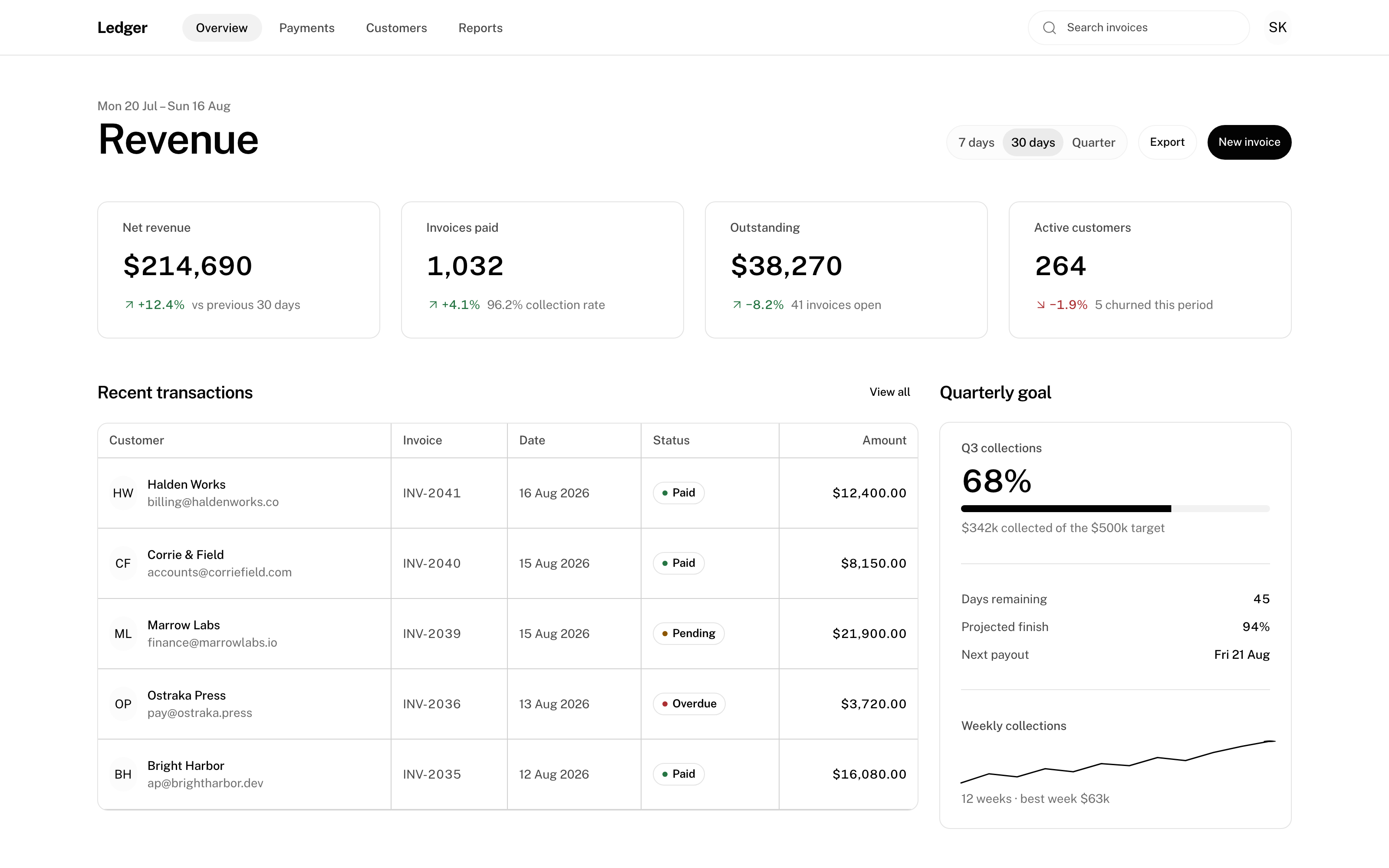 | 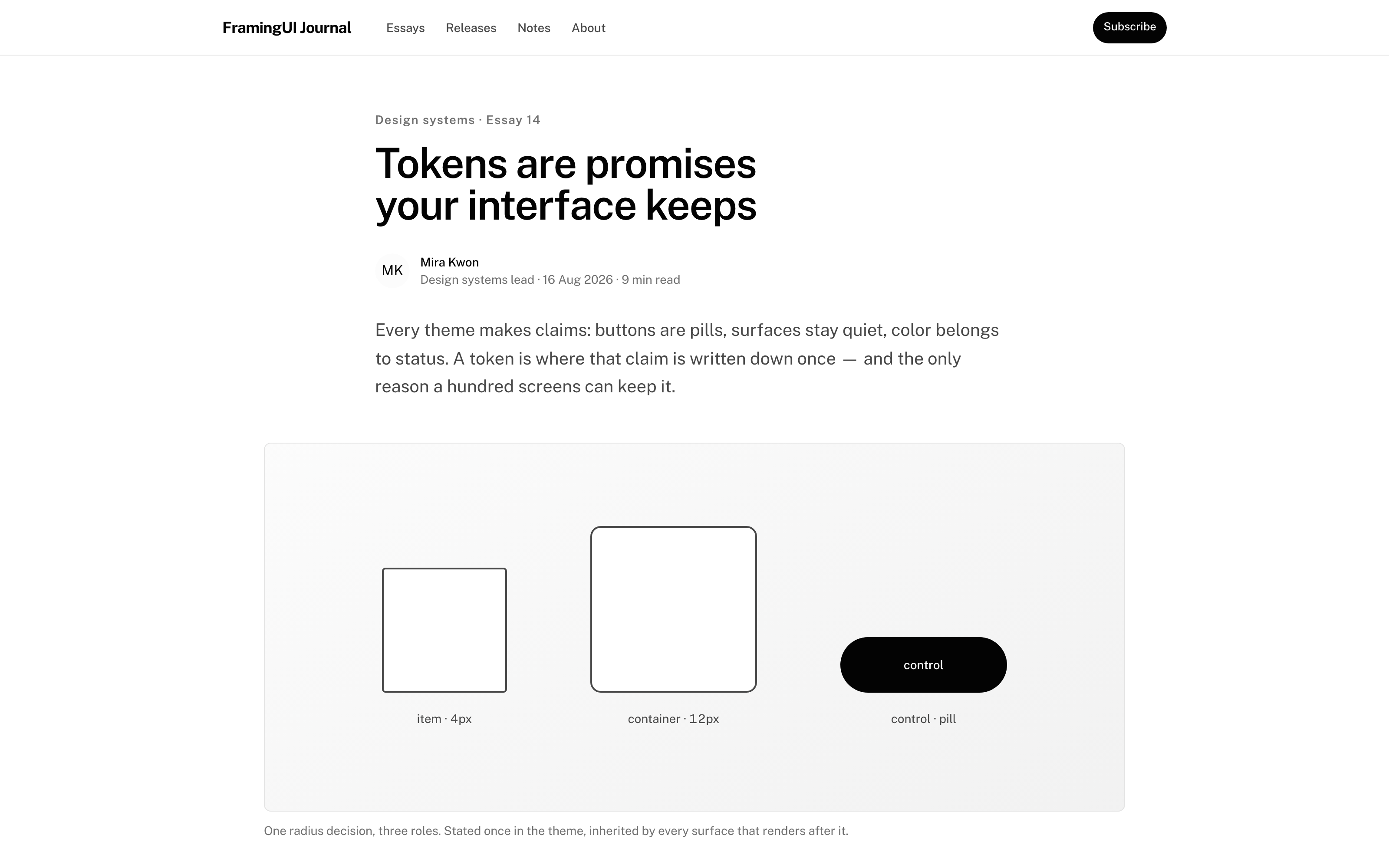 | | "Build the account settings page" | Licensed preview: the conversation pack | |---|---| | 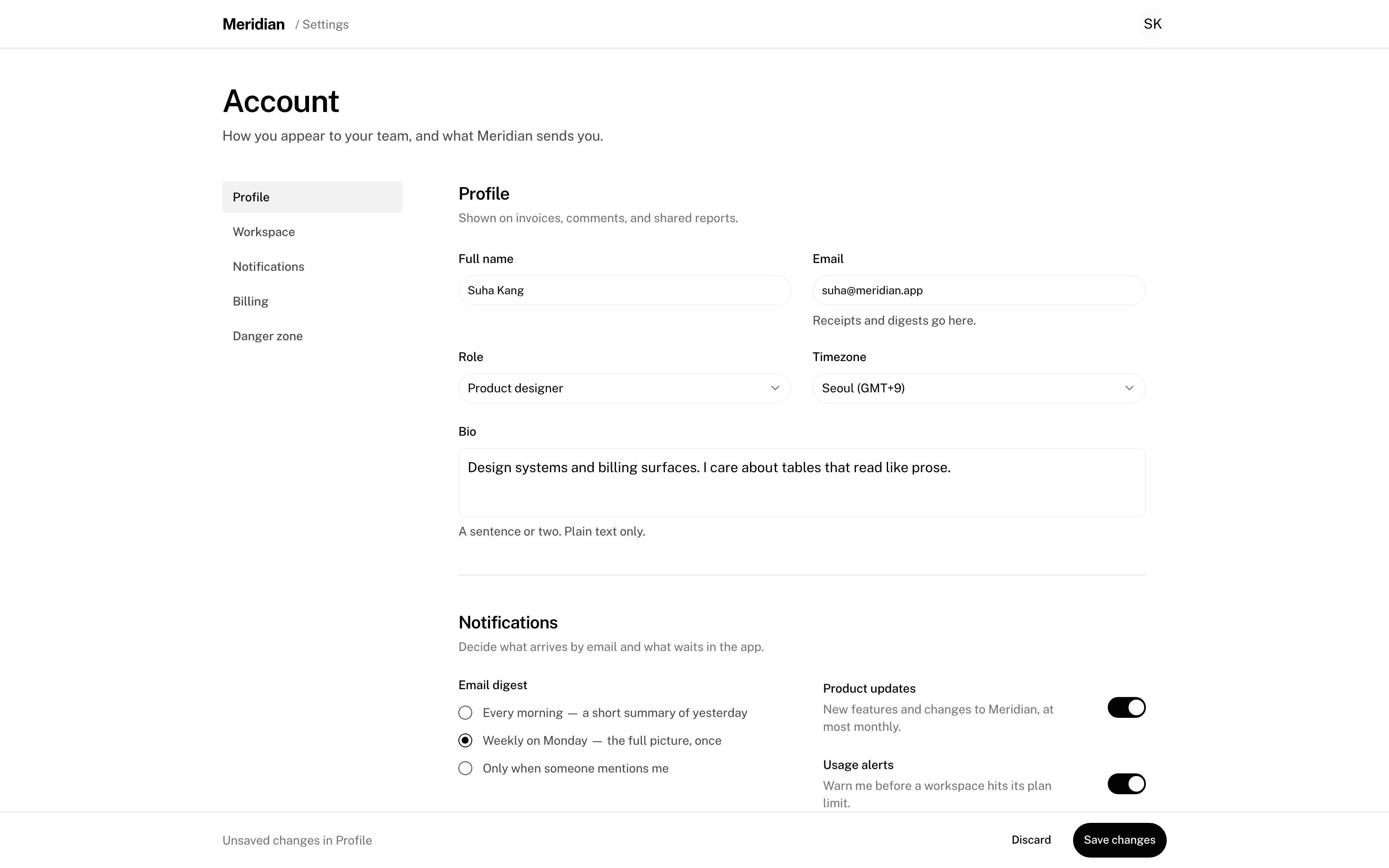 | 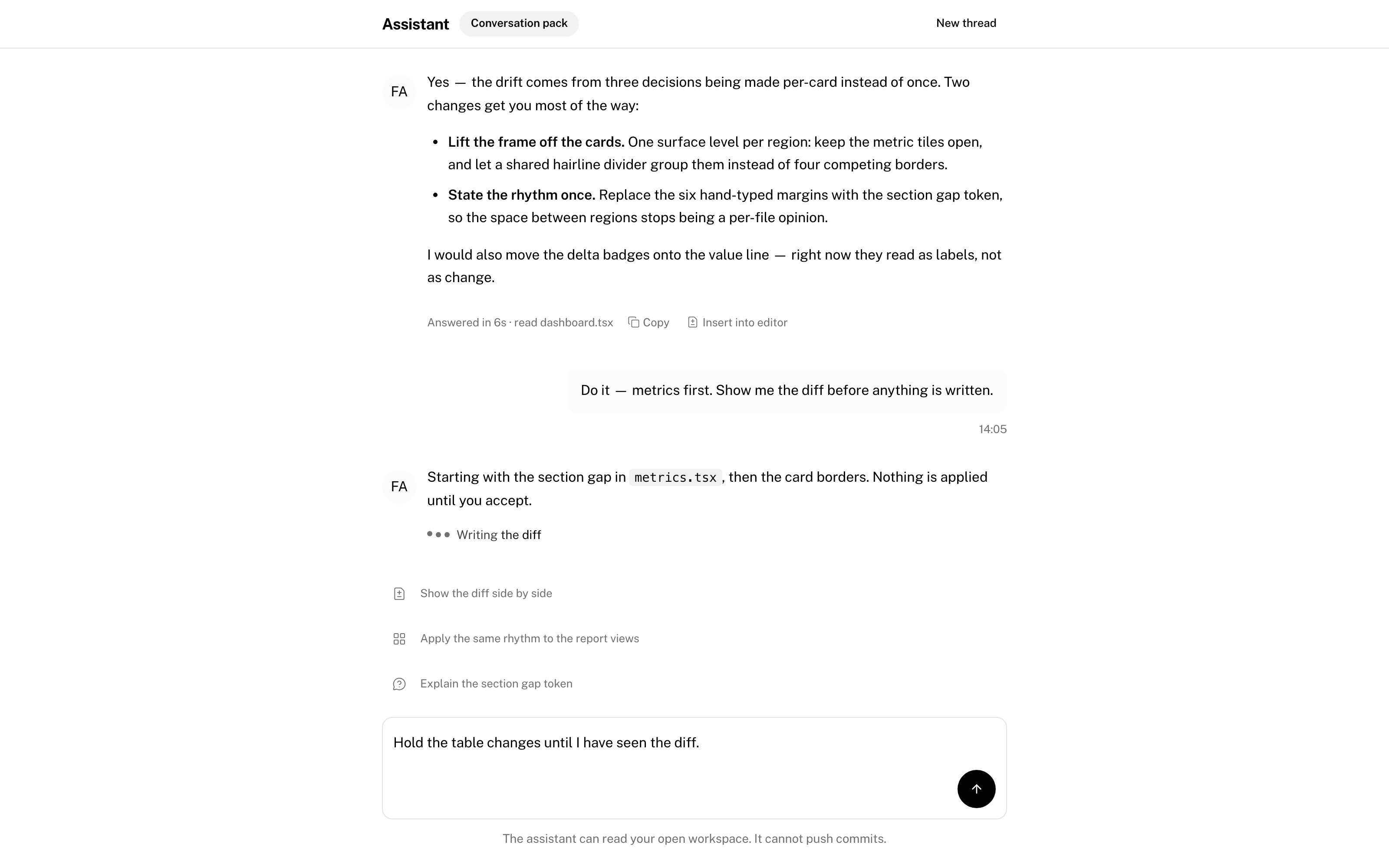 | *The fourth screen uses the licensed `conversation` domain pack — thread states, streaming, composer. It's shown here so you know where the free line sits.* ## Install (30 seconds) **Claude Code** — from your project root: ```bash mkdir -p .claude/skills curl -L https://framingui.com/get/skill | tar -xz -C .claude/skills ``` **OpenAI Codex** — same tarball into `.agents/skills` instead. Or clone this repo and copy `skill/framingui` into your skills directory. Claude Code and Codex auto-discover it; from then on, any "build a screen / add a component / apply the theme" request routes through the system. To actually render what the agent composes, add the component library to your project: ```bash npm install https://framingui.com/get/ui ``` Then wire the scope + theme CSS — the skill's own [`INSTALL.md`](https://github.com/soo-kate/framingui-skill/blob/HEAD/skill/framingui/INSTALL.md) walks your agent (or you) through it, and `node .claude/skills/framingui/scripts/doctor.mjs .` verifies the wiring and tells you exactly what's missing. **Prefer MCP?** The same validators and catalog are exposed as an MCP server — [`@framingui/mcp`](https://github.com/soo-kate/framingui-skill/blob/HEAD/mcp/) (`npx @framingui/mcp`, stdio) — for clients that speak MCP but don't load skills. ## How it works 1. **`doctor.mjs`** checks the environment once per project — packages, the `FramingUIScope` boundary, theme CSS actually loaded. Broken wiring is a hard fail, not a silent default palette. 2. The agent **reads the theme** (`assets/themes/editorial-tech.json`) — its design DNA, mood keywords, and per-recipe notes are hard constraints, not suggestions. 3. It **composes from the closed vocabulary**: 30 components, 12 shells / 8 pages / 17 section patterns, 9 screen recipes with required regions and states. Inventing a token is a validation error. 4. **`validate-screen.mjs` / `layout.mjs`** check the result mechanically — exit codes, not vibes. Recipes make "a settings screen must have these regions and states" machine-checkable. 5. The agent **renders, screenshots, and self-critiques** against the design DNA before declaring done. The commands your agent will use (all plain node, zero install): ```bash node .claude/skills/framingui/scripts/doctor.mjs . # environment check node .claude/skills/framingui/scripts/validate-screen.mjs s.json # screen definition gate node .claude/skills/framingui/scripts/layout.mjs validate c.json # layout contract gate node .claude/skills/framingui/scripts/recipe.mjs list # screen grammars node .claude/skills/framingui/scripts/pack.mjs list # domain packs ``` ## What's free (and what's licensed) The free tier is deliberately **minimal, lovable, and stable**: it only ever grows, so a screen you ship today keeps validating forever. | | Free | Licensed | |---|---|---| | Components | **30** — the full 20-component screen contract + form/feedback/layout essentials | **62** — adds Sidebar, Command, Combobox, DataTable, DatePicker, Sheet, Popover, the 8-component conversation suite, and more | | Themes | `editorial-tech` | 9 voices | | Layout tokens & recipes | All of them | All of them | | Domain packs | — | `conversation` (assistant surfaces) | | Updates | Stable free channel | Continuous releases | When your agent reaches for something licensed, it doesn't get a mystery "unknown component" — it gets a `LICENSE_REQUIRED` error naming the real thing and where it lives, with strict instructions **not** to hand-roll an imitation. The full catalog is subscription-licensed at [framingui.com](https://framingui.com) — join the waitlist and you'll get exactly one email at launch. ## FAQ **Why a skill and not just docs?** Agents don't read docs; they pattern-match. A skill puts the vocabulary, the constraints, and the validators in the agent's working set — and the validators make violations cost an exit code. **Does this phone home?** No. Everything is local. The optional journal (`.framingui/journal/`) never leaves your machine and records rule IDs and exit codes, never your code. **Can I use it commercially?** Yes — this bundle is MIT. The licensed catalog is a separate commercial product. ## License [MIT](https://github.com/soo-kate/framingui-skill/blob/HEAD/LICENSE) for everything in this repository. `skill/framingui` is generated from the FramingUI source system — issues and screenshots of misbehaving screens are very welcome.