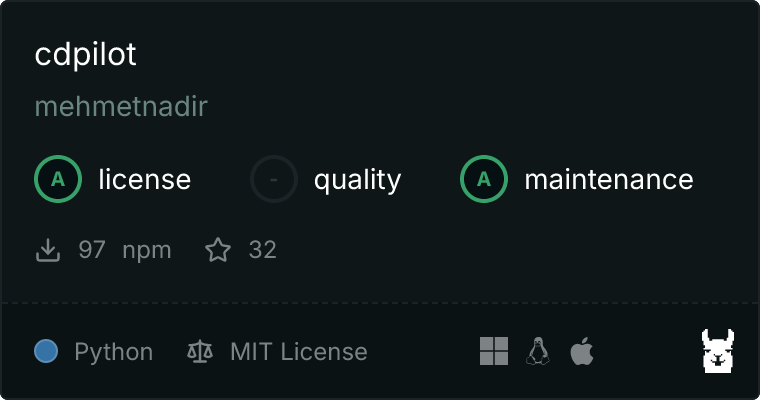
# cdpilot

**Category:** 📂 Browser Automation  
**Repository:** https://github.com/mehmetnadir/cdpilot  
**Views:** 0  
**Installs:** 0  
**Upvotes:** 0  
**Directory Page:** https://allmcps.com/mcp/cdpilot

## Description
Zero-dependency browser automation over raw CDP — no Puppeteer, Playwright, or Selenium.

## Claude Desktop Quick Installation
Heuristic fallback — verify the package name and runner against the repository README before running it. Uses `npx` (confidence: low):

```json
"mcpServers": {
  "cdpilot": {
    "command": "npx",
    "args": ["-y","cdpilot"]
  }
}
```

## Documentation & README

# cdpilot

> Zero-dependency browser automation from your terminal. One command, full control.

[![npm version](https://img.shields.io/npm/v/cdpilot.svg)](https://www.npmjs.com/package/cdpilot)
[![npm downloads](https://img.shields.io/npm/dm/cdpilot.svg)](https://www.npmjs.com/package/cdpilot)

[![License: MIT](https://img.shields.io/badge/License-MIT-green.svg)](LICENSE)
[![Node.js](https://img.shields.io/badge/Node.js-18%2B-339933)](https://nodejs.org)
[![MCP Compatible](https://img.shields.io/badge/MCP-Compatible-blue)](https://modelcontextprotocol.io)
[![cdpilot MCP server](https://glama.ai/mcp/servers/mehmetnadir/cdpilot/badge)](https://glama.ai/mcp/servers/mehmetnadir/cdpilot)

<div align="center">
  <img src="https://raw.githubusercontent.com/mehmetnadir/cdpilot/HEAD/cdpilot-demo.gif" alt="cdpilot demo" width="600" />
</div>

## Quick Start

```bash
npx cdpilot launch    # Start browser with CDP
npx cdpilot go https://example.com
npx cdpilot shot      # Take screenshot
```

No config files. No boilerplate. Just `npx` and go.

## Why cdpilot?

AI agents and developers need browser control that **just works**:

- **Zero config** — `npx cdpilot launch` starts an isolated browser session
- **Zero dependency** — No Puppeteer, no Playwright, no Selenium. Pure CDP over HTTP
- **70+ commands** — Navigate, click, type, screenshot, network, console, accessibility, video understanding, progressive anti-bot resilience, and more
- **AI-agent friendly** — Designed for Claude, GPT, Gemini, and any LLM tool-use workflow
- **Isolated sessions** — Your personal browser stays untouched. cdpilot runs in its own profile
- **Visual feedback** — Green glow overlay, cursor visualization, click ripples, and keystroke display keep you informed during automation
- **Multi-project isolation** — Each project gets its own browser instance and port automatically, no conflicts
- **AI control warning** — Red toast notification appears when you hover during active automation
- **Privacy-first** — Everything runs locally. No data leaves your machine

### Browser Selection (Workload-Aware Auto-Pick)

cdpilot picks the right browser for what you're doing. `auto` (default) is a
two-axis policy — extension workload × platform stability:

| Your workload | Auto-pick order |
|---|---|
| Has extensions registered (`ext-install`) | vivaldi → brave → edge → chromium → chrome |
| No extensions (pure automation) | chrome → vivaldi → edge → chromium → brave |

Override anytime:

```bash
cdpilot browser            # show current pick + reason
cdpilot browser vivaldi    # pin to Vivaldi
cdpilot browser auto       # restore smart default
```

**Why the split?**
- **Chrome 147+ silently drops `--load-extension`** for unpacked extensions
  (no error, no warning). Verified — `chrome://extensions` shows 0 items.
- **Vivaldi, Brave, Edge, Chromium** honor `--load-extension` (tested).
- On **macOS 26 (Tahoe)** Brave 1.89 crashes deterministically at ~7min
  uptime (SIGTRAP in ThreadPoolForegroundWorker). cdpilot detects the OS
  and demotes Brave automatically until a fixed Brave release ships.

Each browser gets its own isolated profile (`~/.cdpilot/.../profile-vivaldi`
etc.) so switching never causes prefs corruption.

## Installation

```bash
# Use directly (no install needed)
npx cdpilot <command>

# Or install globally
npm i -g cdpilot
```

**Requirements:** Node.js 18+, Python 3.10+, and one of: Brave Browser, Google Chrome, or Chromium. (The Python `websockets` module is auto-installed by the pre-flight wizard on first launch.)

### First-time setup

```bash
npx cdpilot setup     # Auto-detect browser, create isolated profile
npx cdpilot launch    # Start browser with CDP enabled
npx cdpilot status    # Check connection
```

### Upgrading from 0.4.x → 0.5.0 — read this first

**One breaking change**, the rest is additive.

**Breaking — Visual feedback default flipped to OFF.** The green glow border,
animated fake cursor, click ripples, and keystroke display made cdpilot feel
like an amateur typing on every page. They are now opt-in:

```bash
cdpilot show on     # restore the old visual feedback layer
cdpilot show off    # default since 0.5.0
```

The MCP server's persistent-glow flow (`CDPILOT_MCP_SESSION=1`) is **unchanged**
— AI agents that rely on visible feedback during a session still see it
automatically. Only direct-CLI users see the difference.

**New in 0.5.0** (no migration needed):

- `cdpilot dismiss` — heuristic auto-click for "Stay signed out / No thanks"
  buttons on LLM chat sign-up walls.
- `cdpilot adaptive on` — auto-escalate to stealth on CAPTCHA-protected
  hosts, with persistent per-host memory.
- `cdpilot cookies save/load` — export/import cookies as JSON to replay
  CF/DataDome clearance across runs.
- `cdpilot context create/list/close` + `CDPILOT_TARGET` — isolated browser
  contexts for true parallel automation inside a single browser.
- `cdpilot fast` / `cdpilot show` — bundled timing + visual toggles.
- Pure performance: post-load sleep 1500ms → 300ms, `scrollIntoView` instant,
  WebSocket connection pool, `/json` TTL cache.

See [CHANGELOG.md](https://github.com/mehmetnadir/cdpilot/blob/HEAD/CHANGELOG.md) for the full list with rationale.

## Commands

### Navigation & Content

```bash
cdpilot go <url>              # Navigate to URL (alias: open <url>)
cdpilot content               # Get page text content
cdpilot html                  # Get page HTML
cdpilot shot [file]           # Take screenshot (PNG)
cdpilot pdf [file]            # Save page as PDF
```

### Interaction

```bash
cdpilot click <selector>      # Click element
cdpilot type <selector> <text># Type into input
cdpilot fill <selector> <val> # Set input value (React-compatible)
cdpilot submit <form>         # Submit form
cdpilot hover <selector>      # Hover element
cdpilot keys <combo>          # Keyboard shortcut (ctrl+a, enter, etc.)
cdpilot scroll-to <selector>  # Scroll element into view
cdpilot drag <from> <to>      # Drag and drop
```

### Element targeting inside iframes

Card forms (Stripe/iyzico-style), embedded login widgets and the reCAPTCHA
checkbox live inside `<iframe>`s. Name the frame chain before the element
selector with `>>>`, or pass `--frame`:

```bash
# Payment-style page: the card fields are inside <iframe id="card" title="Secure card payment">
cdpilot fill  "iframe#card >>> input[name=cardnumber]" "4242424242424242"
cdpilot type  --frame "#card" "input[name=cvc]" "123"
cdpilot click "iframe[title='Secure card payment'] >>> button#pay-btn"

# Nested frames: outermost first
cdpilot click "iframe.checkout >>> iframe.card >>> button"

# --frame <selector|index|url-substring>, nestable with >>>
cdpilot click --frame 0 "button.submit"                   # first iframe (same order as `frame list`)
cdpilot fill  --frame "url=js.stripe.com" "input[name=cardnumber]" "4242424242424242"
cdpilot frame list --frame "#card"                        # iframes inside that frame
cdpilot frame eval --frame "#card" "document.title"       # runs in the frame's own page context
```

- Works for `click`, `fill`, `type`, `submit`, `hover`, `dblclick`, `rightclick`,
  `smart-click`, `smart-fill`, `smart-select` and `frame list|eval|shadow`.
- A frame hop is a CSS selector, a 0-based index, a `name`/`id`, or
  `url=<src substring>`. `--frame` also takes a bare `src` substring.
  `>>>` inside quotes or `[...]` is literal. A selector that matches an
  element *wrapping* an iframe (Stripe's `#card-element`) enters the iframe
  inside it and says so on stderr:
  `note: '#card-element' is not an iframe; using the iframe inside it`.
- Selectors and texts that already contain `>>>` keep working: when the part
  before the first `>>>` finds no iframe in the page, or a segment is empty
  (`click "Next >>>"`), the whole string is used as written, exactly as
  before. If that fails too, one stderr line explains:
  `note: 'Home' matched no iframe; used the selector as written`.
  `--frame` never falls back: a frame it cannot find is an error (exit 1).
- For `smart-click` / `smart-fill` / `smart-select` the part before the first
  `>>>` is a frame only if it looks like a selector (it has `#`, `.` or `[`,
  or starts with an `iframe`/`frame` tag) or is `url=…`; words stay text.
  `smart-click "Main >>> Settings"` clicks the page's "Main >>> Settings"
  link even when a `<main>` element holds an iframe. For a frame index or a
  bare name use `--frame`.
- Same-origin **and cross-origin** frames work, including out-of-process
  iframes (site isolation): cdpilot resolves each hop over CDP
  (`DOM.describeNode` → frame id → the frame's execution context, or
  `Target.attachToTarget` with a flat session for an out-of-process frame),
  never through `contentDocument`, which the browser blocks cross-origin.
- Inside a frame, `click` and `smart-click` are real mouse input
  (`isTrusted: true`), like `hover`, `dblclick`, `rightclick` and
  `--entropy=on` clicks; an element with no box falls back to a script click.
  Mouse input is dispatched at page coordinates: each frame's offset and scale
  (`transform: scale()`, `zoom`) in the page is applied automatically, so the
  browser hit-tests into the right frame. Before pressing, cdpilot checks the
  point (`elementFromPoint` in each document on the way); if something covers
  the target, such as a cookie banner, it clicks the target by script instead
  and says so on one stderr line (`note: … is covered by div#cookie at the
  click point; used a script click`). cdpilot's own input blocker (`show on`,
  MCP sessions) lets only cdpilot's click through, for the click itself.
- `smart-click` / `smart-fill` / `smart-select` look in the page first and
  compare texts with whitespace collapsed (`&nbsp;` and line breaks count as
  one space). An enabled page element whose text or label contains the whole
  query is used. If the page's only such elements are disabled, the command
  fails as before (`no enabled element matches …`) without looking in frames.
  Otherwise the visible frames are searched breadth-first for a whole-query
  match (at most 20 frames, and 2 s for all of the search's CDP calls) and the
  match is reported on stderr:
  `smart-click: matched inside frame iframe#card (https://…)`. The search only
  looks (no click, no typing); the command then acts once, in the chosen
  frame. With no frame match, the page's partial (word) match is used as
  before. When the 2 s run out:
  `smart-click: frame search stopped after 2s (3 of 7 frames)`; a frame that
  had not answered by then has not been touched.
- `smart-fill` and `smart-select` search automatically only frames of the
  page's own origin, so a typed value never lands in a third-party frame (an
  ad, chat or payment widget) by accident; reach a cross-origin frame with
  `>>>` or `--frame`. `smart-click` searches all visible frames.
- `frame list` without `--frame` prints the same list as before.

### Debugging

```bash
cdpilot console [url]         # Capture console logs
cdpilot network [url]         # Monitor network requests
cdpilot debug [url]           # Full diagnostic (console+network+perf+shot)
cdpilot perf                  # Performance metrics
cdpilot eval <js>             # Execute JavaScript
cdpilot eval-batch <json>     # Run N JS expressions in 1 roundtrip (5-30x faster)
```

```bash
# Example: read 4 DOM values in a single CDP roundtrip instead of 4
cdpilot eval-batch '["document.title","location.href","document.links.length","document.images.length"]'
# → [{"ok":true,"value":"..."}, {"ok":true,"value":"..."}, ...]
```

### Performance

```bash
cdpilot block                                # Show status
cdpilot block on                             # Enable (default preset: images+fonts+ads)
cdpilot block off                            # Disable
cdpilot block preset images,fonts,ads,media  # Set patterns from named presets
cdpilot block patterns '*.png' '*.woff2'     # Custom URL patterns
cdpilot block clear                          # Drop all patterns
```

> **Stealth caveat:** `block` changes the fingerprint surface — real browsers fetch
> images, fonts, and analytics. Cloudflare-class bot detectors notice missing
> requests. Keep `block` **off** for stealth/anti-bot targets; turn it **on** for
> known-safe internal sites where speed matters more than blending in.

```bash
cdpilot fast                       # Show status (effective auto-wait ms)
cdpilot fast on                    # Auto-wait 5s → 2s, less idle padding
cdpilot fast off                   # Back to defaults
CDPILOT_WAIT_MS=1000 cdpilot click # Per-command override (env wins over fast mode)
```

```bash
cdpilot show                       # Show status (visual feedback on/off)
cdpilot show on                    # Re-enable glow border + cursor + ripples + keystrokes
cdpilot show off                   # Default since 0.4.4 — quiet, professional output
```

> **Visual feedback default changed in 0.4.4** — the old animations (green glow,
> moving cursor, click ripples) used to make every action look like an amateur
> driving the screen. They're now opt-in via `cdpilot show on`. The MCP server's
> persistent-glow flow (`CDPILOT_MCP_SESSION=1`) is unaffected — AI agents that
> rely on visible feedback during a session still see it automatically.

### Tab Management

```bash
cdpilot tabs                  # List open tabs
cdpilot new-tab [url]         # Open new tab
cdpilot switch-tab <id>       # Switch to tab
cdpilot close-tab [id]        # Close tab
cdpilot close                 # Close active tab
```

### Network Control

```bash
cdpilot throttle slow3g       # Simulate slow 3G
cdpilot throttle fast3g       # Simulate fast 3G
cdpilot throttle offline      # Go offline
cdpilot throttle off          # Back to normal
cdpilot proxy <url>           # Set proxy (legacy single-URL form)
cdpilot proxy off             # Remove proxy

# v0.7.0: named pools (BrightData, IPRoyal, Anchor, etc.)
cdpilot proxy add brd "http://USER:PASS@brd.superproxy.io:22225" --geo us
cdpilot proxy add ipr "http://USER:PASS@geo.iproyal.com:12321" --sticky
cdpilot proxy use brd         # Activate one pool
cdpilot proxy list            # Show pools (credentials redacted)
cdpilot proxy show [<name>]   # Active or named pool URL (redacted)
cdpilot proxy remove <name>   # Drop a pool
```

### TLS Fingerprint (v0.8.0)

```bash
cdpilot tls-check                        # Probe JA3/JA4/H2 via tls.peet.ws
cdpilot tls-check --service browserleaks # Alternate echo
cdpilot tls-check --json                 # Raw JSON
```

**Known limitation:** v0.8.0 ships the **probe** (`tls-check`) but no in-tree TLS fix.
There is no Chromium-based TLS-corrected browser that ships as a standalone binary
exposing `--remote-debugging-port`. Camoufox is Firefox+Juggler (no CDP);
Patchright / undetected-chromedriver / nodriver are Python/Playwright libraries,
not standalone browsers. cdpilot's CDP-only architecture is incompatible with all
of them without a protocol adapter. **Tracking:** v0.9 roadmap (TLS-MITM plugin
using curl-impersonate semantics, OR BoringSSL-patched Chromium fork).

### Request Interception

```bash
cdpilot intercept block <pattern>                    # Block requests
cdpilot intercept mock <pattern> <json-file>         # Mock responses
cdpilot intercept headers <pattern> <header:value>   # Add headers
cdpilot intercept list                               # List active rules
cdpilot intercept clear                              # Clear all rules
```

### Device Emulation

```bash
cdpilot emulate iphone        # iPhone emulation
cdpilot emulate ipad          # iPad emulation
cdpilot emulate android       # Android emulation
cdpilot emulate reset         # Back to desktop
```

### Geolocation

```bash
cdpilot geo istanbul          # Set location to Istanbul
cdpilot geo london            # Set location to London
cdpilot geo 41.01 28.97       # Custom coordinates
cdpilot geo off               # Remove override
```

### Accessibility

```bash
cdpilot a11y                  # Full accessibility tree
cdpilot a11y summary          # Quick summary
cdpilot a11y find <role>      # Find elements by ARIA role
```

### Session Management

```bash
cdpilot session               # Current session info
cdpilot sessions              # List all sessions
cdpilot session-close [id]    # Close session
```

### Advanced

```bash
cdpilot cookies [domain]             # List cookies (filter by domain)
cdpilot cookies save <file> [<domain>]  # Export cookies as JSON
cdpilot cookies load <file>          # Import cookies (replay CF clearance)
cdpilot cookies save --host x.com    # Save to per-host cache
cdpilot cookies load --host x.com    # Load from per-host cache
cdpilot cookies list                 # Cached hosts + age + CF clearance flag
cdpilot cookies clear --host x.com   # Remove one host
cdpilot cookies clear --all          # Wipe entire cache
cdpilot cookies clear --older-than 7d  # Remove stale entries
cdpilot cookies auto on              # Toggle global auto-save/replay flag (v0.6.1: requires safe-list)
cdpilot cookies auto add <host>      # Opt host into auto save/replay (v0.6.1)
cdpilot cookies auto remove <host>   # Remove host from safe-list
cdpilot cookies auto list            # Enable flag + current safe-list
cdpilot cookies cf-replay <url>      # Inject cached CF clearance before nav
cdpilot wipe [--cookies|--storage|--tabs|--keep h1,h2]
                                     # v0.6.2: per-task state hygiene (cross-task contamination)
cdpilot storage               # localStorage contents
cdpilot upload <sel> <file>   # Upload file to input
cdpilot multi-eval <js>       # Execute JS in all tabs
cdpilot headless [on|off]     # Toggle headless mode
cdpilot frame list            # List iframes (index = --frame <index>)
cdpilot frame eval --frame <f> <js>  # Run JS inside an iframe (cross-origin too)
cdpilot dialog auto-accept    # Auto-accept dialogs
cdpilot permission grant geo  # Grant geolocation
```

### Parallel Contexts

```bash
cdpilot context create [url]  # Make fresh browser context + tab (prints JSON)
cdpilot context list          # Tree of contexts and their tabs
cdpilot context close <ctx>   # Destroy a context (refuses 'default')
```

Address a specific context's tab in subsequent commands via the env pin:

```bash
ID=$(cdpilot context create https://example.com | jq -r .target_id)
CDPILOT_TARGET=$ID cdpilot eval 'document.title'
```

> True isolation — each context has its own cookie/storage jar. Designed for
> running N AI chat queries in parallel without history pollution, or A/B
> testing logged-in vs logged-out flows without spinning up multiple browsers.

### Smart Navigation (LLM-aware)

```bash
cdpilot dismiss               # Click best "Stay signed out / No thanks" button
cdpilot dismiss aggressive    # Handle chained modals (cookie banner → signup)
```

> Built-in English + Turkish pattern library. Explicitly excludes destructive
> lookalikes (Delete account, Sign out, Subscribe) — safe to chain into a
> query workflow.

### Video Understanding

A single screenshot can't see motion. `cdpilot watch` runs a continuous
screencast (`Page.startScreencast`) into a ring buffer of JPEG frames, so an
AI agent can query a time window and actually *watch* what happened —
animations, mouse cursor movement, scroll, an explosion effect — instead of
guessing from one still frame.

```bash
cdpilot watch start <url|file://...>   # Begin screencast, play the video
cdpilot watch query --at 1:23 --window 5s  # Frames around a timestamp
cdpilot watch ask "did the menu animate open?"  # Ask about recent frames
cdpilot watch status          # Show capture state + buffer size
cdpilot watch stop            # Stop the screencast
```

Works on both local files (`file://...`) and online video (YouTube, Vimeo,
Twitter, Facebook, Instagram). Zero dependency — Pillow is optional and only
used for motion-detection between frames.

> **DRM limitation:** DRM-protected players (Netflix and similar) render as
> black frames at the CDP layer — cdpilot cannot capture them. Everything
> non-DRM works.

MCP exposes this as `browser_watch_*` tools for AI agents.

### Video Understanding (commands)

```bash
cdpilot watch start <url|file://>     # Start screencast, play video
cdpilot watch query --at 1:23 --window 5s  # Frames around a timestamp
cdpilot watch ask "did the modal slide in?"  # Ask about recent frames
cdpilot watch status                   # Capture state + buffer size
cdpilot watch stop                     # Stop screencast
```

### Stealth & CAPTCHA

Zero-dependency anti-fingerprint layer — patches `navigator.webdriver`,
`chrome.runtime`, plugins (proper `PluginArray` inheritance), WebGL
vendor/renderer, permissions, hardware concurrency, and the `Worker`
constructor. Injected via `Page.addScriptToEvaluateOnNewDocument` before
any page script runs. Disabled by default; opt-in.

At launch, cdpilot also passes `--disable-blink-features=AutomationControlled`,
which closes the Blink runtime flag that Cloudflare and DataDome probe to detect
an automated browser.

#### Three-tier stealth mode

`cdpilot mode` is the recommended entry point — one switch that sets how much
fingerprint surface cdpilot touches, lightest to heaviest:

```bash
cdpilot mode             # show current tier + what it injects
cdpilot mode regular     # no fingerprint patch — cleanest, fastest (default)
cdpilot mode stealth     # light patch: webdriver / chrome.runtime / permissions
cdpilot mode undetected  # full patch: + plugin array + WebGL + Worker
```

`regular` is the default because Stealth Bench V1 found the full patch set
*alone* lowered scores — a synthetic plugin array is itself a tell. The
`stealth` tier deliberately omits plugin spoofing; escalate to `undetected`
only for hard targets. The adaptive layer learns the right tier per host and
escalates on CAPTCHA. Effect applies on the next navigation. Env override:
`CDPILOT_MODE=<tier>`. The legacy `stealth on/off` toggle still works and stays
coherent with the tier:

```bash
cdpilot stealth on            # enable fingerprint patches (opt-in)
cdpilot stealth off           # disable (default)
cdpilot stealth status        # show which patches are applied

cdpilot captcha-check         # JSON detection of Turnstile/hCaptcha/reCAPTCHA/
                              # DataDome/PerimeterX/Arkose/GeeTest. Exit 0/3
cdpilot captcha-wait [sec]    # block until user solves (interactive)
                              # or poll with JSON stream (non-interactive)

cdpilot adaptive [on|off|status]
                              # Auto-escalate to stealth on hosts that show
                              # CAPTCHA. Persistent per-host memory.
cdpilot adaptive forget <host>
                              # Remove a hostname from the stealth list
cdpilot adaptive clear        # Drop the stealth host memory entirely
```

> **Adaptive mode** is the "run fast, climb walls when seen" automation: cdpilot
> runs in the open lane by default, detects CAPTCHA after each navigation, and
> when it sees one — adds the host to a persistent list, retries once with
> stealth on. Never auto-demotes. Conservative by design.

### Friction Ladder (progressive anti-bot detection)

Real sites don't just throw a CAPTCHA — they stack defenses incrementally.
`cdpilot friction` reports which rung is currently active so an agent can react
appropriately instead of guessing. Six levels, lowest to highest:

```
none → rate_limited → soft_captcha → login_wall → otp_sms → hard_block
```

```bash
cdpilot friction              # JSON: current rung + recommended response policy
```

Bilingual (English + Turkish) DOM heuristics. The detection is **read-only — it
never bypasses anything.** The response policy is deliberately conservative:

- `rate_limited` → automatic exponential backoff + retry
- `soft_captcha` → defer to the captcha tools
- `login_wall` / `otp_sms` / `hard_block` → flagged for **human handoff, not
  autonomously solved**

That last line is an ethics boundary, not a missing feature: cdpilot will not
attempt to defeat a login, an OTP/SMS gate, or an outright block on its own.
MCP exposes this as `browser_friction`.

### Press-and-Hold (PerimeterX / HUMAN behavioral challenge)

PerimeterX's "Press & Hold" is a *behavioral* challenge, not a token — there's
no provider to call. The only solution is a real press → hold → release
gesture, which cdpilot emits via the CDP Input domain: a Gaussian-randomized
~3–7s hold with ±1–2px micro-jitter while the button is held.

```bash
cdpilot press-hold                       # auto-find the px-captcha target
cdpilot press-hold "#px-captcha button"  # explicit selector
```

`captcha-solve` auto-routes here when it detects a `perimeterx` challenge.
MCP exposes this as `browser_press_hold`.

### Captcha Solver Plugins (v0.6+)

Optional integration with 2captcha, anti-captcha, and capmonster. Per-solve
cost ~$0.001–0.003. API keys stored in `~/.cdpilot/captcha-providers.json`
(chmod 600) — **never committed to git**.

```bash
# One-time setup
cdpilot captcha config --provider 2captcha --api-key YOUR_KEY
cdpilot captcha config --provider anticaptcha --api-key YOUR_KEY  # fallback

# Enable auto-solve (adaptive layer auto-solves on detect)
cdpilot captcha auto on

# Manual solve (debug / scripting)
cdpilot captcha solve --type recaptcha-v2 --site-key SK --url https://example.com
# returns: {"token": "03AGdBq2...", "duration_ms": 12500, "cost": 0.003, "provider": "2captcha"}

cdpilot captcha solve --type hcaptcha --site-key SK --url URL
cdpilot captcha solve --type turnstile --site-key SK --url URL
cdpilot captcha solve --type funcaptcha --site-key SK --url URL

# Status & balance
cdpilot captcha status   # {"configured": [...], "preferred": "2captcha", "auto_enabled": true}
cdpilot captcha balance  # {"2captcha": 1.23, "anticaptcha": 0.50}
```

Supported types: `recaptcha-v2`, `recaptcha-v3`, `hcaptcha`, `turnstile`, `funcaptcha`

Tokens are injected via `Runtime.evaluate` CDP — no browser-side libraries required.
When `captcha auto on` is set, the adaptive layer detects and solves automatically
after each navigation. Without auto-on, detection still works but solving is manual.

> **Expected bench improvement (v0.6):** reCaptcha 2/6 → 5+/6, hCaptcha 2/3 → 3/3

#### Image CAPTCHA + profile warming

`captcha-solve` handles the image-based rate-limit CAPTCHAs that the token
solvers above don't cover:

```bash
cdpilot captcha-solve                       # auto-detect + route (incl. press-hold)
cdpilot captcha-solve --provider amazon-local  # offline OCR (default)
cdpilot captcha-solve --provider capsolver   # BYOK image-to-text
cdpilot captcha-solve --provider 2captcha    # BYOK image-to-text
```

- **Amazon classic image CAPTCHA** (the "Type the characters you see" page) is
  OCR'd offline via the **optional** `amazoncaptcha` library
  (`pip install amazoncaptcha` — pure-Python + Pillow, MIT). Not installed = the
  command reports it and exits cleanly; no hard dependency added.
- **BYOK providers** (`capsolver`, `2captcha`) use their image-to-text APIs via
  `CAPSOLVER_API_KEY` / `TWOCAPTCHA_API_KEY`.

```bash
cdpilot profile warm          # age the profile for reCAPTCHA v3 score
```

`profile warm` browses a set of low-risk sites to build cookie/history age,
which nudges reCAPTCHA v3's behavioral score upward over time. Slow by
design — run it ahead of a session, not inline.

Public bot-detection panels, measured 2026-09-27, **headless** Brave (Chrome 154)
([method and raw results](https://github.com/mehmetnadir/cdpilot/blob/HEAD/.claude/docs/stealth-panel-olcumu-2026-09-27.md)):

| `mode` | bot.sannysoft.com (31 rows) | incolumitas intoli | incolumitas fpscanner | incolumitas new-tests |
|---|---|---|---|---|
| `regular` (no patches, default) | 28 pass / 3 fail | 5/6 | 17 ok / 3 fail / 1 warn | all ok |
| `stealth` | 31 pass | 6/6 | 19 ok / 1 fail / 1 warn | all ok |
| `undetected` | 31 pass | 6/6 | 19 ok / 1 fail / 1 warn | all ok |

- The remaining fpscanner fail is `'webdriver' in navigator`, which is true in every modern
  Chrome; faking it away would make cdpilot the odd one out.
- `regular`'s fails all come from the `HeadlessChrome` user agent. `stealth`/`undetected`
  rewrite it for the page load that `go` starts; a later, separate command in the same page
  can still read `HeadlessChrome`.
- new-tests: every key is ok; `connectionRTT` is reported as unknown in all tiers.
- nowsecure.nl and areyouheadless could not be measured (a fixed always-interactive
  Turnstile test key; HTTP 502).

Earlier figures on this page (sannysoft 24/24, intoli 6/6) were measured on v0.4.x in April
2026; they are replaced by the table above.

### Reliability

```bash
cdpilot browser [name|auto]   # workload-aware browser selection
cdpilot health                # JSON: alive, port, tabs, browser, today's crashes, idle close
```

`cdpilot health` is designed for shell watchdogs:

```bash
until cdpilot health >/dev/null; do cdpilot launch; sleep 2; done
```

Surfaces today's Brave crash count from `~/Library/Logs/DiagnosticReports/`
on macOS — spot degradation before your automation silently stalls.

**Auto-launch.** A page command (`go`, `content`, `click`, `shot`, …) that finds
the browser not running starts it the same way `cdpilot launch` does (same
profile, same headless/visible setting), then carries on, printing one line to
stderr: `cdpilot: browser was not running — launched it (CDPILOT_NO_AUTOLAUNCH=1 to disable)`.
Lifecycle, status and configuration commands (`launch`, `stop`, `close`,
`close-tab`, `stop-all`, `project-stop`, `session-close`, `status`, `health`,
`tabs`, `sessions`, `projects`, `headless`, `proxy`, `browser`, `extensions`,
`mcp`, `serve`, …) never launch. `CDPILOT_NO_AUTOLAUNCH=1` restores the old
"CDP connection error. Is the browser running?" error and exit code 1.

**Idle auto-close.** A browser that a page command auto-launched, or that the
MCP server launched (`browser_launch` included), closes itself after
**15 minutes** without a cdpilot command or a visible page change, so a
finished agent task does not leave it holding memory. An explicit CLI
`cdpilot launch` stays open (you may be browsing in it by hand) unless you ask:
`cdpilot launch --idle-close 30` or `CDPILOT_IDLE_CLOSE=30`. The env var also
sets the auto-launch delay (read when the browser starts; fractions allowed);
`0` turns idle close off. A browser you started yourself, or one cdpilot merely
attached to, is never closed.

What counts as use: any cdpilot command except the read-only checks (`status`,
`health`, `projects`, `version` — a `cdpilot health` watchdog loop does not keep
the browser alive), MCP tool calls, `serve` requests, a CDP client still
attached to a page (a long-running command, `watch`, Playwright via
`connectOverCDP`), and any change in the open pages' URLs or in the set of
tabs (someone navigating, a tab opened or closed). Title changes do not count,
so a page that rewrites its own title (a clock, an unread counter) cannot keep
the browser alive. `cdpilot status` and
`cdpilot health` show `idle close in 12m` or `idle close off`.

How: every command stamps `~/.cdpilot/projects/<id>/last-activity`; the launch
starts a small detached watcher (one per port, no console window on Windows)
that checks every ≤30 s, stops the browser like `cdpilot stop`, marks it
stopped in the registry and exits — it also exits as soon as the browser is
gone for any other reason. Browsers started by `serve --api` are managed by the
server and have no idle close.

**Timeouts.** Any command takes `--timeout <seconds>`, before or after the
command name, or a default from `CDPILOT_TIMEOUT` (the flag wins; `0`
disables). It bounds the whole command's wall-clock: on expiry cdpilot prints
`cdpilot: timed out after <N>s (<command>)` to stderr, kills the child processes
it started and exits with code **124** (like GNU `timeout`). A browser that was
already up and registered is left running.

```bash
cdpilot --timeout 10 click "#submit"      # before the command...
cdpilot shot page.png --timeout 30        # ...or after it
CDPILOT_TIMEOUT=60 cdpilot run flow.cdp   # default for every command (and each script line)
```

For `mcp` and `serve` the value is not applied to the long-running server
itself; it is passed on to every tool call / request it runs.

### Session log

Every command (and every MCP tool call) appends one JSON line to a local,
per-project log, so when a browser task is done there is a record of what was
done and found. Nothing leaves the machine.

```bash
cdpilot log                 # today's commands: time, exit, command, url, result
cdpilot log --md            # Markdown report: pages visited, actions, errors, files produced
cdpilot log --json          # raw lines (one JSON object per command)
cdpilot log --days 3        # include the last 3 days
cdpilot log --path          # where the files are
```

Each line has `ts`, `cmd`, `args`, `exit`, `duration_ms`, the page `url` and
`title` after the command (when the command already had them), a ~200-char
`summary` of its output, the `error` line, and `files` it wrote (screenshots,
PDFs). Files live in `~/.cdpilot/projects/<project-id>/log/<YYYY-MM-DD>.jsonl`.

Redaction happens before anything is written: values given to `fill`, `type`,
`smart-fill`, `smart-select`, `assert-value` and `dialog prompt` become
`«redacted:N chars»`; so do values of password/token/key/secret/cookie/auth
flags and headers, token-shaped arguments, and URL query/fragment values whose
names contain token, key, secret, password, auth, code or session. `cookies`
and `storage` output is never logged; `eval` source is, with string literals
over 40 chars cut and secret-looking ones replaced. Logging is best effort: it
never changes a command's output or exit code, and a failed write costs one
stderr line. `CDPILOT_LOG=0` turns it off; `CDPILOT_LOG_DAYS` (default 14)
sets how many days are kept. The MCP server exposes it as `browser_log`.

### WebMCP tools (opt-in)

[WebMCP](https://webmachinelearning.github.io/webmcp/) lets a page register
"tools" on `document.modelContext`: imperatively with `registerTool()`, or
declaratively with `<form toolname tooldescription>` (inputs described by
`toolparamdescription`). cdpilot lists and calls them through the browser's own
API, `getTools()` and `executeTool()`. In Chrome the API is behind
`chrome://flags/#enable-webmcp-testing` (Chromium 146+), so start the browser
with it:

```bash
cdpilot launch --webmcp        # saved for this project: later launches (auto-launch too) keep it
cdpilot go https://example.com/shop
cdpilot tools list             # name, title, description, annotations, input schema
cdpilot tools list --json
cdpilot tools call add_to_cart '{"sku":"A1","qty":2}'
cdpilot tools call add_to_cart --arg sku=A1 --arg qty=2
cdpilot launch --no-webmcp     # turn it off again (applies at the next start)
```

- `launch --webmcp` adds `--enable-features=WebMCP` to the browser's command
  line and saves the mode next to the stealth mode (`webmcp.json` in the
  project profile); `CDPILOT_WEBMCP=1|0` overrides it. `cdpilot status` shows a
  WebMCP line while the mode is on.
  Chrome reads feature flags only at startup: a browser that is already running
  keeps its flags until `cdpilot stop`.
- `tools list` shows the tools of the page and of its same-origin iframes
  (with the frame URL), marks form tools and whether the form submits itself
  (`toolautosubmit`), and shows `title` and the `readOnlyHint` /
  `consequentialHint` / `untrustedContentHint` annotations. Nothing is injected
  into the page: the list is the browser's registry at that moment, so it
  follows reloads and navigations. Both commands run in cdpilot's own isolated
  world (no `Runtime.enable`), so a page script that wraps `getTools()` /
  `executeTool()` cannot add tools, change results or see the calls; only if
  that world cannot see `document.modelContext` does cdpilot use the page's
  main world, and it says so on stderr. With no tools it says why (WebMCP not
  enabled in the running browser, not a secure context, browser too old,
  document not origin-keyed, or the page registered none) and exits 0.
- `tools call` checks the arguments against the tool's `inputSchema` first
  (`required`, `type` — `true` is not an integer —, `enum`, `const`, nested
  `properties` and `items`; other keywords are left to the page) and exits 1
  on a mismatch, an unknown tool or a tool error. It passes an `AbortSignal`
  and aborts it when `--timeout` (default 20 s) runs out, then exits 124.
  A form tool without `toolautosubmit` waits for a person to submit the form.
  When several frames register the same name, `--frame <url-part>` picks one
  (an exact frame URL wins); without it the top document's tool is used, and
  if there is none the call stops and lists the frames.
- MCP: `browser_site_tools` and `browser_site_tool_call` are listed only while
  the project's WebMCP mode is on (or `CDPILOT_WEBMCP=1` for the server).

> **Security**: `tools call` runs the page's own code, and tool names,
> descriptions and results are page content: treat them as untrusted.
> Arguments and results are written to the session log with secret-named
> fields (password, token, key, secret, auth, ...) redacted at any depth.

### Scaling & Workstation Use

```bash
CDPILOT_OFFSCREEN=1 cdpilot launch   # headed, but no window on your screen
```

- **Off-screen mode** (`CDPILOT_OFFSCREEN=1`) keeps the browser headed (real
  rendering, no headless fingerprint) but positions the window where it can't
  steal focus — meant for automating on a workstation you're also using.
- **Multi-instance pool** (`CDPILOT_POOL_SIZE`) — planned, not shipped yet.
  See [Roadmap](#coming-soon).
- **Docker + Xvfb harness** — used in a separate, private benchmark
  repo (`cdpilot-bench`), not part of this package.

## Use with AI Agents

cdpilot is designed to be called by AI agents as a tool:

### Claude Code (MCP)

```json
{
  "mcpServers": {
    "cdpilot": {
      "command": "npx",
      "args": ["cdpilot", "mcp"]
    }
  }
}
```

### Any LLM (tool-use)

```json
{
  "name": "browser",
  "description": "Control a browser via CDP",
  "parameters": {
    "command": "go https://example.com"
  }
}
```

### Python (subprocess)

```python
import subprocess
result = subprocess.run(["npx", "cdpilot", "go", url], capture_output=True, text=True)
print(result.stdout)
```

## Environment Variables

| Variable | Default | Description |
|----------|---------|-------------|
| `CDP_PORT` | `9222` | CDP debugging port |
| `CHROME_BIN` | Auto-detect | Browser binary path |
| `CDPILOT_PROFILE` | `~/.cdpilot/profile` | Isolated browser profile |
| `BROWSER_SESSION` | Auto | Session identifier |
| `CDPILOT_MODE` | `regular` | Stealth tier override (`regular`/`stealth`/`undetected`) |
| `CDPILOT_OFFSCREEN` | `0` | Headed but render off-screen — no window steals focus |
| `CDPILOT_TIMEOUT` | unset | Default `--timeout` in seconds for every command (flag wins, `0` disables); expiry exits 124 |
| `CDPILOT_NO_AUTOLAUNCH` | `0` | `1` = page commands fail with the old "Is the browser running?" error instead of launching the browser |
| `CDPILOT_IDLE_CLOSE` | `15` | Minutes without a cdpilot command or page change before a browser cdpilot launched closes itself (fractions allowed, `0` = never; read at launch). Default applies to auto-launch and MCP launches; an explicit CLI `launch` is off unless this is set or `--idle-close <min>` is given |
| `CDPILOT_LOG` | `1` | `0` = do not write the session log (`cdpilot log`) |
| `CDPILOT_LOG_DAYS` | `14` | Days of session log to keep; older day files are deleted on the first write of a day (`0` keeps all) |

## How It Works

```
┌─────────────┐     HTTP/WebSocket      ┌──────────────┐
│  cdpilot │ ◄──────────────────────► │ Brave/Chrome │
│   (CLI)     │    Chrome DevTools       │  (CDP mode)  │
└─────────────┘     Protocol             └──────────────┘
       │                                        │
       │  Zero dependencies                     │  Isolated profile
       │  Pure HTTP + WebSocket                 │  Separate from your
       │  single file, stdlib + websockets      │  personal browser
       └────────────────────────────────────────┘
```

**No Puppeteer. No Playwright. No Selenium.** Just direct CDP communication.

## Stealth Bench V1

`cdpilot` is benchmarked against a suite of 80 high-friction web tasks to measure success rates against modern anti-bot systems. Gemini 2.5 Flash drives `cdpilot` as the controller; success is defined as full task completion without interception.

### v0.5.3 Results (current)

| Category | Success / Total | Rate |
| :--- | :--- | :--- |
| Custom Antibot | 5 / 5 | 100.0% |
| Temu Slider | 1 / 1 | 100.0% |
| hCaptcha | 2 / 3 | 67.0% |
| Cloudflare | 12 / 22 | 55.0% |
| DataDome | 5 / 13 | 38.0% |
| reCaptcha | 2 / 6 | 33.0% |
| Akamai | 1 / 6 | 17.0% |
| PerimeterX | 2 / 18 | 11.0% |
| GeeTest | 0 / 4 | 0.0% |
| Shape | 0 / 1 | 0.0% |
| Kasada | 0 / 1 | 0.0% |
| **Total** | **30 / 80** | **37.5%** |

### Version history

| Version | Mode | Total | Rate |
| :--- | :--- | :--- | :--- |
| v0.5.0 | Baseline (stealth off / adaptive off) | 30 / 80 | 37.5% |
| v0.5.0 | Stealth only (stealth on / adaptive off) | 32 / 80 | 40.0% |
| v0.5.0 | Full (stealth on / adaptive on) | 26 / 80 | 32.5% |
| v0.5.1 | Full — regression fix | 29 / 80 | 36.25% |
| v0.5.2 | Full — entropy auto-hook | 28 / 80 | 35.0% |
| v0.5.3 | Full — entropy scope tightened | 30 / 80 | 37.5% |
| v0.6.0 | + captcha solver + cookies-auto (regression) | 15 / 80 | 18.75% |
| **v0.8.0** | **Full — cookies safe-host scoped + per-task wipe (no proxy, no TLS fork)** | **29 / 80** | **36.25%** |
| v0.7.0 (slot) | + named proxy pools | _depends on user proxy_ | — |
| v0.8.0 (slot) | + TLS-aware launcher (camoufox/undetected-chrome) | _depends on browser choice_ | — |

**What cdpilot does not do:** `cdpilot` is an avoidance engine, not a CAPTCHA solver. We prioritize structural stealth (JS fingerprinting, behavioral entropy) to prevent challenges from appearing. When a CAPTCHA blocks progress and cannot be bypassed, the task fails — that is the honest definition of our success rate. PerimeterX (2/18), GeeTest (0/4) and Akamai (1/6) are known weaknesses; v0.7+ (residential proxy) and v0.8+ (TLS fingerprint correction via camoufox) target these directly.

## Recommended Configuration

Based on Stealth Bench V1 results:

- **Speed-first** (most use cases): `cdpilot launch` — default browser behavior, no patches
- **Stealth-on** (RECOMMENDED, best overall): `cdpilot launch && cdpilot stealth on`
- **Full adaptive** (specific captcha-heavy workflows): `cdpilot launch && cdpilot stealth on && cdpilot adaptive on`

The full adaptive layer is bench-neutral vs baseline (30/80 vs 30/80) for Stealth Bench V1's task mix. Stealth-only (32/80 = 40%) is still the best-performing single variant. For your specific workload, profile both and pick.

## Comparison

| Feature | cdpilot | Puppeteer | Playwright | Selenium |
|---------|-----------|-----------|------------|----------|
| Install size | **one Python file + a small Node launcher, no node_modules** | 400MB+ | 200MB+ | 100MB+ |
| Dependencies | **0 npm** (Python: `websockets`, auto-installed) | 50+ | 30+ | Java + drivers |
| Setup time | **instant** | minutes | minutes | painful |
| AI-agent ready | **yes** | manual | manual | manual |
| Browser download | **no** | yes (Chromium) | yes (3 browsers) | no |
| CLI-first | **yes** | no (library) | no (library) | no |
| MCP support | **yes** | no | no | no |

## Monetization / Pro (Coming Soon)

cdpilot CLI is and will always be **free and open source** (MIT).

Future paid offerings:
- **cdpilot cloud** — Remote browser instances, no local browser needed
- **Team dashboard** — Shared sessions, audit logs, usage analytics
- **Priority support** — Direct help for enterprise integrations

## Security

- **Isolated browser profile** — cdpilot runs in `~/.cdpilot/profile`, separate from your daily browser. Your cookies, passwords, and history are never exposed.
- **No arbitrary file access** — MCP screenshot filenames are sanitized and restricted to the screenshots directory. Path traversal is blocked.
- **Safe CSS selectors** — All selectors passed to `querySelector` are JSON-escaped to prevent injection.
- **No network exposure** — CDP listens on `127.0.0.1` only. Remote connections are not possible by default.
- **No dependencies** — Zero npm/Python runtime dependencies means zero supply-chain attack surface.

Found a vulnerability? Please email the maintainer directly instead of opening a public issue.

## Cookie Persistence (v0.6+)

Per-host cookie cache with auto-replay before navigation. Particularly useful for
sites with expensive challenges (Cloudflare, DataDome) — once passed, clearance
cookies (`cf_clearance`, `__cf_bm`) are cached and replayed on next visit.

```bash
# Enable auto-mode — cookies saved/replayed on every navigate
cdpilot cookies auto on

# Manual per-host workflow
cdpilot cookies save --host x.com   # cache current session cookies
cdpilot cookies load --host x.com   # inject before navigating
cdpilot cookies cf-replay https://x.com  # explicit CF clearance injection

# Inspect and clean
cdpilot cookies list                     # all cached hosts + age + CF flag
cdpilot cookies clear --older-than 7d   # prune stale cache
```

Storage: `~/.cdpilot/cookies/<host>/cookies.json` (chmod 600, never committed to git).
Expired cookies are filtered automatically on load.

## Roadmap

The only browser MCP with built-in test assertions. Here's what we've shipped and what's next:

### Shipped

- [x] 70+ CLI commands (navigate, click, fill, screenshot, PDF, console, network, video understanding, friction ladder...)
- [x] MCP server for AI agent integration (Claude Code, Cursor, etc.)
- [x] **10 built-in test assertions** — assert, assert-url, assert-title, assert-count, assert-value, assert-attr, assert-visible/hidden, wait-for, check (batch), screenshot-diff
- [x] **`test` runner + `trace` viewer** — `cdpilot test [--watch]` runs `*.cdpt.js` files; `cdpilot trace open <run>` opens a time-travel trace viewer for a run
- [x] **Accessibility tree snapshot** (`a11y-snapshot`) — structured text with @ref handles the agent can act on directly, no vision model needed; 1.4–42× smaller than the page's raw HTML on the four pages we measured (2026-09-27). Not always cheaper than a screenshot: link-heavy pages produce more text than a small screenshot costs
- [x] **Token-efficient screenshots** — element-level crop (13x smaller), JPEG quality control, format selection
- [x] **Vision fallback** (`describe`) — a11y + screenshot + text in one call
- [x] **Annotated screenshots** — @N badge overlays on interactive elements
- [x] **Auto-wait** — MutationObserver-based, 5s automatic element waiting
- [x] **`wait-for-text`** — adaptive text-based waiting (subtree + characterData) for streaming AI responses, async toasts, and selector-less synchronization
- [x] **`eval-batch`** — run N JS expressions in 1 CDP roundtrip (5-30x speedup vs sequential `eval`)
- [x] **`block`** — request blocking via `Network.setBlockedURLs` with built-in presets (images/fonts/ads/media), 3-10x faster page loads on opt-in
- [x] **`dismiss`** — heuristic auto-click for LLM chat sign-up walls (EN+TR pattern library, destructive-action guards)
- [x] **`adaptive`** — auto-escalate to stealth on CAPTCHA-protected hosts, persistent per-host memory ("run fast, climb walls")
- [x] **`cookies save/load`** — export/import cookies as JSON (replay CF/DataDome clearance across runs)
- [x] **`context` pool + `CDPILOT_TARGET`** — isolated browser contexts for true parallel automation in a single browser (Playwright's parallel-tabs model)
- [x] **`fast` / `show`** — bundled timing + visual toggles. Default quiet/fast in 0.5.0
- [x] **WebSocket pool + `/json` TTL cache** — zero-regression connection reuse for MCP/batch workloads
- [x] **Batch commands** — pipe JSON arrays via stdin for multi-step automation
- [x] Visual feedback system (persistent green glow, cursor, ripples, keystroke display)
- [x] AI control warning toast (red warning when user interacts during automation)
- [x] Multi-project browser isolation (each project gets its own port + profile)
- [x] Pre-flight wizard (auto-installs dependencies on first run)
- [x] Persistent MCP glow (stays on during entire AI session, like Claude's orange glow)
- [x] DevExtension system (native JS injection without browser store)
- [x] **Smart commands** — `smart-click`, `smart-fill`, `smart-select` — interact by visible text, no CSS selectors needed, no LLM required. Now with a disabled-element guard (no more false "clicked" on disabled buttons), Shadow DOM traversal (Lightning, Polymer, lit-element widgets), locale-aware text matching (Turkish İ/i, German ß), and floating-label support for `smart-fill` (Material / Ant / Chakra via `aria-labelledby` and `closest` label resolution)
- [x] **Video understanding** (`watch`) — continuous screencast into a ring buffer so an AI agent can query a time window and see motion (animation, cursor, scroll), not just one still frame. Local `file://` and online video (YouTube/Vimeo/Twitter/etc.); DRM players (Netflix) excluded
- [x] **Friction ladder** (`friction`) — 6-level progressive anti-bot detection (none → rate_limited → soft_captcha → login_wall → otp_sms → hard_block), bilingual EN+TR, read-only; rate-limit auto-backoff, login/OTP/hard-block flagged for human handoff (no autonomous bypass)
- [x] **Three-tier stealth mode** (`mode regular|stealth|undetected`) — single switch over fingerprint surface, with per-host adaptive tier learning
- [x] **Press-and-hold solver** (`press-hold`) — humanized press → hold → release gesture (Gaussian 3–7s + micro-jitter) for PerimeterX/HUMAN behavioral challenges; `captcha-solve` auto-routes here
- [x] **Image CAPTCHA + profile warming** — offline Amazon image OCR (optional `amazoncaptcha` lib) + BYOK image-to-text (capsolver/2captcha); `profile warm` ages the profile for reCAPTCHA v3 score
- [x] **Off-screen mode** (`CDPILOT_OFFSCREEN`) — headed rendering without stealing window focus
- [x] **Data extraction** (`extract`) — structured DOM data in text, JSON, or list format
- [x] **Page observation** (`observe`) — list all interactive elements with available actions
- [x] **Script runner** (`run`) — execute `.cdp` script files with pass/fail reporting
- [x] **iframe targeting** — `"iframe#card >>> input"` / `--frame` for element commands, same-origin and cross-origin (out-of-process) frames; smart commands search frames automatically

### Coming Soon

- [ ] **Multi-instance pool** (`CDPILOT_POOL_SIZE`) — N independent browser processes with least-loaded dispatch
- [ ] **Session recording & replay** — record browser sessions and replay them deterministically
- [ ] **Stealth mode** *(Pro)* — human-like mouse/typing, anti-fingerprint, CAPTCHA solving
- [ ] **cdpilot Cloud** — hosted browser sessions API, REST + WebSocket MCP endpoint
- [ ] **Chrome Extension** — use cdpilot from any browser without CLI
- [ ] **Performance audit** — Core Web Vitals (LCP, CLS, INP) via CDP Performance domain
- [ ] **WCAG accessibility audit** — automated a11y compliance reporting
- [ ] **Claude Code Skill mode** — run as a `.claude/skills/` skill in addition to MCP

Have an idea? [Open an issue](https://github.com/mehmetnadir/cdpilot/issues) or submit a PR!

## Contributing

```bash
git clone https://github.com/mehmetnadir/cdpilot.git
cd cdpilot
npm install
npm test
```

PRs welcome! Please read [CONTRIBUTING.md](https://github.com/mehmetnadir/cdpilot/blob/HEAD/CONTRIBUTING.md) first.

## License

MIT — do whatever you want.

---

<p align="center">
  Built with the <a href="https://github.com/mehmetnadir/cdpilot">cdpilot</a> mindset: one tool, one job, done right.
</p>