Your local Higgsfield alternative.
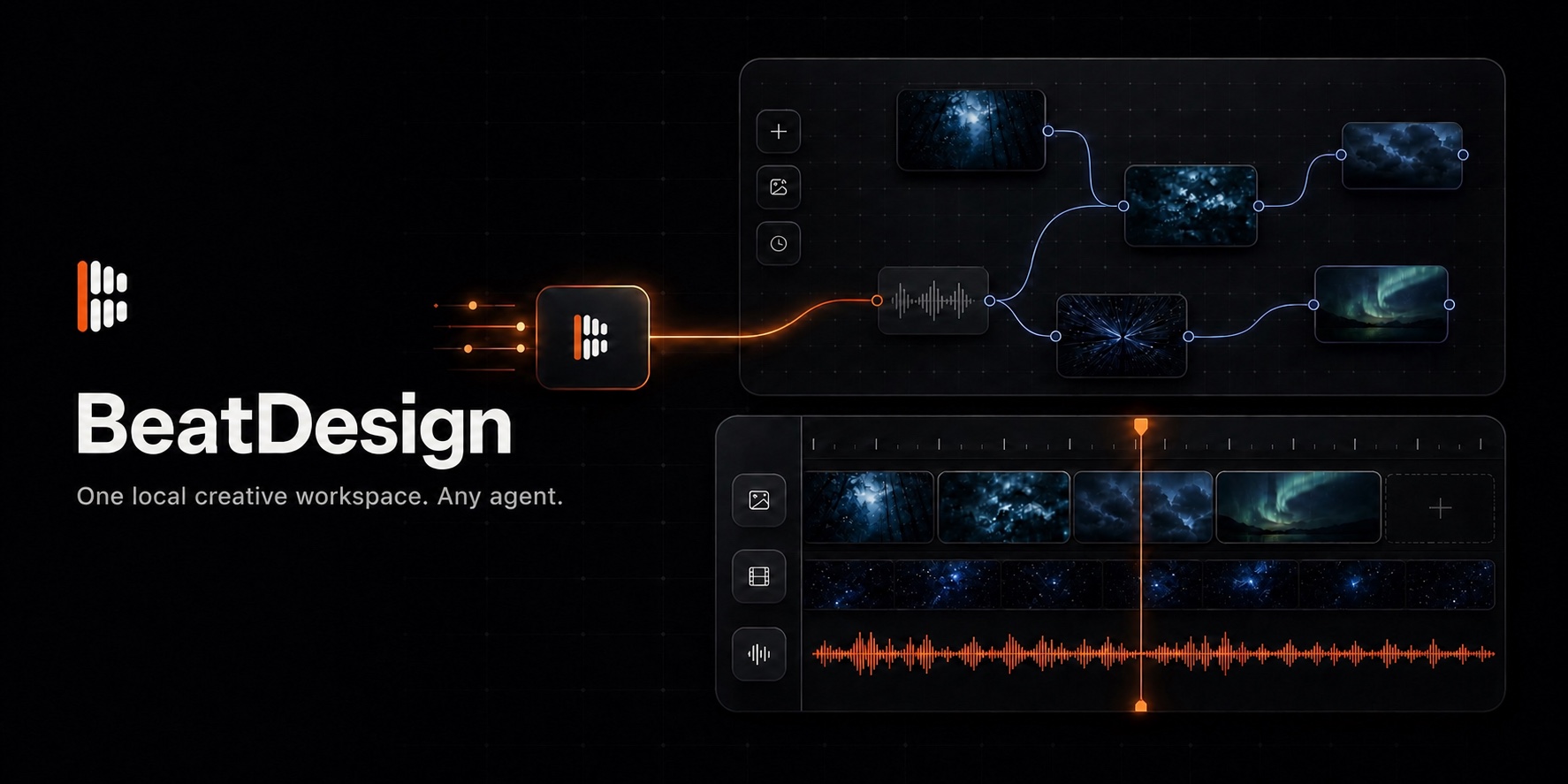
Build image and video workflows on an infinite Canvas, finish them in a browser-native Editor, and let any MCP-capable Agent work in the same Project.
Website · Quick start · MCP · Product status
BeatDesign is an independent, open-source, local-first workspace for AI image and video creation. It is built for people who want the connected creative flow of tools such as Higgsfield, with a workspace they can run, inspect, and extend on their own machine. ## Two creative modes, one Project ### Infinite Canvas Drop in prompts, images, video, and audio. Connect nodes, branch ideas, compare generations, reuse outputs, and keep the full visual workflow inside one project. ### Video Editor Turn Canvas results into a local timeline. Trim, split, move, mix audio, place and transform image overlays, style SRT captions, create alternate AI Takes, preview, and export MP4 in the browser. Studio provides a focused generation surface. Assets keeps every imported and generated file available across Canvas, Editor, and MCP. ## Why BeatDesign - **Local by default.** Projects, media, Canvas state, timelines, and generation history stay in your local workspace. - **Canvas and Editor stay connected.** A generated result becomes a reusable project Asset instead of disappearing inside one tool. - **Bring your own Agent.** Codex, Claude Code, Cursor, and other MCP hosts can inspect and update the same Project you see in the browser. - **Bring your own generation access.** BeatAPI is the built-in provider. Local importing, arranging, editing, previewing, and exporting do not require an API key. - **Fork-friendly foundations.** Provider adapters, project storage, and the command layer are explicit extension points. ## From idea to finished video ```text Prompt or local media ↓ Infinite Canvas ─── connect, generate, branch, compare ↓ Shared Assets ───── images, video, audio, extracted clips ↓ Video Editor ────── trim, arrange, preview, export MP4 ↑ Any MCP Agent ───── works in the same local Project ``` ## Quick start Requirements include Node.js 22+, `pnpm` 10+, and a current Chrome browser on macOS or Windows. ```bash pnpm install pnpm db:push pnpm dev ``` Open [http://127.0.0.1:3020](http://127.0.0.1:3020). Add your own [BeatAPI API key](https://beatapi.io/dashboard/apikeys) only when you want to generate or analyze media, or use AI redo. Selecting a local file does not upload it to a provider. ### Choose how to run BeatDesign | Command | Starts | | --- | --- | | `pnpm dev` | The visual workspace | | `pnpm dev:agent` | The visual workspace and local HTTP MCP endpoint | | `pnpm mcp` | The stdio MCP server for coding Agents | ## Use BeatDesign with an Agent BeatDesign exposes 29 local MCP tools for Skills, Projects, Assets, Canvas, generation, and Editor operations, including built-in Skill discovery and authoritative MP4 timeline rendering. Agent changes use the same project services and become visible in the browser workspace. After connecting your MCP host, you can ask: > Open my latest BeatDesign project, add these clips to a timeline, place the logo overlay, adjust the subtitles, and leave the Editor open for review. ## Platform compatibility | Coding Agent / platform | Status | Quick setup | | --- | --- | --- | | [Claude Code](https://github.com/BeatAPI/BeatDesign/blob/HEAD/integrations/claude-code/beatdesign/README.md) | ✅ Supported | [Plugin or MCP config](https://github.com/BeatAPI/BeatDesign/blob/HEAD/integrations/claude-code/) | | [Codex](https://github.com/BeatAPI/BeatDesign/blob/HEAD/integrations/codex/beatdesign/README.md) | ✅ Supported | [Plugin setup](https://github.com/BeatAPI/BeatDesign/blob/HEAD/integrations/codex/beatdesign/README.md) | | [ZCode](https://github.com/BeatAPI/BeatDesign/blob/HEAD/integrations/zcode/config.example.json) | ✅ Supported | [MCP config](https://github.com/BeatAPI/BeatDesign/blob/HEAD/integrations/zcode/config.example.json) | | [OpenCode](https://github.com/BeatAPI/BeatDesign/blob/HEAD/integrations/opencode/) | ✅ Supported | [MCP config](https://github.com/BeatAPI/BeatDesign/blob/HEAD/integrations/opencode/) | | [Cursor](https://github.com/BeatAPI/BeatDesign/blob/HEAD/integrations/cursor/mcp.json.example) | ✅ Supported | [MCP config](https://github.com/BeatAPI/BeatDesign/blob/HEAD/integrations/cursor/mcp.json.example) | | [Windsurf](https://github.com/BeatAPI/BeatDesign/blob/HEAD/integrations/windsurf/mcp_config.json.example) | ✅ Supported | [MCP config](https://github.com/BeatAPI/BeatDesign/blob/HEAD/integrations/windsurf/mcp_config.json.example) | | [VS Code + GitHub Copilot](https://github.com/BeatAPI/BeatDesign/blob/HEAD/integrations/vscode/mcp.json.example) | ✅ Supported | [MCP config](https://github.com/BeatAPI/BeatDesign/blob/HEAD/integrations/vscode/mcp.json.example) | | [Cline / Roo Code](https://github.com/BeatAPI/BeatDesign/blob/HEAD/integrations/cline/mcp_settings.json.example) | ✅ Supported | [MCP config](https://github.com/BeatAPI/BeatDesign/blob/HEAD/integrations/cline/mcp_settings.json.example) | | [Qwen Code](https://github.com/BeatAPI/BeatDesign/blob/HEAD/integrations/qwen/settings.example.json) | ✅ Supported | [MCP config](https://github.com/BeatAPI/BeatDesign/blob/HEAD/integrations/qwen/settings.example.json) | | [Gemini CLI](https://github.com/BeatAPI/BeatDesign/blob/HEAD/integrations/gemini/settings.example.json) | ✅ Supported | [MCP config](https://github.com/BeatAPI/BeatDesign/blob/HEAD/integrations/gemini/settings.example.json) | | [Hermes Agent](https://github.com/BeatAPI/BeatDesign/blob/HEAD/integrations/hermes/config.yaml.snippet) | ✅ Supported | [MCP config](https://github.com/BeatAPI/BeatDesign/blob/HEAD/integrations/hermes/config.yaml.snippet) | | [Kiro](https://github.com/BeatAPI/BeatDesign/blob/HEAD/integrations/kiro/mcp.json.example) | ✅ Supported | [MCP config](https://github.com/BeatAPI/BeatDesign/blob/HEAD/integrations/kiro/mcp.json.example) | | [Trae](https://github.com/BeatAPI/BeatDesign/blob/HEAD/integrations/trae/mcp.json.example) | ✅ Supported | [MCP config](https://github.com/BeatAPI/BeatDesign/blob/HEAD/integrations/trae/mcp.json.example) | | [WorkBuddy](https://github.com/BeatAPI/BeatDesign/blob/HEAD/integrations/workbuddy/beatdesign/README.md) | ✅ Supported | [Connector setup](https://github.com/BeatAPI/BeatDesign/blob/HEAD/integrations/workbuddy/beatdesign/README.md) | | [QwenWork](https://github.com/BeatAPI/BeatDesign/blob/HEAD/integrations/qwenwork/mcp.json.example) | ✅ Supported | [HTTP connector](https://github.com/BeatAPI/BeatDesign/blob/HEAD/integrations/qwenwork/mcp.json.example) | | [Doubao Work](https://github.com/BeatAPI/BeatDesign/blob/HEAD/integrations/doubao-work/mcp.json.example) | ✅ Supported | [HTTP connector](https://github.com/BeatAPI/BeatDesign/blob/HEAD/integrations/doubao-work/mcp.json.example) | [Open the full Agent integration guide →](https://github.com/BeatAPI/BeatDesign/blob/HEAD/integrations/README.md) ## What works today - Image and video generation plus Standard and Deep video analysis. - Image, video, audio, generation, timeline, and text nodes on the Canvas. - Project Assets shared across Studio, Canvas, Editor, and MCP. - Non-destructive timeline editing with image, video, audio, movable image overlays, and styled SRT caption tracks. - Local preview and browser-side H.264/AAC MP4 export with WebCodecs and Mediabunny. - English, Chinese, and Japanese interfaces. - Local stdio and Streamable HTTP MCP transports. BeatDesign currently focuses on local, short-form creative workflows. Hosted collaboration, multiple named timelines, advanced transitions, speed controls, waveforms, and desktop packaging remain outside the current release. [See the complete shipped and planned scope →](https://github.com/BeatAPI/BeatDesign/blob/HEAD/docs/PRODUCT_PLAN_AND_STATUS.md) ## Project guides - [Product status](https://github.com/BeatAPI/BeatDesign/blob/HEAD/docs/PRODUCT_PLAN_AND_STATUS.md) - [MCP setup](https://github.com/BeatAPI/BeatDesign/blob/HEAD/docs/MCP.md) - [Architecture](https://github.com/BeatAPI/BeatDesign/blob/HEAD/docs/ARCHITECTURE.md) - [Provider integration](https://github.com/BeatAPI/BeatDesign/blob/HEAD/docs/PROVIDERS.md) - [Contributing](https://github.com/BeatAPI/BeatDesign/blob/HEAD/.github/CONTRIBUTING.md) - [Security](https://github.com/BeatAPI/BeatDesign/blob/HEAD/.github/SECURITY.md) ## License BeatDesign is licensed under [Apache License 2.0](https://github.com/BeatAPI/BeatDesign/blob/HEAD/LICENSE). BeatAPI and BeatDesign trademarks, third-party model access, and bundled third-party components remain subject to their respective terms. See [third-party notices](https://github.com/BeatAPI/BeatDesign/blob/HEAD/third_party/) and [trademark policy](https://github.com/BeatAPI/BeatDesign/blob/HEAD/docs/TRADEMARKS.md).